

Your Browsing History

Meet Your Seller

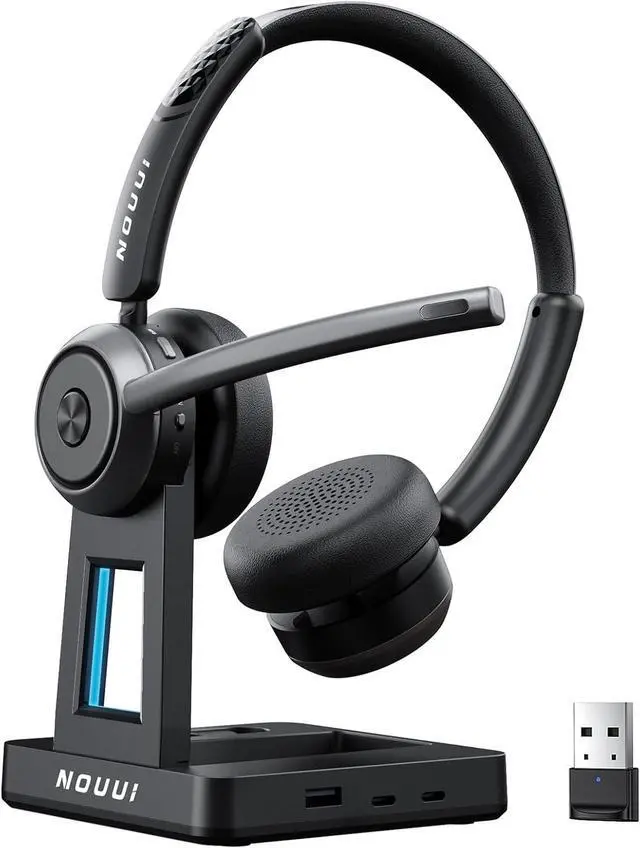


Wireless Headset with Mic for Work, Wireless Headphones with Mic(Noise Cancelling & Mute Button),65H Battery with Charge Base Bluetooth Headset with Microphone for PC/Call Center/Computer/Zooms/Teams
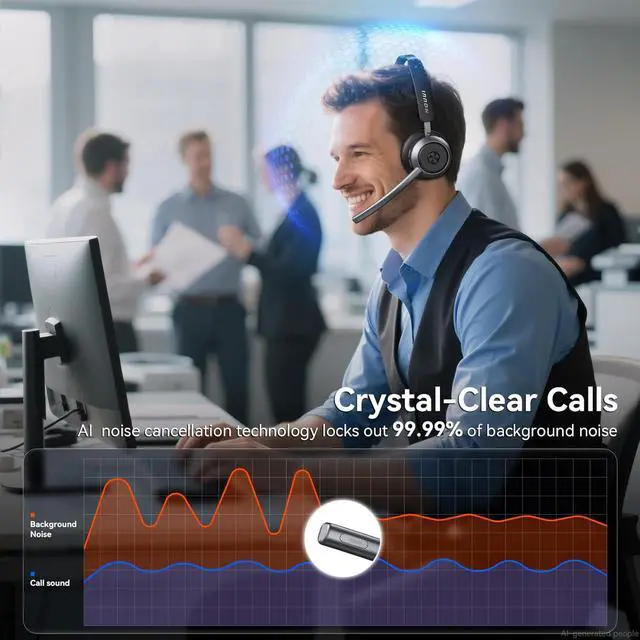
- AI Noise Reduction for Clear Work Calls: With an ENC chip and AI noise-reducing microphone, this wireless headset with mic for work helps soften office chatter, keyboard tapping, barking dogs, traffic, warehouse sounds, and airport noise so your voice stays clear on calls. Built for home offices, call centers, online meetings, and shared workspaces, the wireless headphones with mic for work includes one-touch mute for quick privacy and simple control when unexpected sounds happen during workdays
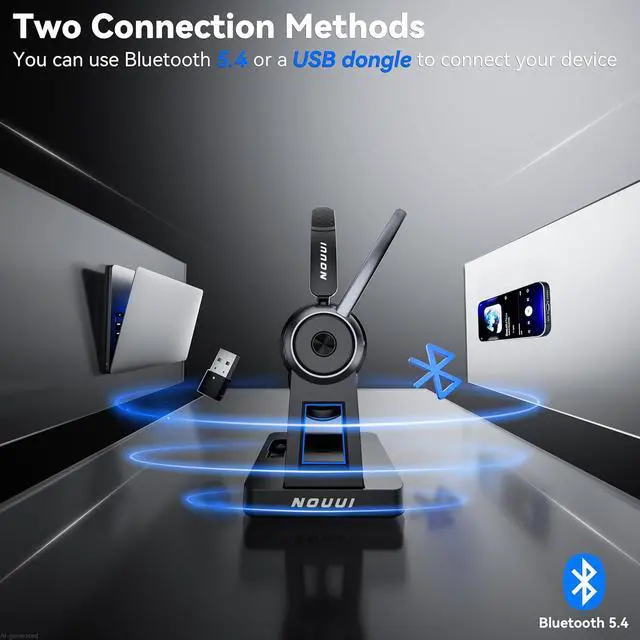
- Bluetooth & 2.4G Dongle Stable Dual-Connection: This wireless headset with mic for work uses Bluetooth 5.4 for phones & tablets, providing quick pairing, stable low-latency audio, and up to 50 ft range. As for Windows laptop/PC without Bluetooth, using the computer headset with microphone via plug in the included 2.4G dongle. Select the dongle as your bluetooth headphones with mic for smoother call setup. Connects to one device at a time, suitable for hybrid work, call centers, and multitasking
+
+
Overview
Specs
Reviews

Any questions? Our AI beta will help you find out quickly.
Try me now
65-Hour Battery Life for
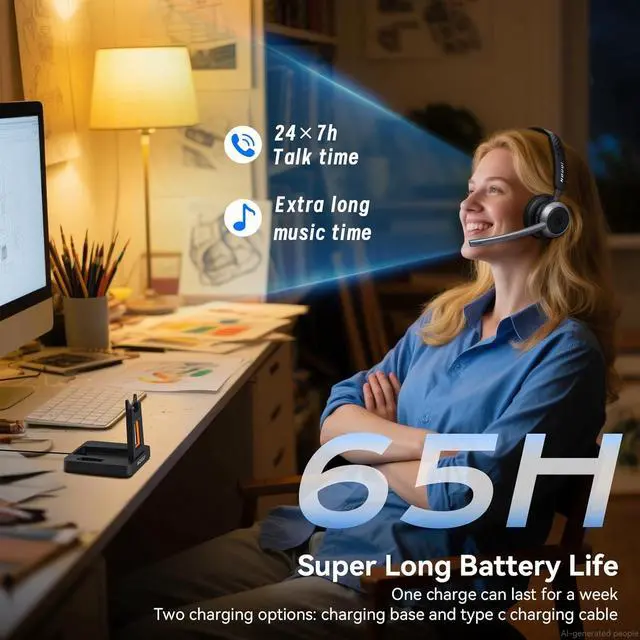
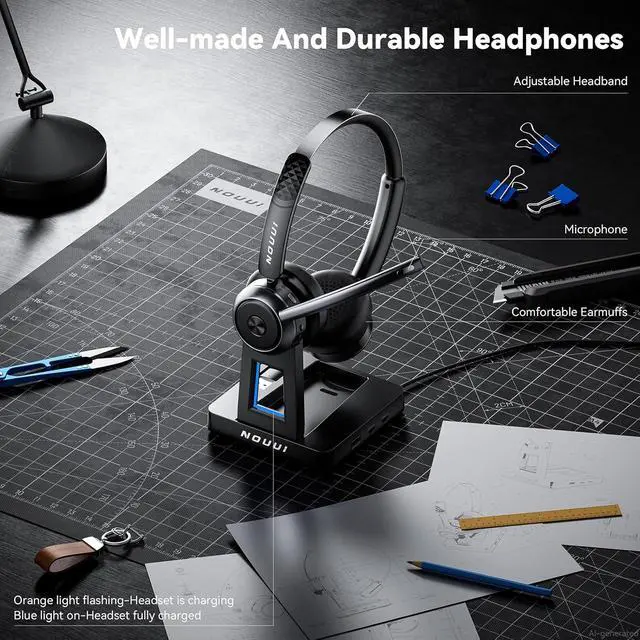
Long Workdays: The computer headset with microphone deliver up to 65 hours of use on a 2 hours charge, giving you steady power for meetings, office shifts, remote work, and travel. Charge by USB-C or place the wireless headset with microphone for PC on the charging base for easy desk setup. The base for the bluetooth headset with mic for work includes a slot to store the USB dongle, helping keep your workspace neat at the office, on the road, or at home all day
Immersive Stereo Sound for Work and Play: This wireless headset with mic for work delivers rich stereo audio with low distortion, helping calls, training videos, and music sound clear and natural. The noise cancelling headphones for work uses a binaural design to reduce distractions, so you can hear callers in busy spaces. Built for online meetings, remote work, call centers, and music, this bluetooth headset with microphone offers both professional calls and exceptional sound quality for you
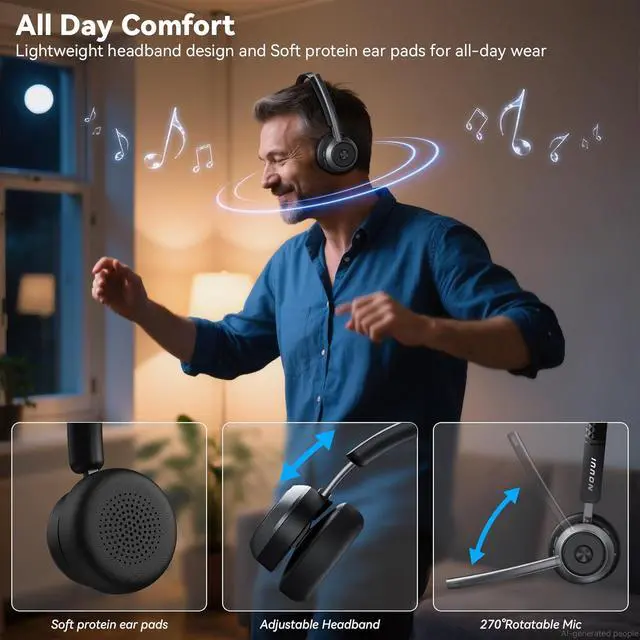
All-Day Comfort and Easy Call Control: The wireless headset for computer with soft leather-like ear cushions, a lightweight frame, and an adjustable headband help reduce pressure during 8-hour wear, ideal for long meetings and call center shifts. The 270° rotatable boom mic supports left or right-side use, while onboard buttons let you answer, mute, and adjust volume with ease. This wireless pc headset combines comfort and practical control for remote work, warehouse tasks, and daily calls
99% Noise Cancellation
Eliminate background noise to ensure your voice is clear and professional in any situation
Bluetooth 5.4 & 2.4G Dongle for Instant Connection
Fast and stable pairing with two flexible connection options for phones, laptop, computer
65-Hour Battery Life for a Full Week of Work
Up to 65H on one charge, ready for full week of meetings, remote work and no battery anxiety
One-Touch Mute Button for Instant Privacy
Easy mute button for quick privacy to helps deal with unexpected background noise
1 Long Working Time
2 Mute Button
Immersive Stereo Sound for Work & Play
clear Stereo sound for clear calls, online meetings, training videos, and music
Hands-Free MFB Button
Hands-Free to answer/end a call, adjust volume, control music by MFB button, no need reach your phone
1 HiFi Stereo Sound
2 Easy Control MFB
Wide Compatibility for Seamless Communication
Stable connection to phones, computers, laptop, wide compatibility ensures smooth calls across major meeting platforms like zoom, teams
How to Connect via USB Dongle
1, Plug the USB dongle into your computers USB port; 2, Wait for the blue LED to flash, showing the dongle is ready; 3, Turn the headset to ON; 4, Once you hear Paired and the blue light stays solid, the headset is connected
Note: Disable Bluetooth on other devices if previously paired.
Long Workdays: The computer headset with microphone deliver up to 65 hours of use on a 2 hours charge, giving you steady power for meetings, office shifts, remote work, and travel. Charge by USB-C or place the wireless headset with microphone for PC on the charging base for easy desk setup. The base for the bluetooth headset with mic for work includes a slot to store the USB dongle, helping keep your workspace neat at the office, on the road, or at home all day
Immersive Stereo Sound for Work and Play: This wireless headset with mic for work delivers rich stereo audio with low distortion, helping calls, training videos, and music sound clear and natural. The noise cancelling headphones for work uses a binaural design to reduce distractions, so you can hear callers in busy spaces. Built for online meetings, remote work, call centers, and music, this bluetooth headset with microphone offers both professional calls and exceptional sound quality for you
All-Day Comfort and Easy Call Control: The wireless headset for computer with soft leather-like ear cushions, a lightweight frame, and an adjustable headband help reduce pressure during 8-hour wear, ideal for long meetings and call center shifts. The 270° rotatable boom mic supports left or right-side use, while onboard buttons let you answer, mute, and adjust volume with ease. This wireless pc headset combines comfort and practical control for remote work, warehouse tasks, and daily calls
99% Noise Cancellation
Eliminate background noise to ensure your voice is clear and professional in any situation
Bluetooth 5.4 & 2.4G Dongle for Instant Connection
Fast and stable pairing with two flexible connection options for phones, laptop, computer
65-Hour Battery Life for a Full Week of Work
Up to 65H on one charge, ready for full week of meetings, remote work and no battery anxiety
One-Touch Mute Button for Instant Privacy
Easy mute button for quick privacy to helps deal with unexpected background noise
1 Long Working Time
2 Mute Button
Immersive Stereo Sound for Work & Play
clear Stereo sound for clear calls, online meetings, training videos, and music
Hands-Free MFB Button
Hands-Free to answer/end a call, adjust volume, control music by MFB button, no need reach your phone
1 HiFi Stereo Sound
2 Easy Control MFB
Wide Compatibility for Seamless Communication
Stable connection to phones, computers, laptop, wide compatibility ensures smooth calls across major meeting platforms like zoom, teams
How to Connect via USB Dongle
1, Plug the USB dongle into your computers USB port; 2, Wait for the blue LED to flash, showing the dongle is ready; 3, Turn the headset to ON; 4, Once you hear Paired and the blue light stays solid, the headset is connected
Note: Disable Bluetooth on other devices if previously paired.
Warranty & Returns
Warranty, Returns, And Additional Information
Warranty
- Please contact the Seller directly for warranty information. Warranty information may also be found on the Manufacturer's website.
- CONTACT
Return Policies
- Return for refund within: 30 days
- Return for replacement within: 30 days
- This item is covered by Grandwood Tech Limited Return Policy
Manufacturer Contact Info
- For a directory of all our manufacturers, please click below.
- Manufacturers Directory
LOADING...