

Your Browsing History
- Free 30-day Returns
$243.99

Meet Your Seller

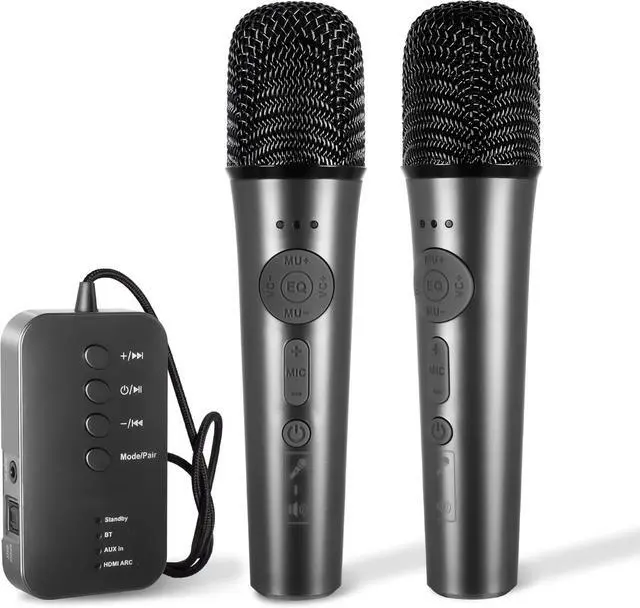



AI Portable Karaoke Machine with Multifunctional Mics & Multi-Pairing Converter Auto-Vocal Removal & Sing-Along for Home/Outdoors/Car, Party, Camping & Travel
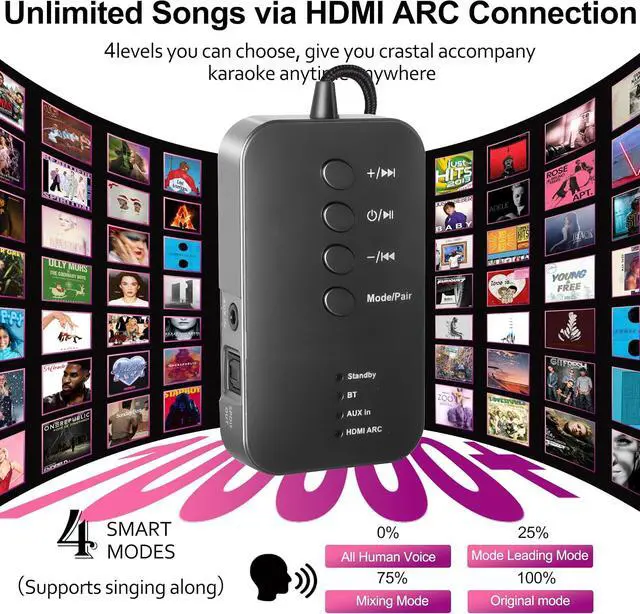
- Advanced AI Vocal Removal Technology Equipped with cutting-edge AI algorithm, this adapter can intelligently eliminate original vocals from any audio source with high precision. Enjoy singing along to your favorite songs in pure accompaniment mode, no more struggling with low-quality backing tracks. The AI processing ensures minimal audio distortion, preserving the original melody and rhythm for a studio-like singing experience
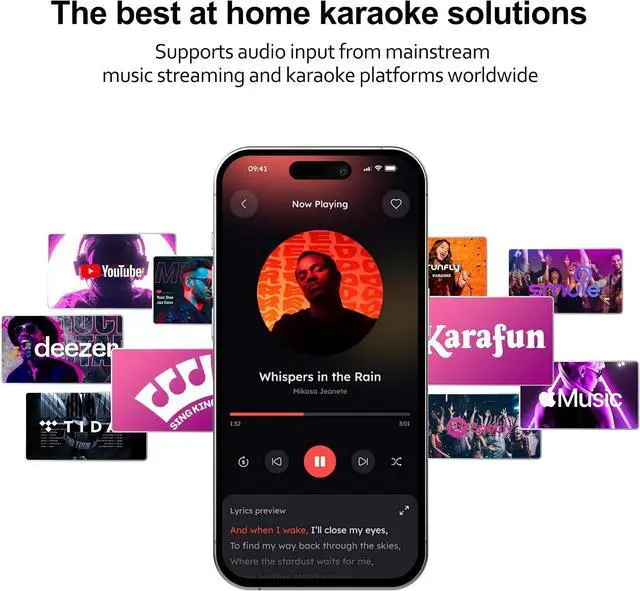
- Unlimited Songs via HDMI ARC Connection Seamlessly connect to your TV via HDMI ARC input to access an endless library of songs. Whether you stream music from popular platforms or play local video files on your TV, the adapter captures audio signals in real time, turning your living room into a professional karaoke lounge. No need for additional song storage devicesjust pick a song on your TV and start singing instantly
+
+
Overview
Specs
Reviews

Any questions? Our AI mode will help you find out quickly.
Try me now
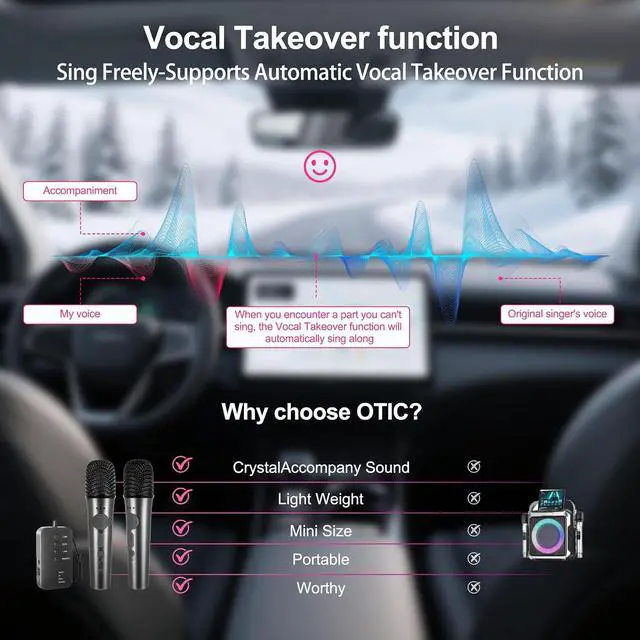
Real-Time Vocal Takeover for Innovative Karaoke Fun Experience the revolutionary real-time vocal takeover feature that lets you take control of the singing dynamically. Effortlessly switch between following the original vocal and taking the lead, adding creative layers to your performance. This unique function brings a fresh and interactive element to traditional karaoke, making every singing session more engaging and fun
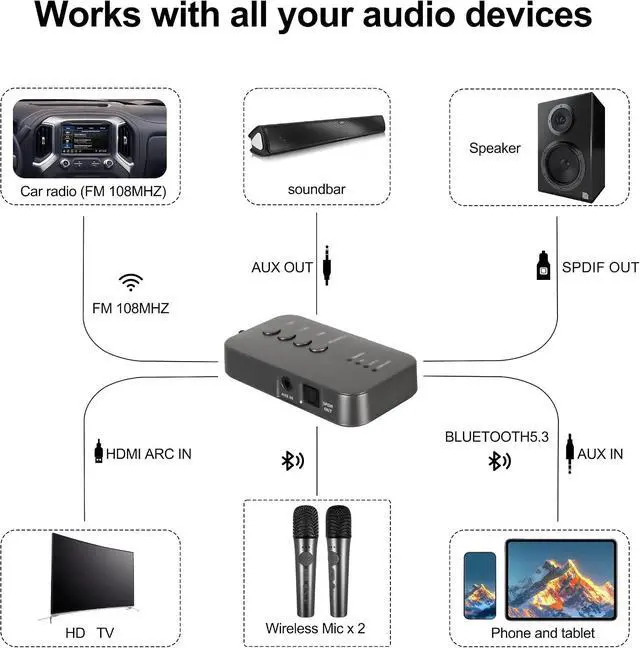
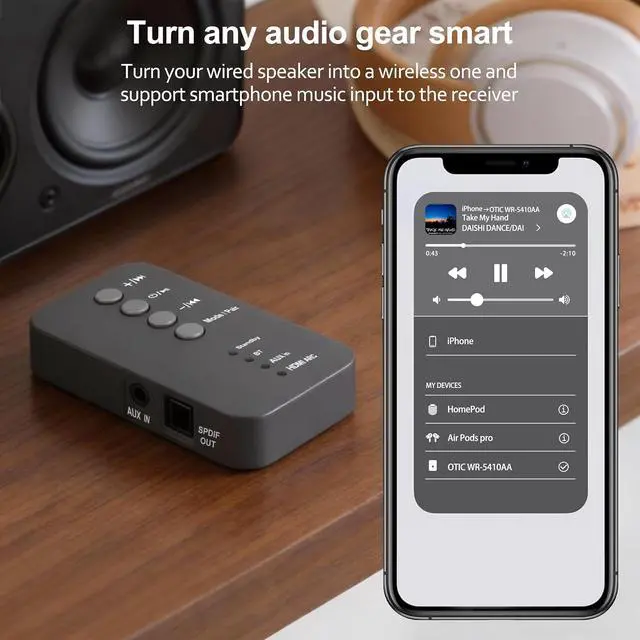
Versatile I/O Ports for All-Scenario Use Boasts a rich array of input and output interfaces, including BT HDMI, AUX, SPDIF and more, to adapt to various usage scenarioswhether it's indoor gatherings in your living room, outdoor parties in the backyard, or small get-togethers at a friend's place. Compatible with TVs, projectors, speakers, microphones, and mobile devices, making it the ultimate all-in-one karaoke solution for every occasion
Enjoy Professional KTV Experience Effortlessly Perfect for multiple occasions, it turns your home and party venues into professional KTV spaces in no time. The smart AI feature helps you sing smoothly even if you don't know the lyrics well, letting you have a great time singing with friends.
The video showcases the product in use. The video guides you through product setup. The video compares multiple products. The video shows the product being unpacked.
AI Function Usage Tutorial
AI Portable Karaoke Machine, what scenarios is it suitable for?
Supports TV Karaoke, Outdoor Karaoke, Phone Karaoke and Party Celebration; it can also serve as a streaming audio receiver for music playback.
How to use the AI Portable Karaoke Machine with the AUX port on smartphones, tablets, and laptops?
1. Connect the speaker and microphone. 2. The button on the Adapter to turn on, button on the microphone to power on. 3. Switch to AUX IN mode. 4. Connect the devices with the AUX cable5.
After connection: play music, sing into the mic.
How to Connect the AI Portable Karaoke Machine to Your TV? Use AUX/Optical set speaker to AUX IN/OPTICAL
1. Connect the speaker and microphone. 2. The button on the Adapter to turn on, button on the microphone to power on. 3. Switch to HDMI ARC IN mode. 4. Connect the devices with theHDMI ARC cable5. Turn on your TV, play music and start singing.
No sound from microphone / Microphone indicators flash. Failed to connect
1. Check connection cables.
2. Check mic indicator light. If off, charge first
3. If issues persist, manually pair the mic via Bluetooth.
Press and hold the "Power button " & "MIC-" buttons simultaneously to re-pair. See the user manual for details
Versatile I/O Ports for All-Scenario Use Boasts a rich array of input and output interfaces, including BT HDMI, AUX, SPDIF and more, to adapt to various usage scenarioswhether it's indoor gatherings in your living room, outdoor parties in the backyard, or small get-togethers at a friend's place. Compatible with TVs, projectors, speakers, microphones, and mobile devices, making it the ultimate all-in-one karaoke solution for every occasion
Enjoy Professional KTV Experience Effortlessly Perfect for multiple occasions, it turns your home and party venues into professional KTV spaces in no time. The smart AI feature helps you sing smoothly even if you don't know the lyrics well, letting you have a great time singing with friends.
The video showcases the product in use. The video guides you through product setup. The video compares multiple products. The video shows the product being unpacked.
AI Function Usage Tutorial
AI Portable Karaoke Machine, what scenarios is it suitable for?
Supports TV Karaoke, Outdoor Karaoke, Phone Karaoke and Party Celebration; it can also serve as a streaming audio receiver for music playback.
How to use the AI Portable Karaoke Machine with the AUX port on smartphones, tablets, and laptops?
1. Connect the speaker and microphone. 2. The button on the Adapter to turn on, button on the microphone to power on. 3. Switch to AUX IN mode. 4. Connect the devices with the AUX cable5.
After connection: play music, sing into the mic.
How to Connect the AI Portable Karaoke Machine to Your TV? Use AUX/Optical set speaker to AUX IN/OPTICAL
1. Connect the speaker and microphone. 2. The button on the Adapter to turn on, button on the microphone to power on. 3. Switch to HDMI ARC IN mode. 4. Connect the devices with theHDMI ARC cable5. Turn on your TV, play music and start singing.
No sound from microphone / Microphone indicators flash. Failed to connect
1. Check connection cables.
2. Check mic indicator light. If off, charge first
3. If issues persist, manually pair the mic via Bluetooth.
Press and hold the "Power button " & "MIC-" buttons simultaneously to re-pair. See the user manual for details
Warranty & Returns
Warranty, Returns, And Additional Information
Warranty
- Please contact the Seller directly for warranty information. Warranty information may also be found on the Manufacturer's website.
- CONTACT
Return Policies
- Return for refund within: 30 days
- Return for replacement within: 30 days
- This item is covered by Grandwood Tech Limited Return Policy
Manufacturer Contact Info
- For a directory of all our manufacturers, please click below.
- Manufacturers Directory
LOADING...