Your Browsing History
Meet Your Seller
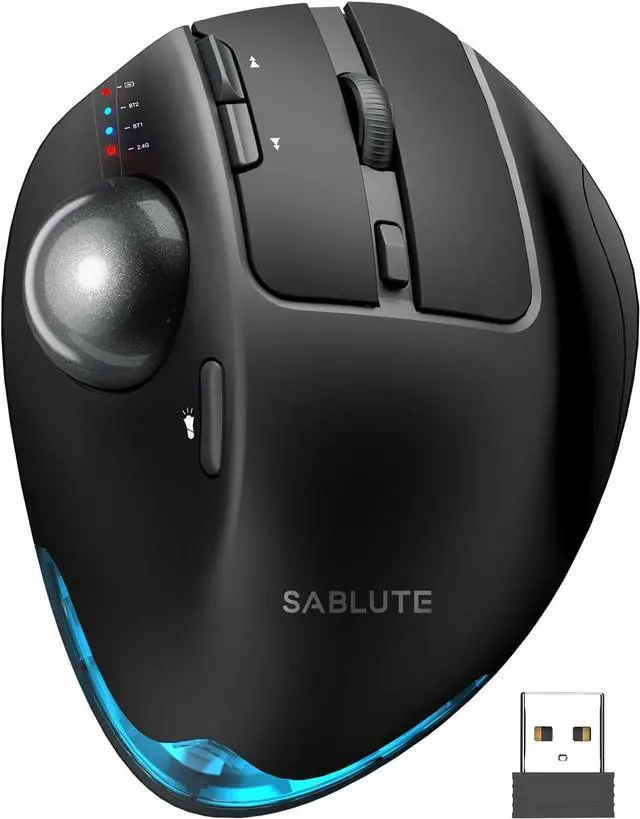
MAM1 Pro Ergonomic Wireless Trackball Mouse, Adjustable 0°/18° Angle, Thumb Control Mice, Quiet Click, 3 Multi-Device Bluetooth & USB Receiver, Rechargeable Mouse for Office, Windows Mac
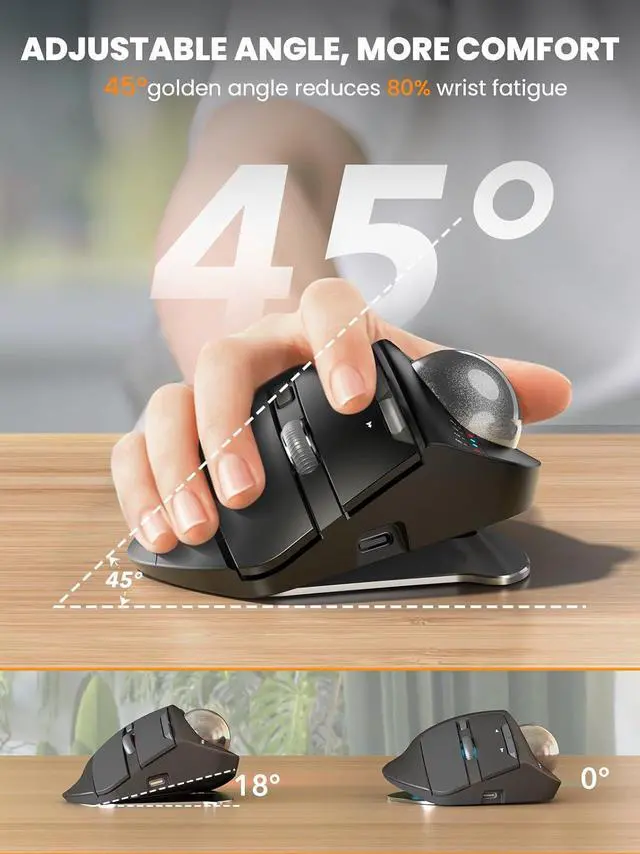
- Ergonomic Adjustable Angle: 0° or 18° adjustable ergonomic tilt lets you choose a natural handshake position. The 18° angle follows the wrists natural resting posture, helping reduce wrist and forearm strain during long hours of work, study, or computer use
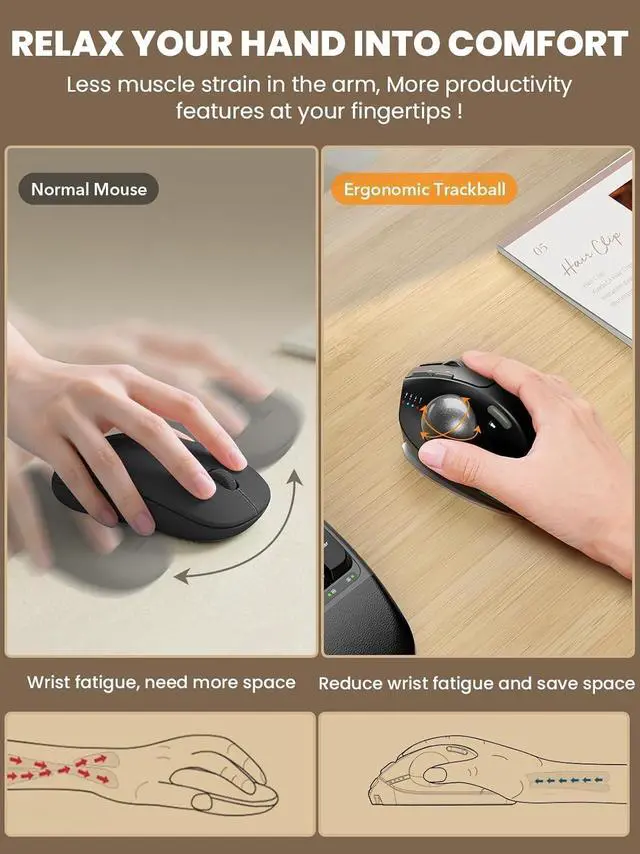
- Thumb Trackball Control: Smooth thumb-operated trackball allows precise cursor control without moving your arm across the desk. Reduces repetitive wrist and shoulder movement, making it ideal for small desks, limited spaces, and long daily use
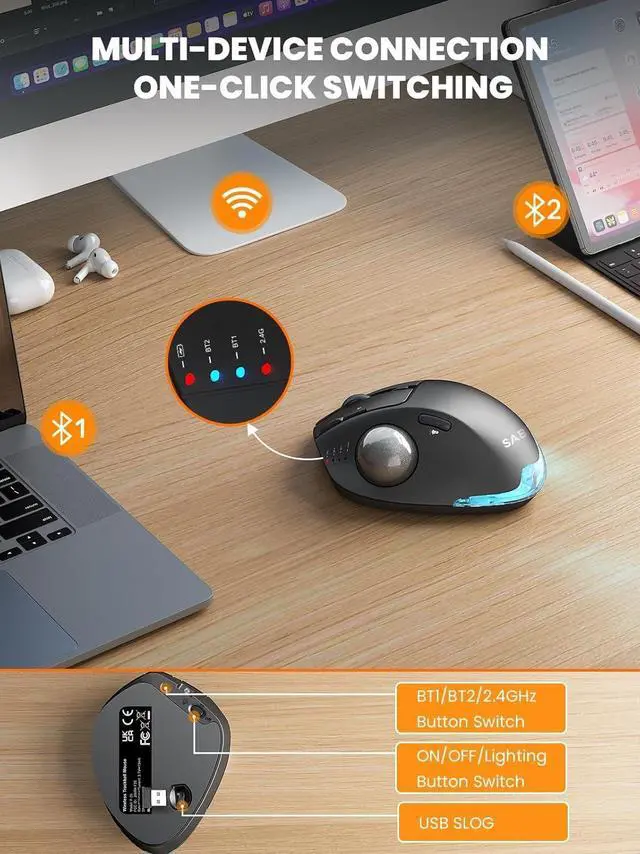
- 3 Device Wireless Switching: Connect up to three devices via dual Bluetooth modes and a 2.4G USB receiver. Switch instantly between your PC, laptop, or tablet with one button. Stable, lag-free wireless connection up to 33 ft (10 m)
+
+
Overview
Reviews
Any questions? Our AI beta will help you find out quickly.
Try me now
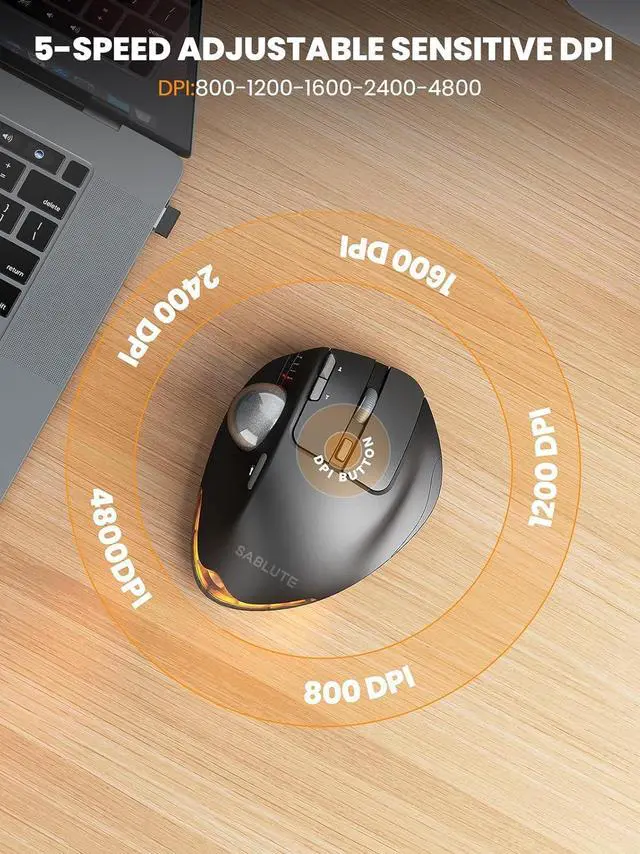
Quiet Clicks & Adjustable DPI: 5 adjustable DPI levels from 800 to 4800 let you match cursor speed to different tasks and screens. Ultra-quiet buttons with up to 95% reduced click noise keep you focused in offices or shared workspaces
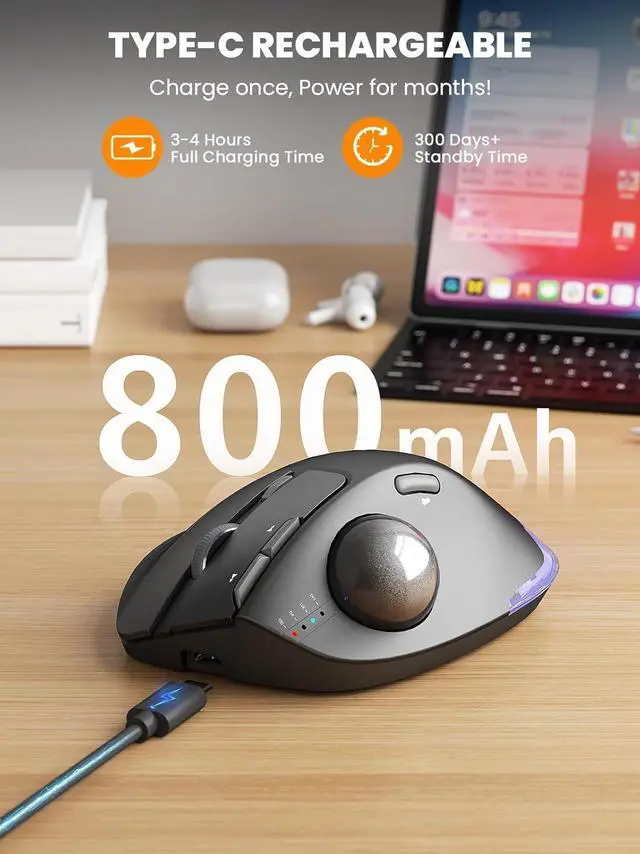
Rechargeable with Backlight: Built-in rechargeable battery with USB-C charging eliminates disposable batteries. Soft ambient backlight can be turned on or off as needed. Compatible with Windows, macOS, Android, and ChromeOS. USB receiver stores neatly in the base
Warm Tips: If you are using a trackball mouse for the first time, it may take some time to get used to its operation. We recommend that you spend 1-2 weeks to adapt, as many users find that this helps reduce the pressure and pain on the wrist caused by long-term use of the mouse and improves comfort

Rechargeable with Backlight: Built-in rechargeable battery with USB-C charging eliminates disposable batteries. Soft ambient backlight can be turned on or off as needed. Compatible with Windows, macOS, Android, and ChromeOS. USB receiver stores neatly in the base
Warm Tips: If you are using a trackball mouse for the first time, it may take some time to get used to its operation. We recommend that you spend 1-2 weeks to adapt, as many users find that this helps reduce the pressure and pain on the wrist caused by long-term use of the mouse and improves comfort
Warranty & Returns
Warranty, Returns, And Additional Information
Warranty
- Please contact the Seller directly for warranty information. Warranty information may also be found on the Manufacturer's website.
- CONTACT
Return Policies
- Return for refund within: 30 days
- Return for replacement within: 30 days
- This item is covered by Grandwood Tech Limited Return Policy
Manufacturer Contact Info
- For a directory of all our manufacturers, please click below.
- Manufacturers Directory
LOADING...