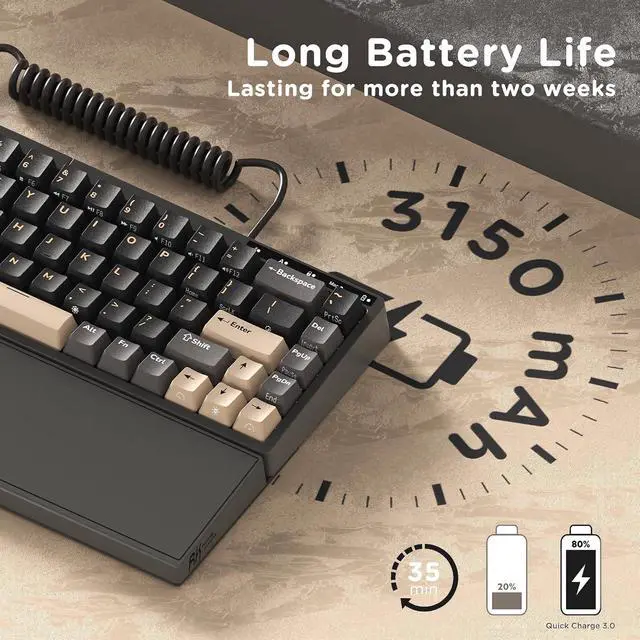
Long lasting BatteryEquipped with a 3150mAh battery, the 75 percent keyboard can last up to two weeks without backlight, offering long hours of wireless gaming or work
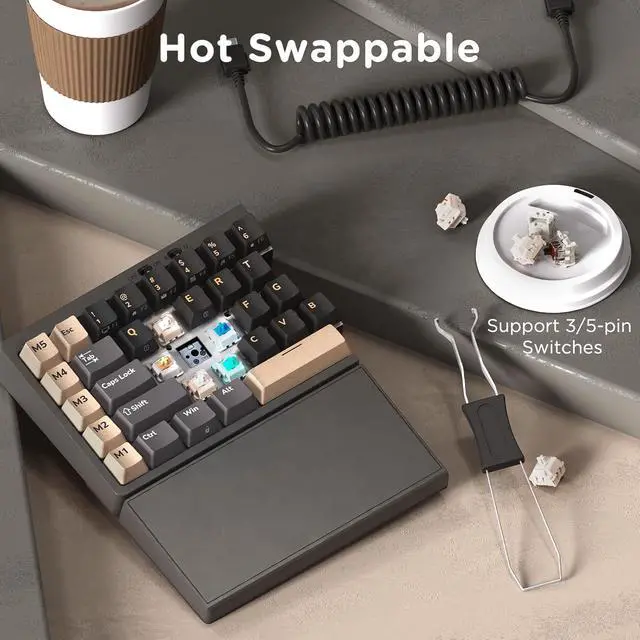
Hot Swappable & Pre-Lubed Custom SwitchesThe ergonomic gaming keyboard features a hot-swappable PCB that supports 3- pin and 5-pin switches, allowing you to easily personalize your typing. Pre-lubed linear creamy switches deliver smooth keystrokes and a satisfying sound for an enjoyable experience
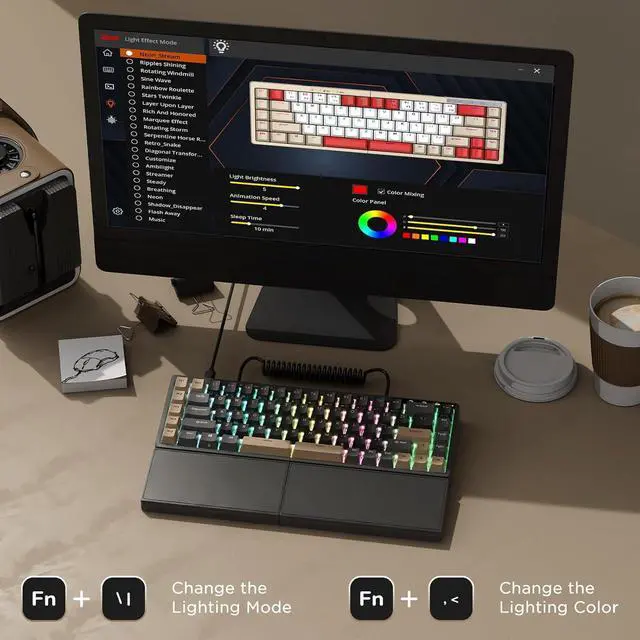
Macros Key & Software SupportsActivating a macro key with a stroke enables quick responses, enhancing efficiency in work and gaming with 5 programmable macro keys on the left side. With RK software on Windows, you can easily remap keys, set macros, and customize RGB lighting
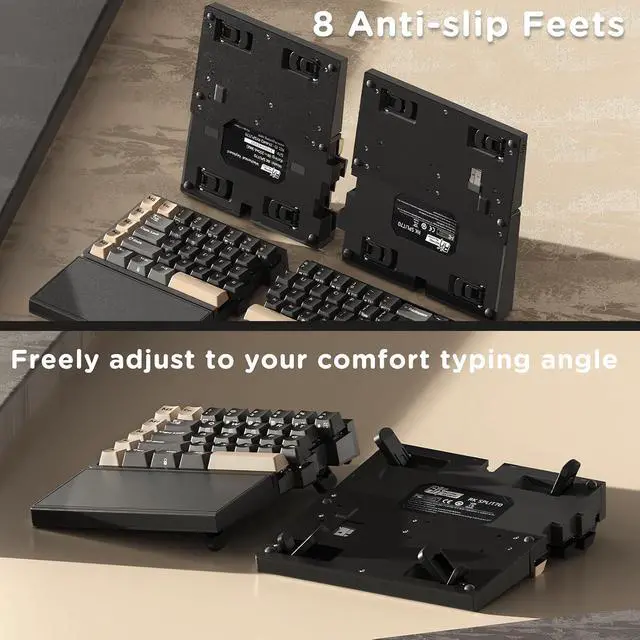
8 Anti-slip Feet, 2-Level Adjustment
Freely adjust the typing angle for a comfortable typing posture
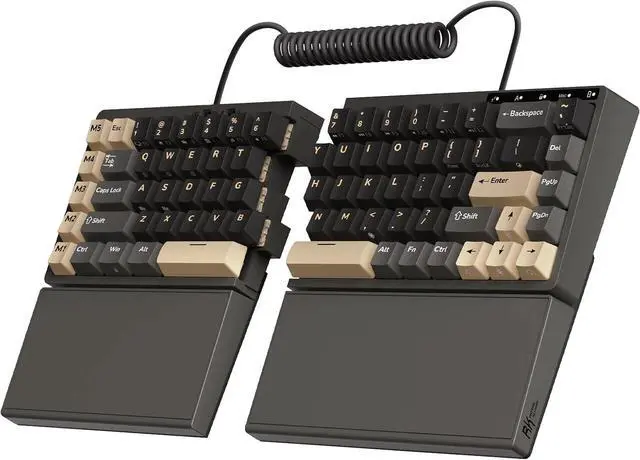
Left-side keyboard built-in a battery, retains wireless connectivity and macro functionality
Tip: Right Half Requires the Coiled Cable Connection for Use
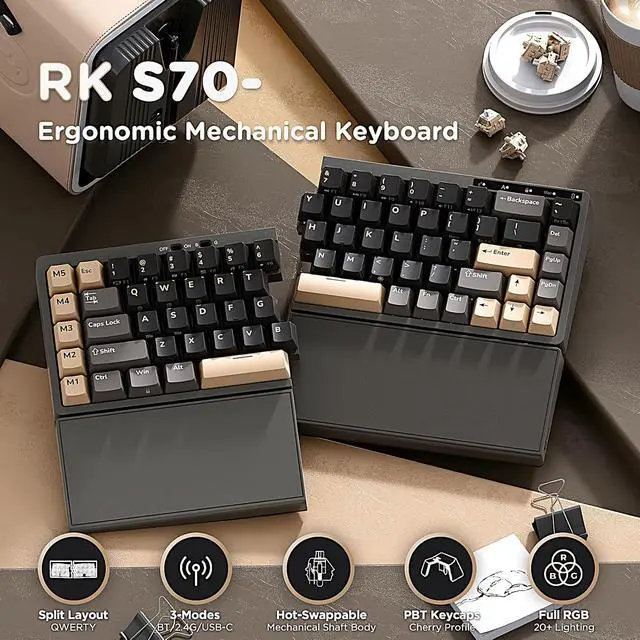
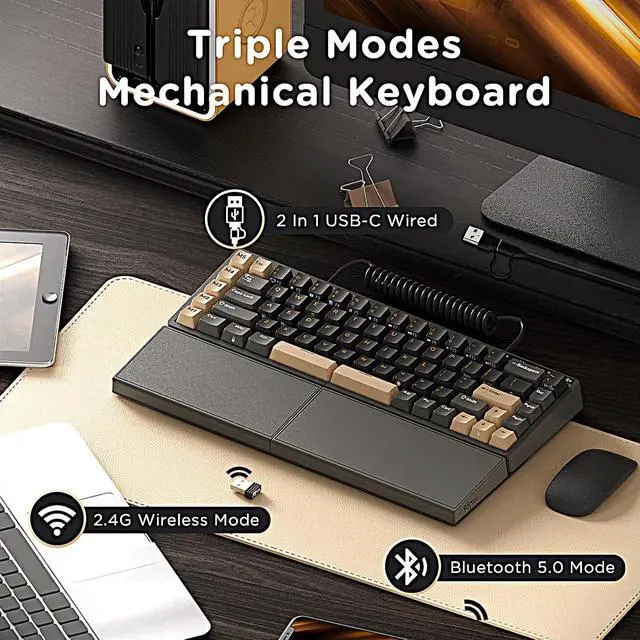
1 Tri-Mode Keyboard
2 Programmable Macro Keys
3 RGB Backlight
Software Support
en. rkgaming. com/download
Please use the keyboard software in wired mode on Windows systems.
1 Hot Swappable Switches
2 Indicator Lights
3 75% Layout
How to download the split mechanical keyboard software?
Official universal software: en. rkgaming. com/download/1/
Or use the custom driver: bit. ly/RKRGBSOFT
Please note: The software is currently available for Windows only
Do the right half wireless keyboard require the cable to be used?
The right keyboard needs to be connected to the left keyboard with a coiled cable or a connecting cable. The right keyboard cannot be used alone.
How to disable sleep mode on the rgb gaming keyboard?
Open the software, click on the "Lighting Effect Mode", and then slide the "Sleep Time" setting to "No Sleep".
Is the wrist rest on the PC gaming keyboard magnetic or fixed?
The wrist rest is fixed to the keyboard and cannot be removed.
How do I redefine the Macro keys on the left side?
First, download the keyboard software on a Windows PC. Then, connect the keyboard with a cable, open the software and click on "Profile". Last, right-click the key you want to change, and choose "Custom Function" to set it as you like.





 here!
here!