• $97.99
  • Free 30-day Returns
  • Price alert
    Shop it at NeweggBusiness.

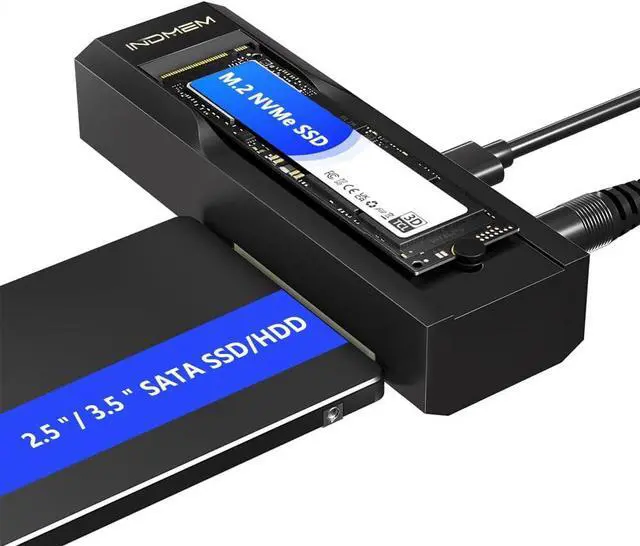
    M.2 NVMe SSD Enclosure Adapter, 10Gbps SATA & M.2. NVMe Dual Bay Offline Clone USB-C Adapters Supports 3.5"/2.5" SATA SSD, Type-C Standalone Clone Duplicator

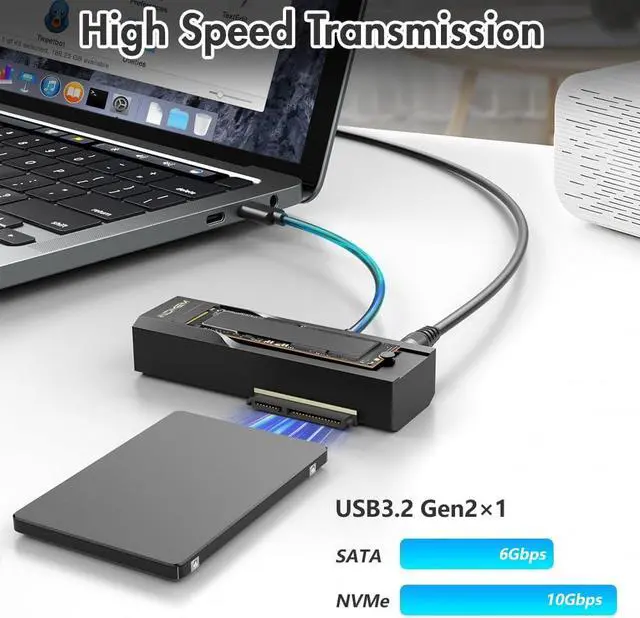
    • 10Gbps M.2 SSD EnclosureThis SDD external hard drive enclosure supports SATA 6Gbps and NVMe 10Gbps ultra-fast transfer speeds, has USB 3.2 Gen2 and is backward compatible with USB 3.1 and USB 3.0. This NVMe Reader Adapter uses a USB-C interface for stable and efficient data transmission.
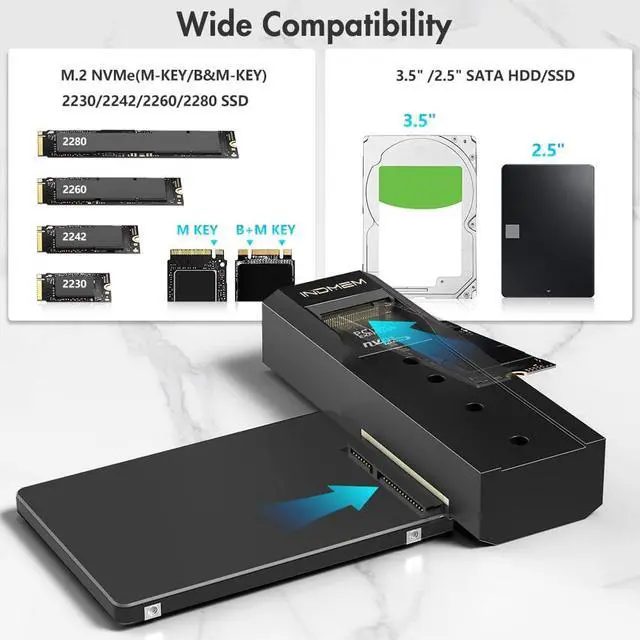
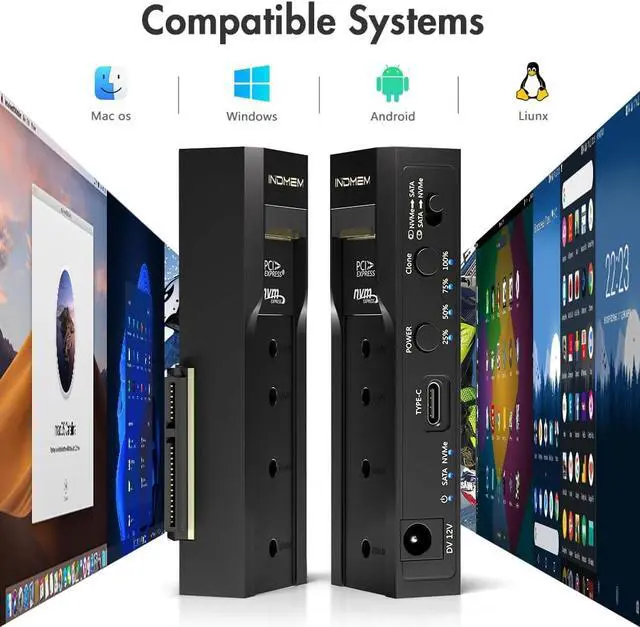
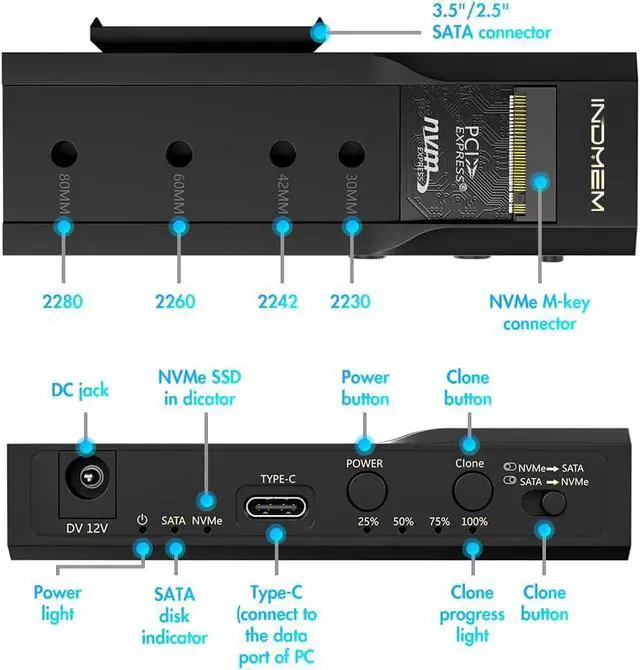
    • High CompatibilityOur nvme to usb adapter supports a wide range of hard drives, including M.2 NVMe(M-KEY/B&M-KEY) 2230/2242/2260/2280 SSDs and 3.5"/2.5" SATA HDDs/SSDs, offering versatile storage solutions for your needs. This cloner can be use for migtating SSD drives to m.2 sata drives for new hardware upgrades.
    • Tool-Free NVMe SSD USB AdapterThe M.2 enclosure reader is so easy to use without any tools and no driver required. The enclosure function allows the hard disks inserted into the two interfaces to be used independently or simultaneously without affecting each other.
    +
    +
    Overview
    Reviews
    avatar

    Any questions? Our AI beta will help you find out quickly.

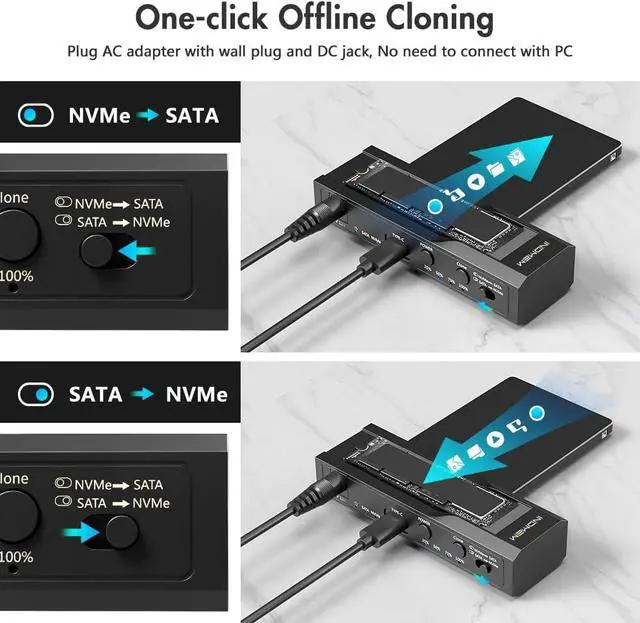
    Support M. 2 NVME to SATA SSDs Whether you use an M. 2 NVMe SSD or SATA drive, this m. 2 nvme ssd enclosure has you covered. Plug and play, no driver required to achieve bidirectional cloning. Great for office workers/gaming movie lovers and users with multiple different hard drives.
    Compact DesignThe compact design makes it easy to carry, ensuring maximum performance wherever you go. Take advantage of the high-speed data transfer capabilities of our dual-disk hard drive duplicator to save time, improve work efficiency, and make you more efficient.
    NoteIf it is used SSD, you can find the new drive on computer, read & write normally. If it is new SSD, need to initialize, partition, format firstly before. So if it clones a drive and your new PC does not BOOT check the drive format of the old hard drive and make sure its not MBR. Your new motherboard will not work with MBR formatting and tell you there is no bootable OS but it will show you your drive

    Warranty & Returns

    Warranty, Returns, And Additional Information

    Warranty

    • Please contact the Seller directly for warranty information. Warranty information may also be found on the Manufacturer's website.
    • CONTACT

    Return Policies

    Manufacturer Contact Info

    LOADING...