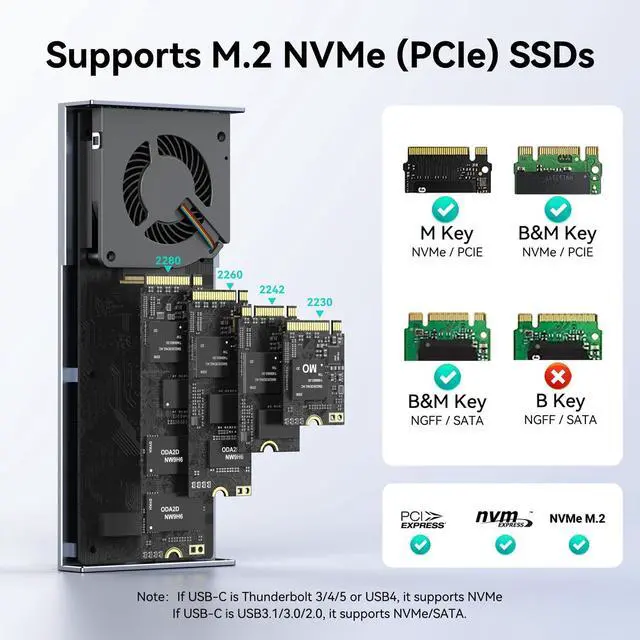
8TB Capacity SupportNVMe USB adapter supports NVMe M. 2 SSDs up to 8TB (2280/2260/2242/2230). Ideal for large media libraries, game collections, and project backups. Compatible with Windows, macOS, and Linux.
NOTE: Supports M/B+M Key NVMe SSDs, not SATA M. 2 SSDs (B-Key)
Universal CompatibilityCompatible with Thunderbolt 5/4/3 and USB4/ 3.2 / 3.1 / 3.0 / 2.0 ports on modern Mac (M1/M2/M3/M4 series) and Windows PCs.
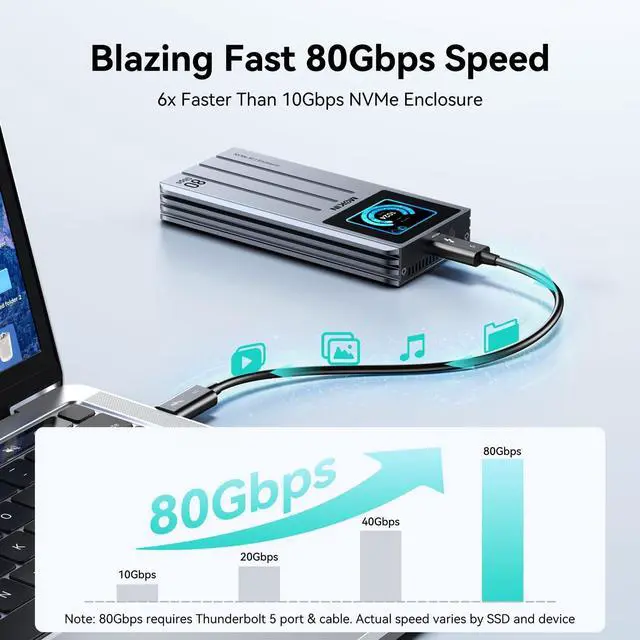
Note: 80Gbps requires Thunderbolt 5 port and cable. Actual speed varies by connected devices and SSD
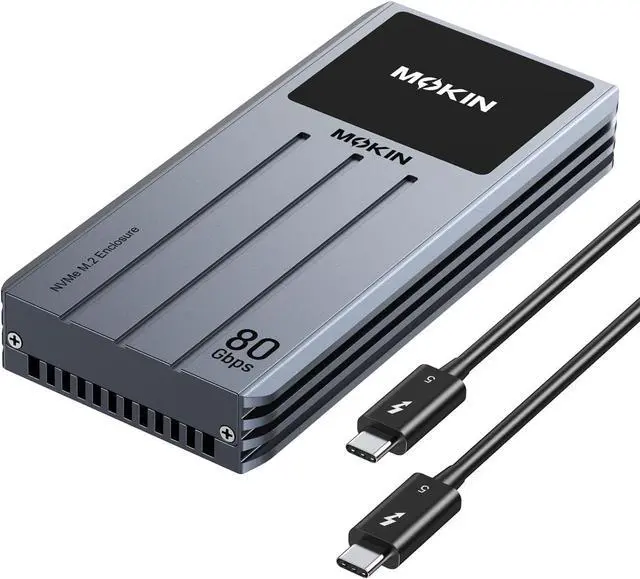
80Gbps M. 2 NVMe SSD Enclosure with LCD Display and Active Cooling Fan
The video showcases the product in use. The video guides you through product setup. The video compares multiple products. The video shows the product being unpacked.
80Gbps M. 2 NVMe SSD Enclosure
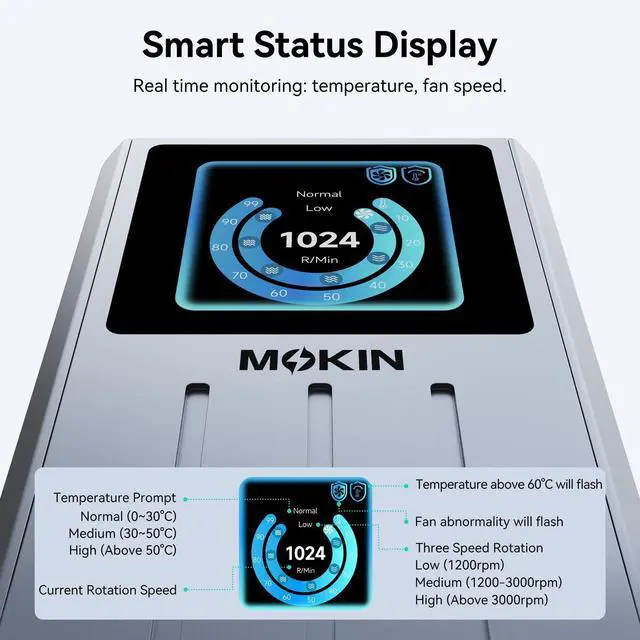
1 Smart Display
2 Our Advantage
Display Screen and Cooling Fan for Real-Time Monitoring
1. When the fan malfunctions (stops spinning) or the temperature is excessively high (above 60°C), an error display will appear.
2. The screen automatically turns off after 300 seconds of inactivity; press any button to wake it up. Press the button three times to display the logo. Press once to return from the version number screen to the main interface.
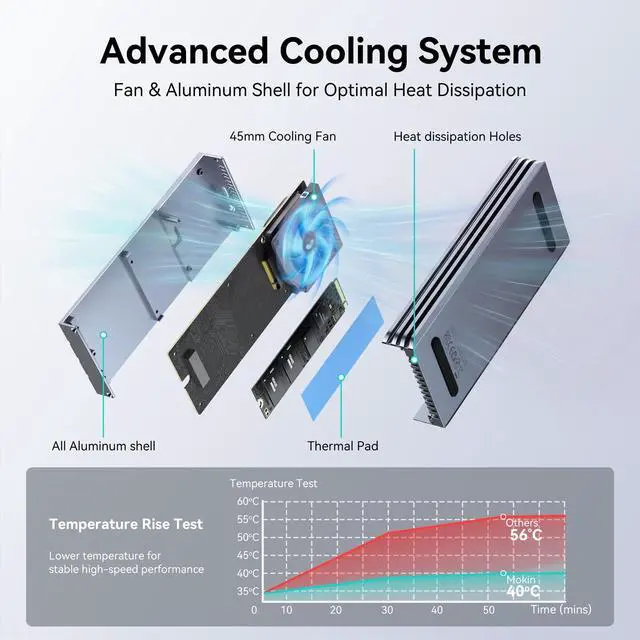
3. Without button presses, the fan operates under temperature control: (30°C or below, fan off; 40°C or above, fan on). Press and hold the button to turn on and off the fan (2-3 seconds), but the fan is not controlled by temperature control.
4. In sleep mode, the fan remains off at 40°C or below.
5. If no button operation occurs within 60 seconds after power-on, the fan will automatically turn on.
1 80Gbps Data Transfer
2 Silent Cooling Fan
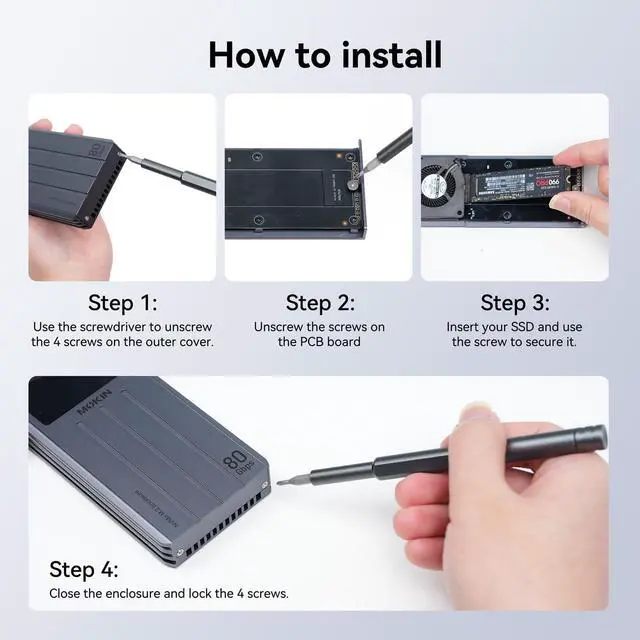
3 How to install
4 Compact Design
1 MacOS Data Validation
2 Windows Data Validation
3 Speed Reference





 here!
here!