Your Browsing History
Meet Your Seller
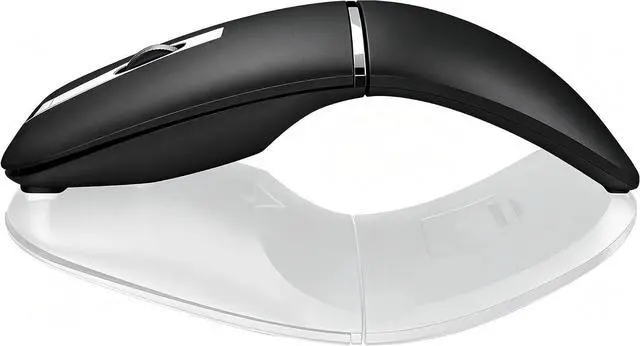
Bluetooth Arc Travel Mouse - BT & USB Wireless Dual Mode, Rechargeable
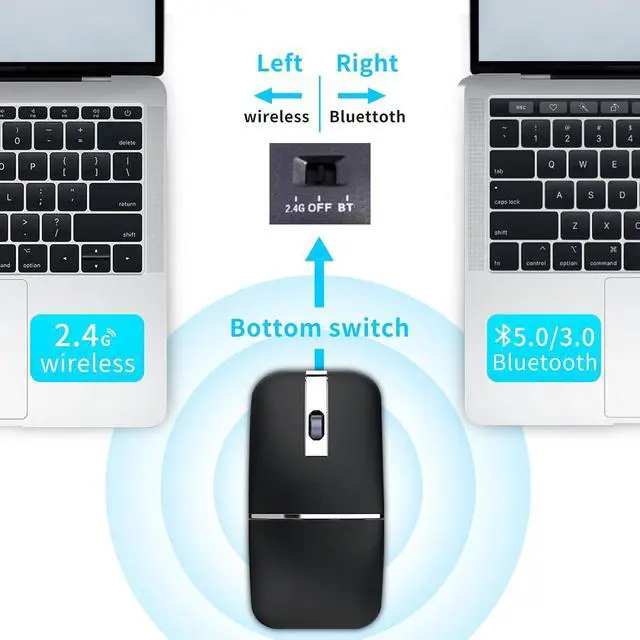
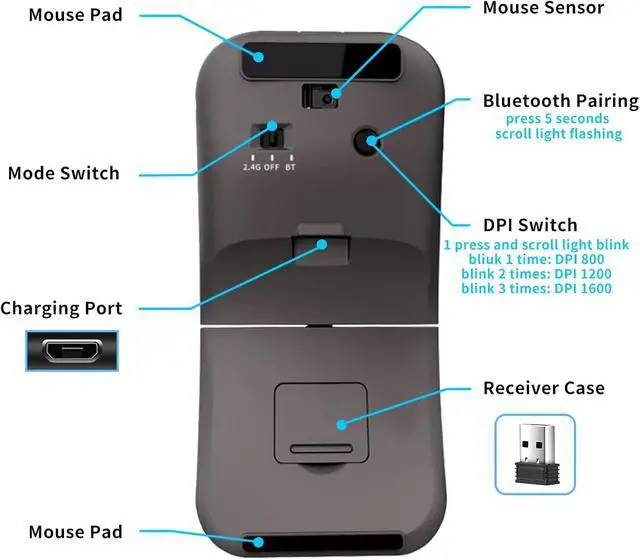
- New Upgrade Dual Mode Mouse- 3-speed DPI adjustable from 1000-1600-2400. The mouse can be connected to your device through Bluetooth 5.0/3.0 or USB receiver. You Can Switch to any mode by sliding the mode switch button at the bottom of the mouse. *The Bluetooth mode does not require a USB receiver, and the 2.4G mode can be used by inserting a USB receiver.*
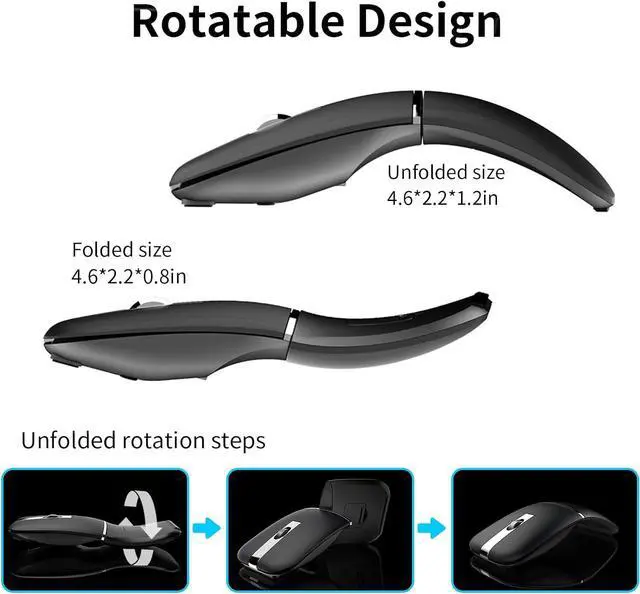
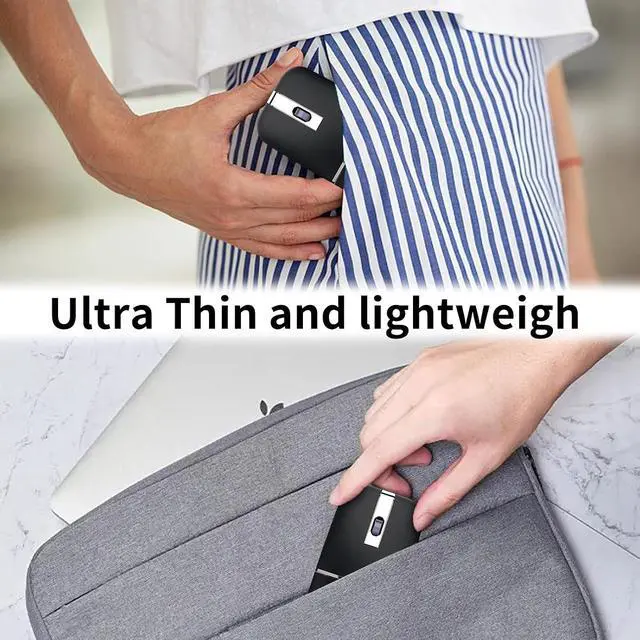
- Ultra Slim and Lightweight- The mouse can rotate 360 degrees, and in an arc-shaped state, it can fit the curvature of the palm. In a flat state, the size is ultra-thin and easy to put into pocket or laptop bag and ultra space saving.
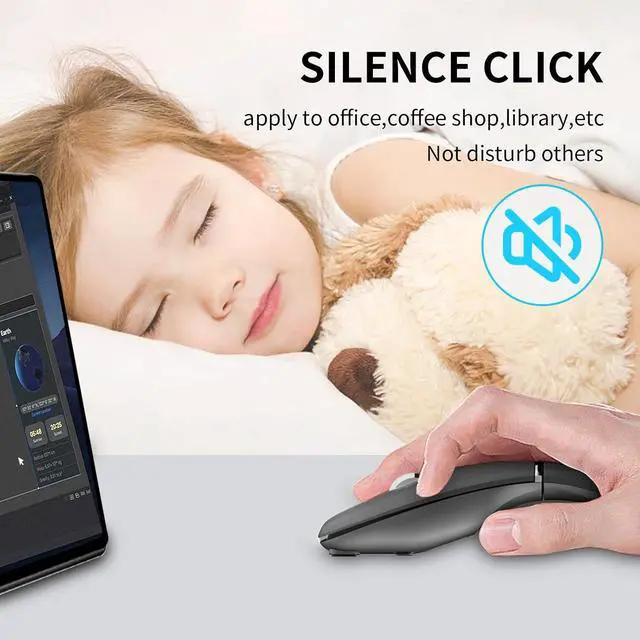
- Silent Optical Mouse- Silent clicking laptop mouse fits the circumstance for using the mouse in public, such as library, dormitory, office and so on. Fast tracking sensor, for smooth tracking on most surfaces, but not on glossy surfaces. 3 adjustable DPI(1000/1600/2400 DPI), easily change the cursor sensitivity depending on your need.
+
+
Overview
Specs
Reviews
Any questions? Our AI mode will help you find out quickly.
Try me now
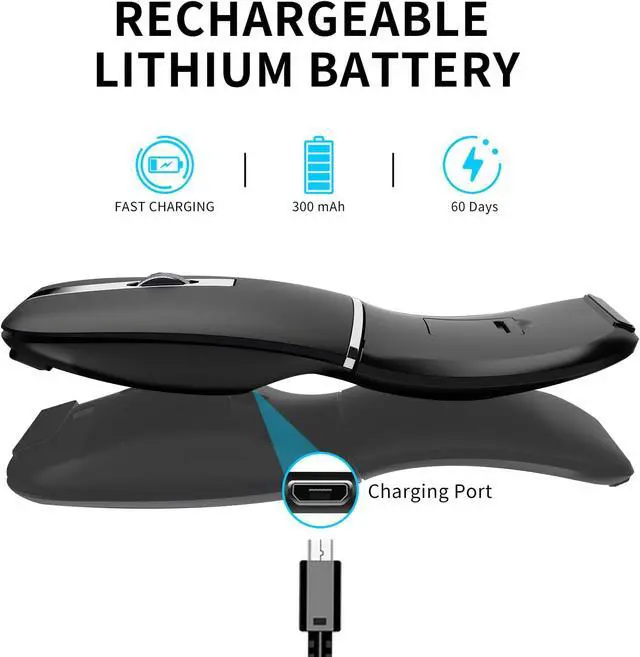
Rechargeable Mouse- This wireless mouse can be easily recharged for a long-lasting performance, No more worrying about replacing batteries, Convenient and environmentally friendly. Automatic power saving mode for longer battery life.
Wide Compatibility- This quiet mouse can be used for PC, Mac, Chromebook, Notebook, Laptop, Tablet, desktop, Computer, Cell Phone and other device. It is compatible with Windows 11/10/8/7/Vista/XP, Chrome OS, Android, iOS and Mac OS. 2.4G USB connected mode support any usb enabled devices, plug and play.
Warranty Service- This bluetooth mouse enjoys 60 days of money-back and a 12-month worry-free warranty.
Ergonomic Design
Places your hand in a natural relax position using a unique raised design, preventing hand fatigue and reducing muscular strain.
3 Adjustable DPI
press and scroll light blink
blink time: DPI 1000
blink 2 times: DPI 1600
blink 3 times: DPI 2400
Wide Compatibility
This quiet mouse can be used for PC, Mac, Chromebook, Notebook, Laptop, Tablet, desktop, Computer, Cell Phone and other device.
How to connect?
2.4GH z wireless mode:
1. Remove the USB receiver from the USB storage compartment at the bottom of the mouse and insert it into the USB port of your computer.
2. Turn on the power switch to 2.4G mode on the left, and the mouse can be used normally.
Bluetooth mode:
1. Turn on the power switch to Bluetooth mode on the right.
2. Press the Bluetooth pairing button for about three seconds, Mouse wheel indicator flashes blue.
3. Search for "BT 5.0 Mouse" or "BT 3.0 Mouse" through your devices, and then click to match. The mouse wheel indicator light will go out after pairing and the mouse can be used normally.
How to adjust the mouse DPI?
DPI can switch between 1000-1600-2400 by lightly pressing the 'DPI/Pairing' button at the bottom of the mouse.
The mouse wheel indicator flashes once to 1000 DPI, twice to 1600 DPI, and three times to 2400 DPI.
NOTE: DPI can only be switched after the mouse is connected to the device.
Turn off the mouse:
If you are not using the mouse temporarily, you can switch the toggle switch to the middle 'OFF' position to turn off the mouse power, which can save power and prevent misuse.

Wide Compatibility- This quiet mouse can be used for PC, Mac, Chromebook, Notebook, Laptop, Tablet, desktop, Computer, Cell Phone and other device. It is compatible with Windows 11/10/8/7/Vista/XP, Chrome OS, Android, iOS and Mac OS. 2.4G USB connected mode support any usb enabled devices, plug and play.
Warranty Service- This bluetooth mouse enjoys 60 days of money-back and a 12-month worry-free warranty.
Ergonomic Design
Places your hand in a natural relax position using a unique raised design, preventing hand fatigue and reducing muscular strain.
3 Adjustable DPI
press and scroll light blink
blink time: DPI 1000
blink 2 times: DPI 1600
blink 3 times: DPI 2400
Wide Compatibility
This quiet mouse can be used for PC, Mac, Chromebook, Notebook, Laptop, Tablet, desktop, Computer, Cell Phone and other device.
How to connect?
2.4GH z wireless mode:
1. Remove the USB receiver from the USB storage compartment at the bottom of the mouse and insert it into the USB port of your computer.
2. Turn on the power switch to 2.4G mode on the left, and the mouse can be used normally.
Bluetooth mode:
1. Turn on the power switch to Bluetooth mode on the right.
2. Press the Bluetooth pairing button for about three seconds, Mouse wheel indicator flashes blue.
3. Search for "BT 5.0 Mouse" or "BT 3.0 Mouse" through your devices, and then click to match. The mouse wheel indicator light will go out after pairing and the mouse can be used normally.
How to adjust the mouse DPI?
DPI can switch between 1000-1600-2400 by lightly pressing the 'DPI/Pairing' button at the bottom of the mouse.
The mouse wheel indicator flashes once to 1000 DPI, twice to 1600 DPI, and three times to 2400 DPI.
NOTE: DPI can only be switched after the mouse is connected to the device.
Turn off the mouse:
If you are not using the mouse temporarily, you can switch the toggle switch to the middle 'OFF' position to turn off the mouse power, which can save power and prevent misuse.
Warranty & Returns
Warranty, Returns, And Additional Information
Warranty
- Please contact the Seller directly for warranty information. Warranty information may also be found on the Manufacturer's website.
- CONTACT
Return Policies
- Return for refund within: 30 days
- Return for replacement within: 30 days
- This item is covered by Grandwood Tech Limited Return Policy
Manufacturer Contact Info
- For a directory of all our manufacturers, please click below.
- Manufacturers Directory
LOADING...