Your Browsing History
Meet Your Seller
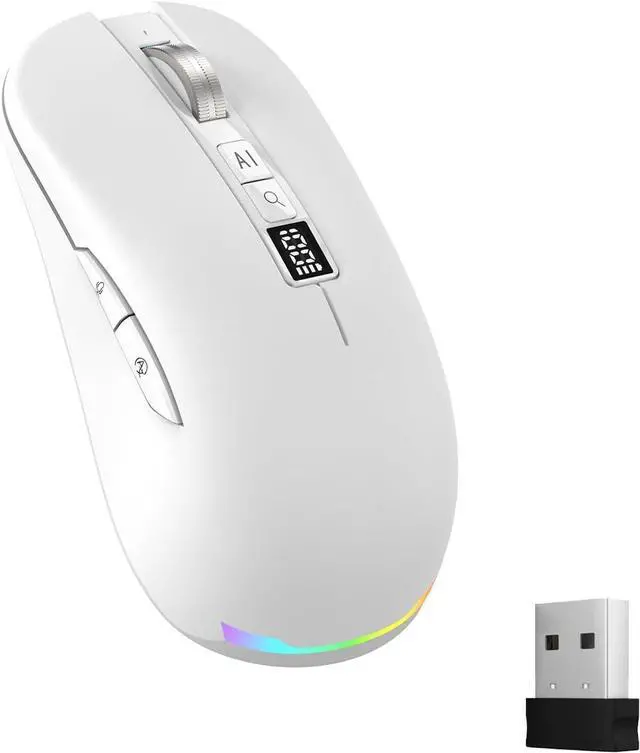
Ai Mouse with Voice Typing,Smart Voice Typing Mouse Multi Language Ai Voice Mouse Ergonomic Wireless BT Mouse 600mAH for Computer,PC,Laptop,2026 Upgraded (White)
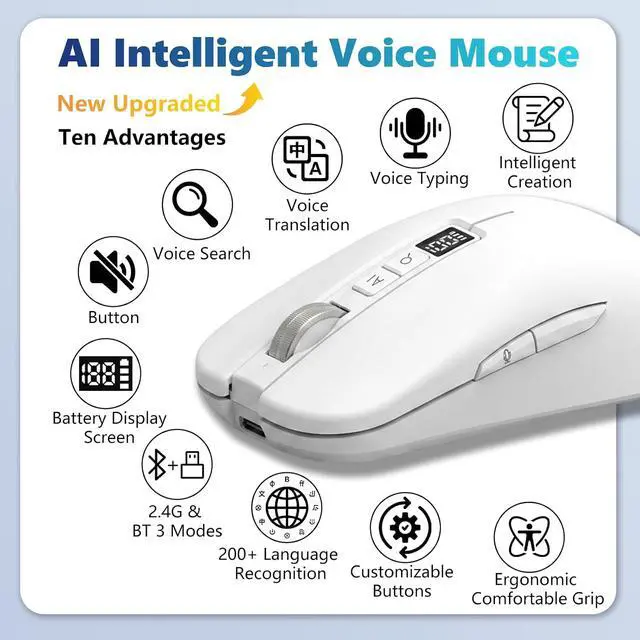
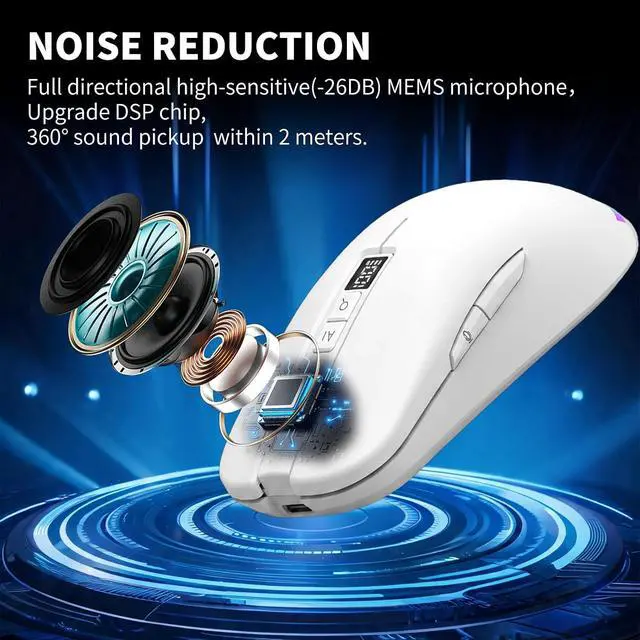
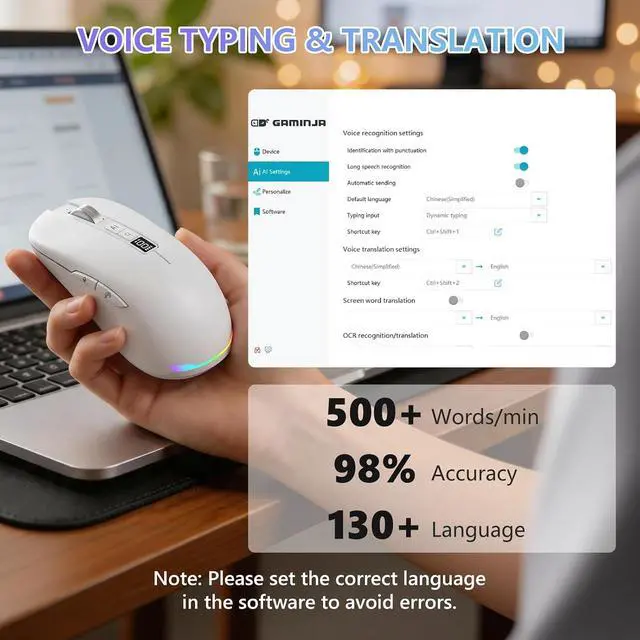
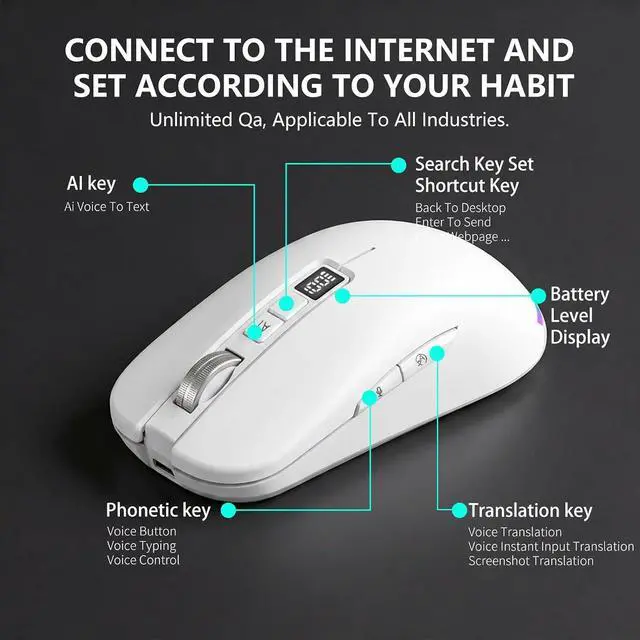
- POWERFUL AI Voice Typing Mouse: AI Voice Typing & Recording 98% accuracy, 400 words/minute, supports Chinese, English,German,French, Spanish,Japanese, Korean, Russian & more.If noisy environment,please hold mouse closer to mouth assist with voice pick. Smart Voice Mouse Productivity Boost Dictate, translate, and summarize instantly with one-click AI voice control.Fast input. Instant output the answer .
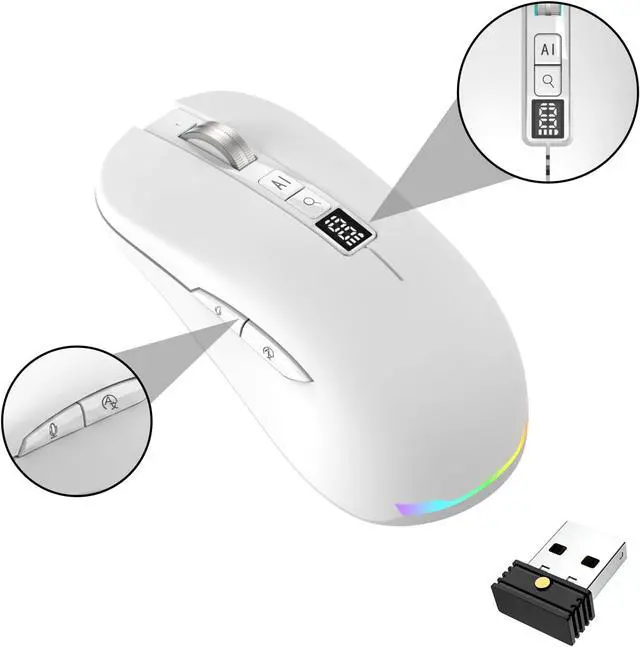
- Multilingual auxiliary translation Ai Voice Mouse :200+ Language AI Translator Near-zero latency real-time translation. Ideal for multilingual meetings, studying, and business. Built-in USB receiver storage for plug-and-play convenience.
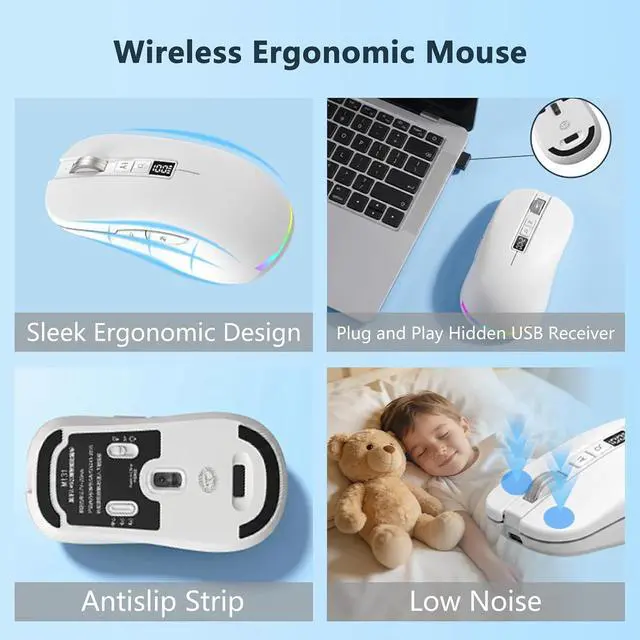
- Long Lasting Battery Ai Smart Mouse Build in 600mAh battery.5-minute automatic sleep and choosable mode to turn off the lights to increase the standby time.Type-C fast charging (within 2H full charge) + Real-time LED power display.3 -mode connectivity (Light on/Off /USB 2.4G).
+
+
Overview
Specs
Reviews
Any questions? Our AI mode will help you find out quickly.
Try me now
Equipped with
Multi AI Function: Equipped with AI Functions to coordinate your work, AI Q&A, Painting Design, Article Writing, Script creation, Code Generation, Super Writer, Form Creation, Image
Analysis: Extract the text from the image, Ai PPT, Novel writing, Article polishing....
Ergonomic curved shape for all-day comfort. Wide Compatibility & Local AI Processing Works with Windows 7/8/10/11 & macOS 10/11. 100% local processingno cloud storage, ensuring maximum privacy & security.
Easy Setup & Instant Use! 1Insert 2.4G receiver2Press and hold the mouse scroll wheel for 6 seconds. Download ""
APP(or:: //.. //, Spell by yourself plus a colon) Auto-pairing 3 Launch ""(Green = Ready! )Once paired, it remembers the connectionno need to re-pair. Open the
AI creation interface: Method
1: Set the long-press function of the search key to AI intelligent creation
& Method 2: Click the app button to enter the AI creation interface, and you can then access the AI interface. The assistant center offers more functions for you to explore.
Why Software does not download? Where to download ""? Installation necessary?
1. Press and Hold the Mouse Scroll Wheel for 6 Seconds to Download"" App.
2. If cannot download, use User Manual Download Links. Choose from or Windows Arrow.
3. Installation is necessary for AI voice. App occupies small and never lags.
Why Al voice not work after installing ""?
1. Insert 2.4G receiver
2. Press scroll wheel Download ""
3. Pair""(Green = Ready! ).
4. If not usable please try to(Restart your computer; Re-plug the USB receiver; Adjust mode till the 2. G/Bluetooth icon lights up)
Is ""Al software paid? Can I adjust its settings?
It's totally lifetime free!
You can set languages and personal preferences -Shortcut keys such as the voice key, Translation key, AI key, Search key, and intelligent settings, all perfectly cater to your preferences.
Will this Al mouse leak my private data?
No worries All voice & translation data is processed locally on your device instead of cloud to fully protect your privacy.
What services can I get?
Any problem, contect seller first!
24 Hours Response within
30 DAYS Free return & exchange

Multi AI Function: Equipped with AI Functions to coordinate your work, AI Q&A, Painting Design, Article Writing, Script creation, Code Generation, Super Writer, Form Creation, Image
Analysis: Extract the text from the image, Ai PPT, Novel writing, Article polishing....
Ergonomic curved shape for all-day comfort. Wide Compatibility & Local AI Processing Works with Windows 7/8/10/11 & macOS 10/11. 100% local processingno cloud storage, ensuring maximum privacy & security.
Easy Setup & Instant Use! 1Insert 2.4G receiver2Press and hold the mouse scroll wheel for 6 seconds. Download ""
APP(or:: //.. //, Spell by yourself plus a colon) Auto-pairing 3 Launch ""(Green = Ready! )Once paired, it remembers the connectionno need to re-pair. Open the
AI creation interface: Method
1: Set the long-press function of the search key to AI intelligent creation
& Method 2: Click the app button to enter the AI creation interface, and you can then access the AI interface. The assistant center offers more functions for you to explore.
Why Software does not download? Where to download ""? Installation necessary?
1. Press and Hold the Mouse Scroll Wheel for 6 Seconds to Download"" App.
2. If cannot download, use User Manual Download Links. Choose from or Windows Arrow.
3. Installation is necessary for AI voice. App occupies small and never lags.
Why Al voice not work after installing ""?
1. Insert 2.4G receiver
2. Press scroll wheel Download ""
3. Pair""(Green = Ready! ).
4. If not usable please try to(Restart your computer; Re-plug the USB receiver; Adjust mode till the 2. G/Bluetooth icon lights up)
Is ""Al software paid? Can I adjust its settings?
It's totally lifetime free!
You can set languages and personal preferences -Shortcut keys such as the voice key, Translation key, AI key, Search key, and intelligent settings, all perfectly cater to your preferences.
Will this Al mouse leak my private data?
No worries All voice & translation data is processed locally on your device instead of cloud to fully protect your privacy.
What services can I get?
Any problem, contect seller first!
24 Hours Response within
30 DAYS Free return & exchange
Warranty & Returns
Warranty, Returns, And Additional Information
Warranty
- Please contact the Seller directly for warranty information. Warranty information may also be found on the Manufacturer's website.
- CONTACT
Return Policies
- Return for refund within: 30 days
- Return for replacement within: 30 days
- This item is covered by Grandwood Tech Limited Return Policy
Manufacturer Contact Info
- For a directory of all our manufacturers, please click below.
- Manufacturers Directory
LOADING...