

Your Browsing History

Meet Your Seller



Smart WiFi Water Level Sensor, Ultrasonic Water Tank Level Monitor for Cistern, Rainwater Tank, RV Fresh Water Tank & Outdoor Storage Tanks, Non-Contact Sensor with Smart Life App
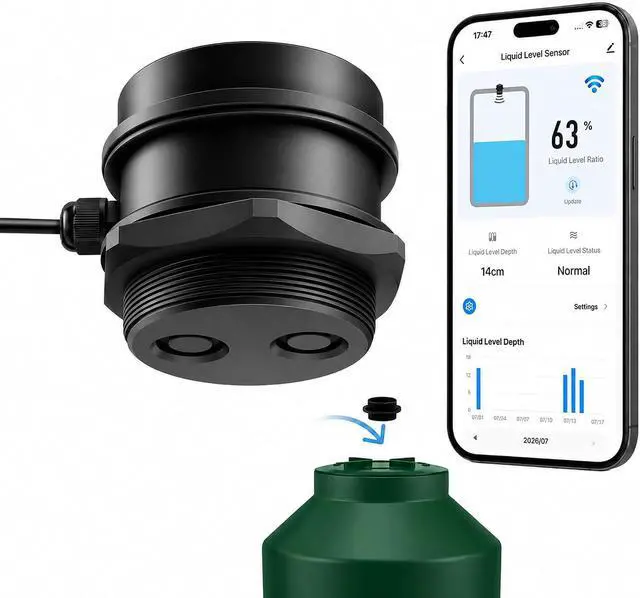
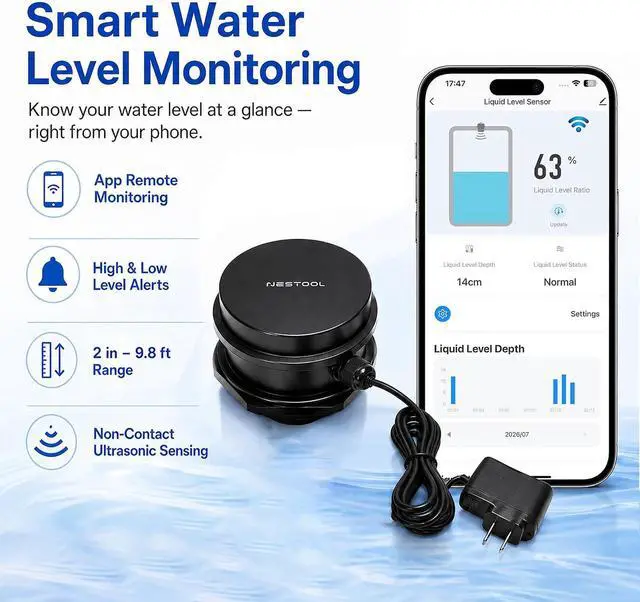
- Smart WiFi Water Level Monitoring: Check your tank level anytime with the Smart Life App. This WiFi water level sensor provides real-time liquid depth data and sends alerts when levels are too high or low.
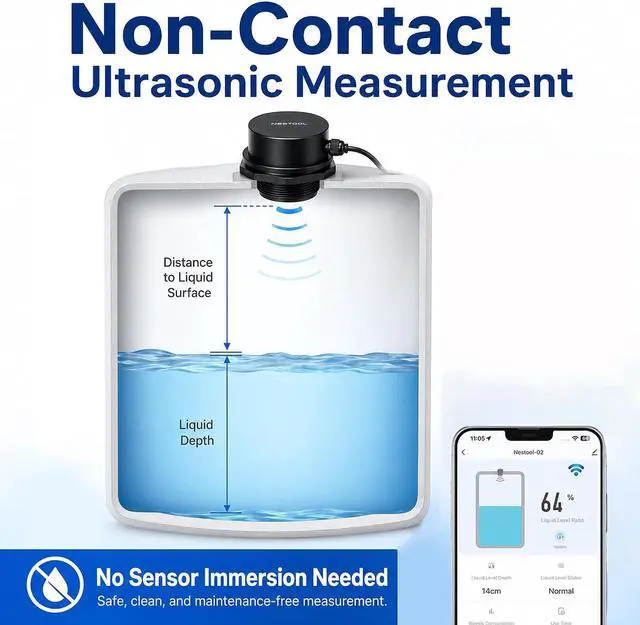
- Non-Contact Ultrasonic Measurement: Advanced ultrasonic technology measures liquid depth from above without touching the liquid. No submerged probes means less corrosion, cleaner operation, and low maintenance.
- History Tracking & Remote Access: The App records daily water level changes, allowing you to review usage trends and monitor your tank remotely from anywhere.
+
+
Overview
Reviews

Any questions? Our AI mode will help you find out quickly.
Try me now
For Water Tanks, Cisterns
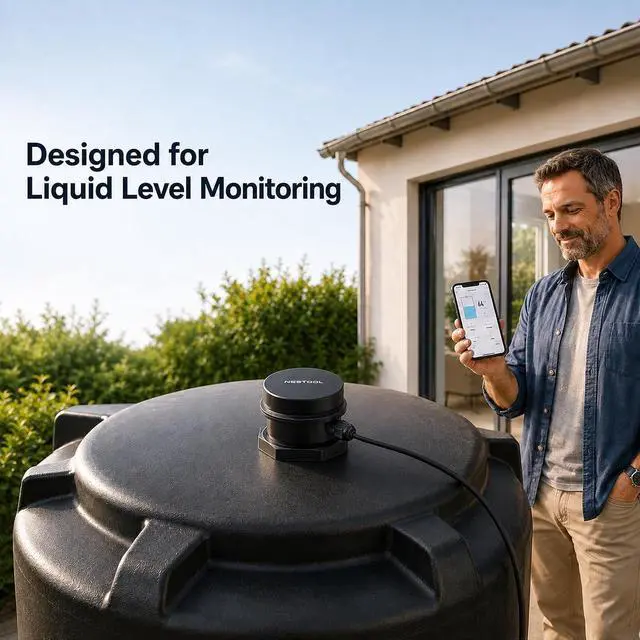
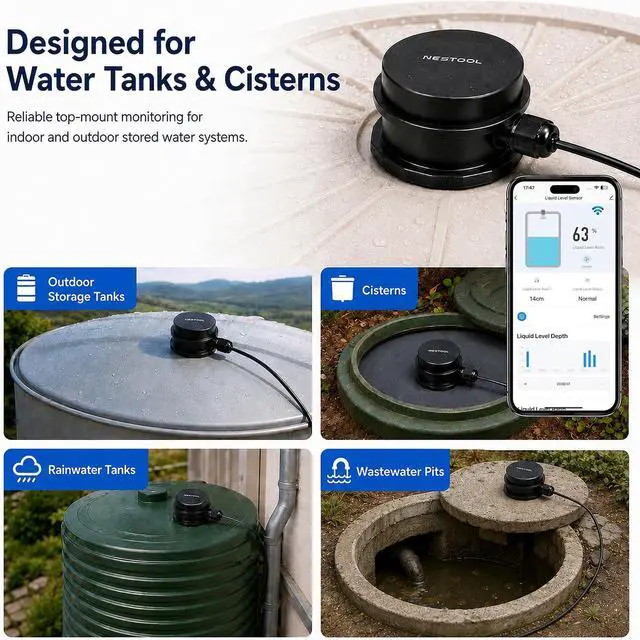
& More: Ideal as a water tank level monitor for home tanks, rainwater collection systems, cisterns, RV water tanks, and other non-corrosive liquid storage.
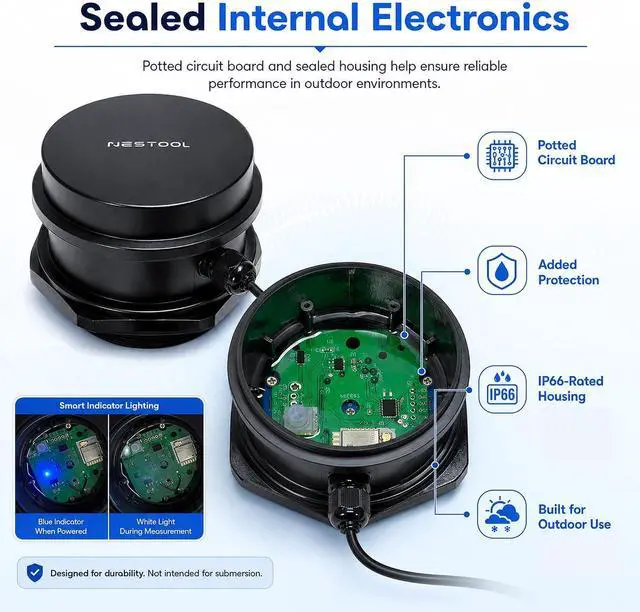
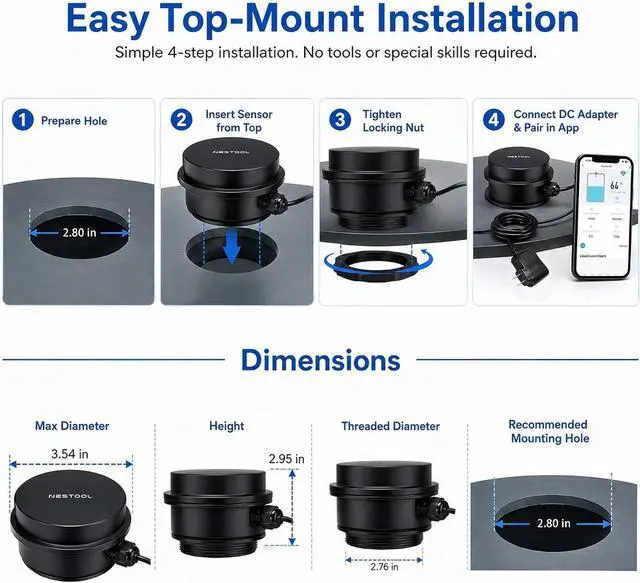
Easy Installation & Outdoor Ready: Top-mounted design with a 2.80 -inch opening. Supports 2.4GH z WiFi and Bluetooth-assisted setup. IP66 protection makes it suitable for outdoor tank monitoring.
What types of liquids can this sensor monitor?
It is designed mainly for stored water applications, including water tanks, cisterns, rainwater tanks, and similar liquid storage systems.
Why can't my water level sensor connect to the Smart Life App/Tuya App?
Please make sure your WiFi network is 2.4GH z. This water level sensor only supports 2.4GH z WiFi networks and cannot connect to 5GHz networks. Ensure your phone and sensor are connected to the correct WiFi during setup.
Why is my water level reading inaccurate?
Ensure the sensor is installed level with no obstacles underneath. After connecting to the App, set the 'installation height' and the 'distance from the sensor to the full water level'. Proper setup ensures accurate liquid level readings.
How can I manually update the liquid level reading?
Open the monitoring App and tap 'Update' to trigger a manual measurement. The sensor will flash a white light once to indicate a successful reading. You can tap Update multiple times whenever you need the latest liquid level data.
What should I do if the water level sensor loses network connection?
Unplug the power adapter and wait about 1 minute, then reconnect the power. The sensor will automatically reconnect to the WiFi network. If the issue continues, please check that your WiFi connection is working properly.
& More: Ideal as a water tank level monitor for home tanks, rainwater collection systems, cisterns, RV water tanks, and other non-corrosive liquid storage.
Easy Installation & Outdoor Ready: Top-mounted design with a 2.80 -inch opening. Supports 2.4GH z WiFi and Bluetooth-assisted setup. IP66 protection makes it suitable for outdoor tank monitoring.
What types of liquids can this sensor monitor?
It is designed mainly for stored water applications, including water tanks, cisterns, rainwater tanks, and similar liquid storage systems.
Why can't my water level sensor connect to the Smart Life App/Tuya App?
Please make sure your WiFi network is 2.4GH z. This water level sensor only supports 2.4GH z WiFi networks and cannot connect to 5GHz networks. Ensure your phone and sensor are connected to the correct WiFi during setup.
Why is my water level reading inaccurate?
Ensure the sensor is installed level with no obstacles underneath. After connecting to the App, set the 'installation height' and the 'distance from the sensor to the full water level'. Proper setup ensures accurate liquid level readings.
How can I manually update the liquid level reading?
Open the monitoring App and tap 'Update' to trigger a manual measurement. The sensor will flash a white light once to indicate a successful reading. You can tap Update multiple times whenever you need the latest liquid level data.
What should I do if the water level sensor loses network connection?
Unplug the power adapter and wait about 1 minute, then reconnect the power. The sensor will automatically reconnect to the WiFi network. If the issue continues, please check that your WiFi connection is working properly.
Warranty & Returns
Warranty, Returns, And Additional Information
Warranty
- Please contact the Seller directly for warranty information. Warranty information may also be found on the Manufacturer's website.
- CONTACT
Return Policies
- Return for refund within: 30 days
- Return for replacement within: 30 days
- This item is covered by Grandwood Tech Limited Return Policy
Manufacturer Contact Info
- For a directory of all our manufacturers, please click below.
- Manufacturers Directory
LOADING...