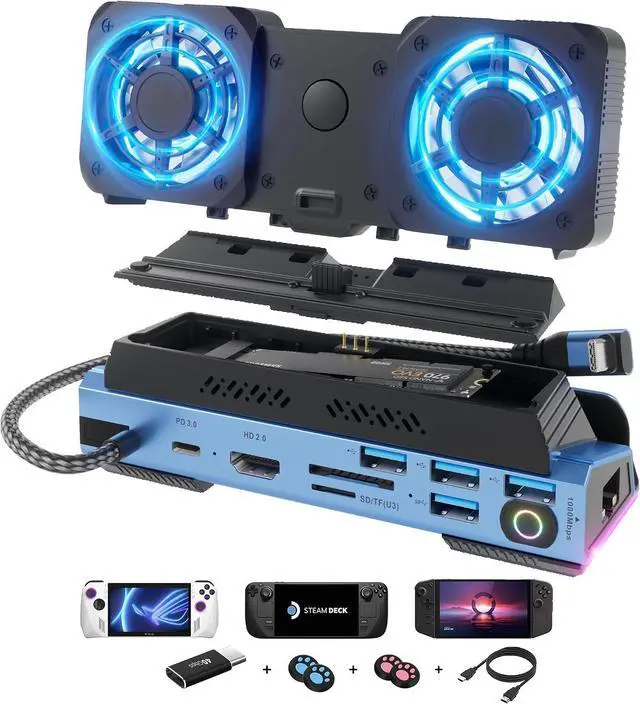
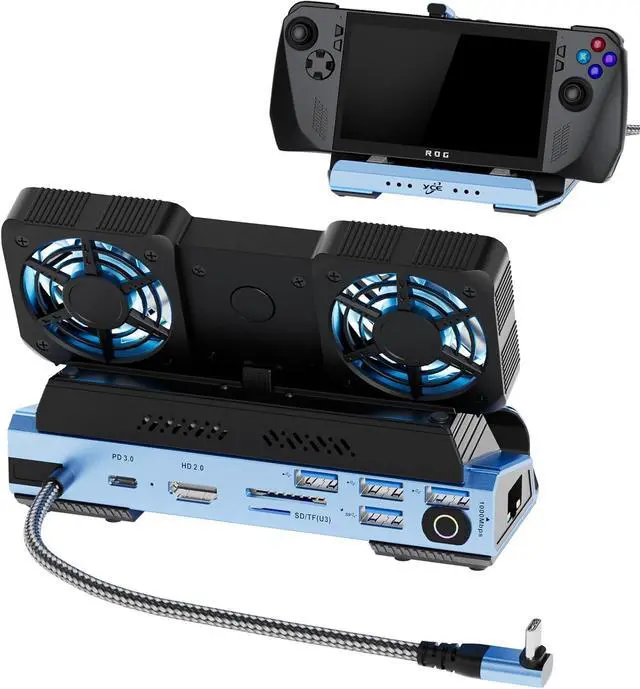
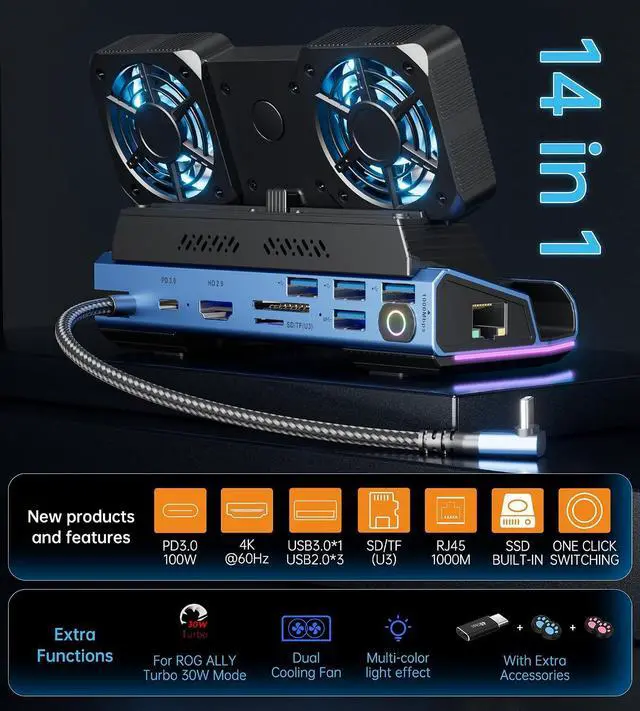
Stable Gigabit Ethernet & Fast Data Transmission: supports 10/100/1000BASE-T Lan networks, which could elevate your gaming to the next level with blazing-fast gigabit Ethernet, delivery unparalleled download and upload speeds for seamless online multiplayer and reduce the lag of playing games. Also, 1 x USB 3.0 ports (speed up to 5Gbp), 3 x USB 2.0 ports allows you transfer files and big huge games in seconds, connect to the gamepad, mouse and keyboard without any lags.
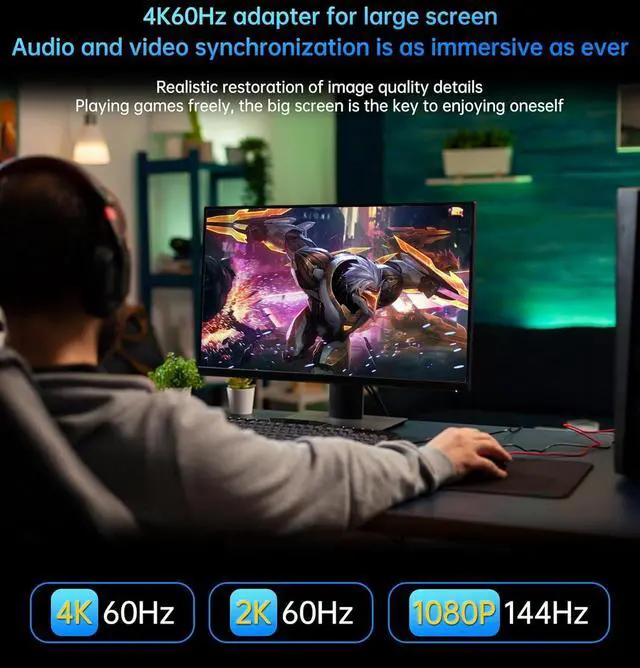
4K@60Hz Output: This Gamer Docking station comes with a 4K@60Hz HDMI 2.0, When you connect an external 4K monitor, Cooling
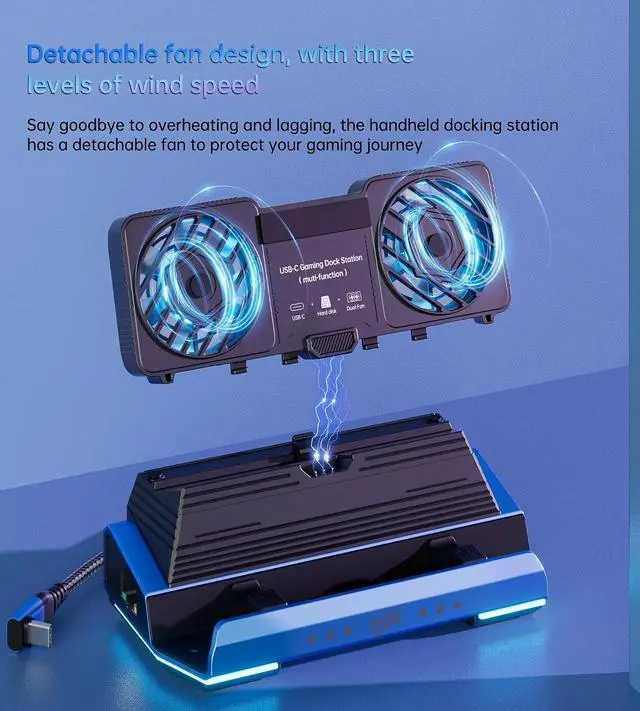
RGB Fans: Good heat dissipation not only extends the battery life of the steam deck, but also prevents other problems caused by overheat, increase the speed of cooling air entering steam deck so that heat dissipates faster. Say goodbye to the woes of system crashes or lost frames, and embrace a consistently smooth gaming experience.
Widely Compatibility: Compatible with Steam Deck OLED, Steam deck, ROG Ally, Legion Go, Switch, laptop, iPad, Android, phones and other devices built-in USB C port. our this Handheld docking station redefines your Steam Deck gaming experience, allows you to project games to a larger display when you are tired of using thumbsticks or trackpads.
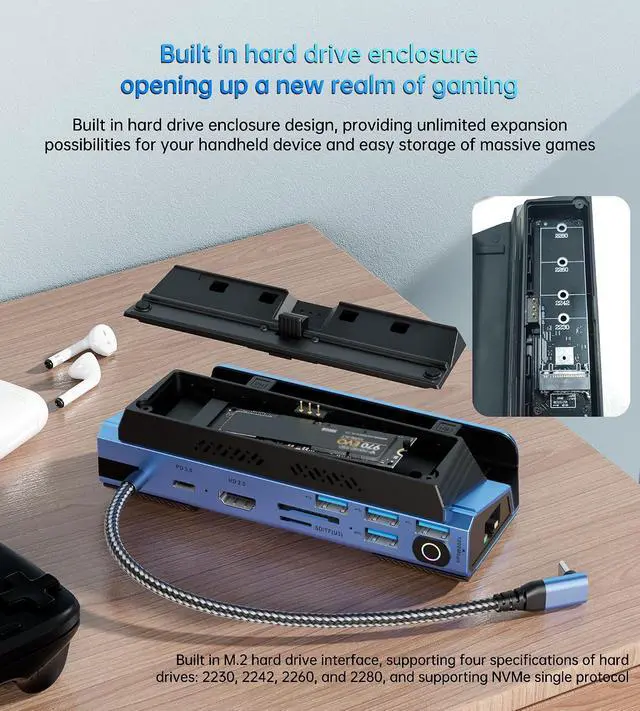
M. 2
NVMe Expansion Slot: With the M. 2 NVMe expansion slot, you can easily install M. 2 NVMe solid-state drives, expanding the storage space for devices like the Steam Deck OLED and meeting users' needs to store more games, files and other data. It enables the solid-state drives to achieve the optimal read and write speeds and enhances the overall storage and data processing capabilities of the devices.
1 3 speed Cooling Fan
2 Removale Fan
3 RGB Atmosphere LED
4 SSD Enclosure
Removable Fans
Customized design: You can take the fans off or on depend on your require,
Eassy to take off and install on.
3 Speed Adjustable
New speed control key design: easy to operate, there are 3 speed to control.
Low, Medium, High speed and ON/OFF to choose
Note: the RGB Fan LED CAN'T on/off separately, it depend on fan work state
M. 2 SSD Enclosure
This SSD Enclosure widely compatiable with M. 2 2230, M. 2 2242, M. 2 2260, M. 2 2280,
Note: this SSD Enclosure can't comptiable M. 2 SATA SSD, ONLY for PCIe NVMe.
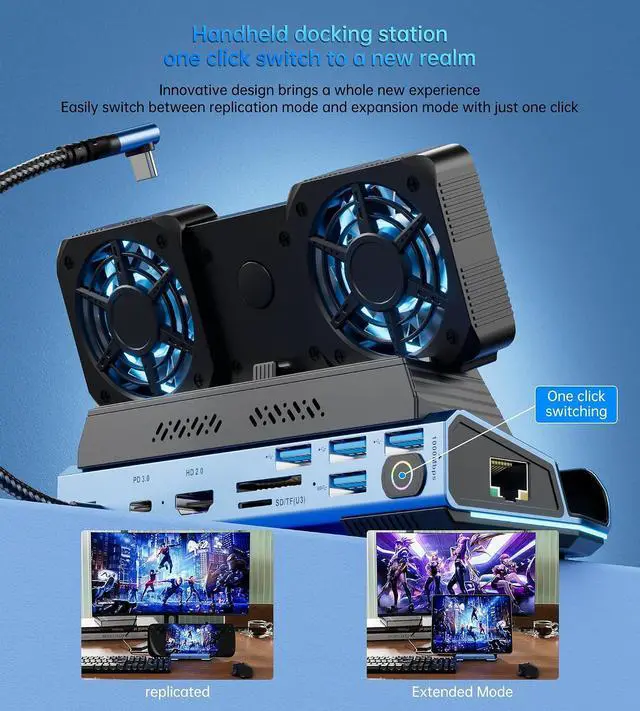
Switch screen
More easy to switch the screen with this key
4K@60Hz
Enjoy the lager screen word with this HD 2.0 port,
it achieve small to large visual sensory experience
Can it support ROG ALLY Turbo 30W mode?
The Upgraded ROG ALLY dock perfectly supports Turbo 30W mode, just make sure you use a charger with 65W or above
Why does the Ethernet not work?
After the SteamOS is upgraded, you need to manually enter the desktop mode and connect the wired network. Turn off Wi-Fi, or set the wired connection priority
Why does the TV not recognize my sound barrier and deactivate the CEC device?
In the Steam settings, click Audio, there is output, and click "External Devices", and the audio can be transmitted to the TV
Can the du





 here!
here!