• $95.99
  • Free 30-day Returns
  • Price alert
    Shop it at NeweggBusiness.

    Phone Back Cover Glass Demolition Clamp for iPhone 11 11 Pro 11 Pro Max, 12 12 Pro & 13, Rear Camera Frame Housing Cover Removal Holder Tool

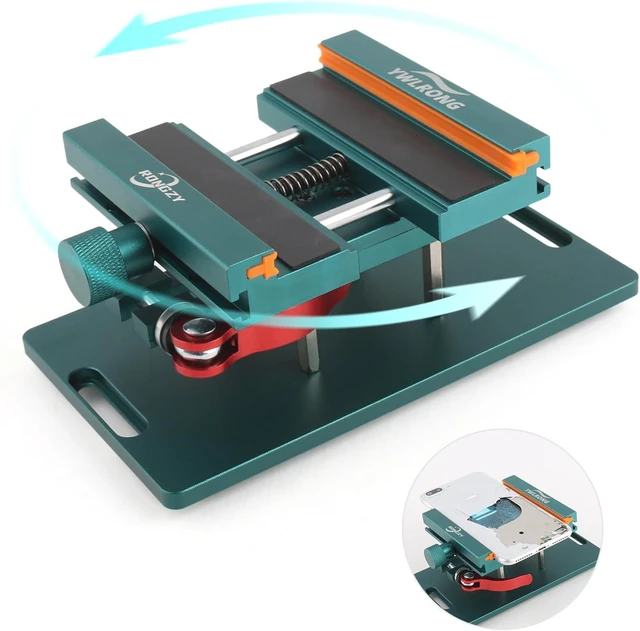
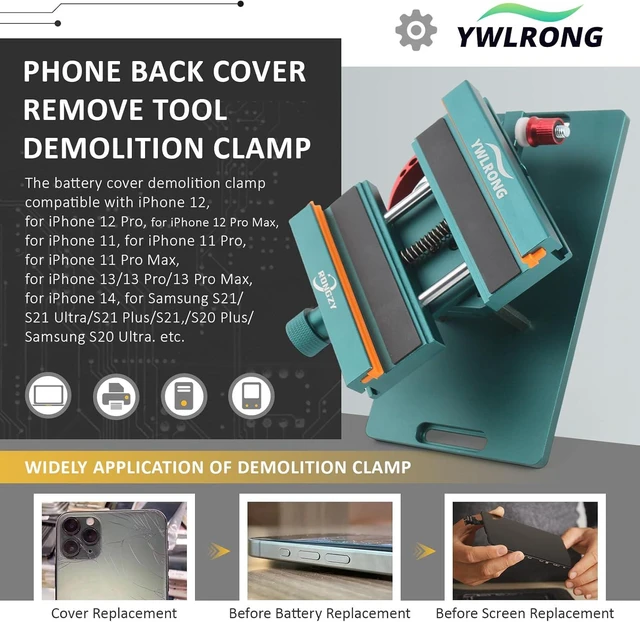
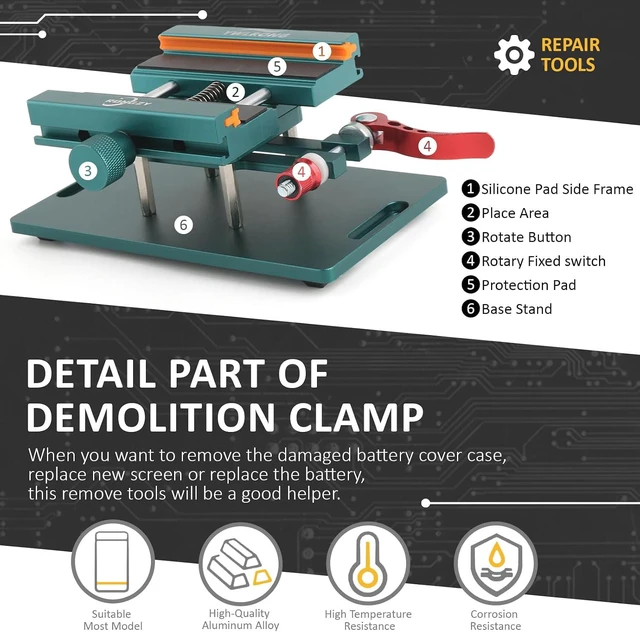
    • Widely Application: The demolition clamp can be used for most of phone glass battery back cover case to remove. ONLY Help to fix the cover during remove the back cover or camera glass frame of phone, NOT for screen remove. Compatible with iPhone 12, for iPhone 12 Pro, for iPhone 12 Pro Max, for iPhone 11, for iPhone 11 Pro, for iPhone 11 Pro Max, for iPhone 13/13 Pro/13 Pro Max, for iPhone 14, for Samsung S21/S21 Ultra/S21 Plus/S21,/S20 Plus/Samsung S20 Ultra. etc. It also suits for tablet to repair or soldering.
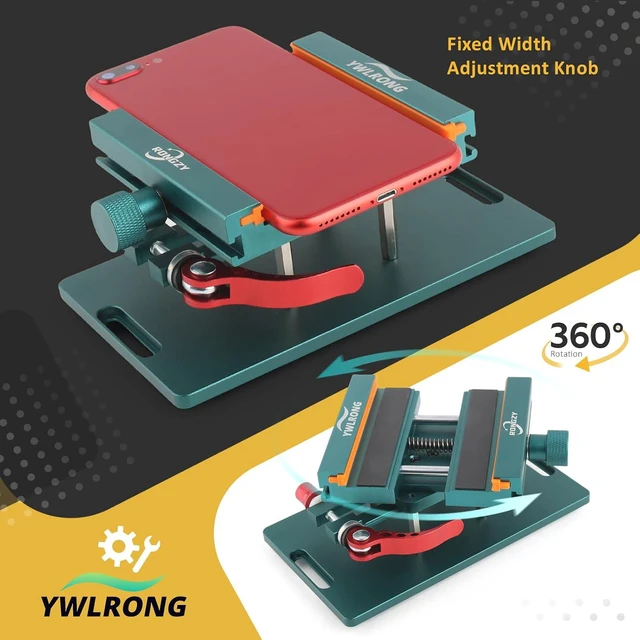
    • 360°Rotation and Adjustment: For iPhone 11 11 Pro back cover glass demolition clamp supports 360 degree rotation, easy to operate, and avoids to damaged other accessories. For iPhone 12 12 Pro back cover removal repair tool adjust the distance by turning the knob.Adjust the width of the fixed splint to make the clamping more stable.
    +
    +
    Overview
    Reviews
    avatar

    Any questions? Our AI mode will help you find out quickly.

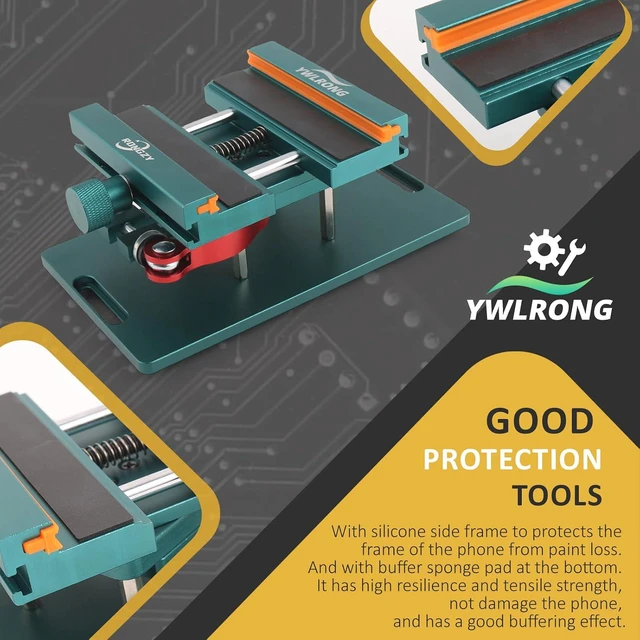
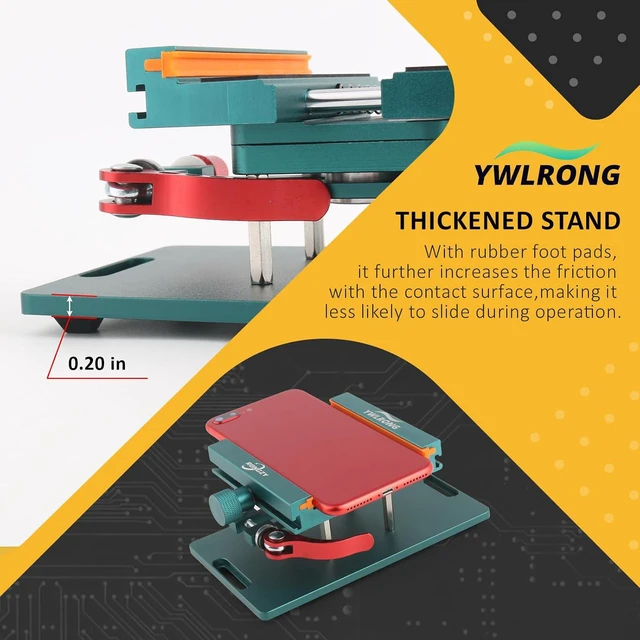
    Good ProtectionBack cover glass demolition clamp for iPhone 13 back cover remove tool with silicone side frame to protects the frame of the phone from paint loss. At the same time, there is a buffer sponge pad at the bottom. It has high resilience and tensile strength, rear camera glass frame demolition clamp for iPhone 14 Pro Max does not damage the phone, and has a good buffering effect.
    Quality GuaranteeThe back Cover demolition clamp for iPhone 11 11 Pro is made by high quality aluminum alloy, and produce by accurate design. With the advantage of high temperature resistance, corrosion resistance, high hardness, durable, tight clamping and wear resistance.
    Suggestion Tips: Maximum Width of demolition clamps for iPhone 12 12 Pro is 88.5 mm.
    Before remove the back cover: 1. If you have blasting pen, it do not need to heat. 2. If not, please use a heat gun to heat to 200-300 degrees for more than 10 minutes (Do not heat only one position, but evenly).

    Installation Set of Remove Battery Cover
    Step 1
    Put the Phone to the Demolition Clamp and Tighten the Fixing Clamp
    Step 2
    Adjust the Buckle Rotating Table to Ready to Blast
    Step 3
    1. With Blasting Pen, it do not need to heat.
    2. Without Blasting Pen, please use Heat Gun to heat.
    3. If the back cover is not broken enough, can heat and then use blasting pen
    Step 4
    Use Precision Knife to remove the glass of battery cover
    1 Rotation Adjustment
    2 Long Time Using
    1 Accuracy
    2 Good Helper

    Warranty & Returns

    Warranty, Returns, And Additional Information

    Warranty

    • Please contact the Seller directly for warranty information. Warranty information may also be found on the Manufacturer's website.
    • CONTACT

    Return Policies

    Manufacturer Contact Info

    LOADING...