Your Browsing History
Meet Your Seller
DisplayLink Docking Station 3 Monitors, 19 in 1 Laptop Docking Station
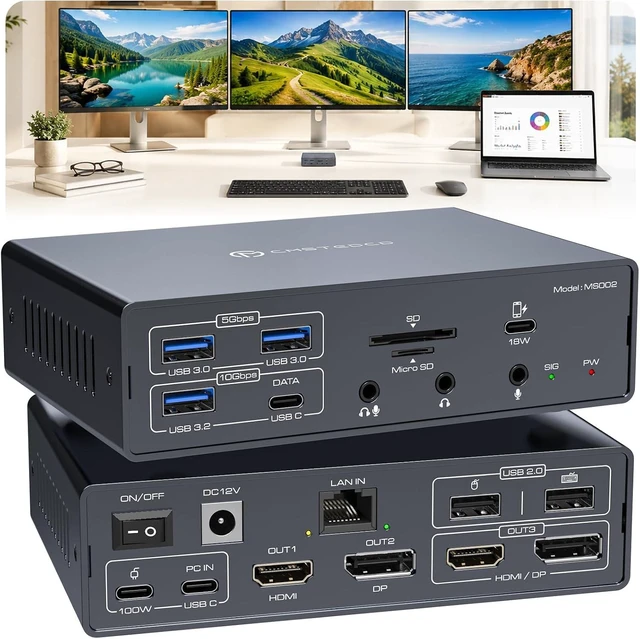
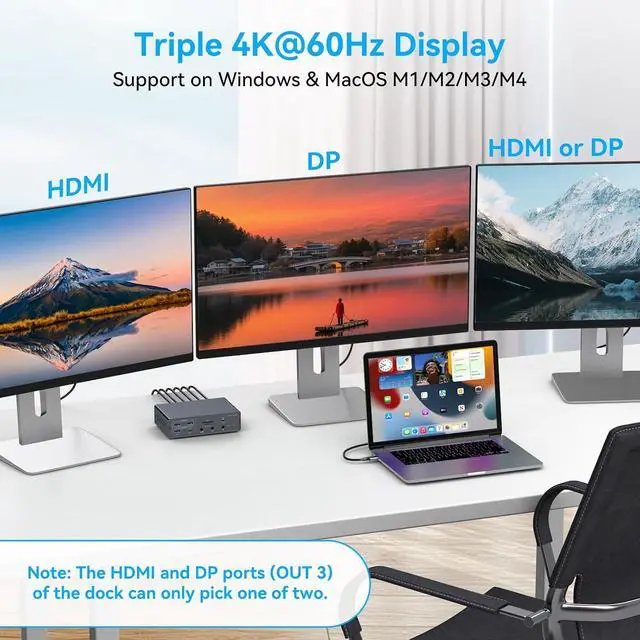
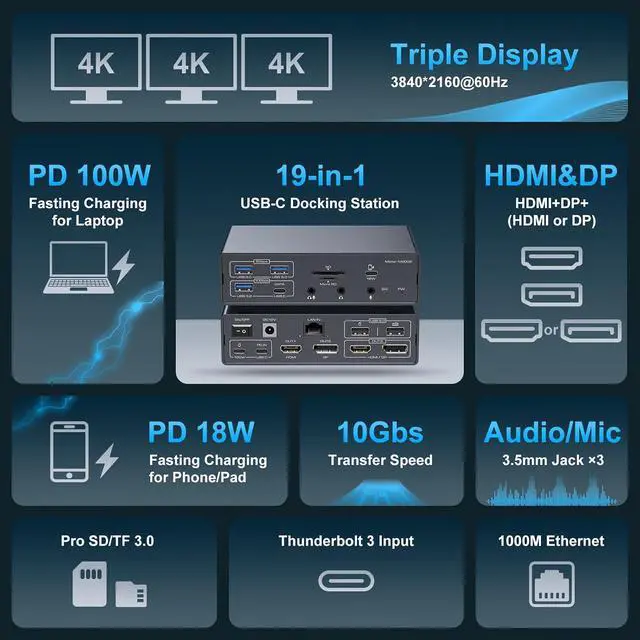
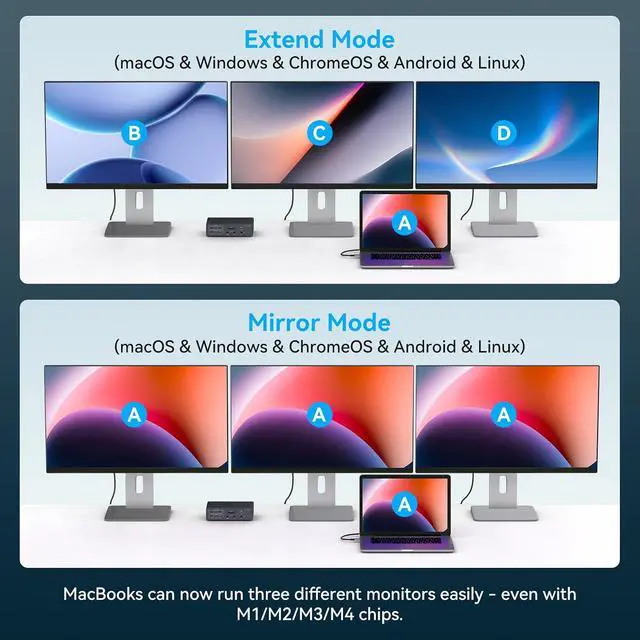
- Triple 4K@60HZ Extended DisplayConnect up to three external monitors for spreadsheets, trading, design, meetings and daily multitasking. The HDMI and DisplayPort outputs support resolutions up to 4K@60Hz. OUT 3 uses either HDMI or DisplayPort at one time; the dock has two HDMI ports total
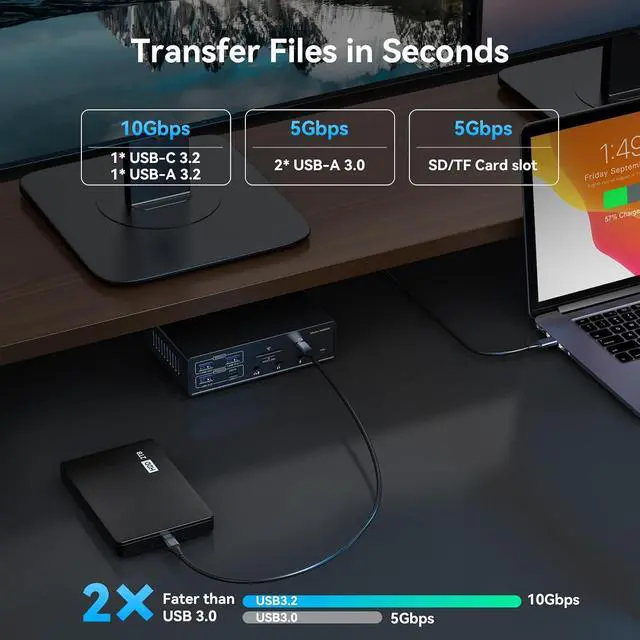
- 19 IN 1 USB-C Docking StationDisplay connections include 2 HDMI and 2 DisplayPort, with the HDMI/DP ports for OUT 3 sharing one display channel. Data connections include 1 USB-A 3.2 and 1 USB-C 3.2 up to 10Gbps, 2 USB-A 3.0 up to 5Gbps and 2 USB-A 2.0. Also included are Gigabit Ethernet, SD, microSD, 18W USB-C charging, 100W PD input, USB-C host input and 3 audio jacks
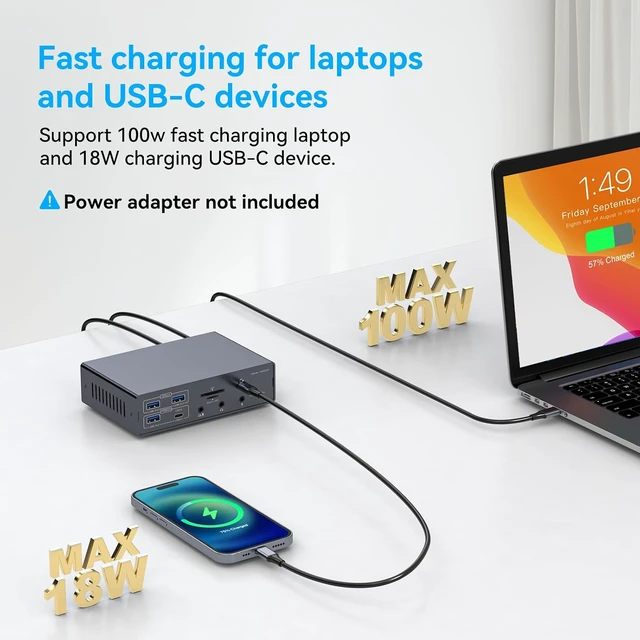
- Powered Dock with 100W PD Input The included DC power adapter supplies operating power to the docking station. Laptop charging requires a separate compatible USB-C PD charger connected to the 100W PD input; the laptop PD charger is not included. Charging performance depends on the charger, cable and laptop power requirements
+
+
Overview
Specs
Reviews
Any questions? Our AI mode will help you find out quickly.
Try me now
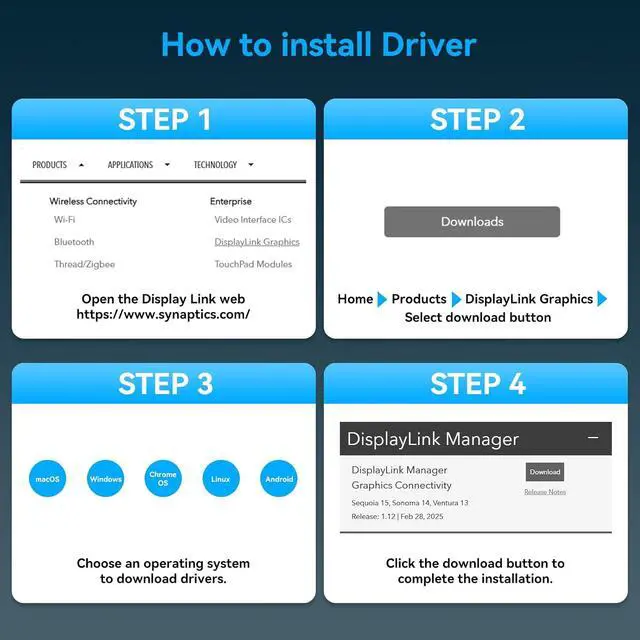
Displaylink for Mac Windows Designed for supported MacBook NEO/PRO/AIR M1/M2/M3/M4/M5 and Windows laptops with a compatible Thunderbolt 3/4 USB-C host connection. DisplayLink driver installation is required. On macOS, you must grant Screen Recording permission and allow system kernel extensions in Security settings. For company-managed enterprise devices, IT administrator approval for kernel extension policies may be needed.
IMPORTANT SETUP AND DISPLAY NOTES Install the current DisplayLink driver before connecting extended monitors and use the included USB-C host cable as directed. Available display modes depend on the laptop, operating system, driver, cables and monitors. Some DRM-protected streaming content may not play while DisplayLink-connected screens are active.



Warranty & Returns
Warranty, Returns, And Additional Information
Warranty
- Please contact the Seller directly for warranty information. Warranty information may also be found on the Manufacturer's website.
- CONTACT
Return Policies
- Return for refund within: 30 days
- Return for replacement within: 30 days
- This item is covered by DingPeak Smart Tech Return Policy
Manufacturer Contact Info
- For a directory of all our manufacturers, please click below.
- Manufacturers Directory
LOADING...