Your Browsing History
- Free 30-day Returns
$103.99
Meet Your Seller
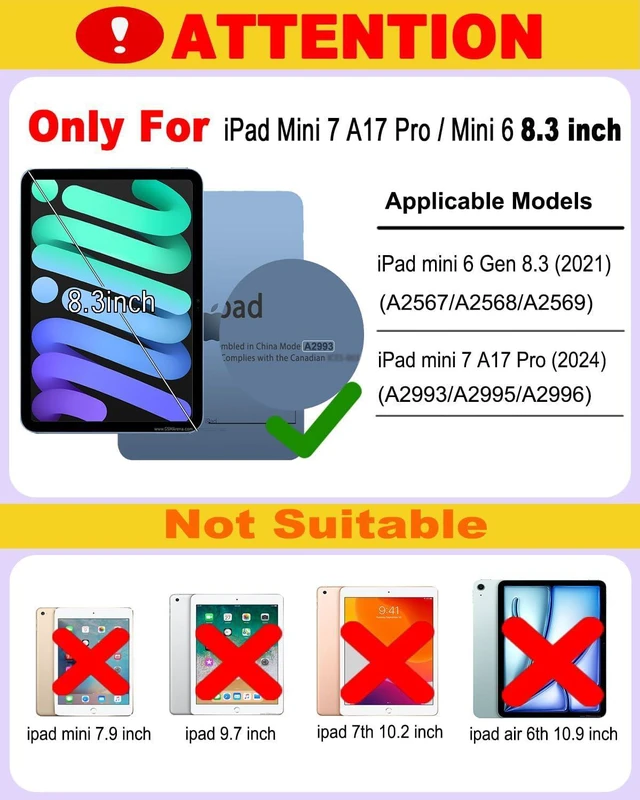
Magic Touchpad Keyboard Case for iPad mini 7 / Mini 6 8.3 inch | 2024/2021,Slim Magnetic Folio with Type-C 7Colors Backlit TrackPad Keyboard fit iPad mini 7th (A17 Pro)/6th Generation Purple
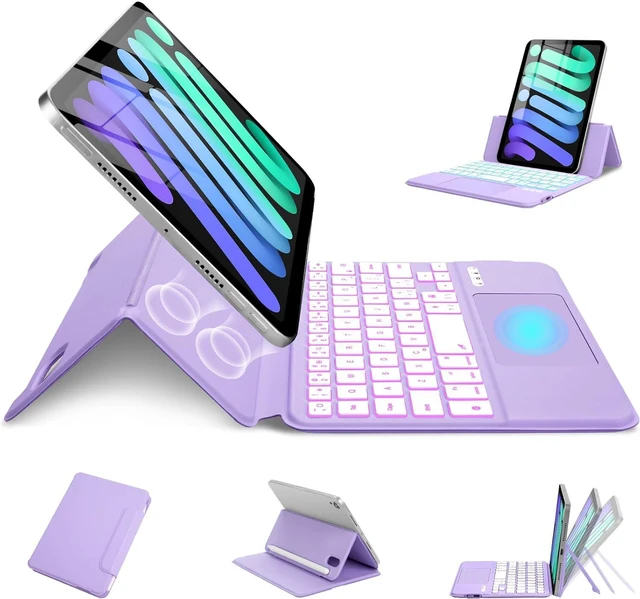
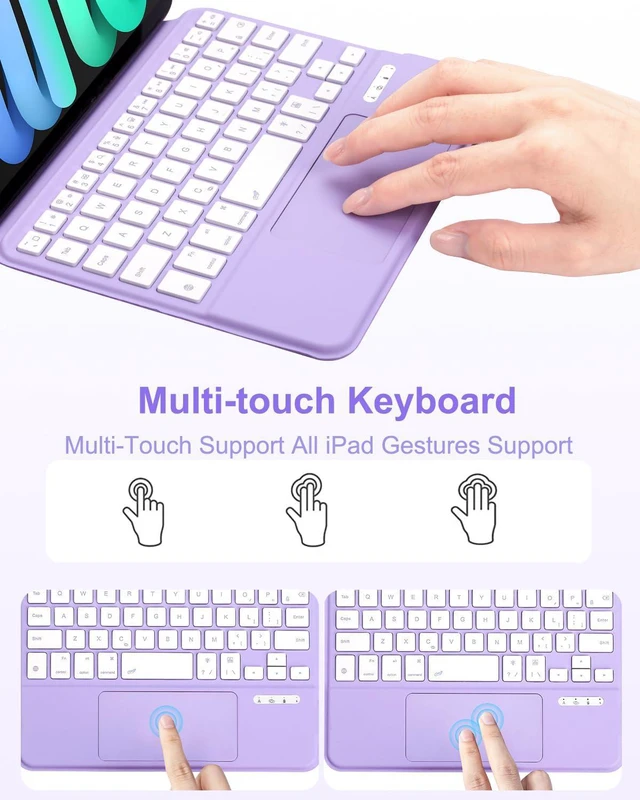
- Smart Touchpad, Supports Multi-touchThis Magic Style keyboard has a built-in smart touchpad that supports 1-finger, 2-finger, 3-finger multi-touch gestures. This is very convenient for editing files, browsing the web, and switching pages, providing efficiency
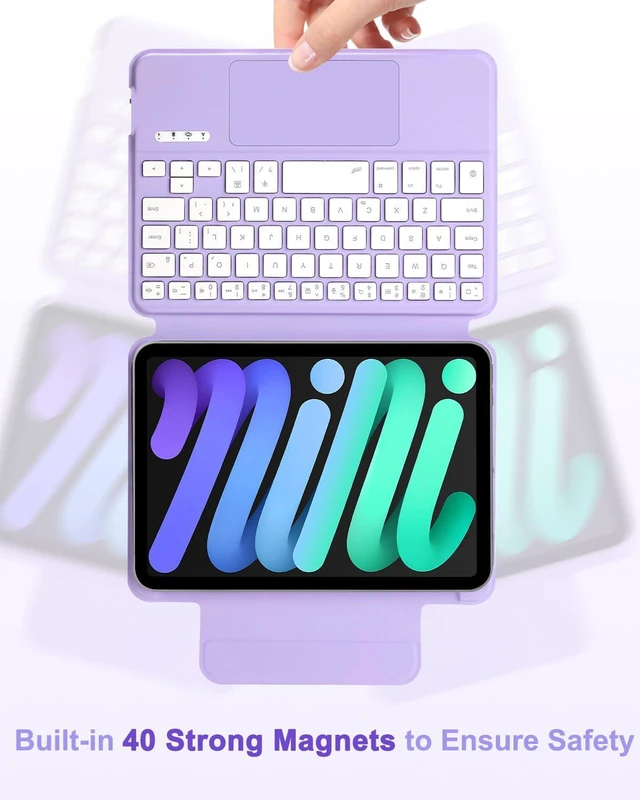
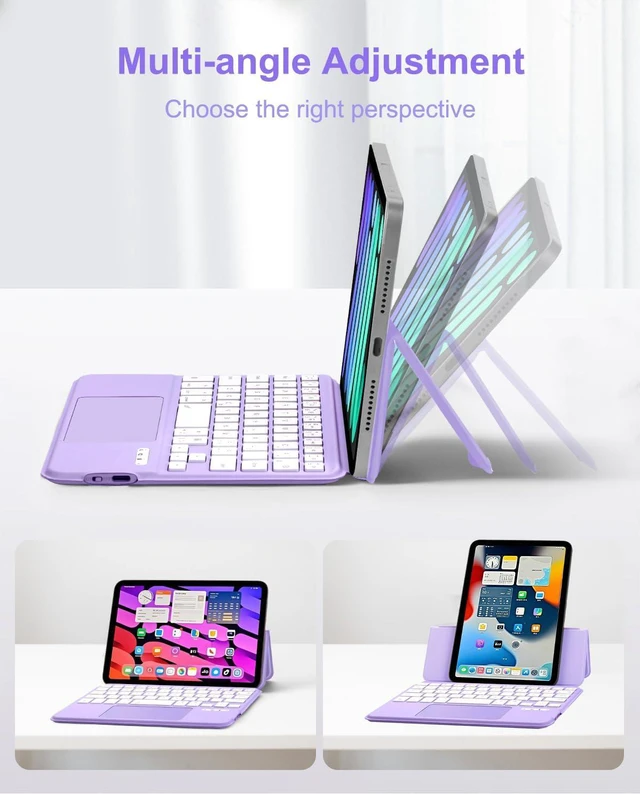
- Magnetic Case, Support Horizontal and Vertical ScreensThis keyboard case has a strong magnetic suction, which can stabilize tablet on the keyboard case to prevent the tablet from accidentally falling. The tablet can be adsorbed horizontally or vertically on the keyboard case, so that you can easily switch between work and entertainment
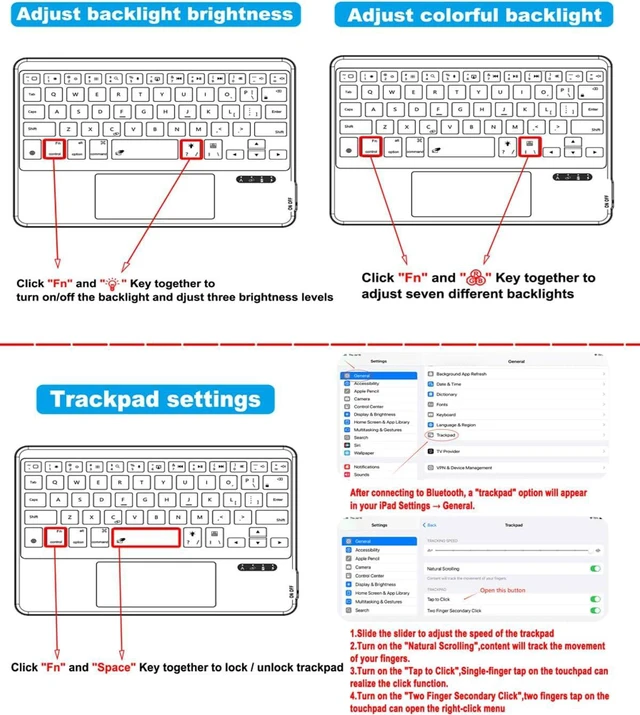
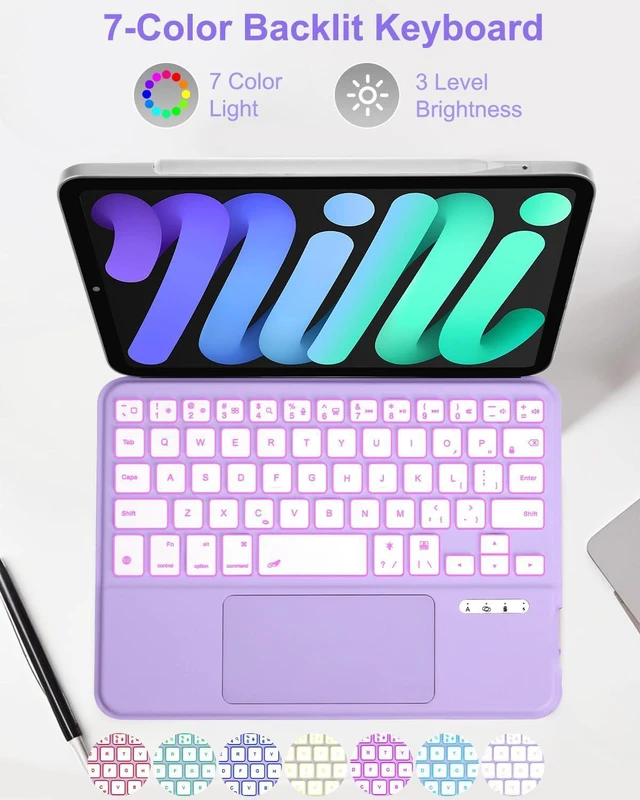
- 7 Backlight Colors, Type-C ChargingBacklit Keys Can Offer a Comfortable Typing Experience When You Are in Dark Environment, and a Scissor Mechanism for Smooth, Responsive Typing.The keyboard has 7 backlight colors and 3 brightness levels adjustable, Type-C charging port is very convenient for you to charge the keyboard
+
+
Overview
Specs
Reviews
Any questions? Ask CelesteSM will help you find out quickly.
Try me now
Slim Design, Light WeightThis trackpad keyboard case is designed to be ultra-thin and light, and can be easily picked up with one hand, making it a good companion for you in the office, at home, in a cafe, and when traveling. It can be folded like a book and will not take up much space
Tap to Click Set up First, connect your iPad mini 6/7 keyboard case. Next, open "Settings "and search for "General." Next, under "General," find "Trackpad." Once opened, you'll see the "Tap to Click" feature; turn it on. Now, you can open apps by tapping the trackpad.


Warranty & Returns
Warranty, Returns, And Additional Information
Warranty
- Please contact the Seller directly for warranty information. Warranty information may also be found on the Manufacturer's website.
- CONTACT
Return Policies
- Return for refund within: 30 days
- Return for replacement within: 30 days
- This item is covered by Grandwood Tech Limited Return Policy
Manufacturer Contact Info
- For a directory of all our manufacturers, please click below.
- Manufacturers Directory
LOADING...