- Free 30-day Returns
Meet Your Seller
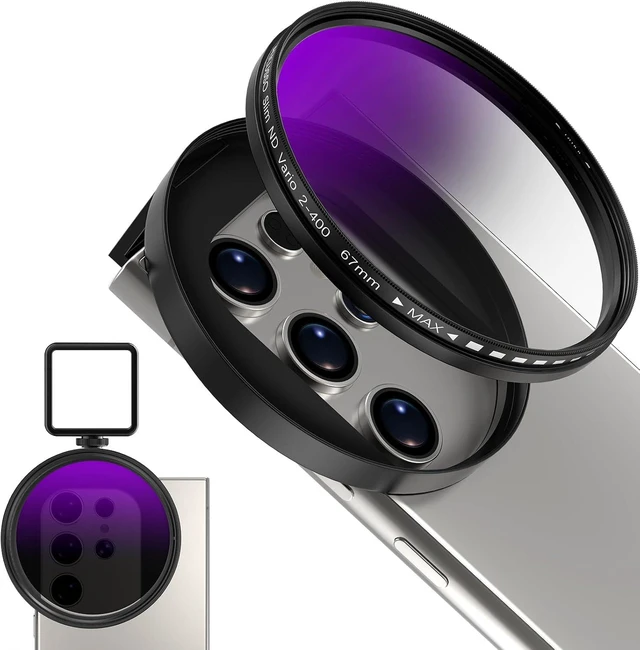
67mm Variable ND2-ND400 Filter for Phone, AR-Coated VND Lens with Metal Cold Shoe Clip, Adjustable Neutral Density Filter Compatible with iPhone 16 15 14 13 Pro Max Plus Galaxy Moto Google TCL
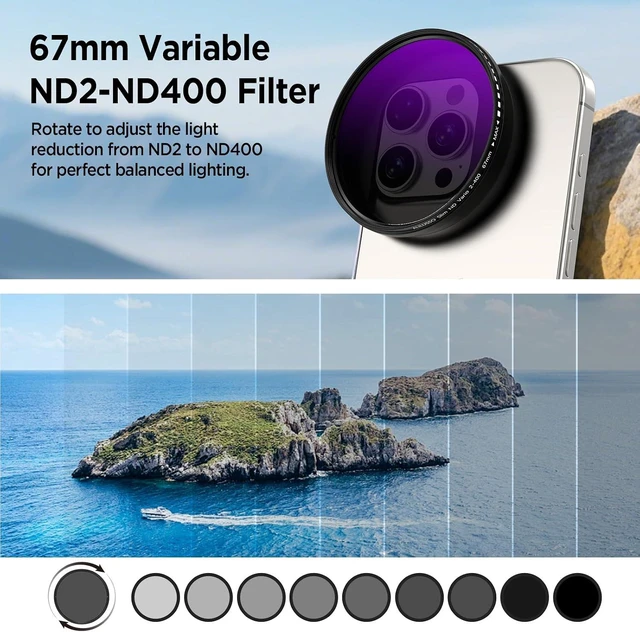
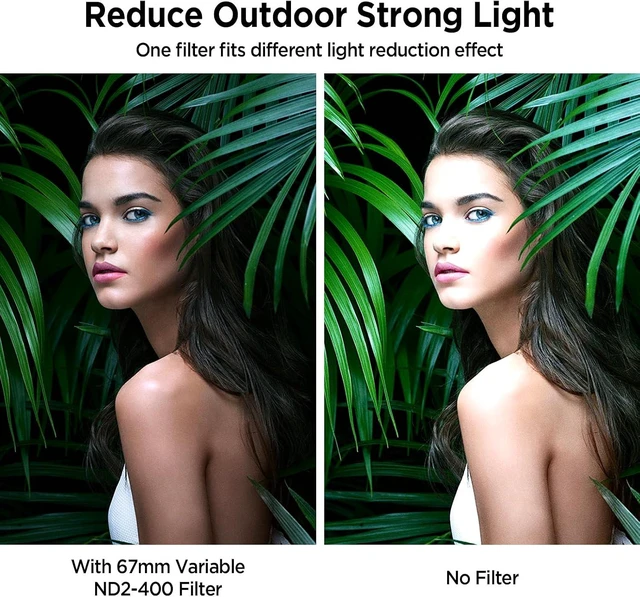
- Adjustable 67mm ND2-ND400 FilterThe variable neutral density filter reduces light from ND2 to ND400 to avoid overexposure in bright environments and allows you to capture dynamic motion blur effects. (Note: The black "X" crossing appearing in photos is an optical phenomenon that occurs when using excessively dense ND filter under specific lighting conditions. When shooting, try to avoid rotating the filter to the most dense position to reduce the occurrence of cross-light effects.)
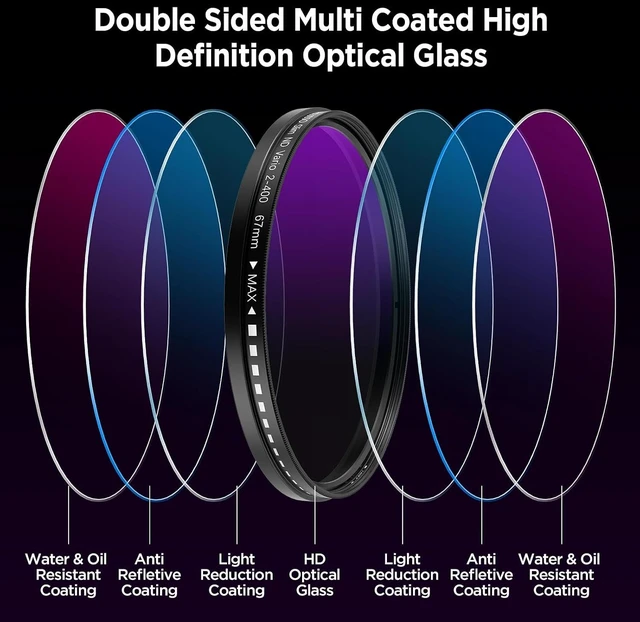
- Anti-Reflection Coating & HD Optical GlassPremium HD optical glass ensures an exceptional visual experience. The AR-coated ND filter reduces reflectivity while increasing light transmission, suppresses ghost images and flare spots caused by internal reflections, and enhances imaging contrast and color reproduction.
Any questions? Ask CelesteSM will help you find out quickly.
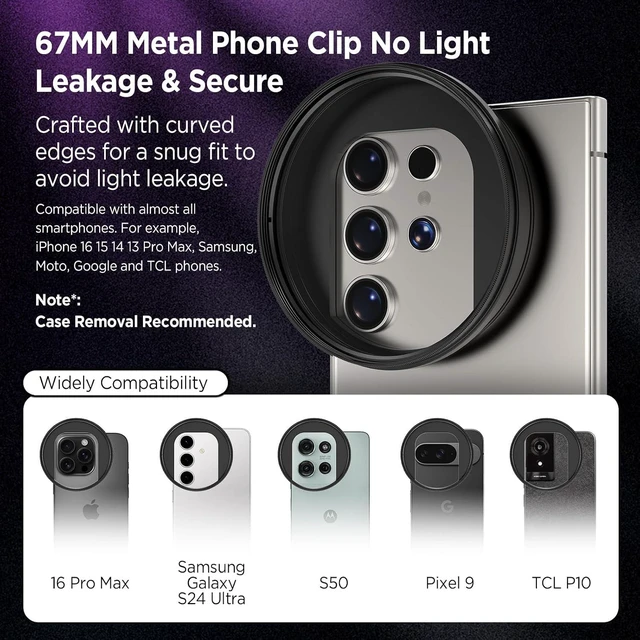
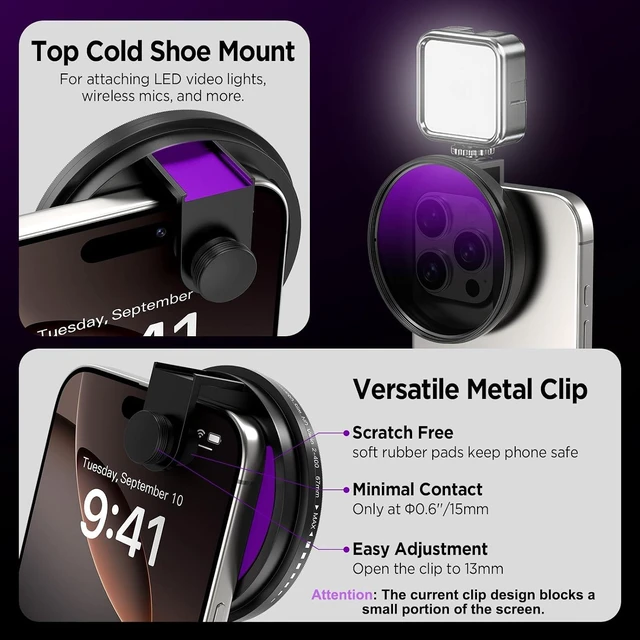
Upgraded Universal Metal Clip with Cold ShoeThis phone metal clip features upgraded right-angle edges on both sides, providing a snug fit for smartphones and tablets to secure devices firmly and prevent light leakage. The cold shoe can attach photography accessories like a LED video light, microphone, etc. with rubber padding to protect phone well.
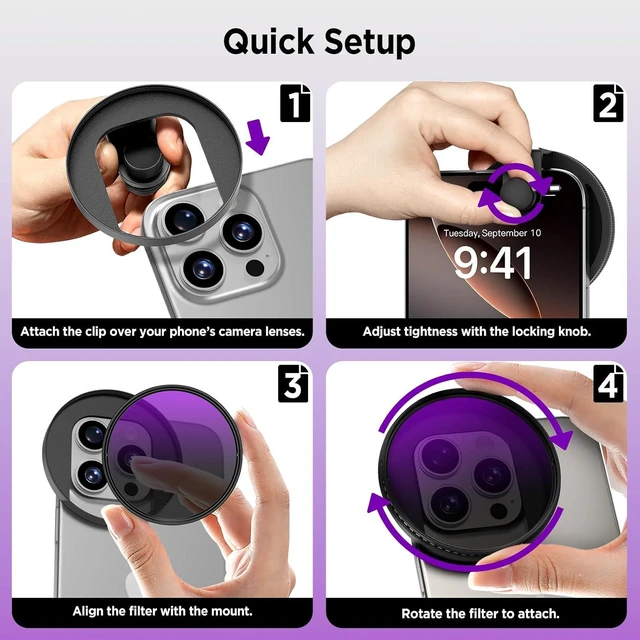
What in Box 1× 67mm Variable ND2-ND400 Filter, 1 × Universal Metal Phone Clip with Cold Shoe, 1× Portable Storage Case, 1×Cleaning Cloth . Lightweight & Easy to carry. Note: Before using the 67mm ND2-ND400 Filter, please first turn on the exposure adjustment in your phone's camera settings, and turn off the camera flash. How to turn on the exposure adjustment and turn off the camera flash. For example, the iPhone 15 Pro Max. 1. Turn on Settings and tap Camera. 2. Tap Preserve Settings. 3. Turn on Exposure Adjustment. 4. Then turn on the camera. And turn off the camera flash.
Note: Before using the 67mm ND2-ND400 Filter, please first turn on the exposure adjustment in your phone's camera settings, and turn off the camera flash. How to turn on the exposure adjustment and turn off the camera flash. For example, the iPhone 15 Pro Max. 1. Turn on Settings and tap Camera. 2. Tap Preserve Settings. 3. Turn on Exposure Adjustment. 4. Then turn on the camera. And turn off the camera flash.
Note:
Before using the 52mm ND2-ND400 Filter, please first turn on the exposure adjustment in your phone's camera settings, and turn off the camera flash. How to turn on the exposure adjustment and turn off the camera flash. For example, the iPhone 15 Pro Max. 1. Turn on Settings and tap Camera. 2. Tap Preserve Settings. 3. Turn on Exposure Adjustment. 4. Then turn on the camera. And turn off the camera flash.


Warranty & Returns
Warranty, Returns, And Additional Information
Warranty
- Please contact the Seller directly for warranty information. Warranty information may also be found on the Manufacturer's website.
- CONTACT
Return Policies
- Return for refund within: 30 days
- Return for replacement within: 30 days
- This item is covered by Grandwood Tech Limited Return Policy
Manufacturer Contact Info
- For a directory of all our manufacturers, please click below.
- Manufacturers Directory