

Your Browsing History

Meet Your Seller



Dual Monitor HDMI KVM Switch 2 Computers 2 Monitors, 4K@60Hz 2 Desktop Computers in 2 Monitors Out, with 4 USB 3.0 Ports to Share Keyboard Mouse, Extended Display for WFH Setup & PC Gaming
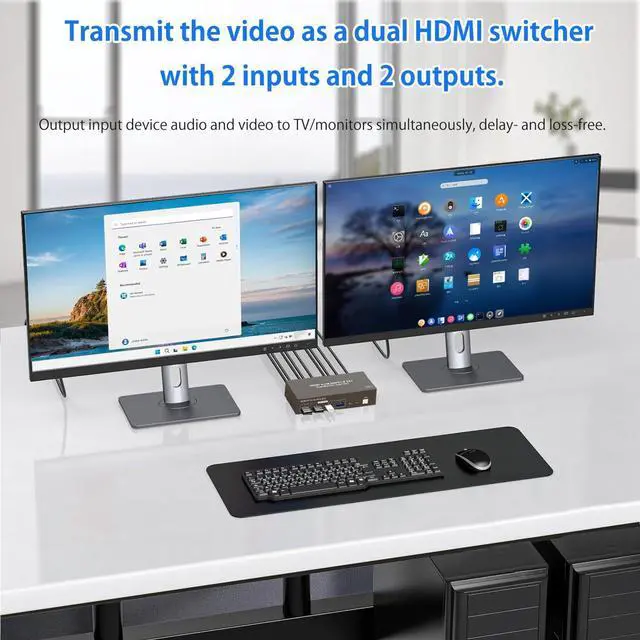
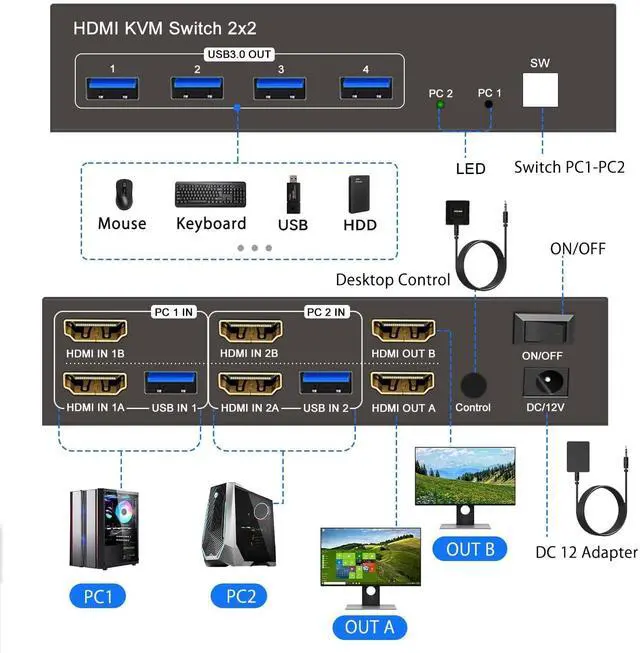
- Dual Monitor HDMI KVM Switch: Designed for easy work-from-home setups. To use 2 monitors at once, connect both HDMI ports from your desktop computer to the KVMSwitch. HDMI IN A goes to HDMI OUT A, and HDMI IN B goes to HDMI OUT B. Note: For desktop PCs with HDMI output only. Laptops and tablets cannot be used.
- Space-Saving Vertical Design for Tidy Workspaces:By distributing the HDMI input ports on upper and lower layers, it smartly optimises vertical desktop spaceperfect for IT professionals, day traders, or anyone managing a dual-PC desk. Important Tip: To ensure your multi-computer workstation runs smoothly and reliably without any signal drops, please connect the included DC 12V power adapter to power the KVM switch. Experience a clutter-free desk and enhanced daily efficiency.
+
+
Overview
Specs
Reviews

Any questions? Our AI beta will help you find out quickly.
Try me now
Supports Extended & Copy Modes for
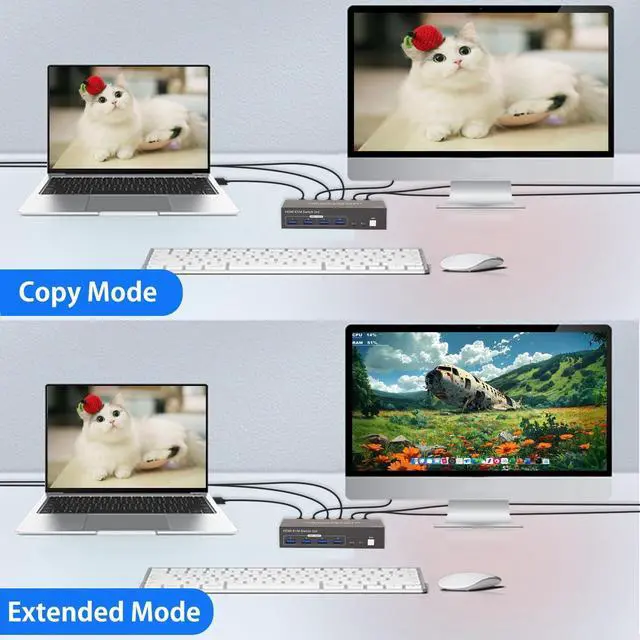
Professionals: Elevate your multitasking capabilities, whether you are a software developer coding across multiple screens or a video editor managing timelines. Extended Mode expands your desktop, providing a massive workspace to boost productivity. Alternatively, Copy Mode duplicates content on both connected displays, making it an ideal feature for office presentations, team collaborations, or client meetings.
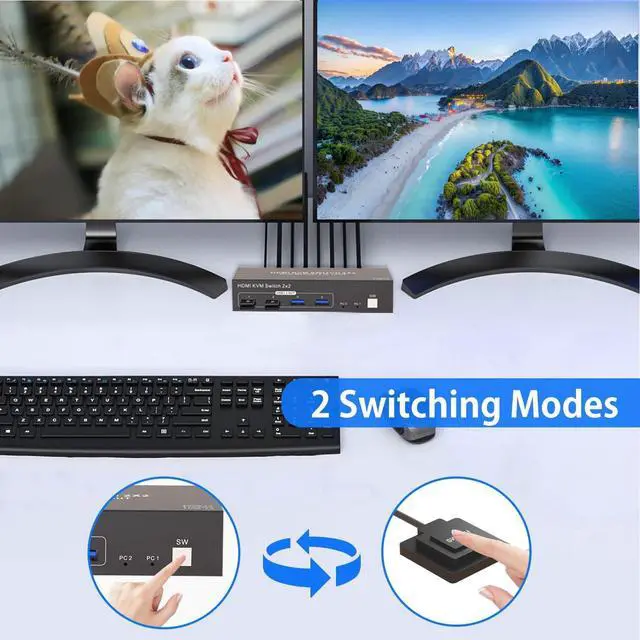
Effortless Switching Between Work & Gaming PCs: Gain instant control over your connected devices. Switch seamlessly between your corporate work desktop and personal gaming console with a single press.
Kindly note: This KVM switch is designed to route one active signal source at a time; you cannot display screens from two different computers simultaneously. It ensures 100% of your focus and peripherals are dedicated to the active task at hand.
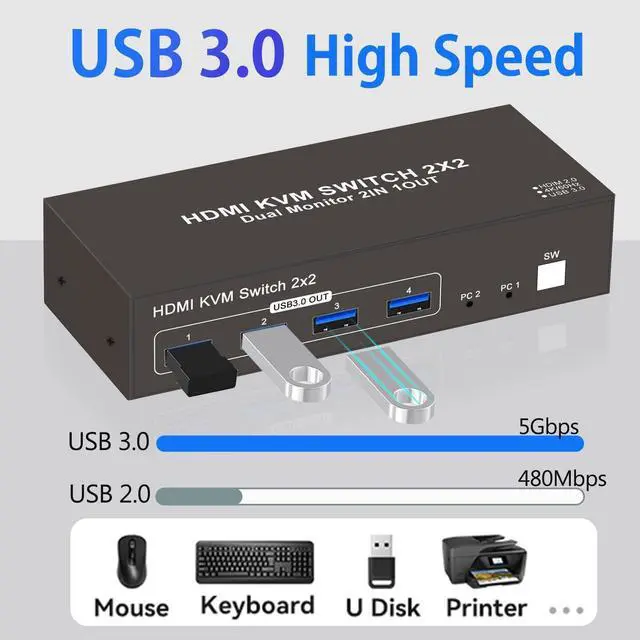
High-Speed 4x USB 3.0 Hub for Peripherals: Setup
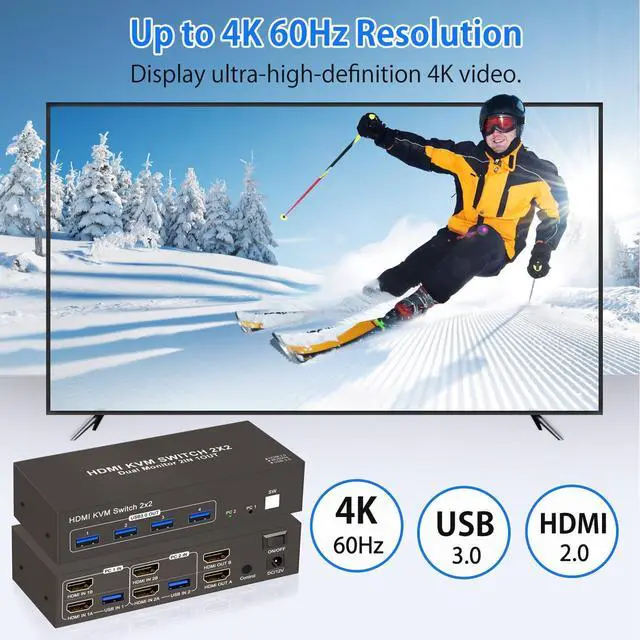
Requirement: You must connect the USB cables from your computers to the KVM's USB input ports to ensure these 4 output ports function correctly. Featuring 4 dedicated USB 3.0 output ports, content creators and streamers can effortlessly share keyboards, mice, and transfer massive files from USB drives between 2 desktop computers. Enjoy blazing-fast data transfer speeds without constantly plugging and unplugging your gear.
Yukidoke Dual Monitor HDMI KVM Switch For 2 Monitor 2 Desktop Computers
Q: Worrying about constantly switching your mouse and keyboard between your work PC and personal PC while working from home?
A: Our Dual Monitor KVM switch is a solution!
With the ability to share 2 monitors and USB devices like keyboards and mice between two computers, youll notice an immediate improvement in work efficiency. Plus, the output side is equipped with 4 USB 3.0 ports that can also be used as a USB hub. This KVM switch supports high-quality 4K 60Hz resolution with simultaneous output of both audio and video, providing an immersive experience.
Equipped with Four USB 3.0 Ports
USB 3.0 HDMI KVM Switch allows you to manage multiple computers using a single set of peripherals (keyboard, video, and mouse) while supporting HDMI connections.
Precautions of HDMI KVM Switch 2 Monitors 2 Desktop Computers
1Only one computer at a time. You can connect either PC1 or PC2, not both at the same time.
HDMI IN A video goes to HDMI OUT A
HDMI IN B video goes to HDMI OUT B
2Setup Requirement: You must connect the USB cables from your computers to the KVM's USB input ports to ensure 4 USB outputs work.
3 For desktop PCs with HDMI output only. Laptops and tablets cannot be used.
4When switching between two computers, the display will go black for a few seconds.
5It supports both extended and mirrored modes, but the computer itself needs to support these two modes. Our KVM switch can only be used for signal transmission and cannot alter information.
6When using the HDMI KVM Switch, please connect it to the included power supply for optimal stability.
Professionals: Elevate your multitasking capabilities, whether you are a software developer coding across multiple screens or a video editor managing timelines. Extended Mode expands your desktop, providing a massive workspace to boost productivity. Alternatively, Copy Mode duplicates content on both connected displays, making it an ideal feature for office presentations, team collaborations, or client meetings.
Effortless Switching Between Work & Gaming PCs: Gain instant control over your connected devices. Switch seamlessly between your corporate work desktop and personal gaming console with a single press.
Kindly note: This KVM switch is designed to route one active signal source at a time; you cannot display screens from two different computers simultaneously. It ensures 100% of your focus and peripherals are dedicated to the active task at hand.
High-Speed 4x USB 3.0 Hub for Peripherals: Setup
Requirement: You must connect the USB cables from your computers to the KVM's USB input ports to ensure these 4 output ports function correctly. Featuring 4 dedicated USB 3.0 output ports, content creators and streamers can effortlessly share keyboards, mice, and transfer massive files from USB drives between 2 desktop computers. Enjoy blazing-fast data transfer speeds without constantly plugging and unplugging your gear.
Yukidoke Dual Monitor HDMI KVM Switch For 2 Monitor 2 Desktop Computers
Q: Worrying about constantly switching your mouse and keyboard between your work PC and personal PC while working from home?
A: Our Dual Monitor KVM switch is a solution!
With the ability to share 2 monitors and USB devices like keyboards and mice between two computers, youll notice an immediate improvement in work efficiency. Plus, the output side is equipped with 4 USB 3.0 ports that can also be used as a USB hub. This KVM switch supports high-quality 4K 60Hz resolution with simultaneous output of both audio and video, providing an immersive experience.
Equipped with Four USB 3.0 Ports
USB 3.0 HDMI KVM Switch allows you to manage multiple computers using a single set of peripherals (keyboard, video, and mouse) while supporting HDMI connections.
Precautions of HDMI KVM Switch 2 Monitors 2 Desktop Computers
1Only one computer at a time. You can connect either PC1 or PC2, not both at the same time.
HDMI IN A video goes to HDMI OUT A
HDMI IN B video goes to HDMI OUT B
2Setup Requirement: You must connect the USB cables from your computers to the KVM's USB input ports to ensure 4 USB outputs work.
3 For desktop PCs with HDMI output only. Laptops and tablets cannot be used.
4When switching between two computers, the display will go black for a few seconds.
5It supports both extended and mirrored modes, but the computer itself needs to support these two modes. Our KVM switch can only be used for signal transmission and cannot alter information.
6When using the HDMI KVM Switch, please connect it to the included power supply for optimal stability.
Warranty & Returns
Warranty, Returns, And Additional Information
Warranty
- Please contact the Seller directly for warranty information. Warranty information may also be found on the Manufacturer's website.
- CONTACT
Return Policies
- Return for refund within: 30 days
- Return for replacement within: 30 days
- This item is covered by MINGPIN YOUCHUANG E-COMMERCE LIMITED Return Policy
Manufacturer Contact Info
- For a directory of all our manufacturers, please click below.
- Manufacturers Directory
LOADING...