Your Browsing History
Meet Your Seller
Gam3Gear SURECOM SW-33 Mark II 100 W 125-525 Mhz Mini Digital VHF UHF Two-Way Radio Handheld Power & SWR Meter
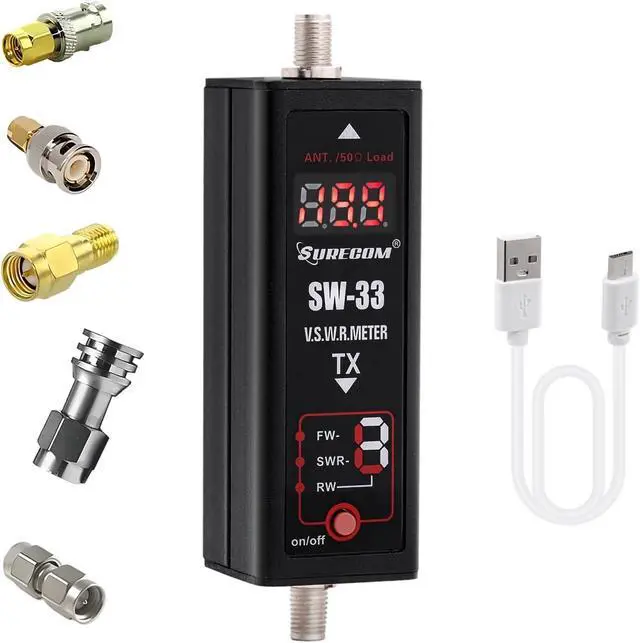
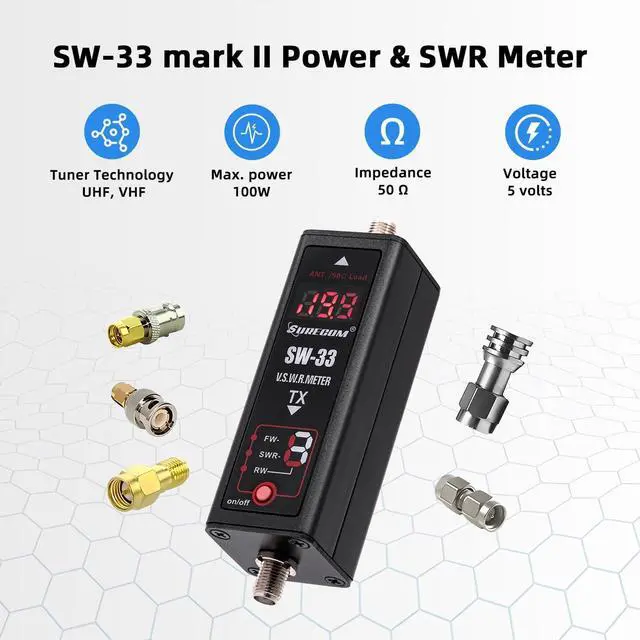
- SURECOM SW-33 Mark II 125-525 Mhz Mini Digital VHF/UHF Power & SWR Meter
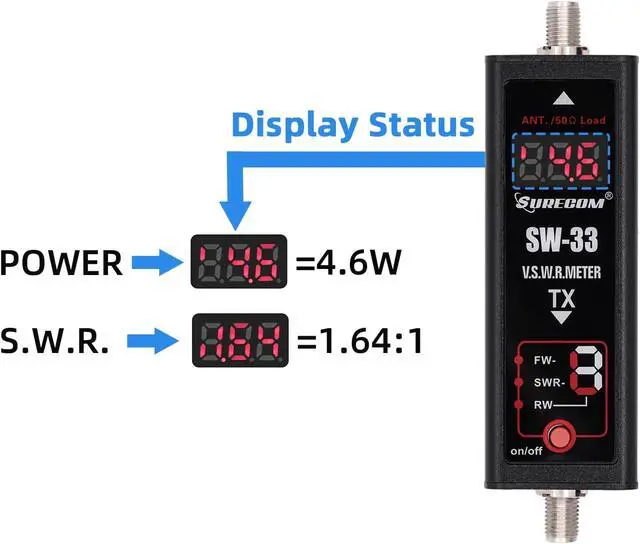
- VSWR. Forward power direct digital readout, without any calibration.
- Maximum measurable power range up to 100W
+
+
Overview
Specs
Reviews
Any questions? Our AI beta will help you find out quickly.
Try me now
3 seconds check your antenna SWR, also check your radio RF power watt.
Easy to install handheld Radio
How to use Surecom SW-33
aplus content video
Features: 1. -VSWR. Forward power direct digital readout, without any calibration. 2. -Max. measurable power range up to 100W. - 3 seconds check your antenna SWR, also check your radio RF power watt. 3. -Easy to install handheld Radio.
Measurable power range: 0.1 -100W 2. -
Max. power: 100W
Accuracy: mean + / - 5% 3. * Not for the DMR digital radio. 4. - MAX.
Power in: 100W 5. - V. S. W.
R: 1.00 ~ 19.99 6. -
Frequency Range: COVER - 125MHz~525MHz 7. -
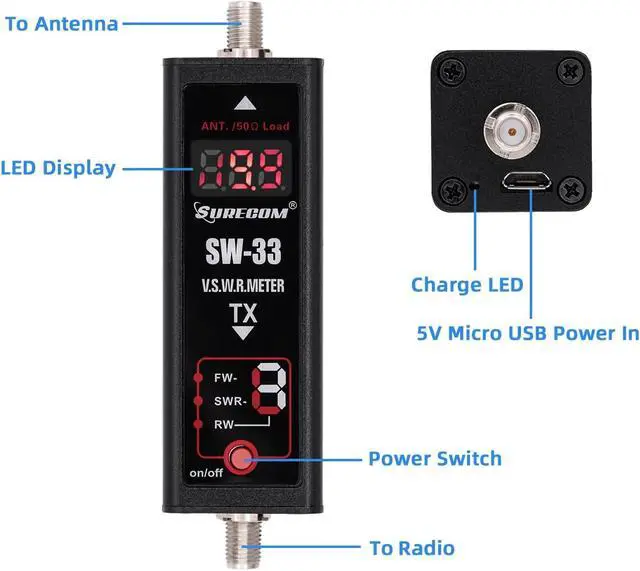
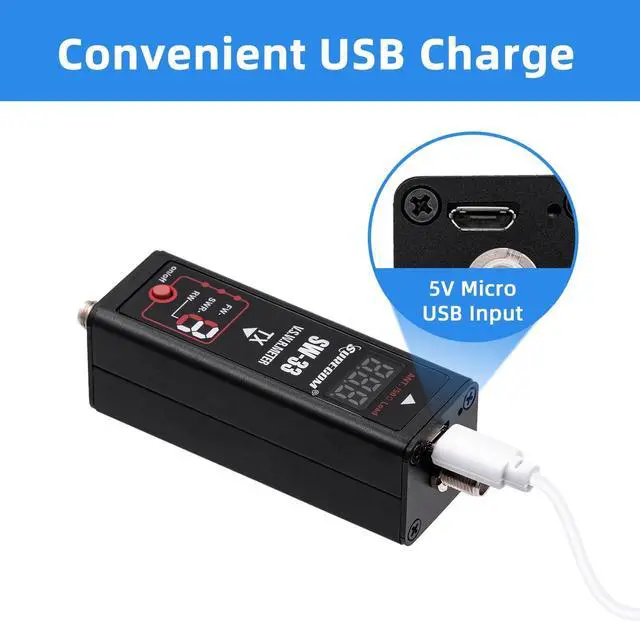
Insertion Loss: < 0.15dB(VHF), < 0.25dB(UHF) 8.- Temperature: 0~70 9.- Battery Built-in: Li-ion Battery 10.- Size:(WHIT OUT SMA): 25*25*60 (mm) 11.- Power in: 5V (micro usb) 12.- Interface (in and out ): SMA female 13.- Impedance: 50 14.- Weight: 160g
Features function: 1. Push red button and hold 3 sec. to" Power on " and "SWR "mode " 2. Push red button -" Power Meter "mode 3. Push red button -" SWR "mode 4. Push red button and HOLD -" POWER OFF
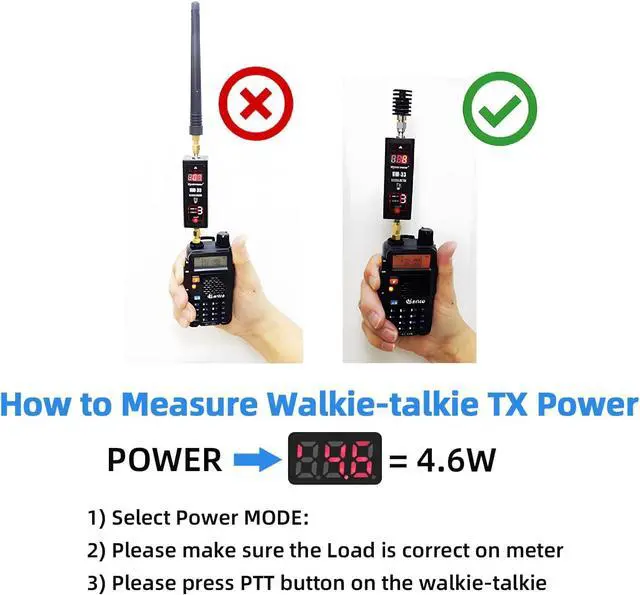
How to use Power meter: 1. Push red button -switch on 2. Push red button at once to mode "POWER meter " 3. Connect the SMA (mark TX) to Radio output. 4. Connect the SMA to DUMMUY Load
Caution: Please use correct dummy load, High power will damage the dummy load.
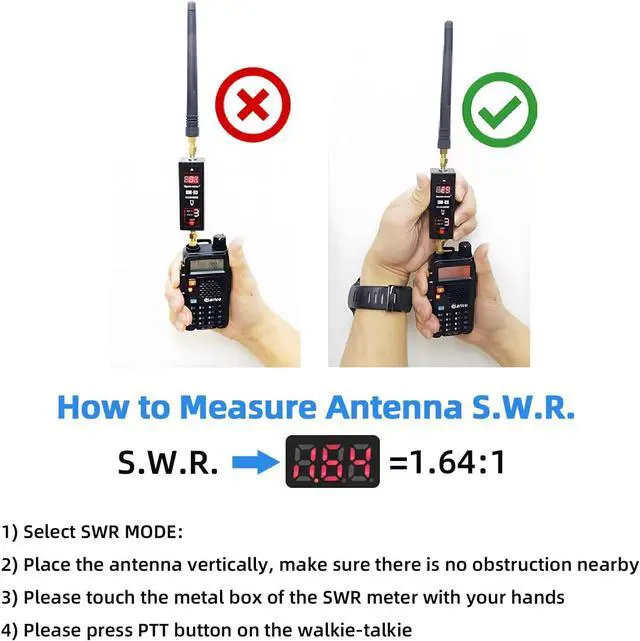
How to use SWR meter: 1. Push red button -" Power on " and "SWR "mode 2. Connect the SMA (mark TX) to Radio output. 3. Connect the SMA to ANTENNA 4. When the the led show 1.00 to 1.50, mean the antenna is suit the frequency 5. When the the led show 1.50 to 3.00, mean the antenna is not good suit the frequency 6. When the the led show up to 5.0 to 19.99, mean the antenna is not suit the frequency.
Package includes: 1 x Surecom SW-33 Mark II; 1 x SMA Dummy Loads; 1 x English Manual; 1 x USB Charge Cable

Easy to install handheld Radio
How to use Surecom SW-33
aplus content video
Features: 1. -VSWR. Forward power direct digital readout, without any calibration. 2. -Max. measurable power range up to 100W. - 3 seconds check your antenna SWR, also check your radio RF power watt. 3. -Easy to install handheld Radio.
Specifications
: 1. -Measurable power range: 0.1 -100W 2. -
Max. power: 100W
Accuracy: mean + / - 5% 3. * Not for the DMR digital radio. 4. - MAX.
Power in: 100W 5. - V. S. W.
R: 1.00 ~ 19.99 6. -
Frequency Range: COVER - 125MHz~525MHz 7. -
Insertion Loss: < 0.15dB(VHF), < 0.25dB(UHF) 8.- Temperature: 0~70 9.- Battery Built-in: Li-ion Battery 10.- Size:(WHIT OUT SMA): 25*25*60 (mm) 11.- Power in: 5V (micro usb) 12.- Interface (in and out ): SMA female 13.- Impedance: 50 14.- Weight: 160g
Features function: 1. Push red button and hold 3 sec. to" Power on " and "SWR "mode " 2. Push red button -" Power Meter "mode 3. Push red button -" SWR "mode 4. Push red button and HOLD -" POWER OFF
How to use Power meter: 1. Push red button -switch on 2. Push red button at once to mode "POWER meter " 3. Connect the SMA (mark TX) to Radio output. 4. Connect the SMA to DUMMUY Load
Caution: Please use correct dummy load, High power will damage the dummy load.
How to use SWR meter: 1. Push red button -" Power on " and "SWR "mode 2. Connect the SMA (mark TX) to Radio output. 3. Connect the SMA to ANTENNA 4. When the the led show 1.00 to 1.50, mean the antenna is suit the frequency 5. When the the led show 1.50 to 3.00, mean the antenna is not good suit the frequency 6. When the the led show up to 5.0 to 19.99, mean the antenna is not suit the frequency.
Package includes: 1 x Surecom SW-33 Mark II; 1 x SMA Dummy Loads; 1 x English Manual; 1 x USB Charge Cable
Warranty & Returns
Warranty, Returns, And Additional Information
Warranty
- Please contact the Seller directly for warranty information. Warranty information may also be found on the Manufacturer's website.
- CONTACT
Return Policies
- Return for refund within: 30 days
- Return for replacement within: 30 days
- This item is covered by MINGPIN YOUCHUANG E-COMMERCE LIMITED Return Policy
Manufacturer Contact Info
- For a directory of all our manufacturers, please click below.
- Manufacturers Directory
LOADING...