• $100.99
  • Free 30-day Returns
  • Price alert
    Shop it at NeweggBusiness.

    Quad PCIe NVMe Adapter, PCIe 4.0 x16 to 4Ports M.2 NVMe Converter Card for 2U Support NVMe SSD in Size 22110/2280/2260/2242 (PCI-e Bifurcation Required)

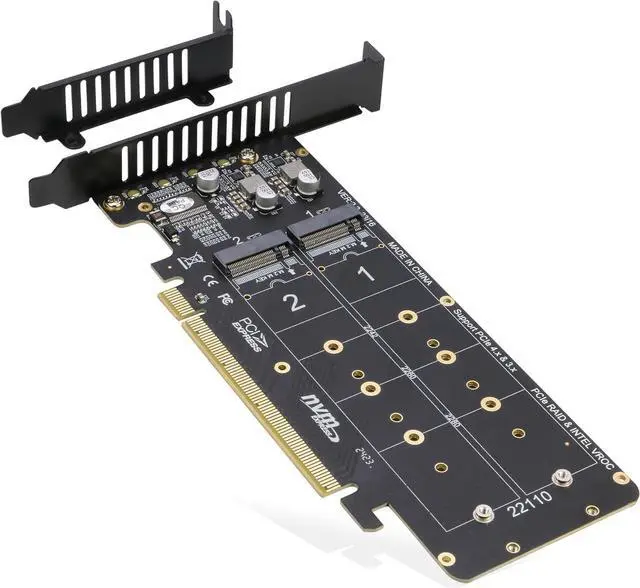
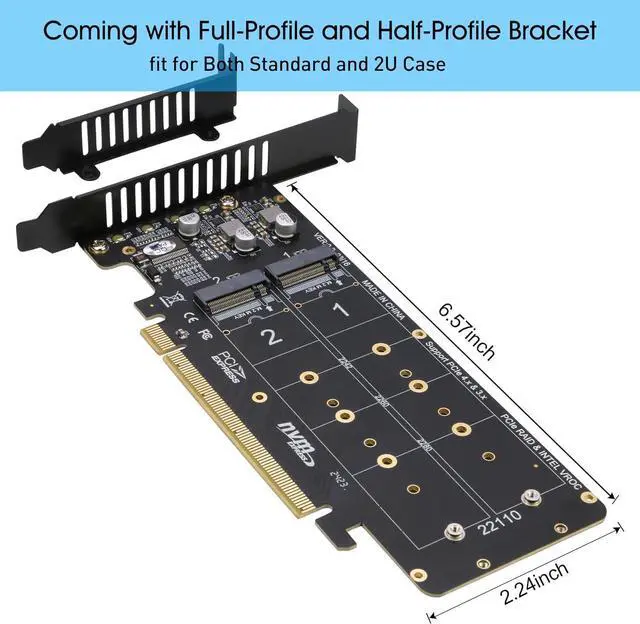
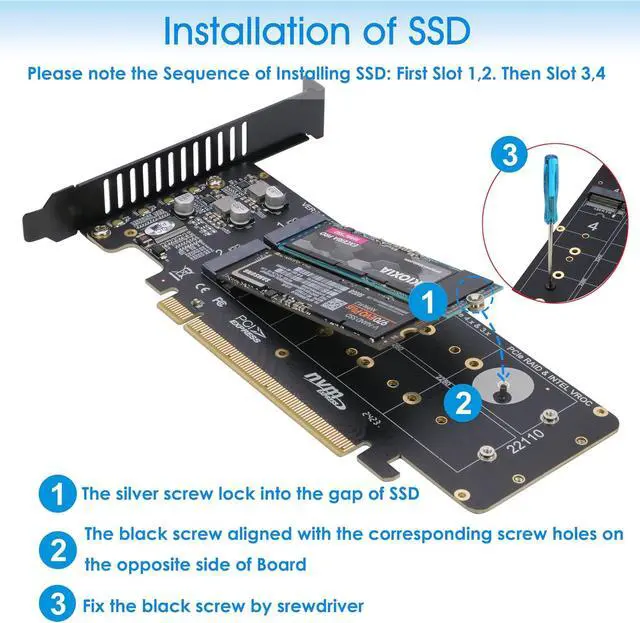
    • Quad PCIe NVMe Adapter allows you add 4x NVMe SSDs simultaneously via available PCI-e 4.0 or 3.0 x16 Slot on Motherboard which supports PCIe x16 Bifurcation. Full-speed transmission up to 4x 32Gbps. This model is coming with Low-Profile Bracket designed for 2U Case
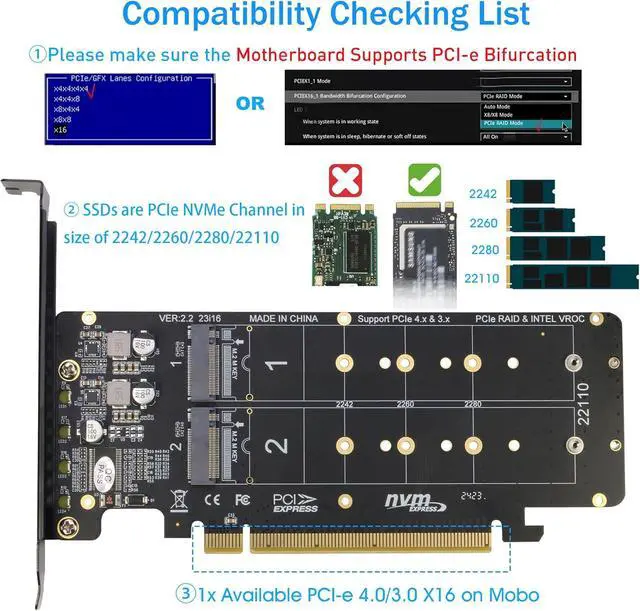
    • Hardware requirement: 1. There is available PCI-e 4.0 or 3.0 x16 Slot on Mobo 2. The motherboard can support PCIe x16 Bifurcation itself, and can be set as"PCI-e x4x4x4x4" in BIOS (Please Note: X8X4X4 or X4X4X8 mode can only recognize 3x NVMe SSDs) 3. All of the SSDs are M.2 PCI-e (M Key) NVMe SSD 4. CPU has enough channels to support
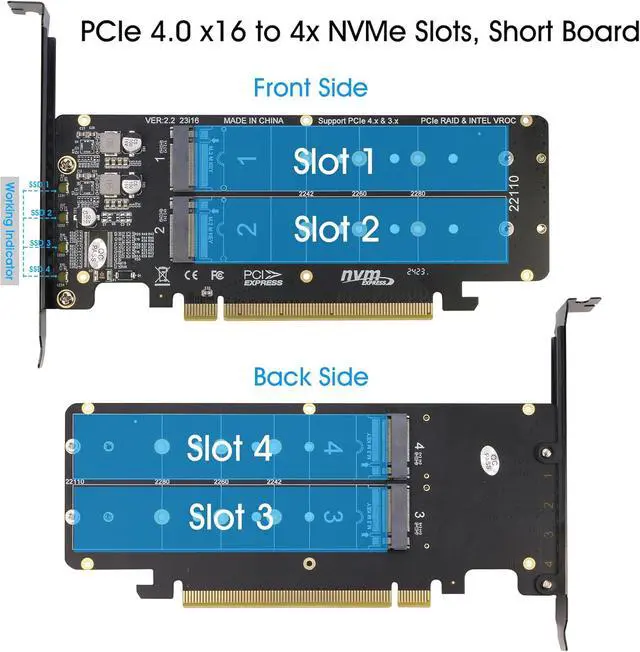
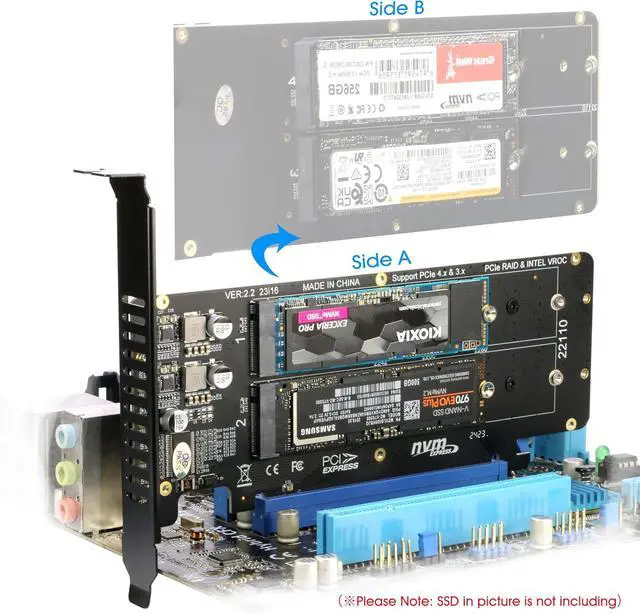
    • Upgraded Design: 1. Small size, each side has 2 Slots, it will short the height to save space. 2.Individual LED Indicator design will show each SSD's Working Status
    +
    +
    Overview
    Specs
    Reviews
    avatar

    Any questions? Our AI beta will help you find out quickly.

    [Wide Compatibility] Compatible with M. 2 PCI-e NVMe SSDs in all sizes: 110x22mm. 80x22mm, 60x22mm and 42x22mm; Not support any M. 2 (SATA-Based B+M Key) SSD; It can not be installed with Two-sided NAND SSDs on Side 2 because of Screws of Side 1.
    Motherboard Compatibility: Most Server and X299, X399 can support PCIe x16 Bifurcation
    Please note: 1. 4x NVMe PCIe Adapter does not Support Hardware Raid, only supports the formation of soft raid in Win10, or you may build raid via Third-party Software, and 4 SSDs should be same model 2. The motherboard need support "PCIEX16 Bifurcation", Otherwise, only one M. 2 SSD can be recognized. Please check Motherboard's user manual on its official website if you are not sure the Mobo can support 3.
    OS compatibility: Windows 11/10/8/Linux/Mac OS 4.
    About OS Booting: Older Mobo may not support booting from PCIe, so the expand SSDs can only working as Data Disk

    Warranty & Returns

    Warranty, Returns, And Additional Information

    Warranty

    • Please contact the Seller directly for warranty information. Warranty information may also be found on the Manufacturer's website.
    • CONTACT

    Return Policies

    Manufacturer Contact Info

    LOADING...