Your Browsing History
Meet Your Seller
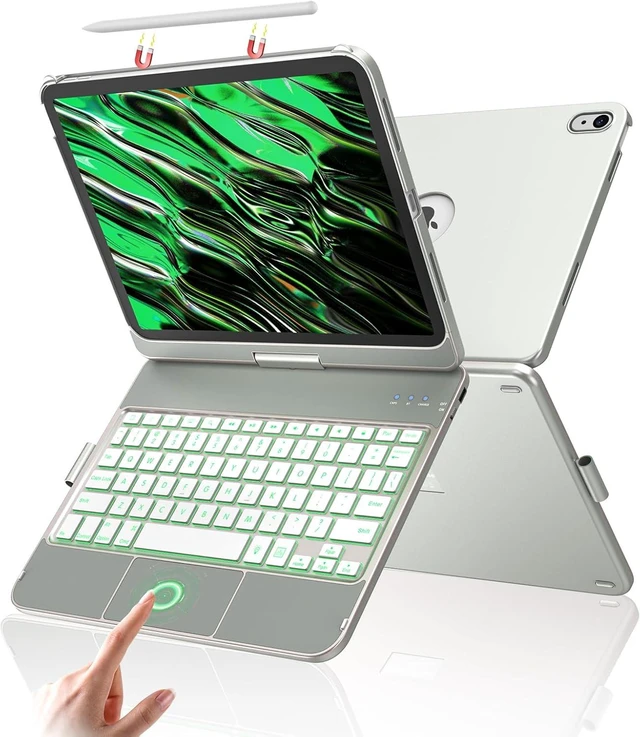
360° Rotating Touch Keyboard Case for iPad A16 11th/10th Gen
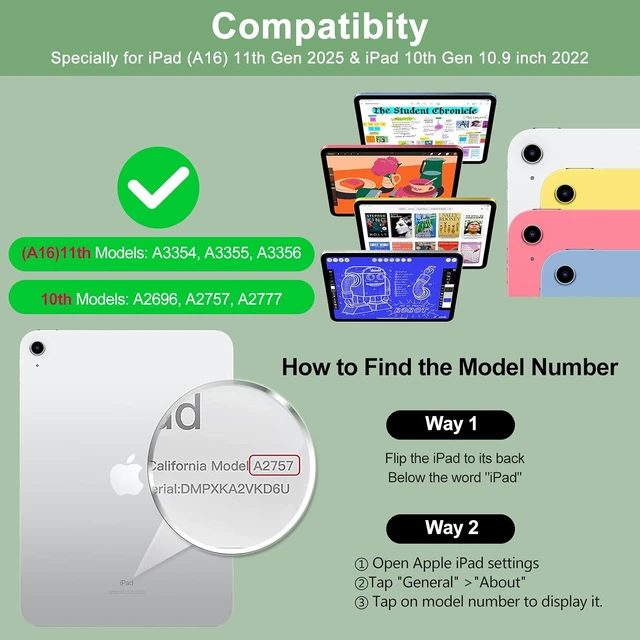
- Compatibility: Specially compatible with ipad A16 11th Generation (2025), models: A3354 / A3355 / A3356, 10.9 inch of ipad 10th Generation (2022), models:A2696 / A2757 / A2777
- Touch Keyboard: This for ipad a16 case with keyboard with touch features laptop-like isometric keys,shortcut keys and built-in touchpad.When you have our keyboard for ipad a16,you can browse the web,edit documents and build presentations at a faster speed.Save 80% of your working time and increase your productivity by 90%
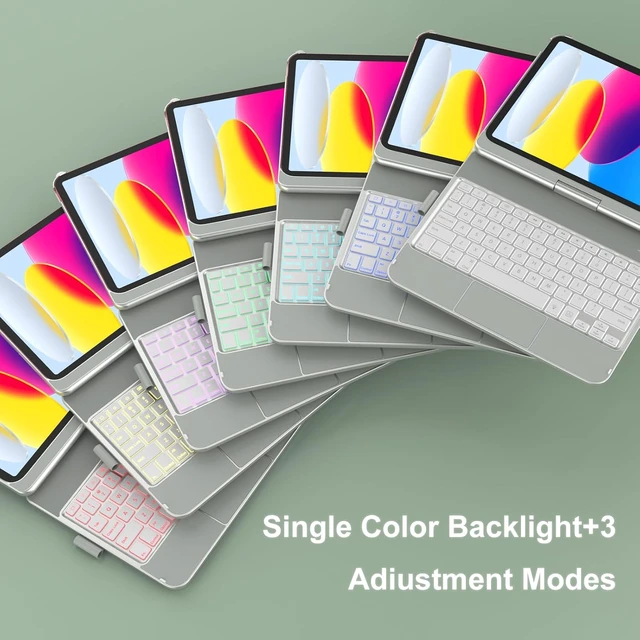
- 7 Single Color Backlight & 3 Adjustable Modes: This for ipad a16 keyboard case with rechargeable backlit keyboard,7-color backlight with 3 adjustable modes to bring you different visual enjoyment and comfortable typing experience,you can easily use ipad a16 keyboard even in a dark environment
+
+
Overview
Reviews
Any questions? Our AI mode will help you find out quickly.
Try me now
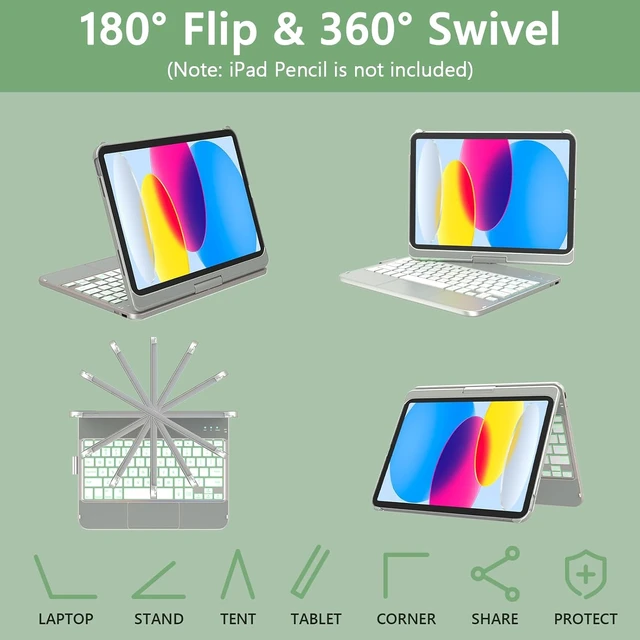
360°Unique Design: This for ipad 11th generation case with keyboard rotates 360 degrees and folds completely, 10.9 inch of ipad keyboard 10th generation allowing you to adjust the screen to any angle you need,perfect for working,studying or watching videos in company,school,home and travel
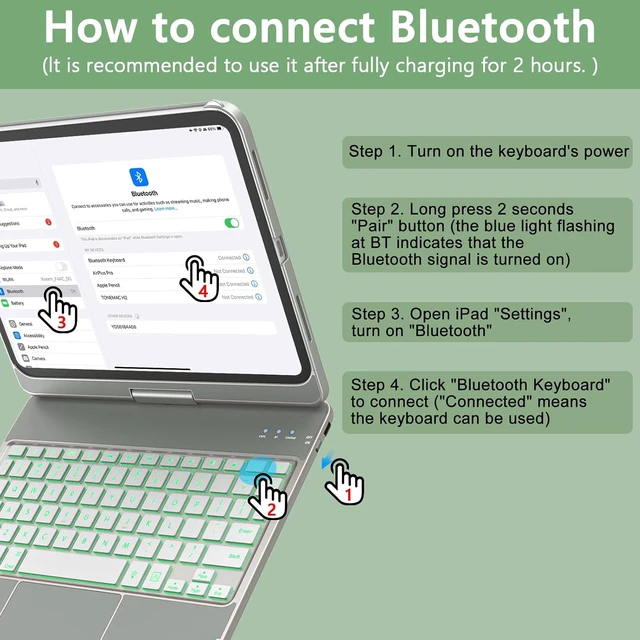
How to connect: When the ipad 10th generation case with keyboard is fully charged for 2H. Step 1: turn on the keyboard's power switch. Step 2: Press"Pair" for 2-3 seconds,the indicator light "BT" flashes to indicate that the BT Signal is turned on. Step 3: Open "Settings" on ipad, click "Bluetooth", and click "Bluetooth Keyboard" to pair and connect (If the problem of not being able to connect, it is due to the limitation of the ipadOS system, you only need to forget the BT data and reconnect)
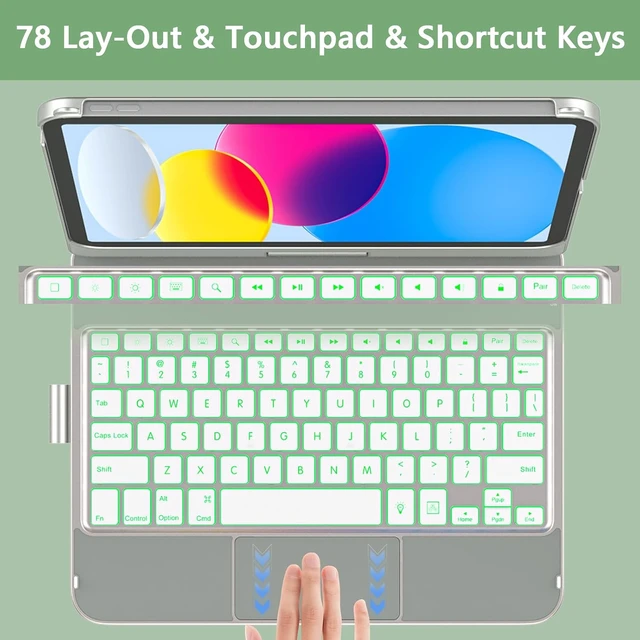
Turn IPad to a mini laptop: 78-lay out for ipad a16 keyboard case,Practical shortcut keys make typing more convenient,keyboard for ipad 10th generation help you improve work efficiency, and realize travel business with its portable features
How to connect: When the ipad 10th generation case with keyboard is fully charged for 2H. Step 1: turn on the keyboard's power switch. Step 2: Press"Pair" for 2-3 seconds,the indicator light "BT" flashes to indicate that the BT Signal is turned on. Step 3: Open "Settings" on ipad, click "Bluetooth", and click "Bluetooth Keyboard" to pair and connect (If the problem of not being able to connect, it is due to the limitation of the ipadOS system, you only need to forget the BT data and reconnect)
Turn IPad to a mini laptop: 78-lay out for ipad a16 keyboard case,Practical shortcut keys make typing more convenient,keyboard for ipad 10th generation help you improve work efficiency, and realize travel business with its portable features



Warranty & Returns
Warranty, Returns, And Additional Information
Warranty
- Please contact the Seller directly for warranty information. Warranty information may also be found on the Manufacturer's website.
- CONTACT
Return Policies
- Return for refund within: 30 days
- Return for replacement within: 30 days
- This item is covered by Faro Global Electronics Return Policy
Manufacturer Contact Info
- For a directory of all our manufacturers, please click below.
- Manufacturers Directory
LOADING...