

Your Browsing History

Meet Your Seller




XG4K6 Laptop Battery Compatible with DELL XPS 17 9700 9710 9720 9730 Precision 5750 5760 5770 Series Notebook 0XG4K6 11.4V 97Wh
Limited time offer, ends 09/28 By Eristy shop
- Specifications: - Type: Li-ion - Voltage: 11.4V - Capacity: 97Wh - Color: Black - Condition: New This is a standard XG4K6 rechargeable li-ion battery, designed as a replacement for the DELL XPS battery. Fully compatible and high stability: - Fits for Dell XPS 17 9700, 9710, 9720, 9730 Series Notebook. - Fits for Dell Precision 5750, 5760, 5770 Series Notebook. Replacement Battery Part Numbers: Battery for XG4K6, 01RR3, 001RR3, 3ICP7/54/65-2, F8CPG, 0YY3V, 5XJ6R, KVPMY, KRDHV. Safe to Use: All products are certified by UL, CE, FCC, and RoHS for safety. Strict guidelines for compatibility and quality control ensure true capacity, stable current, low self-discharge, and compliance with environmental safety standards. Advice: If the new battery is not recognized upon initial installation, reinstall it and verify the interface is fully connected. Next, discharge the new battery to 5% (do not discharge to 0%). Then, charge the battery and perform 3 - 4 charge-discharge cycles to "wake up" the new battery
+
+
Overview
Specs
Reviews

Any questions? Our AI mode will help you find out quickly.
Try me now
Specifications
: -Type: Li-ion -
Voltage: 11.4V -
Capacity: 97Wh -
Color: Black -
Condition: New This is a standard XG4K6 rechargeable li-ion battery, designed as a replacement for the DELL XPS battery.
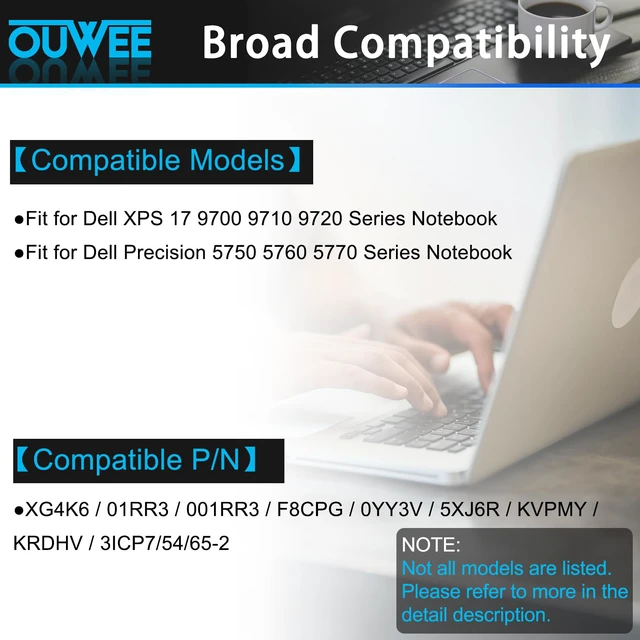
Fully compatible and high stability: - Fits for Dell XPS 17 9700, 9710, 9720, 9730 Series Notebook. - Fits for Dell Precision 5750, 5760, 5770 Series Notebook.
Replacement Battery Part Numbers: Battery for XG4K6, 01RR3, 001RR3, 3ICP7/54/65-2, F8CPG, 0YY3V, 5XJ6R, KVPMY, KRDHV.
Safe to Use: All products are certified by UL, CE, FCC, and RoHS for safety. Strict guidelines for compatibility and quality control ensure true capacity, stable current, low self-discharge, and compliance with environmental safety standards.
Advice: If the new battery is not recognized upon initial installation, reinstall it and verify the interface is fully connected. Next, discharge the new battery to 5% (do not discharge to 0%). Then, charge the battery and perform 3 - 4 charge-discharge cycles to "wake up" the new battery
Warranty & Returns
Warranty, Returns, And Additional Information
Warranty
- Please contact the Seller directly for warranty information. Warranty information may also be found on the Manufacturer's website.
- CONTACT
Return Policies
- Return for refund within: 30 days
- Return for replacement within: 30 days
- This item is covered by Eristy shop Return Policy
Manufacturer Contact Info
- For a directory of all our manufacturers, please click below.
- Manufacturers Directory
LOADING...