

Your Browsing History

Meet Your Seller

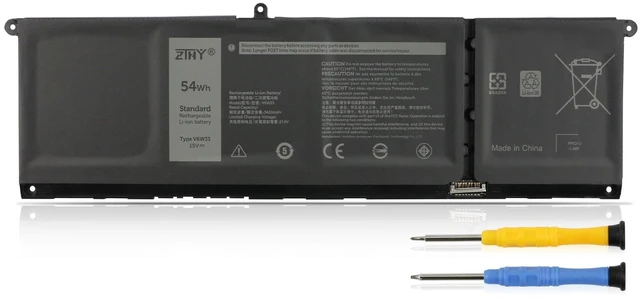


83Wh RCVVT Laptop Battery Replacement for Dell Precision 7670 7680 7770 7780 Mobile Workstation Series P114F P114F001 P114F002 P115F P115F001 P115F002 0RCVVT NWDC0 X26RT 0NWDC0 0X26RT 11.55V 6-Cell
- Specifications: Battery type: Li-ion. Color: Black. Voltage: 11.55V. Capacity: 83Wh/6827mAh. New from Manufacturer Compatible Part Number: RCVVT NWDC0 X26RT 0RCVVT 0NWDC0 0X26RT Compatible with Laptop Models: Replacement for Dell Precision 7670 Series; Replacement for Dell Precision 7680 Series; Replacement for Dell Precision 7770 Series; Replacement for Dell Precision 7780 Series P114F P114F001 P114F002 P115F P115F001 P115F002 Please note that the 93Wh X9FTM battery is not compatible with the 83Wh RCVVT battery. Their screw hole positions differ, preventing proper installation. While both batteries are compatible with the same computer models, please purchase a replacement that matches the original battery's capacity and model. Note: If the new battery is not recognized during the initial installation, please reinstall and check if the interface is fully connected. Discharge the new battery to 10-20% (not 0%), then charge and cycle 3-4 times to wake up the new battery
+
+
Overview
Specs
Reviews

Any questions? Our AI mode will help you find out quickly.
Try me now
Specifications
: Batterytype: Li-ion.
Color: Black.
Voltage: 11.55V.
Capacity: 83Wh/6827mAh. New from Manufacturer
Compatible Part Number: RCVVT NWDC0 X26RT 0RCVVT 0NWDC0 0X26RT Compatible with
Laptop Models: Replacement for Dell Precision 7670 Series; Replacement for Dell Precision 7680 Series; Replacement for Dell Precision 7770 Series; Replacement for Dell Precision 7780 Series P114F P114F001 P114F002 P115F P115F001 P115F002 Please note that the 93Wh X9FTM battery is not compatible with the 83Wh RCVVT battery. Their screw hole positions differ, preventing proper installation. While both batteries are compatible with the same computer models, please purchase a replacement that matches the original battery's capacity and model.
Note: If the new battery is not recognized during the initial installation, please reinstall and check if the interface is fully connected. Discharge the new battery to 10-20% (not 0%), then charge and cycle 3-4 times to wake up the new battery
Warranty & Returns
Warranty, Returns, And Additional Information
Warranty
- Please contact the Seller directly for warranty information. Warranty information may also be found on the Manufacturer's website.
- CONTACT
Return Policies
- Return for refund within: 30 days
- Return for replacement within: 30 days
- This item is covered by Pingquan Store Return Policy
Manufacturer Contact Info
- For a directory of all our manufacturers, please click below.
- Manufacturers Directory
LOADING...