

Your Browsing History

Meet Your Seller

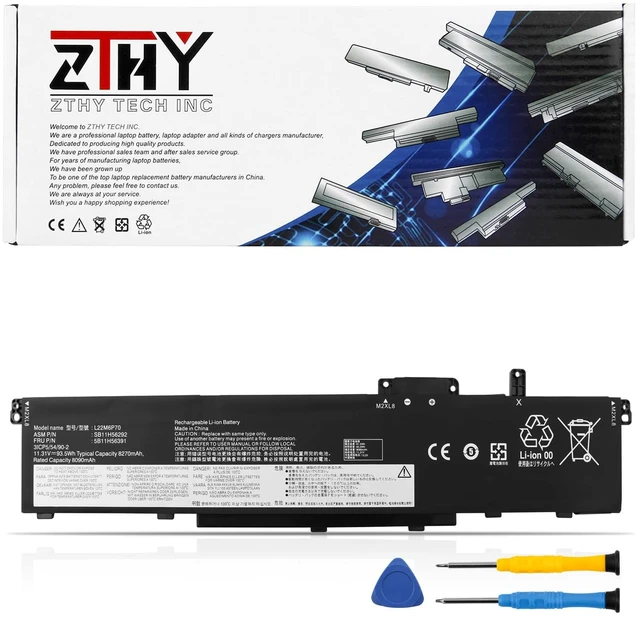
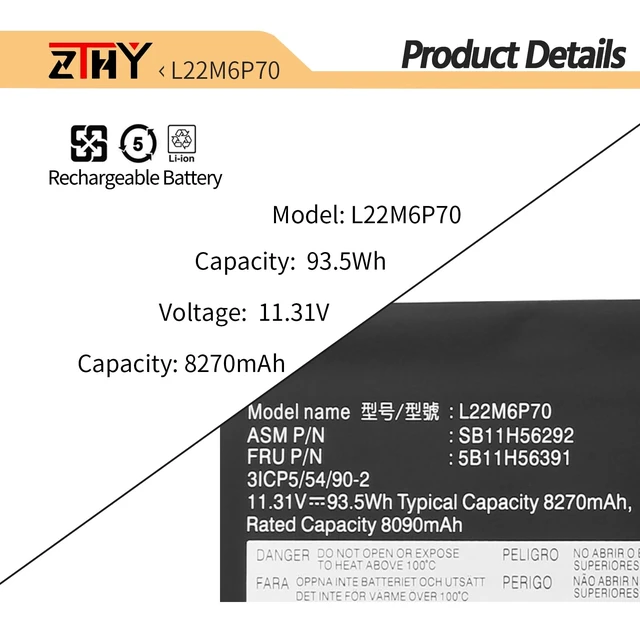
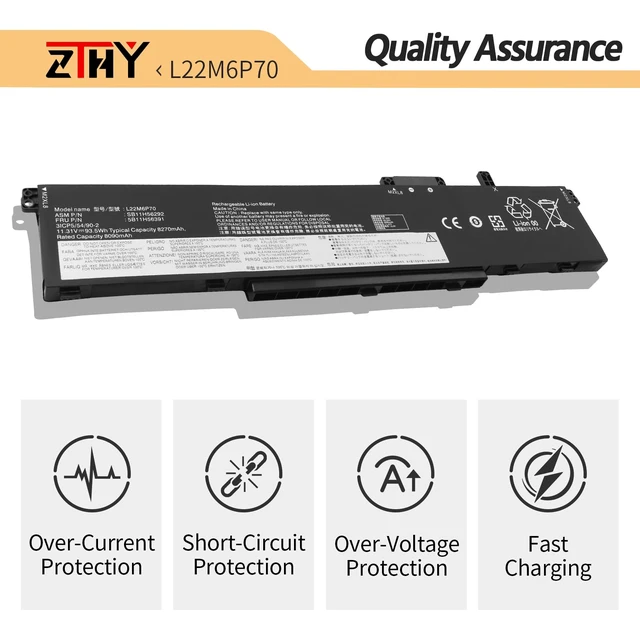
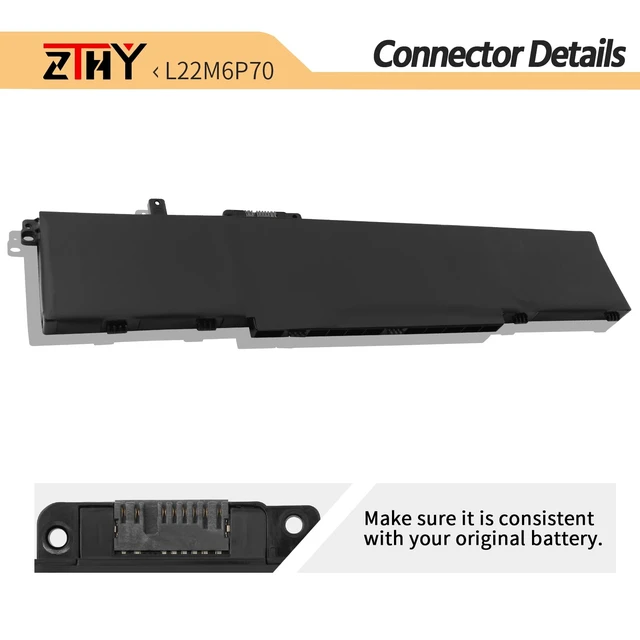
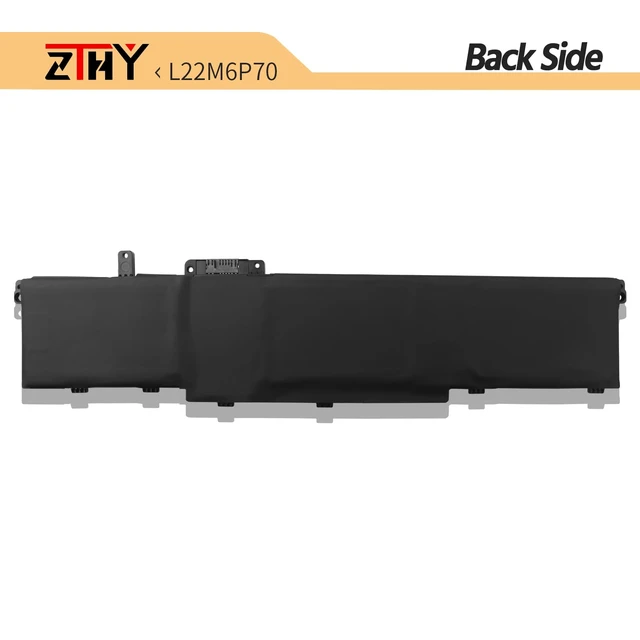
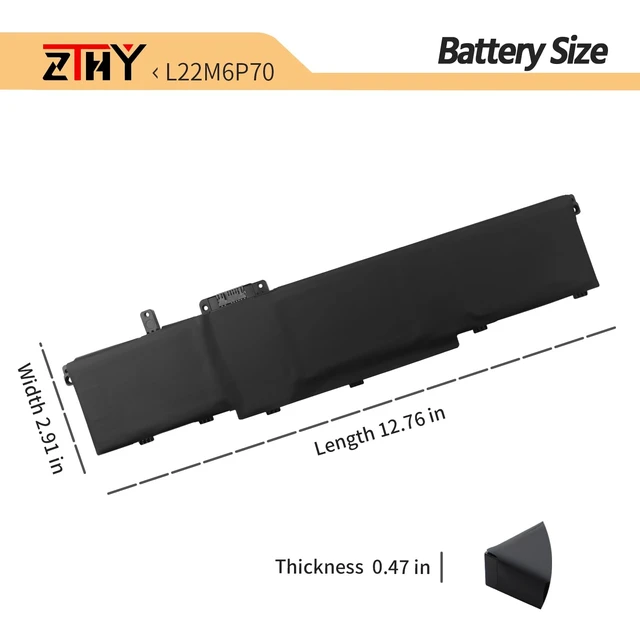


L22M6P70 Laptop Battery for Lenovo ThinkPad P16 Gen 1 P16 Gen 2 P14s Gen 5 L22L6P70 L21L6P70 L21M6P70 SB11H56292 5B11H56391 SB11H56293 5B11H56392 8270mAh 11.31V 93.5Wh
- Specification: Battery type: Li-ion; Battery Color: Black; Battery Voltage: 11.31V. Capacity: 93.5Wh 8270mAh. Package includes 2 professional screwdrivers. No extra tools needed. Swap your old battery in minutes. Compatible Part Number: L22M6P70 SB11H56292 5B11H56391 L22L6P70 SB11H56293 5B11H56392 L21M6P70 SB10W51994 5B10W51893 SB11M89891 5B11M90090 L21L6P70 SB10W51995 5B10W51894 SB11M89892 5B11M90091. Compatible with Laptop Models: Replacement for Lenovo ThinkPad P16 Gen 2 (Type: 21FA 21FB) series; Replacement for Lenovo ThinkPad P16 Gen 1 (Type: 21D6 21D7) series; Replacement for Lenovo ThinkPad P14s Gen 5 (Type: 21MF) Series. Not for Lenovo ThinkPad P14s Gen 5 (Type: 21ME 21G2 21G3) series. Purchase Guidance: Note: There are four different capacities. ThinkPad P16 Gen 2 (Type: 21FB), ThinkPad P16 Gen 1 (Type: 21D7) and ThinkPad P14s Gen 5 (Type: 21MF) series laptops are compatible with batteries of various capacities (94Wh, 39.3Wh, 52.8Wh, 52.5Wh). To ensure proper fit, please check your laptop's battery model before purchase by opening the back cover. Use the [CTRL + F] shortcut to quickly find your laptop model or battery part number. Detailed compatible models and part numbers are listed in the product details. Note: If the new battery is not recognized during initial installation, please reinstall and check if the interface is fully connected. Discharge the new battery to 1020% (not 0%), then charge and cycle 34 times to activate the new battery
+
+
Overview
Specs
Reviews

Any questions? Our AI mode will help you find out quickly.
Try me now
Specification: Battery
type: Li-ion;
Battery Color: Black;
Battery Voltage: 11.31V.
Capacity: 93.5W h 8270mAh. Package includes 2 professional screwdrivers. No extra tools needed. Swap your old battery in minutes.
Compatible Part Number: L22M6P70 SB11H56292 5B11H56391 L22L6P70 SB11H56293 5B11H56392 L21M6P70 SB10W51994 5B10W51893 SB11M89891 5B11M90090 L21L6P70 SB10W51995 5B10W51894 SB11M89892 5B11M90091.
Compatible with Laptop Models: Replacement for Lenovo ThinkPad P16 Gen 2 (Type: 21FA 21FB) series; Replacement for Lenovo ThinkPad P16 Gen 1 (Type: 21D6 21D7) series; Replacement for Lenovo ThinkPad P14s Gen 5 (Type: 21MF) Series. Not for Lenovo ThinkPad P14s Gen 5 (Type: 21ME 21G2 21G3) series.
Purchase Guidance:
Note: There are four different capacities.
ThinkPad P16 Gen 2 (Type: 21FB), ThinkPad
P16 Gen 1 (Type: 21D7) and
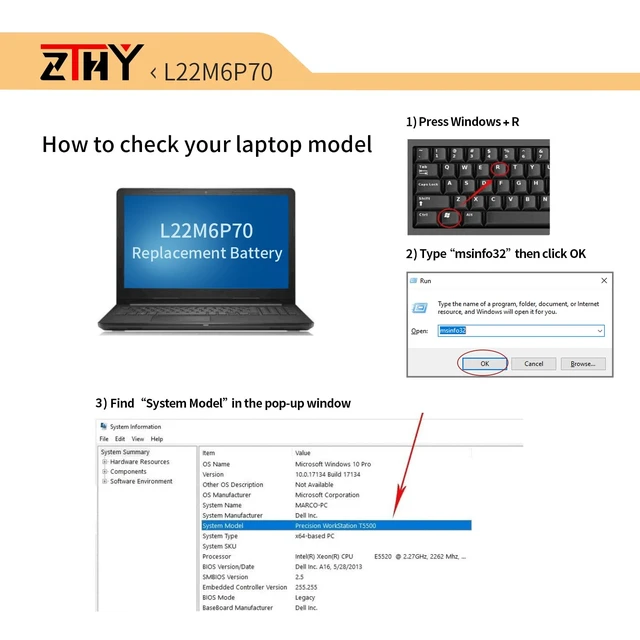
ThinkPad P14s Gen 5 (Type: 21MF) series laptops are compatible with batteries of various capacities (94Wh, 39.3W h, 52.8W h, 52.5W h). To ensure proper fit, please check your laptop's battery model before purchase by opening the back cover. Use the [CTRL + F] shortcut to quickly find your laptop model or battery part number. Detailed compatible models and part numbers are listed in the product details.
Note: If the new battery is not recognized during initial installation, please reinstall and check if the interface is fully connected. Discharge the new battery to 1020% (not 0%), then charge and cycle 34 times to activate the new battery
type: Li-ion;
Battery Color: Black;
Battery Voltage: 11.31V.
Capacity: 93.5W h 8270mAh. Package includes 2 professional screwdrivers. No extra tools needed. Swap your old battery in minutes.
Compatible Part Number: L22M6P70 SB11H56292 5B11H56391 L22L6P70 SB11H56293 5B11H56392 L21M6P70 SB10W51994 5B10W51893 SB11M89891 5B11M90090 L21L6P70 SB10W51995 5B10W51894 SB11M89892 5B11M90091.
Compatible with Laptop Models: Replacement for Lenovo ThinkPad P16 Gen 2 (Type: 21FA 21FB) series; Replacement for Lenovo ThinkPad P16 Gen 1 (Type: 21D6 21D7) series; Replacement for Lenovo ThinkPad P14s Gen 5 (Type: 21MF) Series. Not for Lenovo ThinkPad P14s Gen 5 (Type: 21ME 21G2 21G3) series.
Purchase Guidance:
Note: There are four different capacities.
ThinkPad P16 Gen 2 (Type: 21FB), ThinkPad
P16 Gen 1 (Type: 21D7) and
ThinkPad P14s Gen 5 (Type: 21MF) series laptops are compatible with batteries of various capacities (94Wh, 39.3W h, 52.8W h, 52.5W h). To ensure proper fit, please check your laptop's battery model before purchase by opening the back cover. Use the [CTRL + F] shortcut to quickly find your laptop model or battery part number. Detailed compatible models and part numbers are listed in the product details.
Note: If the new battery is not recognized during initial installation, please reinstall and check if the interface is fully connected. Discharge the new battery to 1020% (not 0%), then charge and cycle 34 times to activate the new battery
Warranty & Returns
Warranty, Returns, And Additional Information
Warranty
- Please contact the Seller directly for warranty information. Warranty information may also be found on the Manufacturer's website.
- CONTACT
Return Policies
- Return for refund within: 30 days
- Return for replacement within: 30 days
- This item is covered by Brightflag Electronics Return Policy
Manufacturer Contact Info
- For a directory of all our manufacturers, please click below.
- Manufacturers Directory
LOADING...