Your Browsing History
Meet Your Seller
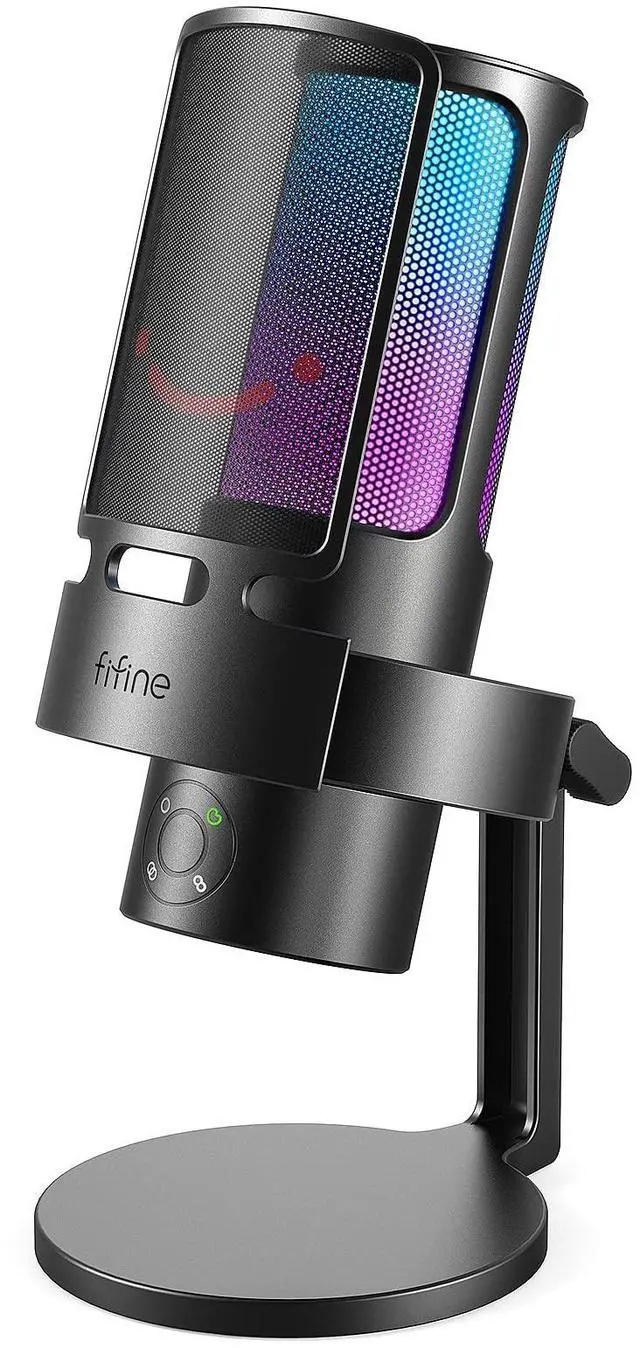
A8 Plus USB Gaming Condenser Microphone with 4 Polar Patterns for PC RGB Control, Quick Mute, Gain Knob, Headphone Jack, Cardioid Pickup, Pop Filter, for PS5 Podcast Streaming Recording YouTube
Limited time offer, ends 10/01 By Pingquan Store
- [Four Pickup Patterns] The triple capsule array consists of four selectable polar patterns for different use dimensions of the gaming microphone. Cardioid minimizes side and rear noise to deliver rich, full-bodied sound. Stereo uses both the front and rear channels to capture width and realism for accuracy on both sides. Omni-directional picks up sound from all around the PC microphone to grasp equal voices. Bi-directional suits face-to-face communication with fewer echo or reverb issues. [Smooth Open Voice] The condenser USB microphone improves sensitivity and smoothness of the sound. Gives your teammates the feeling that you were right next to them. A broader frequency response delivers warmer and livelier voice for your audience to lock in your streaming programs. An S/N ratio of more than 70dB tightens up audio quality and reduces noise. The computer microphone used with a pop filter and shock mount endures pops or distortion from your mouth-breathing. [Monitoring and Gain Knob] The headphones jack provides game voice monitoring without random cut in or out. Clearly hear teammates you're talking to as well as yourself to get instant feedback on whether you're too loud or not. Featuring a gain knob, the gaming microphone PC allows adjustable sensitivity to be made and translates consistently cleaner recording, adding color to your podcast and Discord/Twitch. The desktop streaming microphone with user-friendly function makes you focus on your task. [Intuitive Audio Contro
+
+
Overview
Specs
Reviews
Any questions? Our AI mode will help you find out quickly.
Try me now
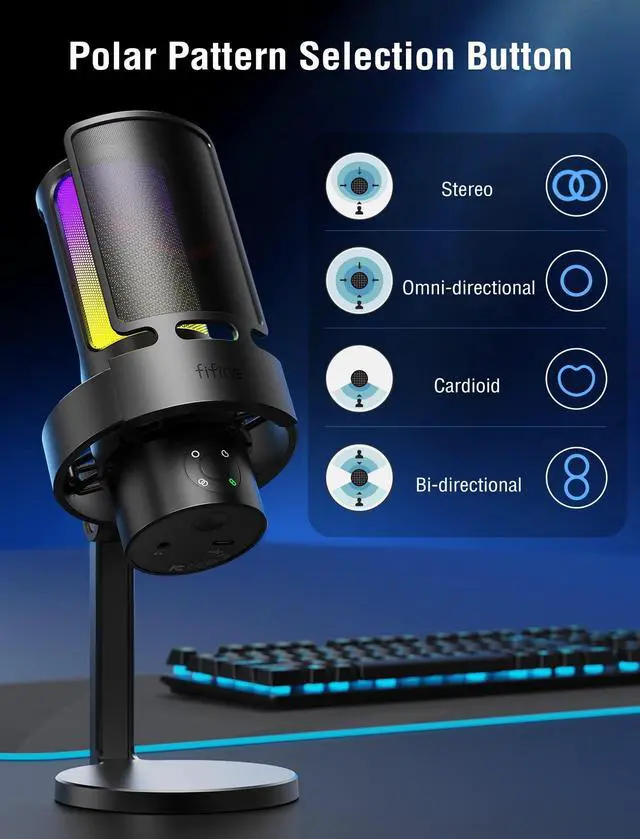
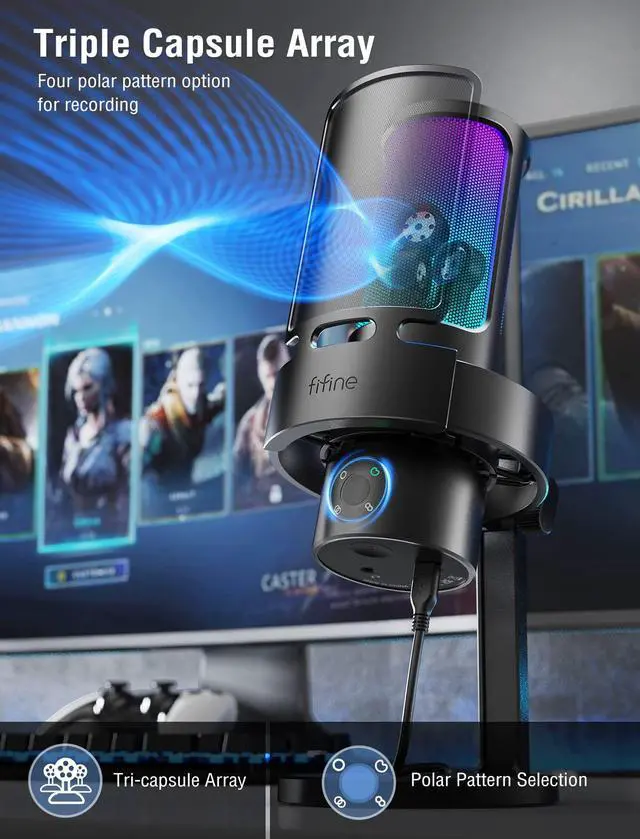
[Four Pickup Patterns] The triple capsule array consists of four selectable polar patterns for different use dimensions of the gaming microphone. Cardioid minimizes side and rear noise to deliver rich, full-bodied sound. Stereo uses both the front and rear channels to capture width and realism for accuracy on both sides. Omni-directional picks up sound from all around the PC microphone to grasp equal voices. Bi-directional suits face-to-face communication with fewer echo or reverb issues. [Smooth Open Voice] The condenser USB microphone improves sensitivity and smoothness of the sound. Gives your teammates the feeling that you were right next to them.
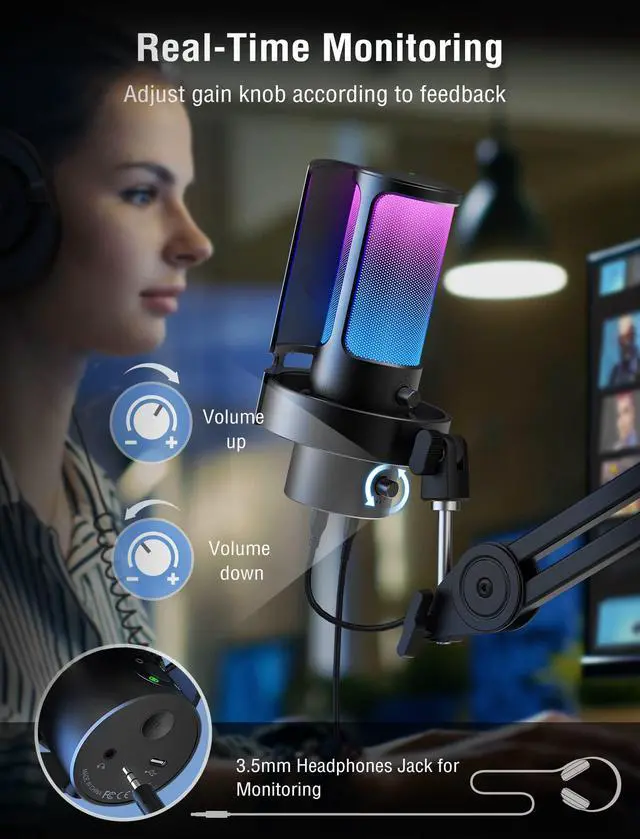
A broader frequency response delivers warmer and livelier voice for your audience to lock in your streaming programs. An S/N ratio of more than 70dB tightens up audio quality and reduces noise. The computer microphone used with a pop filter and shock mount endures pops or distortion from your mouth-breathing. [Monitoring and Gain Knob] The headphones jack provides game voice monitoring without random cut in or out. Clearly hear teammates you're talking to as well as yourself to get instant feedback on whether you're too loud or not. Featuring a gain knob, the gaming microphone PC allows adjustable sensitivity to be made and translates consistently cleaner recording, adding color to your podcast and Discord/Twitch.
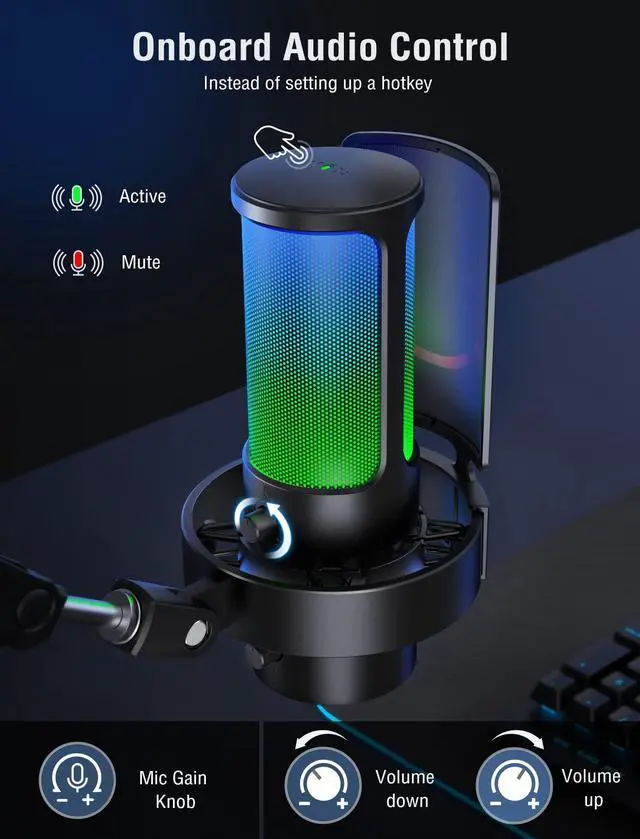
The desktop streaming microphone with user-friendly function makes you focus on your task. [Intuitive Audio Control] The tap-to-mute button built into the podcast microphone offsets the imperfection of setting up a hotkey. You can quickly mute yourself during a stream to avoid accidental background sound. If you are in OBS or a full-screen game, no need to tap shortcut keys or adjust via software. External headphones volume control gives the ability to adjust monitoring level quiet or loud. The PC gaming mic helps you balance the sound between game music and friend communication.
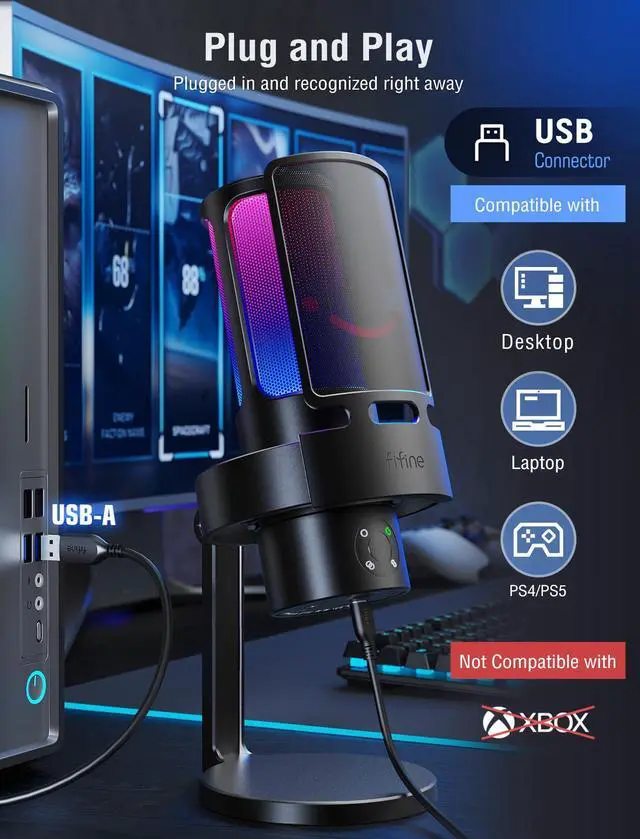
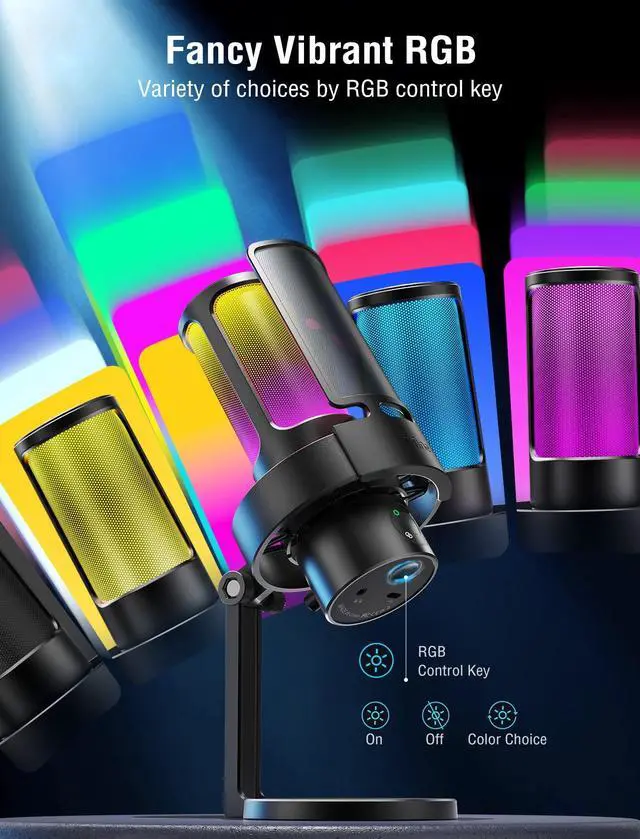
[Visual Element RGB] RGB lights roll through on the streaming microphone for PC like the rainbow changing bit by bit, or stay in a single color. The LED scheme full of popular elements is the distinction from other streamer YouTube content. Tap the RGB button to switch colors to make it sync perfectly with your gaming streaming rig and lighting. The RGB microphone helps you stand out while you break the rank. It can be also turned off as a discreet look for business meeting or video conference. [For Play, For Work] The desktop USB microphone can be automatically recognized on computer or PS5, no issue in WINDOS/MAC OS.
Tap the center part of the recording microphone pickup pattern button to gain options for extreme versatility. You can select cardioid for gaming, live streaming, voice-over or dictation, stereo for vocal, music instrument recording or ASMR, omni-directional for multi-person business conference or talk-show, bi-directional for two-person podcasting or interview

A broader frequency response delivers warmer and livelier voice for your audience to lock in your streaming programs. An S/N ratio of more than 70dB tightens up audio quality and reduces noise. The computer microphone used with a pop filter and shock mount endures pops or distortion from your mouth-breathing. [Monitoring and Gain Knob] The headphones jack provides game voice monitoring without random cut in or out. Clearly hear teammates you're talking to as well as yourself to get instant feedback on whether you're too loud or not. Featuring a gain knob, the gaming microphone PC allows adjustable sensitivity to be made and translates consistently cleaner recording, adding color to your podcast and Discord/Twitch.
The desktop streaming microphone with user-friendly function makes you focus on your task. [Intuitive Audio Control] The tap-to-mute button built into the podcast microphone offsets the imperfection of setting up a hotkey. You can quickly mute yourself during a stream to avoid accidental background sound. If you are in OBS or a full-screen game, no need to tap shortcut keys or adjust via software. External headphones volume control gives the ability to adjust monitoring level quiet or loud. The PC gaming mic helps you balance the sound between game music and friend communication.
[Visual Element RGB] RGB lights roll through on the streaming microphone for PC like the rainbow changing bit by bit, or stay in a single color. The LED scheme full of popular elements is the distinction from other streamer YouTube content. Tap the RGB button to switch colors to make it sync perfectly with your gaming streaming rig and lighting. The RGB microphone helps you stand out while you break the rank. It can be also turned off as a discreet look for business meeting or video conference. [For Play, For Work] The desktop USB microphone can be automatically recognized on computer or PS5, no issue in WINDOS/MAC OS.
Tap the center part of the recording microphone pickup pattern button to gain options for extreme versatility. You can select cardioid for gaming, live streaming, voice-over or dictation, stereo for vocal, music instrument recording or ASMR, omni-directional for multi-person business conference or talk-show, bi-directional for two-person podcasting or interview
Warranty & Returns
Warranty, Returns, And Additional Information
Warranty
- Please contact the Seller directly for warranty information. Warranty information may also be found on the Manufacturer's website.
- CONTACT
Return Policies
- Return for refund within: 30 days
- Return for replacement within: 30 days
- This item is covered by Pingquan Store Return Policy
Manufacturer Contact Info
- For a directory of all our manufacturers, please click below.
- Manufacturers Directory
LOADING...