

Your Browsing History

Meet Your Seller

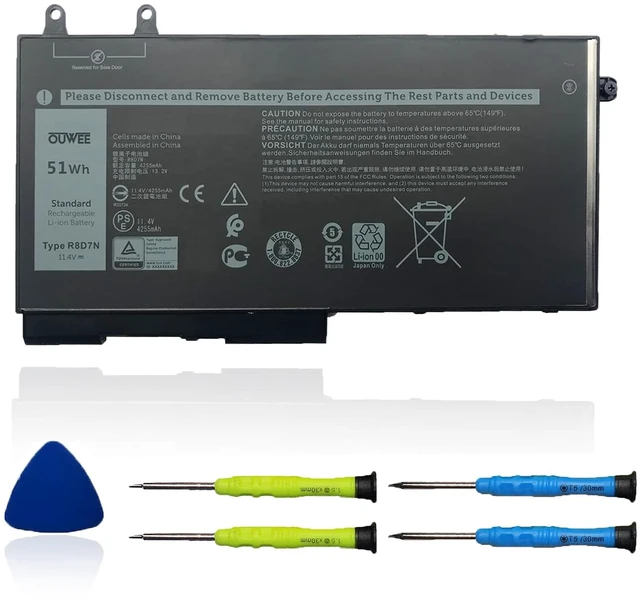



R8D7N Laptop Battery Compatible with Dell Latitude 5400 5410 5500 5510 Precision 3540 3550 Inspiron 7590 7591 7791 2-in-1 Series 0R8D7N 1V1XF 4GVMP W8GMW 11.4V 51Wh
Limited time offer, ends 10/15 By QiPing Global Store
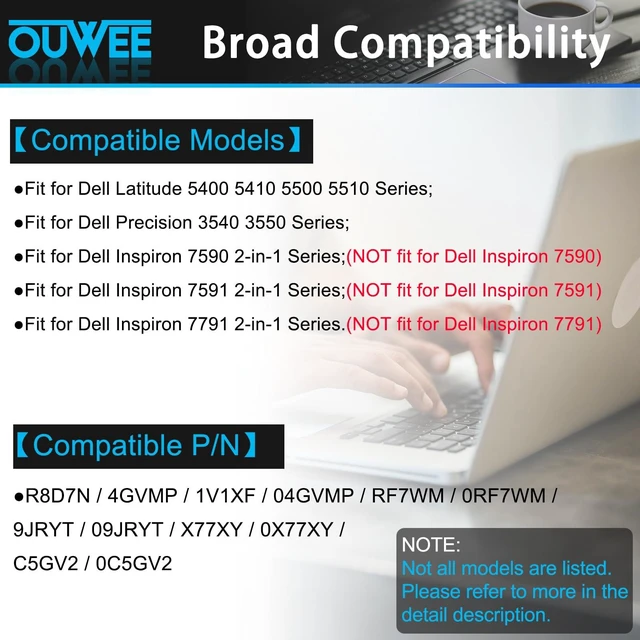
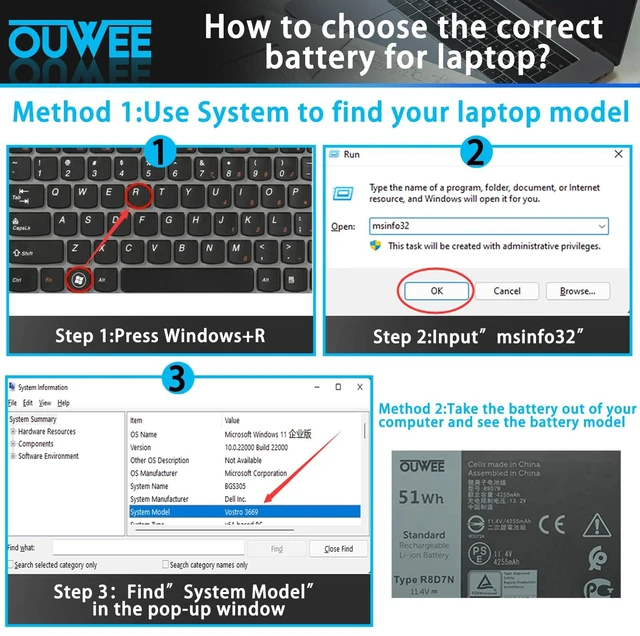
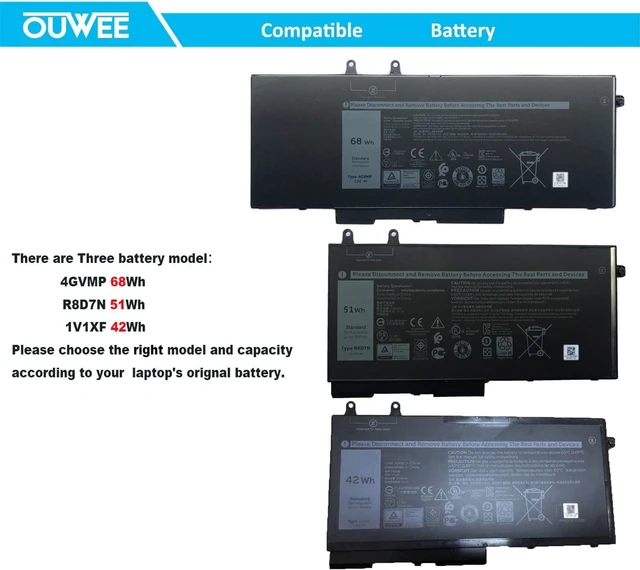
- [Battery type] Li-ion. Voltage: 11.4V. Capacity: 51Wh 4255mAh. [Compatible Part Number] R8D7N, 0R8D7N, 1V1XF, 4GVMP, W8GMW. [Replacement For Laptop] Dell Latitude 5400, 5410, 5500, 5510; Dell Precision 3540, 3550; Dell Inspiron 7590 2-in-1, Inspiron 7591 2-in-1, Inspiron 7791 2-in-1 Series. NOT fit for Inspiron 7590, 7591, 7791 Series. (Purchasing Note: There are 3 batteries for the above laptops. Please choose the one you are going to replace according to your laptop's original battery.) [Connector] Before placing your order, please check it against the picture, because products produced by different factories will have differences, such as size, cable length, interface, etc. [Use Skills] If the new battery is not recognized during the initial installation, please reinstall and check whether the interface is fully connected. Discharge the new battery to 5% (not 0%), then charge and cycle 3-4 times to wake up the new battery
+
+
Overview
Specs
Reviews

Any questions? Our AI mode will help you find out quickly.
Try me now
[Battery type] Li-ion.
Voltage: 11.4V.
Capacity: 51Wh 4255mAh. [Compatible Part Number] R8D7N, 0R8D7N, 1V1XF, 4GVMP, W8GMW. [Replacement For Laptop] Dell Latitude 5400, 5410, 5500, 5510; Dell Precision 3540, 3550; Dell Inspiron 7590 2-in-1, Inspiron 7591 2-in-1, Inspiron 7791 2-in-1 Series. NOT fit for Inspiron 7590, 7591, 7791 Series.
(Purchasing Note: There are 3 batteries for the above laptops. Please choose the one you are going to replace according to your laptop's original battery. ) [Connector] Before placing your order, please check it against the picture, because products produced by different factories will have differences, such as size, cable length, interface, etc. [Use Skills] If the new battery is not recognized during the initial installation, please reinstall and check whether the interface is fully connected. Discharge the new battery to 5% (not 0%), then charge and cycle 3-4 times to wake up the new battery
Voltage: 11.4V.
Capacity: 51Wh 4255mAh. [Compatible Part Number] R8D7N, 0R8D7N, 1V1XF, 4GVMP, W8GMW. [Replacement For Laptop] Dell Latitude 5400, 5410, 5500, 5510; Dell Precision 3540, 3550; Dell Inspiron 7590 2-in-1, Inspiron 7591 2-in-1, Inspiron 7791 2-in-1 Series. NOT fit for Inspiron 7590, 7591, 7791 Series.
(Purchasing Note: There are 3 batteries for the above laptops. Please choose the one you are going to replace according to your laptop's original battery. ) [Connector] Before placing your order, please check it against the picture, because products produced by different factories will have differences, such as size, cable length, interface, etc. [Use Skills] If the new battery is not recognized during the initial installation, please reinstall and check whether the interface is fully connected. Discharge the new battery to 5% (not 0%), then charge and cycle 3-4 times to wake up the new battery
Warranty & Returns
Warranty, Returns, And Additional Information
Warranty
- Please contact the Seller directly for warranty information. Warranty information may also be found on the Manufacturer's website.
- CONTACT
Return Policies
- Return for refund within: 30 days
- Return for replacement within: 30 days
- This item is covered by QiPing Global Store Return Policy
Manufacturer Contact Info
- For a directory of all our manufacturers, please click below.
- Manufacturers Directory
LOADING...