

Your Browsing History

Meet Your Seller

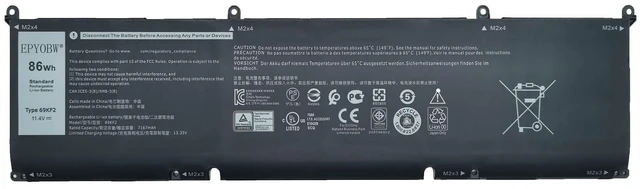
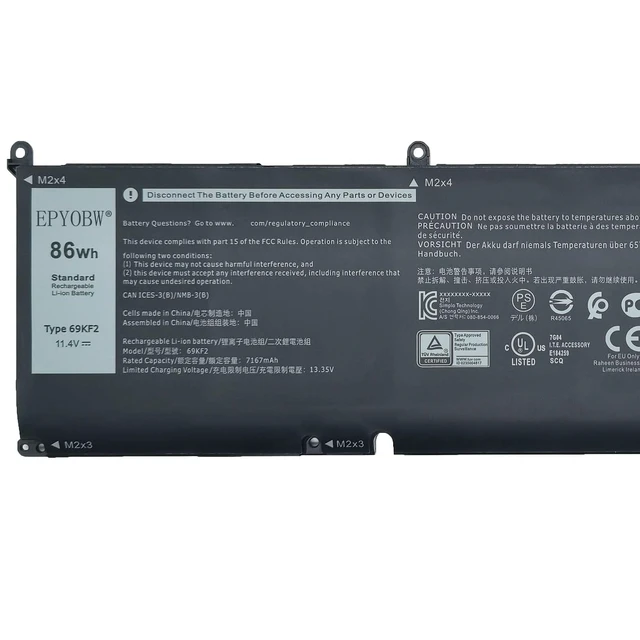
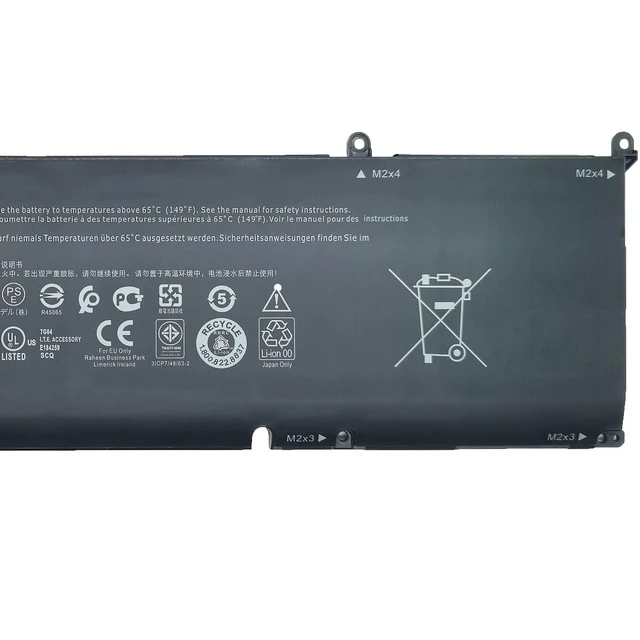
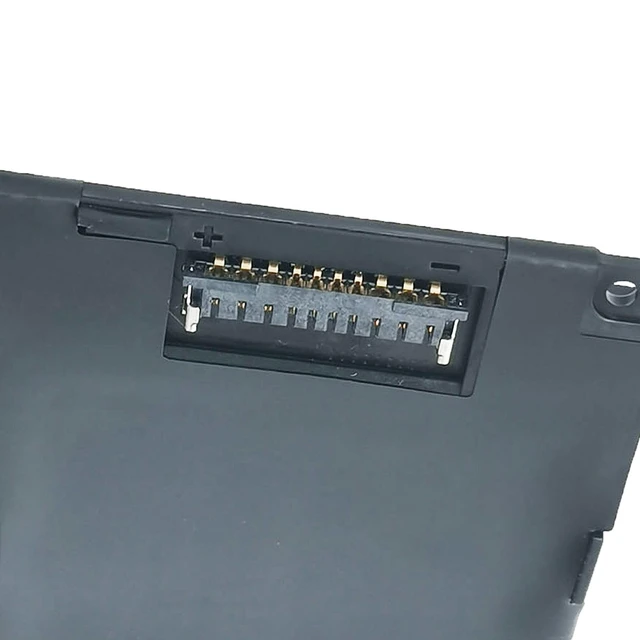
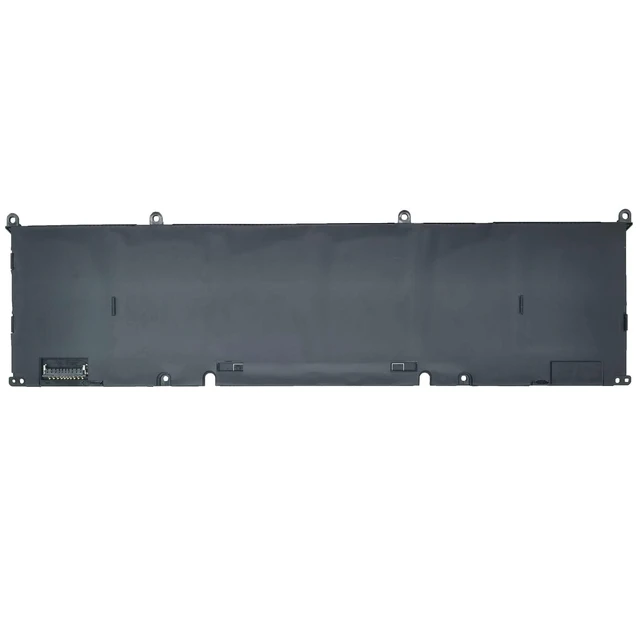


69KF2 Laptop Battery 86Wh 7167mAh 11.4V 0P8P1P 0DVG8M 70N2F Compatible with Dell Alienware M15 R3 R4 R5 R6 R7 / M16 R1 / M17 R3 R4 / XPS 9500 9510 / Inspiron 15 7510 Series
- [Specifications] Battery Model: 69KF2 / Voltage: 11.4V / Capacity: 86Wh 7167mAh 6-Cell / Color: Black / Condition: Brand New. [Replace Part Number] 69KF2 0P8P1P 0DVG8M 70N2F 070N2F M59JH 0M59JH 8FCTC 08FCTC. [Compatible with Laptop Models] This battery is suitable for Dell Alienware M15 R3 R4 R5 R6 R7, Alienware M15 Ryzen Edition R5, Alienware M16 R1, and Alienware M17 R3 R4 Series; Dell Precision 5550 5560 5570 Series; Dell XPS 9500 9510 9520 9530 Series; Dell G15 5510 5511 5520 5525 5530 Series; Dell G15 5515 Ryzen Edition and 5521 Special Edition Series; Dell G16 7620 7630 Series; Dell G7 7500 Series; Dell Inspiron 7510 5620 7610 and 16 Plus 7620 7630 Series; Dell Vostro 7510 7620 Series; and Dell Inspiron 16 7630 2-in-1 and 7635 2-in-1 Series. [Installation Instructions] Open the laptop back cover before ordering and make sure that the original battery model matches 69KF2. Install the battery properly, ensure that the battery connector is firmly connected to the laptop motherboard, and use the original charger to charge the laptop. Discharge the new battery to 5% (not 0%), then charge and cycle it 3-4 times to activate the battery. [Certifications and Protection] The battery is certified to UL/CE/FCC/RoHS standards. It is tested according to quality control standards for accurate capacity, stable current, and low self-discharge, with short-circuit, overheat, and overload protection
+
+
Overview
Specs
Reviews

Any questions? Our AI mode will help you find out quickly.
Try me now
[Specifications]
Battery Model: 69KF2 /
Voltage: 11.4V /
Capacity: 86Wh 7167mAh 6-Cell /
Color: Black /
Condition: Brand New. [Replace Part Number] 69KF2 0P8P1P 0DVG8M 70N2F 070N2F M59JH 0M59JH 8FCTC 08FCTC. [Compatible with Laptop Models] This battery is suitable for Dell Alienware M15 R3 R4 R5 R6 R7, Alienware M15 Ryzen Edition R5, Alienware M16 R1, and Alienware M17 R3 R4 Series; Dell Precision 5550 5560 5570 Series; Dell XPS 9500 9510 9520 9530 Series; Dell G15 5510 5511 5520 5525 5530 Series; Dell G15 5515 Ryzen Edition and 5521 Special Edition Series; Dell G16 7620 7630 Series; Dell G7 7500 Series; Dell Inspiron 7510 5620 7610 and 16 Plus 7620 7630 Series; Dell Vostro 7510 7620 Series; and Dell Inspiron 16 7630 2-in-1 and 7635 2-in-1 Series. [Installation Instructions] Open the laptop back cover before ordering and make sure that the original battery model matches 69KF2. Install the battery properly, ensure that the battery connector is firmly connected to the laptop motherboard, and use the original charger to charge the laptop. Discharge the new battery to 5% (not 0%), then charge and cycle it 3-4 times to activate the battery. [Certifications and Protection] The battery is certified to UL/CE/FCC/RoHS standards.
It is tested according to quality control standards for accurate capacity, stable current, and low self-discharge, with short-circuit, overheat, and overload protection
Battery Model: 69KF2 /
Voltage: 11.4V /
Capacity: 86Wh 7167mAh 6-Cell /
Color: Black /
Condition: Brand New. [Replace Part Number] 69KF2 0P8P1P 0DVG8M 70N2F 070N2F M59JH 0M59JH 8FCTC 08FCTC. [Compatible with Laptop Models] This battery is suitable for Dell Alienware M15 R3 R4 R5 R6 R7, Alienware M15 Ryzen Edition R5, Alienware M16 R1, and Alienware M17 R3 R4 Series; Dell Precision 5550 5560 5570 Series; Dell XPS 9500 9510 9520 9530 Series; Dell G15 5510 5511 5520 5525 5530 Series; Dell G15 5515 Ryzen Edition and 5521 Special Edition Series; Dell G16 7620 7630 Series; Dell G7 7500 Series; Dell Inspiron 7510 5620 7610 and 16 Plus 7620 7630 Series; Dell Vostro 7510 7620 Series; and Dell Inspiron 16 7630 2-in-1 and 7635 2-in-1 Series. [Installation Instructions] Open the laptop back cover before ordering and make sure that the original battery model matches 69KF2. Install the battery properly, ensure that the battery connector is firmly connected to the laptop motherboard, and use the original charger to charge the laptop. Discharge the new battery to 5% (not 0%), then charge and cycle it 3-4 times to activate the battery. [Certifications and Protection] The battery is certified to UL/CE/FCC/RoHS standards.
It is tested according to quality control standards for accurate capacity, stable current, and low self-discharge, with short-circuit, overheat, and overload protection
Warranty & Returns
Warranty, Returns, And Additional Information
Warranty
- Please contact the Seller directly for warranty information. Warranty information may also be found on the Manufacturer's website.
- CONTACT
Return Policies
- Return for refund within: 30 days
- Return for replacement within: 30 days
- This item is covered by Eristy shop Return Policy
Manufacturer Contact Info
- For a directory of all our manufacturers, please click below.
- Manufacturers Directory
LOADING...