Your Browsing History
- Free 30-day Returns
$59.99
Meet Your Seller
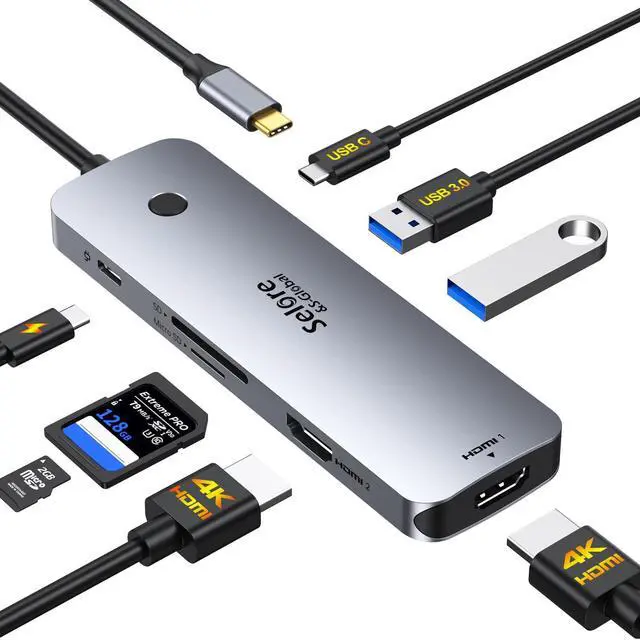
Selore USB C Docking Station Dual HDMI Monitor, USB C to Dual HDMI Adapter with 4K@60Hz HDMI, 100W PD, SD/TF, USB A&C 3.0 Ports, Laptop Docking Station for Dell XPS/HP/Lenovo/Surface/Yoga etc
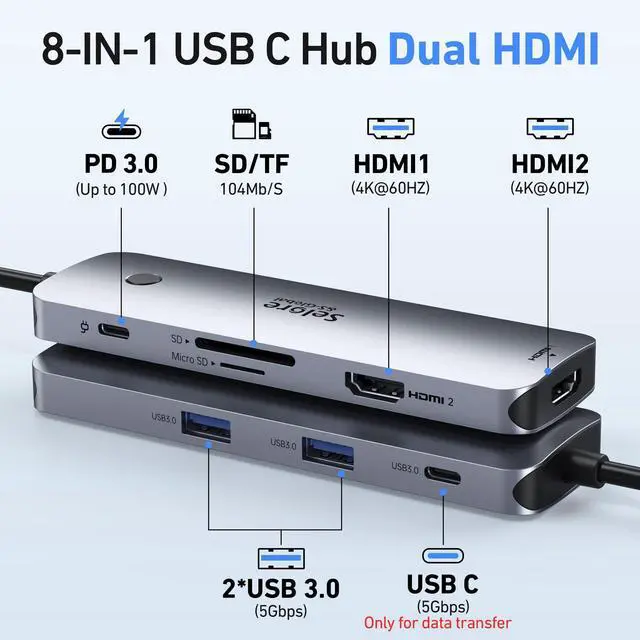
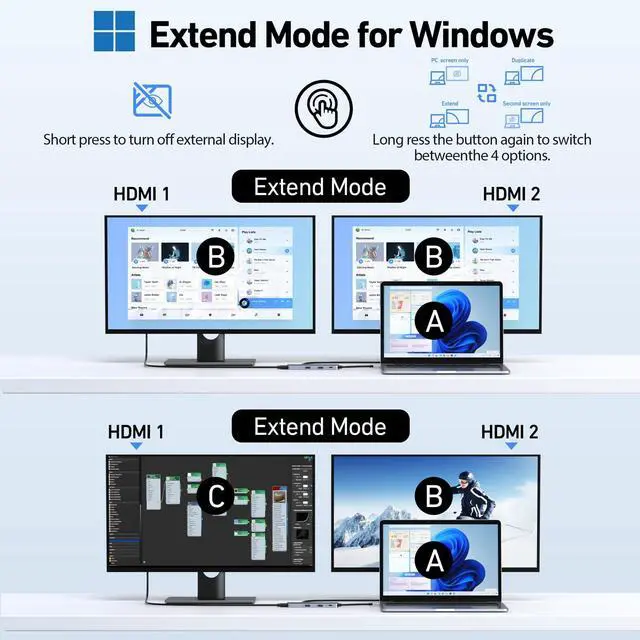
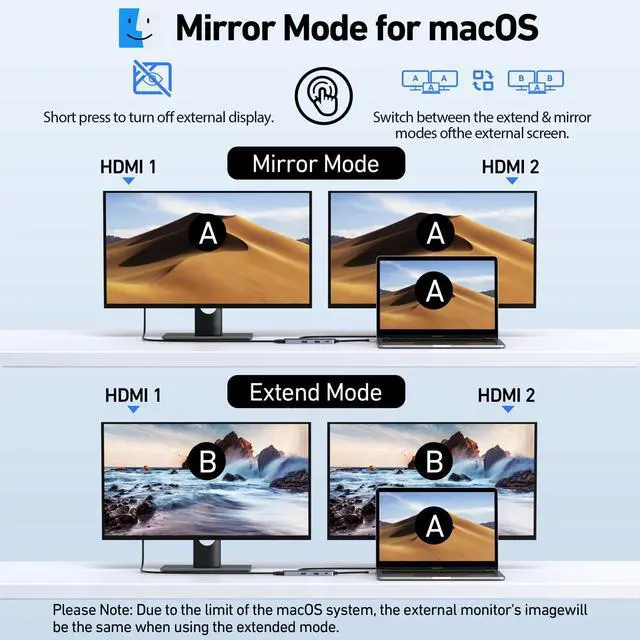
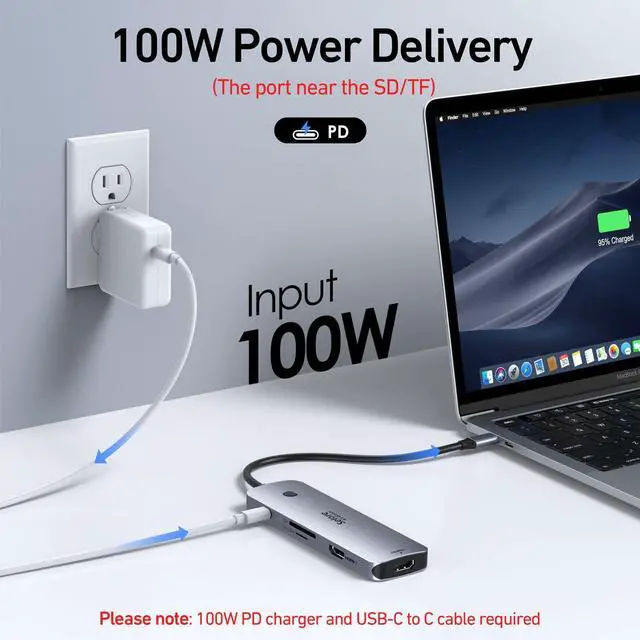
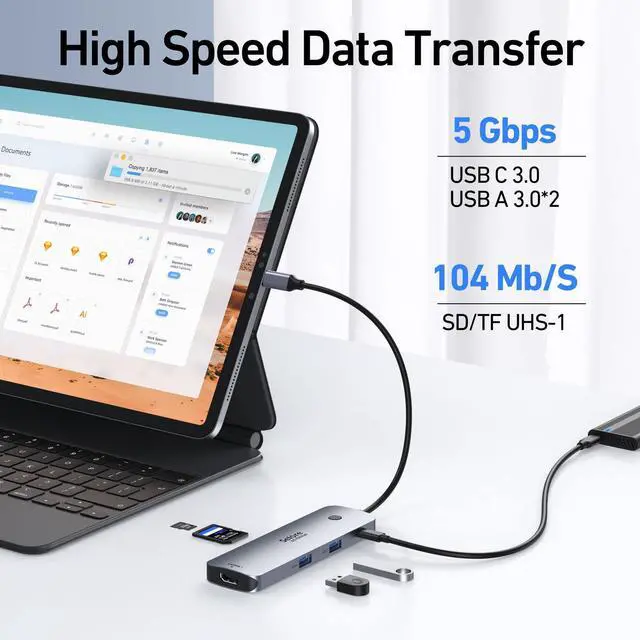
- 8 in 1 USB-C Docking Station for Dual Monitors Contains 2 HDMI ports (4K@60Hz), 2 USB-A ports (5Gbps), 1 USB-C port (5Gbps), 100W PD charging, and SD/MicroSD card slots (104Mbps). Note: Docking stations require a Thunderbolt or full-featured USB-C port. Dual 4K@60Hz Display Supports dual monitors through 2 HDMI ports at 4K@60Hz for screen extension or mirroring. macOS supports one external monitor in Extend mode. One-Touch Display Mode and Privacy Control Long press the dedicated button to switch between Mirror and Extend modes. Short press to black out the monitor for privacy. Fast USB-C and Card Reader Access Features 1 USB-C port (5Gbps), 2 USB-A ports (5Gbps), and an SD/TF card reader with speeds up to 104Mbps for transferring files and copying photos and videos from cameras. Universal Compatibility Ideal for laptops with a fully functional USB-C port. Provides a single-cable solution for charging your device, connecting multiple monitors, and accessing all your peripherals. For MacBook users, the dock supports extending to one additional display. Pre-Use Setup Guide For initial use, a one-time system authorization is required. Windows users should go to Settings > Bluetooth & devices to enable external devices, then reconnect the dock. Mac users should grant permission in System Settings > Privacy & Security > Accessories by setting the dock to "Always Allow."
+
+
Overview
Specs
Reviews
Any questions? Our AI mode will help you find out quickly.
Try me now
8 in 1 USB-C Docking Station for Dual Monitors Contains 2 HDMI ports (4K@60Hz), 2 USB-A ports (5Gbps), 1 USB-C port (5Gbps), 100W PD charging, and SD/MicroSD card slots (104Mbps).
Note: Docking stations require a Thunderbolt or full-featured USB-C port. Dual 4K@60Hz Display Supports dual monitors through 2 HDMI ports at 4K@60Hz for screen extension or mirroring. macOS supports one external monitor in Extend mode. One-Touch Display Mode and Privacy Control Long press the dedicated button to switch between Mirror and Extend modes. Short press to black out the monitor for privacy. Fast USB-C and Card Reader Access Features 1 USB-C port (5Gbps), 2 USB-A ports (5Gbps), and an SD/TF card reader with speeds up to 104Mbps for transferring files and copying photos and videos from cameras. Universal Compatibility Ideal for laptops with a fully functional USB-C port. Provides a single-cable solution for charging your device, connecting multiple monitors, and accessing all your peripherals. For MacBook users, the dock supports extending to one additional display. Pre-Use Setup Guide For initial use, a one-time system authorization is required. Windows users should go to Settings > Bluetooth & devices to enable external devices, then reconnect the dock. Mac users should grant permission in System Settings > Privacy & Security > Accessories by setting the dock to "Always Allow.
"

Note: Docking stations require a Thunderbolt or full-featured USB-C port. Dual 4K@60Hz Display Supports dual monitors through 2 HDMI ports at 4K@60Hz for screen extension or mirroring. macOS supports one external monitor in Extend mode. One-Touch Display Mode and Privacy Control Long press the dedicated button to switch between Mirror and Extend modes. Short press to black out the monitor for privacy. Fast USB-C and Card Reader Access Features 1 USB-C port (5Gbps), 2 USB-A ports (5Gbps), and an SD/TF card reader with speeds up to 104Mbps for transferring files and copying photos and videos from cameras. Universal Compatibility Ideal for laptops with a fully functional USB-C port. Provides a single-cable solution for charging your device, connecting multiple monitors, and accessing all your peripherals. For MacBook users, the dock supports extending to one additional display. Pre-Use Setup Guide For initial use, a one-time system authorization is required. Windows users should go to Settings > Bluetooth & devices to enable external devices, then reconnect the dock. Mac users should grant permission in System Settings > Privacy & Security > Accessories by setting the dock to "Always Allow.
"
Warranty & Returns
Warranty, Returns, And Additional Information
Warranty
- Please contact the Seller directly for warranty information. Warranty information may also be found on the Manufacturer's website.
- CONTACT
Return Policies
- Return for refund within: 30 days
- Return for replacement within: 30 days
- This item is covered by Yihe Global Store Return Policy
Manufacturer Contact Info
- For a directory of all our manufacturers, please click below.
- Manufacturers Directory
LOADING...