• $109.99
  • $159.99
  • Save: $50.00 (31%)
  • Free 15-day Returns
  • Login to Make an Offer
    Sold by Newegg

    Shipped by Newegg

    Price alert
    Shop it at NeweggBusiness.
    Get Educated

    Make informed decisions with expert advice. Learn More

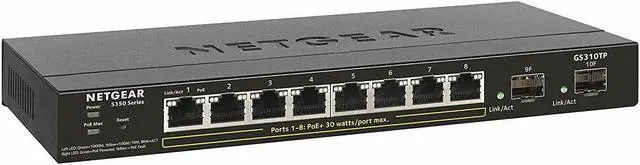
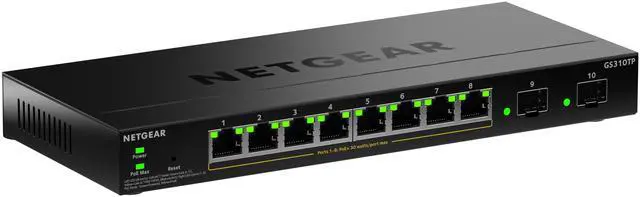
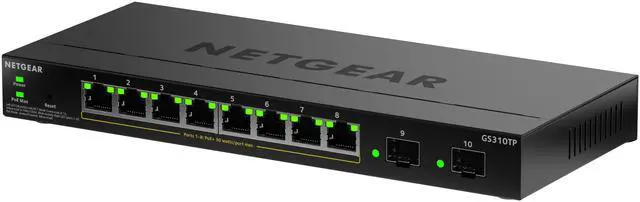
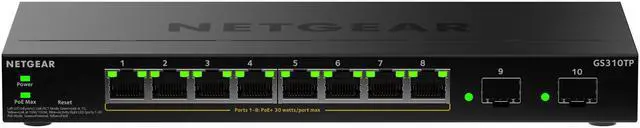
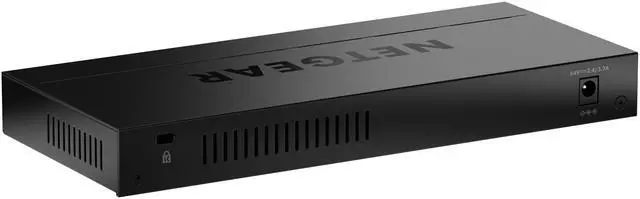
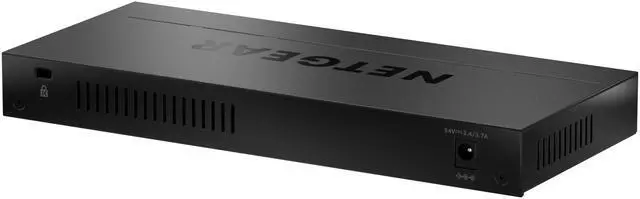
    Netgear GS310TP 8-Port Gigabit Ethernet PoE+ Smart Managed Essentials Switch with 2 Dedicated SFP Ports (55W), GS310TP-200NAS

    Lowest Price
    in 30 Days
    • 24 PoE+ (190W)
    • 48 PoE+ (380W)
    • 8 PoE+ (55W)
    • Versatile Port Configuration: Features 8 Gigabit Ethernet PoE+ ports and 2 dedicated SFP fiber ports for flexible, high-speed connectivity and fiber uplinks to your core network
    • Power Over Ethernet: A 55W total PoE budget supports powering PoE+ devices such as IP cameras, VoIP phones, and wireless access points from a single switch
    • Advanced Network Management: Equipped with L2/L3 Lite features including VLANs, QoS, and static routing to enhance network control, security, and efficiency
    • Easy to Use Web Interface: Simplify setup and network administration with an intuitive web-based management GUI, designed for users without extensive IT expertise
    • Reliable and Secure: Built for reliability with a fanless design for silent operation and backed by a 3-year hardware warranty
    +
    +
    Overview
    Specs
    Reviews
    See all Q & A

    Any questions? Ask CelesteSM will help you find out quickly.

    Netgear GS310TP 8-Port Gigabit Ethernet PoE+ Smart Managed Essentials Switch
    GS310TP
    Netgear GS310TP 8-Port Gigabit Ethernet PoE+ Smart Managed Essentials Switch
    Smart Managed Essentials Series
    Powerful connectivity and security features
    • Advanced VLAN support for better network segmentation
    • L2/L3/L4 Access control lists (ACLs) for granular network access control including 802.1x port authentication
    • QoS (Quality of Service) for traffic prioritization including port-based, 802.1p and L2/L3/L4 DSCP-based
    • Auto “denial-of-service” (DoS) prevention
    • Rate limiting and priority queuing for better bandwidth allocation
    • Port mirroring for network monitoring
    • Energy Efficient Ethernet (IEEE 802.3az) for maximum power savings
    • Easy-to-use Web browser-based management GUI available in English, German and Japanese
    • SNMP v1, v2c, v3 and RMON remote monitoring
    Smart IT, not Big IT
    • Easy to manage via web-Based Management GUI or Smart Control Center (Windows PC required) for multi-switch deployment
    • Smart Control Center, a powerful tool for multi-switch discovery, deployment, monitoring and firmware upgrade
    • Dual firmware images, improving reliability and uptime to your network
    GS310TP Switch
    Netgear GS310TP 8-Port Gigabit Ethernet PoE+ Smart Managed Essentials Switch
    Hardware at a Glance
    Front Rear Side
    Model Name Form-Factor 10/100/1000 Base-T RJ45 Ports 1000BASE-X Fiber SFP Ports PoE+ 802.3at Ports (Budget) Power Supply Fans
    GS310TP Desktop 8 2 8 PoE+ (55W) 1 external PSU, DC 54V/1.25A Fan-less
    GS324TP Rackmount 24 2 24 PoE+ (190W) 1 internal PSU, fixed 2 internal fans, fixed
    GS348TP Rackmount 48 4 48 PoE+ (380W) 1 internal PSU, fixed 2 internal fans, fixed
    Software at a Glance
    LAYER 2+ / LAYER 3 Lite FEATURES
    Management IPv4 ACL and QoS PoE Control Features IPv4/IPv6 Multicast Filtering Auto-VOIP/ Auto Video IEEE (802.3az) Energy Efficient Ethernet MAC VLANs Convergence Advanced Features
    Web Browser-based GUI (HTTP/HTTPS), PC-Based Smart Control Center Utility (SCC) RMON, SNMP L2, L3, L4, ingress PoE on/off, Dynamic PoE budget allocation, PoE power priority setting, PoE Power Usage Metering, PoE scheduling IGMP Snooping, Querier Yes Yes 8K or 16K Max MAC 64 or 256 VLANs Static, Dynamic, VoIP, Voice LLDP-MED RADIUS 802.1X LACP, STP, SNMP
    Performance at a Glance
    Model Name Packet buffer CPU ACLs MAC Address Table ARP Table VLANs Fabric Latency (64-byte packets) Multicast IGMP Groups
    GS310TP 512 KB 500MHz single core 128MB RAM 32MB FLASH 100 shared 8K MAC 64 VLANs 20Gbps line-rate 1G Copper: < 3.69 µs;
    1G Fiber: < 3.02 µs
    256
    GS324TP 1.5MB 800MHz Single Core 512MB RAM 64MB FLASH 100 shared 16K MAC 256 VLANs 52Gbps line-rate 1G Copper: < 3.75 µs;
    1G Fiber: < 3.13 µs
    512
    GS348T 1.5MB 800MHz Single Core 512MB RAM 64MB FLASH 100 shared 16K MAC 256 VLANs 104 Gbps line-rate 1G Copper: < 3.35 µs;
    1G Fiber: < 2.5 µs
    512

    Warranty & Returns

    Warranty, Returns, And Additional Information

    Warranty

    • Limited Warranty period (parts): 1 year
    • Limited Warranty period (labor): 1 year
    • Read full details

    Return Policies

    LOADING...

    The NETGEAR GS310TP-200NAS is a smart-managed Gigabit PoE+ switch with eight RJ-45 ports, two dedicated SFP uplinks, and a 55W PoE budget, suited to small offices or surveillance setups connecting cameras, access points, and VoIP phones with VLAN and QoS controls.

    Recommended For

    • Small-office or home-security users connecting several PoE cameras who want one compact switch for power and network traffic; check that the devices’ combined draw fits within the 55W PoE budget.
    • Small offices or home networks adding PoE wireless access points, VoIP phones, or other wired devices that need VLANs and QoS, with configuration through a browser-based management interface.
    • Users placing a switch in a quiet office or living space who need fanless operation for a small wired network; the model has eight Gigabit Ethernet ports and two dedicated SFP uplinks.
    • Small-network builders who want to separate traffic with VLANs and connect a fiber uplink, while managing the switch locally rather than through a cloud controller.

    Real-World Use Scenarios

    • In a small office, connect IP phones, a wireless access point, and a camera alongside wired computers; the switch can provide network access and PoE to compatible devices without separate power adapters at each device.
    • For a small security-camera installation, connect compatible PoE cameras to the switch and link it to the rest of the network; cameras can receive power and data over Ethernet, subject to the switch’s shared PoE budget and each camera’s power needs.
    • When adding one or more wired wireless access points, use the switch to connect and power compatible PoE models; this can simplify placement by avoiding a separate outlet beside each access point.
    • In a home lab or small office, use managed VLAN features to organize devices such as computers, cameras, and IoT equipment into separate network groups; devices that need to communicate across groups may also require appropriate router configuration.
    • Where a small network needs a fiber connection to compatible upstream equipment, use an SFP port for the uplink and keep the Ethernet ports available for local devices; the fiber link depends on matching SFP hardware and the network at the other end.

    Spec Summary

    AttributeValue
    Best ForSmall business and office networks connecting surveillance cameras, IP or VoIP phones, wireless access points, PCs, and other listed network devices
    Ports And Connectivity8 Gigabit Ethernet PoE+ RJ-45 ports and 2 dedicated 1G SFP expansion slots for fiber uplinks; supports twisted-pair and optical-fiber media
    PoE And Power55 W PoE budget; DC power via included adapter, with 69.5 W listed power consumption
    Management And Network FeaturesSmart managed, Layer 3 switch with QoS, access control lists, IGMP and DHCP snooping, port mirroring, DoS prevention, broadcast storm control, RMON, and strict priority queuing
    Network Standards And PerformanceSupports IEEE 802.3, 802.3u, 802.3ab, 802.3af, 802.3at, 802.3ad, 802.3az, 802.3x, 802.3z, 802.1D, 802.1p, 802.1Q, 802.1s, 802.1w, 802.1x, and 802.1ab; Gigabit Ethernet with a listed maximum transfer rate of 128 MB/s
    Installation And Physical SpecificationsDesktop format with rackmount kit and tabletop footpads; measures 4 × 9.3 × 1.2 inches and weighs 2.65 lb
    Included ItemsSwitch, power adapter, power cord, rackmount kit, and rubber footpads for tabletop installation
    Model IdentifiersNETGEAR GS310TP-200NAS