Your Browsing History
Meet Your Seller
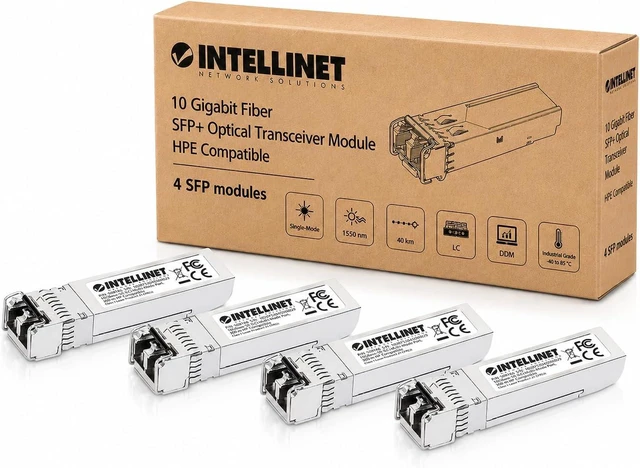
Intellinet 10G SFP+ Transceiver, LC Duplex, 850 Nm, HPE Compatible, 4 pcs
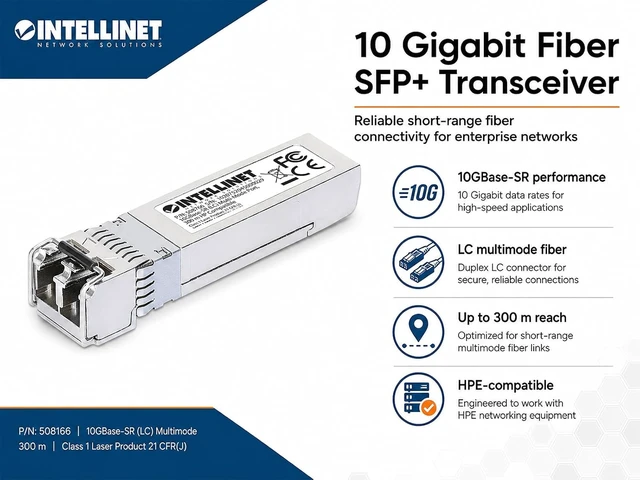
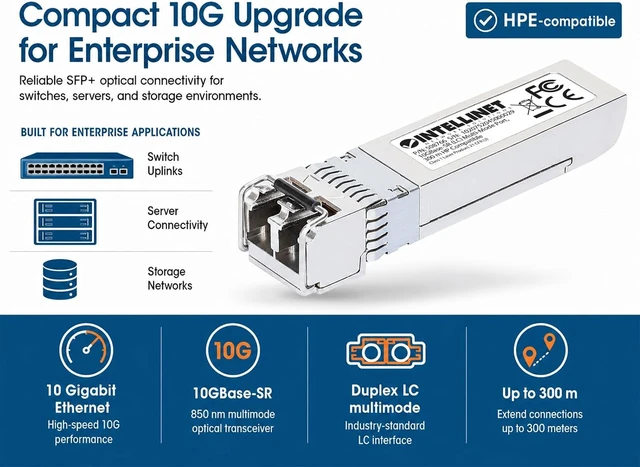
- 10GBase-SR SFP+ module with LC duplex multimode fiber, 850 nm, DDM, hot-pluggable housing, up to 984 ft. range
- 10GBase-SR SFP+ transceiver with one LC duplex multi-mode fiber port supports 10 Gbps network links for switches, routers, servers, and other SFP+ equipment.
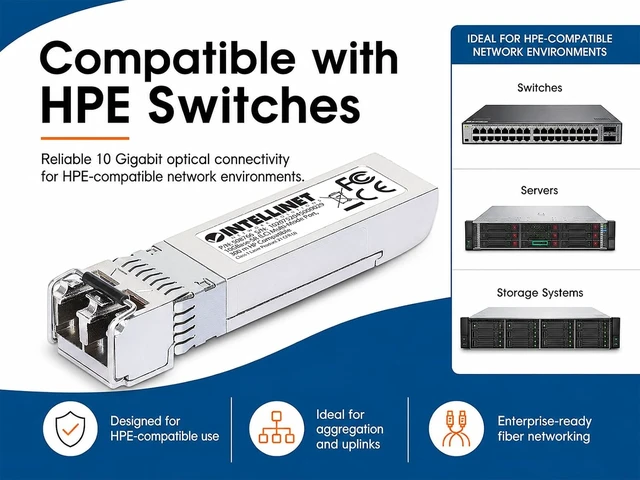
- Designed for HPE-compatible hardware and equivalent to J9150A, J9150D, JD092A, and JD092B transceivers for matching 10G fiber deployments.
- Uses 850 nm wavelength over multi-mode fiber with support up to 984 ft. on 50/125 µm cable and up to 108 ft. on 62.5/125 µm cable.
- Hot-pluggable SFP+ form factor lets you install or replace the module without powering down compatible network equipment.
- Supports digital diagnostics monitoring through the SFF-8472 interface to report optical output, optical input, temperature, bias current, and supply voltage.
+
+
Overview
Specs
Reviews
Any questions? Ask CelesteSM will help you find out quickly.
Try me now
Which network switches and routers is this SFP+ transceiver compatible with?
This module is coded and tested specifically for HPE / HP / Aruba equipment that uses part numbers J9150A, J9150D, JD092A, or JD092B. It also supports vendor-agnostic switches (Intellinet, Ubiquiti, FS.com, TP-Link, TRENDnet, Netgear, D-Link, etc.).
Can I plug this 10G SFP+ module into a standard 1G SFP slot?
No. This is a dedicated 10Gbps SFP+ module. Standard 1G SFP slots lack the bandwidth and clocking to read a 10G transceiver. It must be inserted into an SFP+ (10G) port. 1G SFP modules can be used wioth 10G SFP+ slots, but not vice versa.
What type of fiber optic cable do I need to use with this module?
This module requires a Multi-Mode Fiber (MMF) patch cable with LC Duplex connectors (850 nm wavelength), i.e., 50/125 µm Multi-Mode (OM3 or OM4). Do NOT use Single-Mode Fiber (SMF, usually yellow cables) or cables with SC/ST style connectors.
Why am I only getting a short transmission distance (around 33 meters / 100 feet)?
Your maximum distance depends heavily on the type (grade) of multi-mode fiber cable used: OM3 / OM4 (50/125 µm): Supports up to 300 m (984 ft). Legacy OM1 (62.5/125 µm, usually orange): Supports up to 33 m (108 ft) max at 10G speeds.
I plugged in the module and connected the fiber cable, but the link light isn't turning on. What should I check?
a) Optical links require the Transmit (TX) pin on one side to connect to the Receive (RX) pin on the other side - be sure to check and verify that.
b) Set the switch port on both ends manually to 10Gbps Speed (don't rely on auto-negotiation).
Standards IEEE 802.3z (Fiber Optic Gigabit Ethernet), IEEE 802.3ae (Fiber Optic 10 Gigabit Ethernet) Certifications FCC Class A, CE, RoHS, NDAA Media support 10GBase-SR multi-mode fiber, fiber LC duplex port Distance 300 m (984 ft.) with 50/125 µm cable on 2000 MHz-km, 33 m (108) with 62.5/125 µm cable on 200 MHz-km Wavelength 850 nm Maximum TX power -1 dB Minimum TX power -6 dB Sensitivity -10 dB Power budget 4 dB Power requirement 3.3 V Power consumption 1.0 W (maximum) Dimensions (L x W x H) 57 x 14 x 12 mm (2.24 x 0.55 x 0.5 in.) Weight 20 g (0.71 oz.) Operating temperature 0 - 70°C (32 - 158°F) Which network switches and routers is this SFP+ transceiver compatible with?
Can I plug this 10G SFP+ module into a standard 1G SFP slot?
What type of fiber optic cable do I need to use with this module?
Why am I only getting a short transmission distance (around 33 meters / 100 feet)?
I plugged in the module and connected the fiber cable, but the link light isn't turning on. What should I check?
Specifications

This module is coded and tested specifically for HPE / HP / Aruba equipment that uses part numbers J9150A, J9150D, JD092A, or JD092B. It also supports vendor-agnostic switches (Intellinet, Ubiquiti, FS.com, TP-Link, TRENDnet, Netgear, D-Link, etc.).
Can I plug this 10G SFP+ module into a standard 1G SFP slot?
No. This is a dedicated 10Gbps SFP+ module. Standard 1G SFP slots lack the bandwidth and clocking to read a 10G transceiver. It must be inserted into an SFP+ (10G) port. 1G SFP modules can be used wioth 10G SFP+ slots, but not vice versa.
What type of fiber optic cable do I need to use with this module?
This module requires a Multi-Mode Fiber (MMF) patch cable with LC Duplex connectors (850 nm wavelength), i.e., 50/125 µm Multi-Mode (OM3 or OM4). Do NOT use Single-Mode Fiber (SMF, usually yellow cables) or cables with SC/ST style connectors.
Why am I only getting a short transmission distance (around 33 meters / 100 feet)?
Your maximum distance depends heavily on the type (grade) of multi-mode fiber cable used: OM3 / OM4 (50/125 µm): Supports up to 300 m (984 ft). Legacy OM1 (62.5/125 µm, usually orange): Supports up to 33 m (108 ft) max at 10G speeds.
I plugged in the module and connected the fiber cable, but the link light isn't turning on. What should I check?
a) Optical links require the Transmit (TX) pin on one side to connect to the Receive (RX) pin on the other side - be sure to check and verify that.
b) Set the switch port on both ends manually to 10Gbps Speed (don't rely on auto-negotiation).
Standards IEEE 802.3z (Fiber Optic Gigabit Ethernet), IEEE 802.3ae (Fiber Optic 10 Gigabit Ethernet) Certifications FCC Class A, CE, RoHS, NDAA Media support 10GBase-SR multi-mode fiber, fiber LC duplex port Distance 300 m (984 ft.) with 50/125 µm cable on 2000 MHz-km, 33 m (108) with 62.5/125 µm cable on 200 MHz-km Wavelength 850 nm Maximum TX power -1 dB Minimum TX power -6 dB Sensitivity -10 dB Power budget 4 dB Power requirement 3.3 V Power consumption 1.0 W (maximum) Dimensions (L x W x H) 57 x 14 x 12 mm (2.24 x 0.55 x 0.5 in.) Weight 20 g (0.71 oz.) Operating temperature 0 - 70°C (32 - 158°F) Which network switches and routers is this SFP+ transceiver compatible with?
Can I plug this 10G SFP+ module into a standard 1G SFP slot?
What type of fiber optic cable do I need to use with this module?
Why am I only getting a short transmission distance (around 33 meters / 100 feet)?
I plugged in the module and connected the fiber cable, but the link light isn't turning on. What should I check?
Specifications
Warranty & Returns
Warranty, Returns, And Additional Information
Warranty
- Please contact the Seller directly for warranty information. Warranty information may also be found on the Manufacturer's website.
- Read full details
- CONTACT
Return Policies
- Return for refund within: 30 days
- Return for replacement within: 30 days
- This item is covered by PartsPro Store Return Policy
Manufacturer Contact Info
- For a directory of all our manufacturers, please click below.
- Manufacturers Directory
LOADING...