Your Browsing History
Meet Your Seller
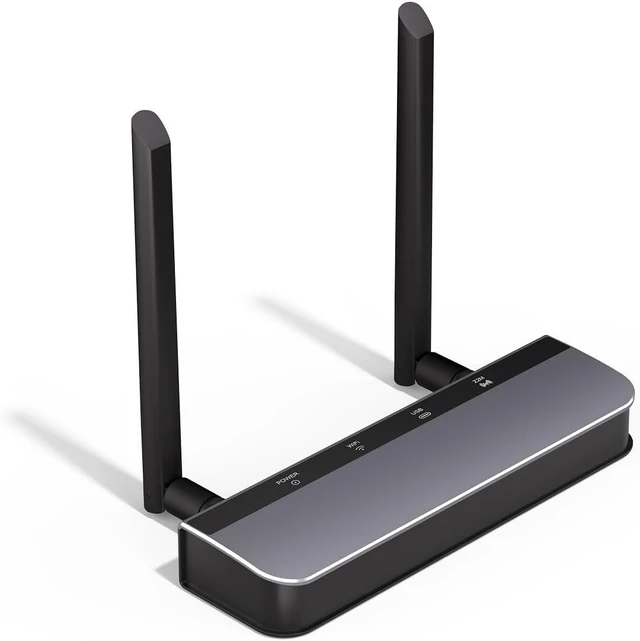
AVATTO Zigbee 3.0 PoE Dongle with Ethernet, USB, and Wi-Fi, ESP32+CC2652P Chip, Zigbee Coordinator/Router for Home Assistant, Zigbee2MQTT, ZHA
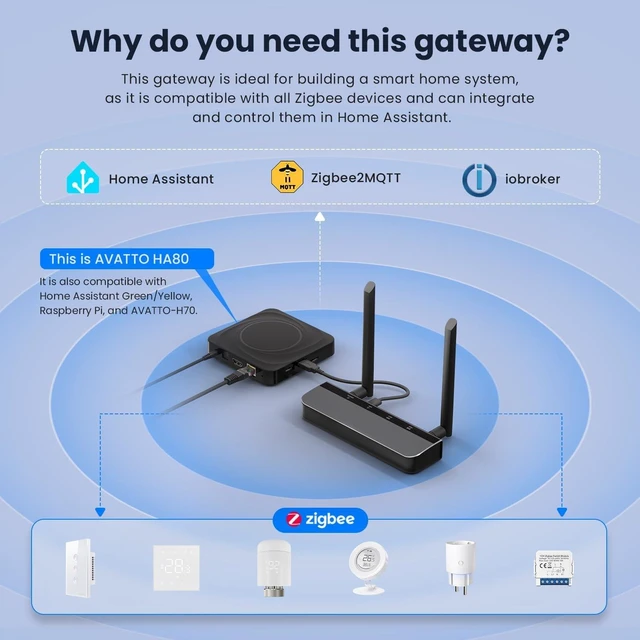
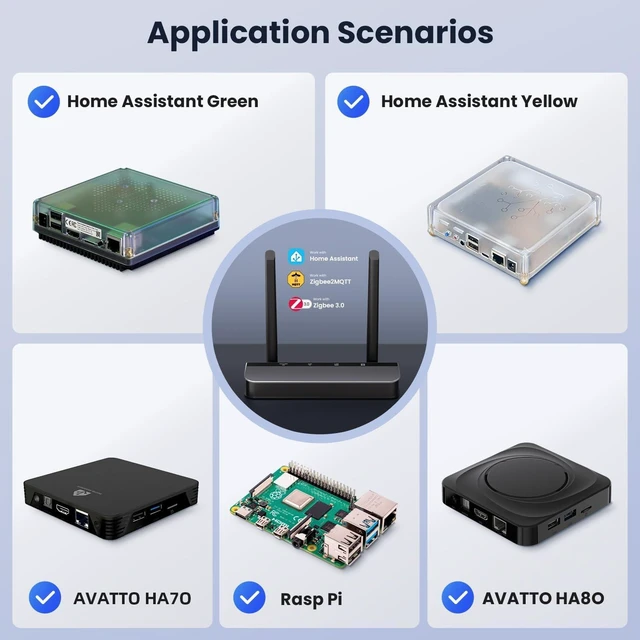
- Zigbee 3.0 GatewayThe AVATTO Zigbee 3.0 PoE Dongle ships pre-flashed with Zigbee coordinator firmware ready to pair. Deploy it as a Zigbee 3.0 gateway in open source automation platforms like Home Assistant, Zigbee2MQTT, or ZHA; just complete the standard platform configuration.
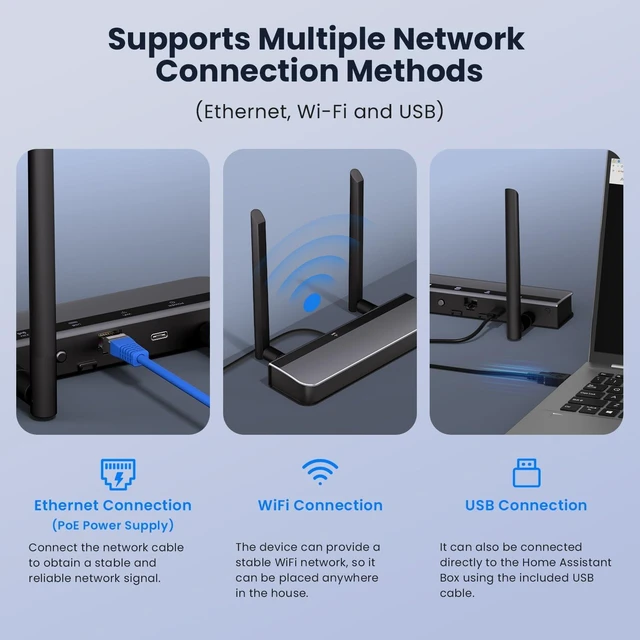
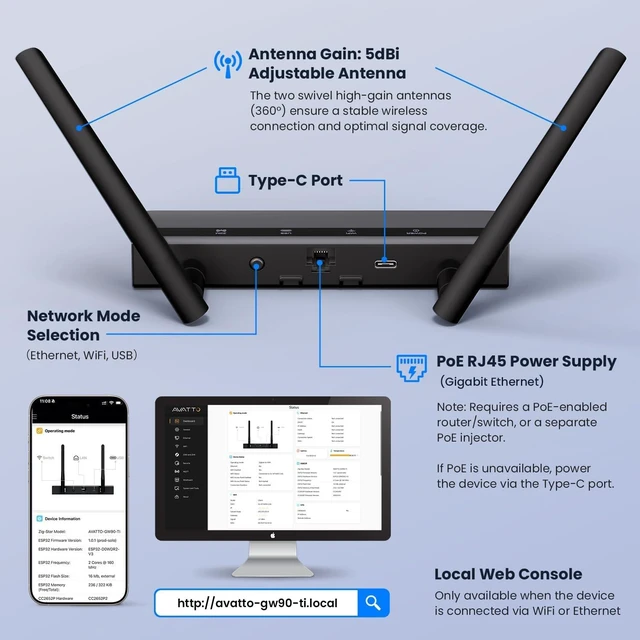
- Three Connection ModesThe AVATTO Zigbee Adapter supports Wi-Fi, USB, or Ethernet (PoE) triple-mode connectivity. Whether it's a wireless desktop setup, direct server connection, or PoE-powered wired infrastructure, it flexibly adapts to any Home Assistant deployment scenario.
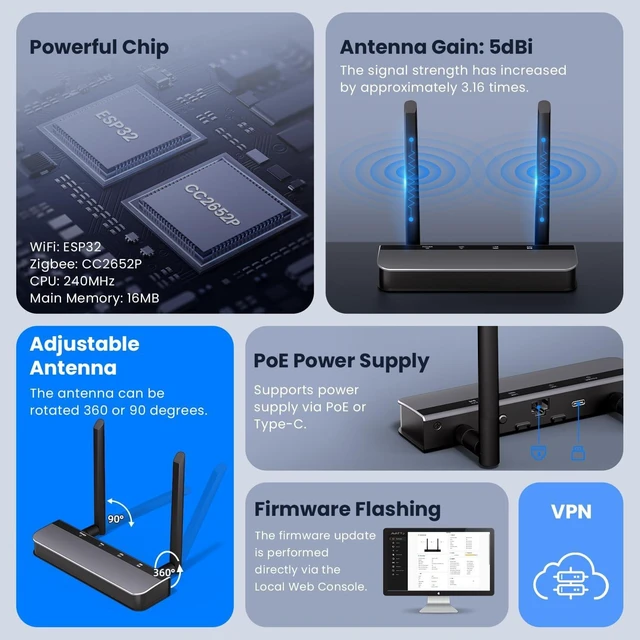
- Two Power OptionsThe AVATTO Zigbee Stick offers two power supply options PoE or Type-C. Choose network-powered PoE or USB-C to suit your installation.
- Dual-Antenna, Full-CoverageThe AVATTO Zigbee Dongle is equipped with dual 5 dBi high-gain antennas, supporting 90°/360° free adjustment, with an indoor Zigbee coverage radius of 200 m+, delivering significantly better wall penetration than single-antenna solutions.
- Modern D
+
+
Overview
Specs
Reviews
Any questions? Ask CelesteSM will help you find out quickly.
Try me now
How do I restore the device to factory settings?
With the device unplugged, press and hold the Mode button, then plug in the USB-C power cable while keeping it held. Release once the LED flashes rapidly. The device will restore to factory defaults.
[Note:Requires the latest ESP32 firmware.]
Can I run Zigbee2MQTT and ZHA together on the same Dongle?
No. Z2M and ZHA are the same protocol (Zigbee). You can run one or the other, or buy a second dongle and run both on separate dongles.
Can I run 2 Dongles with ZHA simultaneously?
No. Users can only add one ZHA integration to Home Assistant (but HA can connect to multiple deCONZ or Zigbee2MQTT instances).
Why does the interface show Zigbee signal strength when the dongle is on Ethernet / Wi-Fi?
Wi-Fi / Ethernet only connects it to your host. Zigbee signal strength reflects end-device connection qualityits core function, shown by default. Ethernet / Wi-Fi keeps the adapter online but won't extend Zigbee range.
How do I restore the device to factory settings?
Can I run Zigbee2MQTT and ZHA together on the same Dongle?
Can I run 2 Dongles with ZHA simultaneously?
Why does the interface show Zigbee signal strength when the dongle is on Ethernet / Wi-Fi?

With the device unplugged, press and hold the Mode button, then plug in the USB-C power cable while keeping it held. Release once the LED flashes rapidly. The device will restore to factory defaults.
[Note:Requires the latest ESP32 firmware.]
Can I run Zigbee2MQTT and ZHA together on the same Dongle?
No. Z2M and ZHA are the same protocol (Zigbee). You can run one or the other, or buy a second dongle and run both on separate dongles.
Can I run 2 Dongles with ZHA simultaneously?
No. Users can only add one ZHA integration to Home Assistant (but HA can connect to multiple deCONZ or Zigbee2MQTT instances).
Why does the interface show Zigbee signal strength when the dongle is on Ethernet / Wi-Fi?
Wi-Fi / Ethernet only connects it to your host. Zigbee signal strength reflects end-device connection qualityits core function, shown by default. Ethernet / Wi-Fi keeps the adapter online but won't extend Zigbee range.
How do I restore the device to factory settings?
Can I run Zigbee2MQTT and ZHA together on the same Dongle?
Can I run 2 Dongles with ZHA simultaneously?
Why does the interface show Zigbee signal strength when the dongle is on Ethernet / Wi-Fi?
Warranty & Returns
Warranty, Returns, And Additional Information
Warranty
- Please contact the Seller directly for warranty information. Warranty information may also be found on the Manufacturer's website.
- CONTACT
Return Policies
- Return for refund within: 30 days
- Return for replacement within: 30 days
- This item is covered by PartsPro Store Return Policy
Manufacturer Contact Info
- For a directory of all our manufacturers, please click below.
- Manufacturers Directory
LOADING...