






Specification:
Image Resolution: 24M(6000x4500), 20M(5120x3840), 16M(4608x3472), 12M(4000x3000), 8M(3264x2448), 5M(2592x1944), 3M, 1M.
Video Resolution: FHD 1920x1080(15FPS), HD 1280x720(30FPS), 640x480(30FPS).
File Format: image format (JPEG), video format(AVI).
Image Sensor: CMOS image sensor, max 24.0 mega pixels.
Display Screen: 3.0 inch TFT LCD(16:9), supports 270° rotation.
Operation Modes: Photo/Video. Anti-shaking: Support.
Digital zoom:16X(Auto focus is not supported, optical zoom is not supported.)
Face Detect: On/Off. Smile Capture: On/Off. Factory Reset: Yes/No.
Video Sound: Support. TV Output: NTSC/PAL. Pause function: Support.
Built-in Speaker: Support. Built-in microphone: Support. USB port: USB 2.0(MSDC&PC CAM).
Li-ion battery: 3.7V(Model: NP-FV5). Date stamp: Off/Date/Date&Time. Exposure compensation: -2.0 EV to + 2.0 EV.
ISO: Auto, ISO100, ISO200, ISO400. Auto Review: Off/1sec/3sec.
Power Save: Auto-power off in 1min/3min/5min/Off. Multi-Languages: Support.
Camera lens: Fixed lens, Aperture F/3.2, Focal distance f=7.36mm.
LED Fill Light: Fill light can't be used under Playback mode.
Operating system requirements: Windows 7/8/10/2002/XP/Vista/macOS.
White balance:Auto/Daylight/Cloudy/Fluorescent/Tungsten Format:Yes/No(Please format the SD card before using this camera)
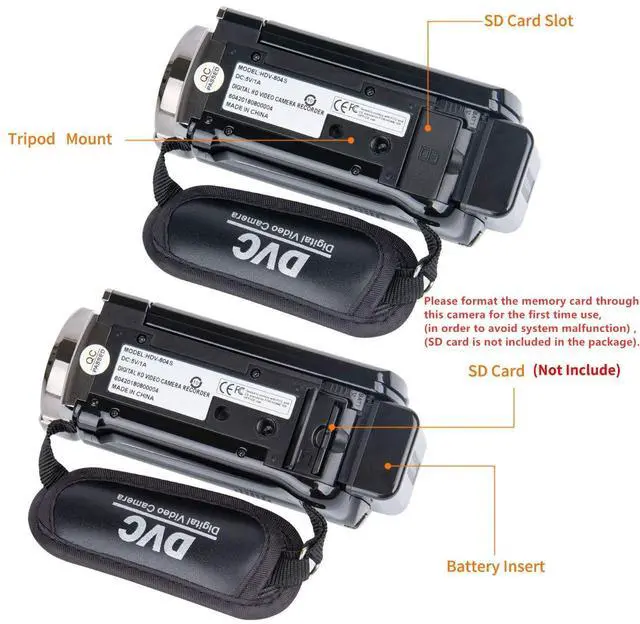
Memory Card: Support SD memory card and MMC card, 4GB up to 128GB.(The SD card is not included in the package, need to purchase separately)
Package Included:
1*Digital Video Camera
1*USB Charger
1*AV&USB Cable
1*Dust bag
1*User Manual
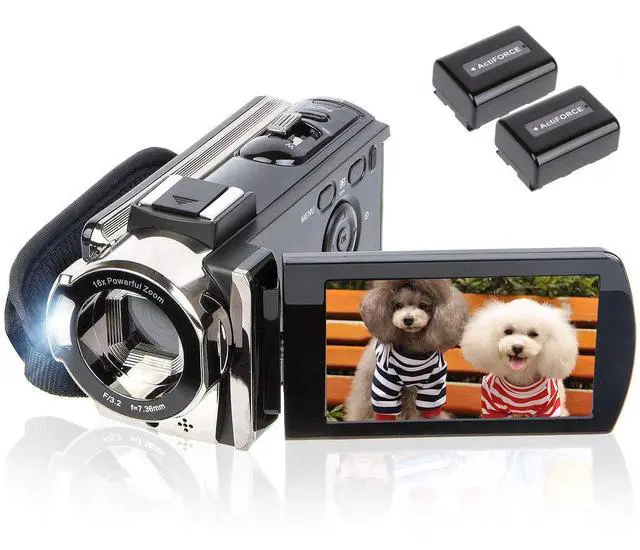
2*Batteries
Warm Tips:
1. Please format the memory card through this camcorder for the first time use (SD card is not included in the package).
2.The camcorder only can support LED Video Light, as Light Supplement(Not Include), not support external microphone.
3.The camcorder is design for the amateurs,not for the Professional users.(Auto focus is not supported, optical zoom is not supported)
The camera use of detailed instructions:
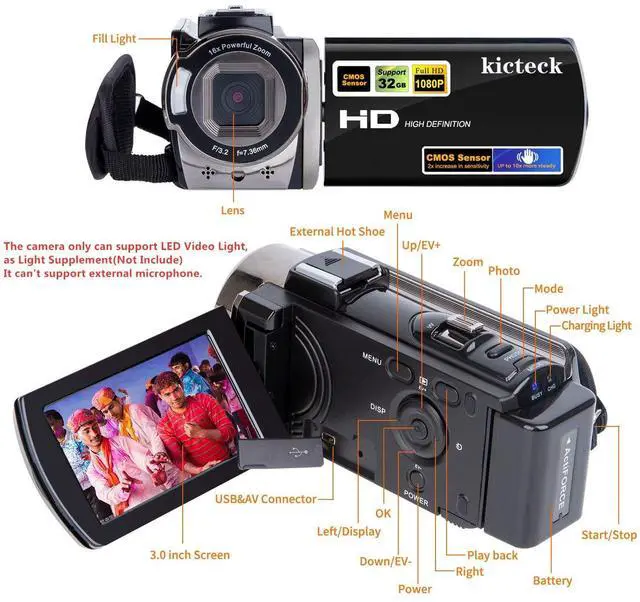
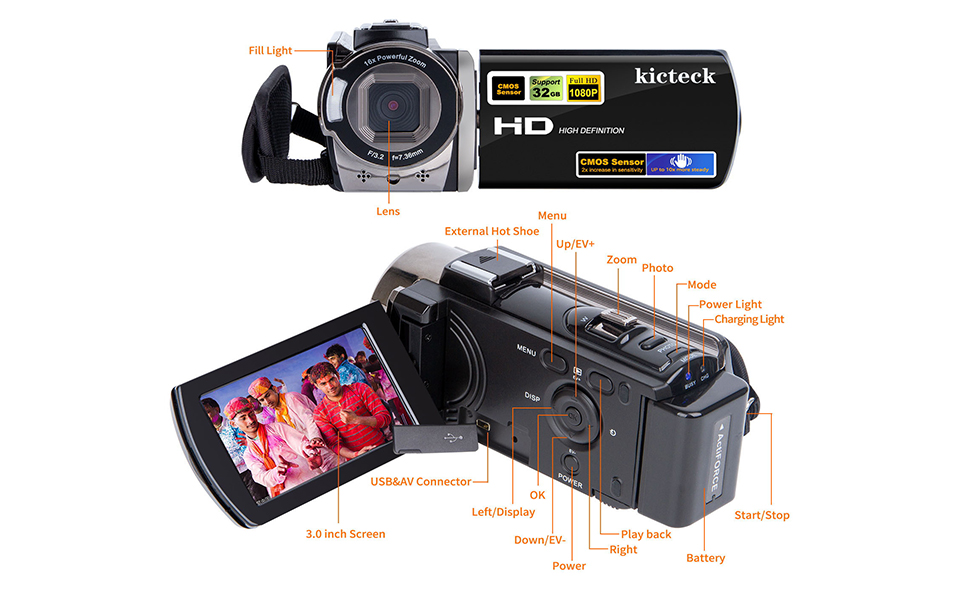
1. Insert the fully charged battery and memory card into the camera, then press the" POWER" button to turn on the camera.
2. How to format the memory card: Please press the "Mode" button to get into the "Setup" page. Choose the "Format" option and press "OK" to confirm.
3. How to switch modes: Press the "Mode" button to switch modes between "Photo/Video/Setup".
4. How to take photos: Press the "Mode" button to change to the "Photo" mode. Press the "Photo" button to take a photo.
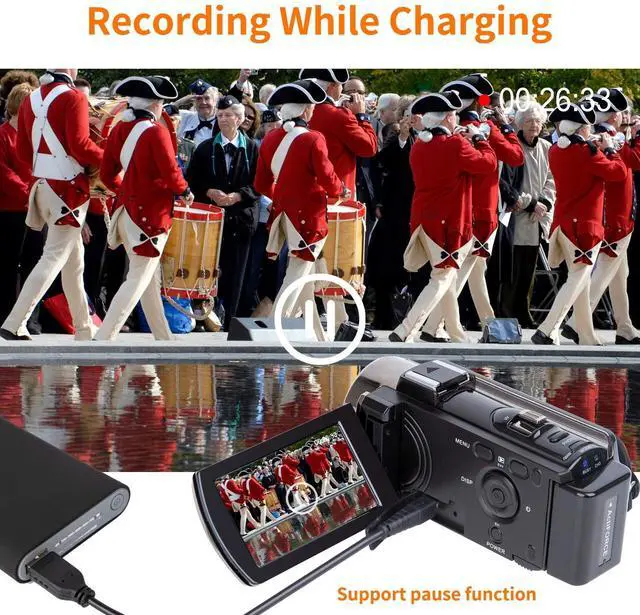
5. How to record videos: Press the "Mode" button to change to the "Video" mode. Press the "START/STOP" button to start the recording. You can press the "Photo" button to pause the recording. And press the "START/STOP" button to finish the recording.
6. How to playback photos/videos: Press the "Playback" button(Beside the Menu button), and then press the "Left/Right" button to browse. Press the "START/STOP" to playback video and press the "Photo" button to pause.
7. How to delete photos/videos: Press the "Playback" button(Beside the Menu button), and then choose the one you want to delete, press the "Menu" button then choose "Delete" and confirm to delete.
8. How to adjust the volume: The volume can be only adjusted while playback. Use the zoom toggle to adjust the volume.
9. How to turn on the fill light: Press the "OK" button to turn on the light and press it again to turn off.
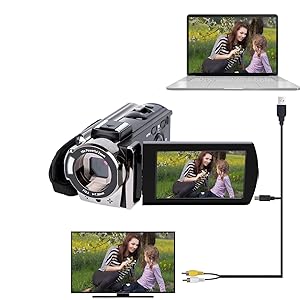
Connect the camera to the computer:
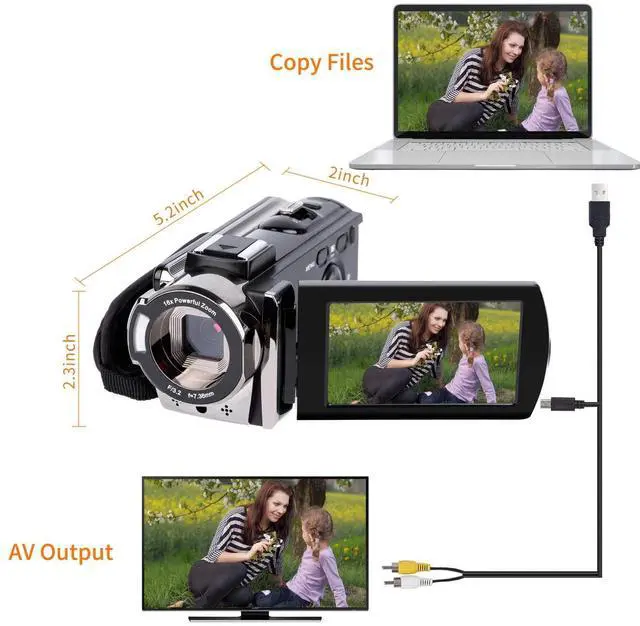
1.Please turn on the camera,insert the AV&USB Cable into the camera and computer port separately.
2.The computer will automatically install driver and the computer screen will display the driver installation is complete.
3.Please press the camera "MODE" button to choose the camera “MSDC ”mode,then open the U disk,the camera files can be seen.
Connect the camera to the TV:
1.Please insert the AV&USB cable into the camera and TV port separately.
2. Please set the TV signal source as AV and enter into this mode.
3.The camera screen will automatically turn off(normal reaction,no malfunction),the TV screen will be used as the camera screen.Please operate the camera button,then the TV screen will display it.
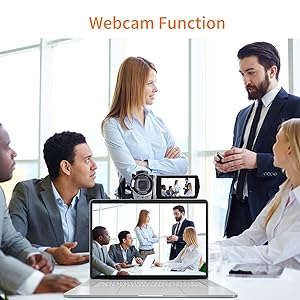
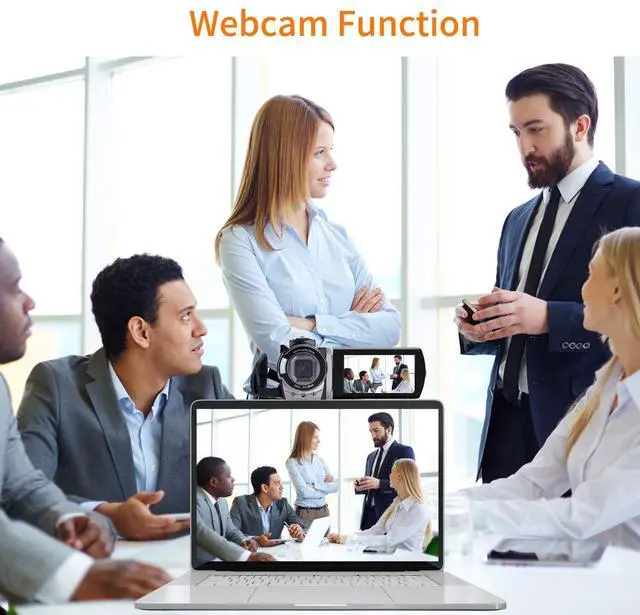
How to use the camera as the webcam:
1.Please download the software “AMCAP” on the Internet before using the PC CAM function.
2.Please connect the camera to the computer through the AV&USB cable, then press the camera “MODE” button to switch into the “PC CAM” mode.
3.Finally open the “AMCAP”,then you can use the camera as the webcam.
Specification:
Image Resolution: 24M(6000x4500), 20M(5120x3840), 16M(4608x3472), 12M(4000x3000), 8M(3264x2448), 5M(2592x1944), 3M, 1M.
Video Resolution: FHD 1920x1080(15FPS), HD 1280x720(30FPS), 640x480(30FPS).
File Format: image format (JPEG), video format(AVI).
Image Sensor: CMOS image sensor, max 24.0 mega pixels.
Display Screen: 3.0 inch TFT LCD(16:9), supports 270° rotation.
Operation Modes: Photo/Video. Anti-shaking: Support.
Digital zoom:16X(Auto focus is not supported, optical zoom is not supported.)
Face Detect: On/Off. Smile Capture: On/Off. Factory Reset: Yes/No.
Video Sound: Support. TV Output: NTSC/PAL. Pause function: Support.
Built-in Speaker: Support. Built-in microphone: Support. USB port: USB 2.0(MSDC&PC CAM).
Li-ion battery: 3.7V(Model: NP-FV5). Date stamp: Off/Date/Date&Time. Exposure compensation: -2.0 EV to + 2.0 EV.
ISO: Auto, ISO100, ISO200, ISO400. Auto Review: Off/1sec/3sec.
Power Save: Auto-power off in 1min/3min/5min/Off. Multi-Languages: Support.
Camera lens: Fixed lens, Aperture F/3.2, Focal distance f=7.36mm.
LED Fill Light: Fill light can't be used under Playback mode.
Operating system requirements: Windows 7/8/10/2002/XP/Vista/macOS.
White balance:Auto/Daylight/Cloudy/Fluorescent/Tungsten Format:Yes/No(Please format the SD card before using this camera)
Memory Card: Support SD memory card and MMC card, 4GB up to 128GB.(The SD card is not included in the package, need to purchase separately)
Package Included:
1*Digital Video Camera
1*USB Charger
1*AV&USB Cable
1*Dust bag
1*User Manual
2*Batteries
Warm Tips:
1. Please format the memory card through this camcorder for the first time use (SD card is not included in the package).
2.The camcorder only can support LED Video Light, as Light Supplement(Not Include), not support external microphone.
3.The camcorder is design for the amateurs,not for the Professional users.(Auto focus is not supported, optical zoom is not supported)
The camera use of detailed instructions:
1. Insert the fully charged battery and memory card into the camera, then press the" POWER" button to turn on the camera.
2. How to format the memory card: Please press the "Mode" button to get into the "Setup" page. Choose the "Format" option and press "OK" to confirm.
3. How to switch modes: Press the "Mode" button to switch modes between "Photo/Video/Setup".
4. How to take photos: Press the "Mode" button to change to the "Photo" mode. Press the "Photo" button to take a photo.
5. How to record videos: Press the "Mode" button to change to the "Video" mode. Press the "START/STOP" button to start the recording. You can press the "Photo" button to pause the recording. And press the "START/STOP" button to finish the recording.
6. How to playback photos/videos: Press the "Playback" button(Beside the Menu button), and then press the "Left/Right" button to browse. Press the "START/STOP" to playback video and press the "Photo" button to pause.
7. How to delete photos/videos: Press the "Playback" button(Beside the Menu button), and then choose the one you want to delete, press the "Menu" button then choose "Delete" and confirm to delete.
8. How to adjust the volume: The volume can be only adjusted while playback. Use the zoom toggle to adjust the volume.
9. How to turn on the fill light: Press the "OK" button to turn on the light and press it again to turn off.
Connect the camera to the computer:
1.Please turn on the camera,insert the AV&USB Cable into the camera and computer port separately.
2.The computer will automatically install driver and the computer screen will display the driver installation is complete.
3.Please press the camera "MODE" button to choose the camera “MSDC ”mode,then open the U disk,the camera files can be seen.
Connect the camera to the TV:
1.Please insert the AV&USB cable into the camera and TV port separately.
2. Please set the TV signal source as AV and enter into this mode.
3.The camera screen will automatically turn off(normal reaction,no malfunction),the TV screen will be used as the camera screen.Please operate the camera button,then the TV screen will display it.
How to use the camera as the webcam:
1.Please download the software “AMCAP” on the Internet before using the PC CAM function.
2.Please connect the camera to the computer through the AV&USB cable, then press the camera “MODE” button to switch into the “PC CAM” mode.
3.Finally open the “AMCAP”,then you can use the camera as the webcam.