

Your Browsing History

Meet Your Seller


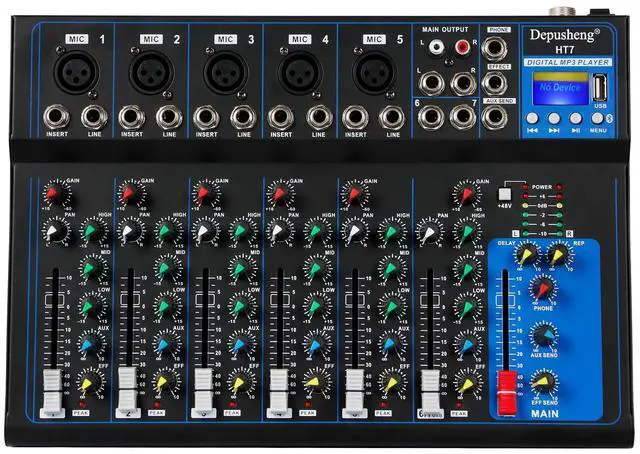
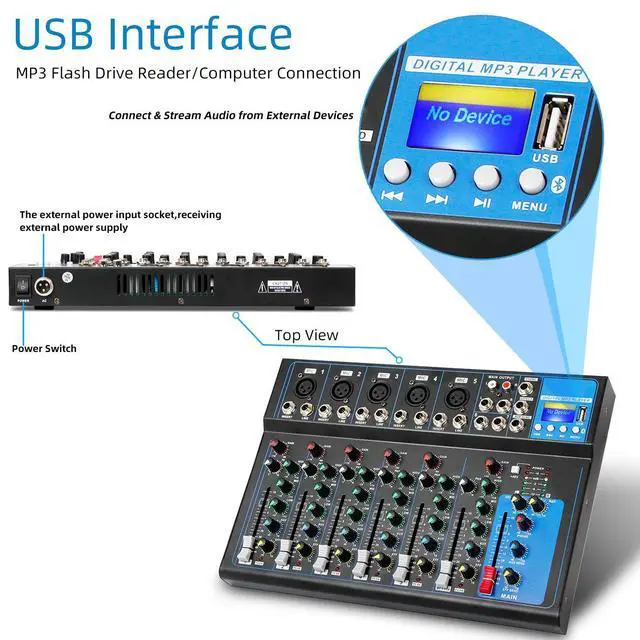
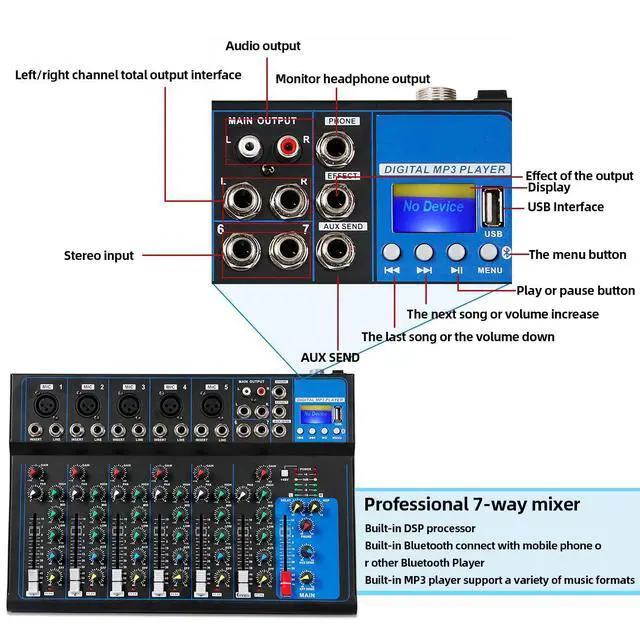
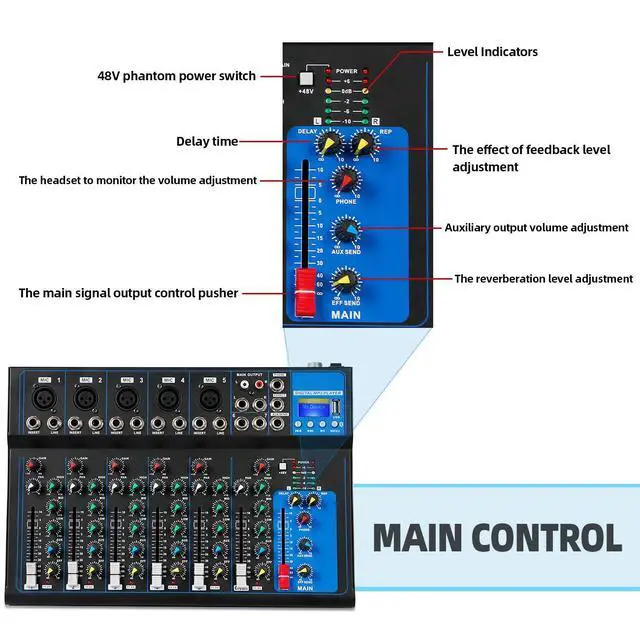


HT7 Bluetooth Portable Audio Mixer w/USB DJ Sound Mixing Console MP3 Jack 48V Power for Computer Recording, 7-Channel Bands Mixing Boards For Studio Recording
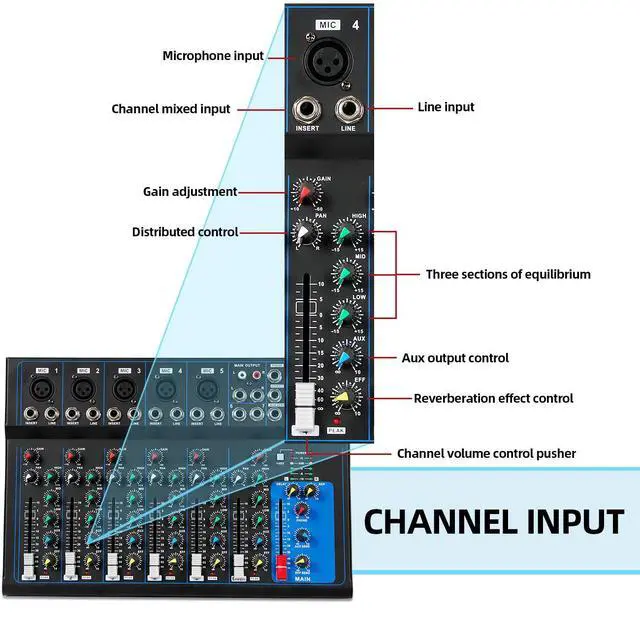
- This new 7-channel Bluetooth mixer features built-in wireless Bluetooth, DSP reverb effects, 3-band EQ adjustment, a USB port, and U disk playback support. To start a recording: 1. Press and hold the rightmost button on the mixer to enter recording mode. 2. Press the play button to begin recording. After finishing, press and hold the play button to exit or save. 3. The recording is saved as the final track on the U disk. Individual channel recordings are also saved to the U disk. For proper Bluetooth connection: 1. Press "MENU" to switch to "BLUE Bluetooth Mode". 2. Enable Bluetooth on your mobile device and connect to "NK-F8A" (the Bluetooth name). 3. If no sound is heard, adjust the volume knob. 4. Adjust the high, mid, and low levels to your preference. It fully supports digital audio devices like mobile phones and computers, enabling direct wireless Bluetooth connection without audio cables. Note: Do not switch to other modes during operation. Keep the unit in Bluetooth mode to maintain a stable link. (A connection is required each time the device is powered on.) It is suitable for small performances, bands, conferences, home use, karaoke singing, and computer recording
+
+
Overview
Specs
Reviews

Any questions? Our AI mode will help you find out quickly.
Try me now
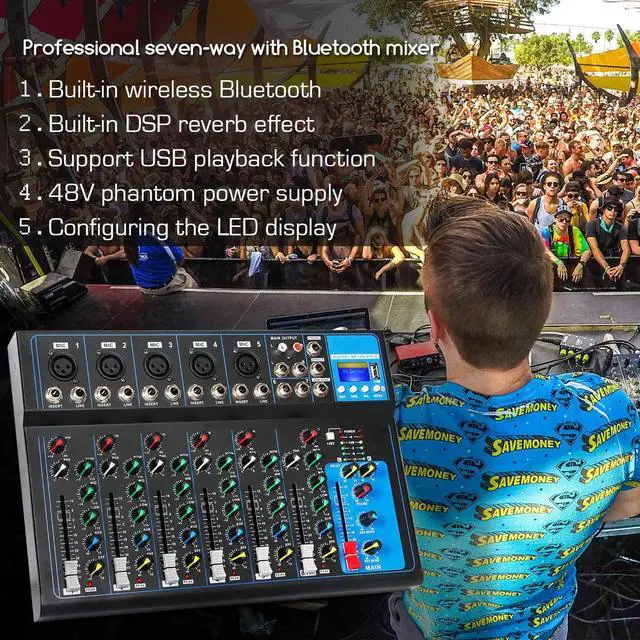
This new 7-channel Bluetooth mixer features built-in wireless Bluetooth, DSP reverb effects, 3-band EQ adjustment, a USB port, and U disk playback support.
To start a recording: 1. Press and hold the rightmost button on the mixer to enter recording mode. 2. Press the play button to begin recording. After finishing, press and hold the play button to exit or save. 3. The recording is saved as the final track on the U disk. Individual channel recordings are also saved to the U disk.
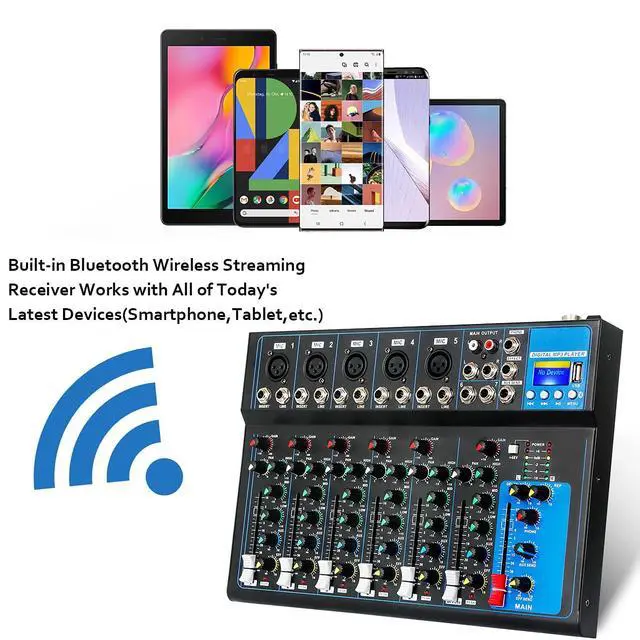
For proper Bluetooth connection: 1. Press "MENU" to switch to "BLUE Bluetooth Mode". 2. Enable Bluetooth on your mobile device and connect to "NK-F8A" (the Bluetooth name). 3. If no sound is heard, adjust the volume knob. 4. Adjust the high, mid, and low levels to your preference. It fully supports digital audio devices like mobile phones and computers, enabling direct wireless Bluetooth connection without audio cables.
Note: Do not switch to other modes during operation. Keep the unit in Bluetooth mode to maintain a stable link. (A connection is required each time the device is powered on. ) It is suitable for small performances, bands, conferences, home use, karaoke singing, and computer recording
To start a recording: 1. Press and hold the rightmost button on the mixer to enter recording mode. 2. Press the play button to begin recording. After finishing, press and hold the play button to exit or save. 3. The recording is saved as the final track on the U disk. Individual channel recordings are also saved to the U disk.
For proper Bluetooth connection: 1. Press "MENU" to switch to "BLUE Bluetooth Mode". 2. Enable Bluetooth on your mobile device and connect to "NK-F8A" (the Bluetooth name). 3. If no sound is heard, adjust the volume knob. 4. Adjust the high, mid, and low levels to your preference. It fully supports digital audio devices like mobile phones and computers, enabling direct wireless Bluetooth connection without audio cables.
Note: Do not switch to other modes during operation. Keep the unit in Bluetooth mode to maintain a stable link. (A connection is required each time the device is powered on. ) It is suitable for small performances, bands, conferences, home use, karaoke singing, and computer recording
Warranty & Returns
Warranty, Returns, And Additional Information
Warranty
- Please contact the Seller directly for warranty information. Warranty information may also be found on the Manufacturer's website.
- CONTACT
Return Policies
- Return for refund within: 30 days
- Return for replacement within: 30 days
- This item is covered by RuNan Global Picks Return Policy
Manufacturer Contact Info
- For a directory of all our manufacturers, please click below.
- Manufacturers Directory
LOADING...