


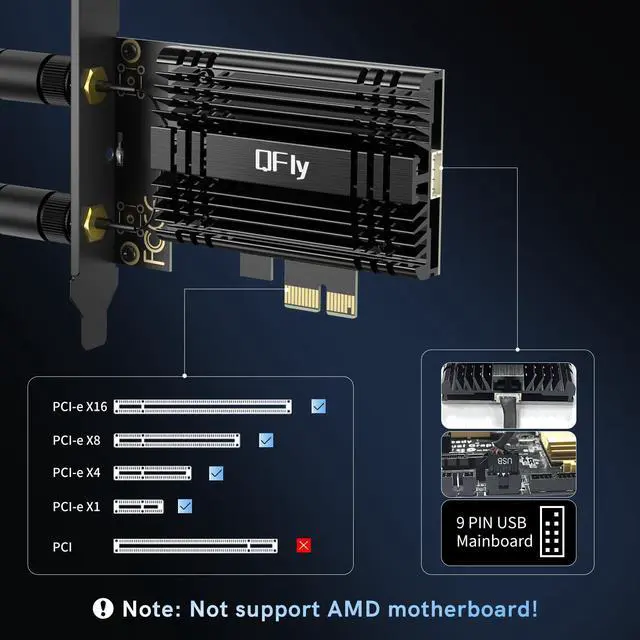




Supported PCIE solts and intel CPUs
- Compatible with PCIE slot (PCIe x1/ x4/ x8/ x16), not for PCI slot.
- Only Compatible with Intel 10th generation and above CPUs,not support AMD CPU!!!

System Compatible: Windows11(64 bit) only
Driver Download & Installation: you can get the lastest driver download link from the Intel official website by searching "BE200". It is recommended to download the driver first and then install the network card.
Please Note:
1. Compatible with Intel 10th generation and above CPUs, NOT support AMD CPU!!!
2. The network environment, router, bandwidth and PC 's internal memory…the interference of many factors can affect the wifi speed.
What's in the box
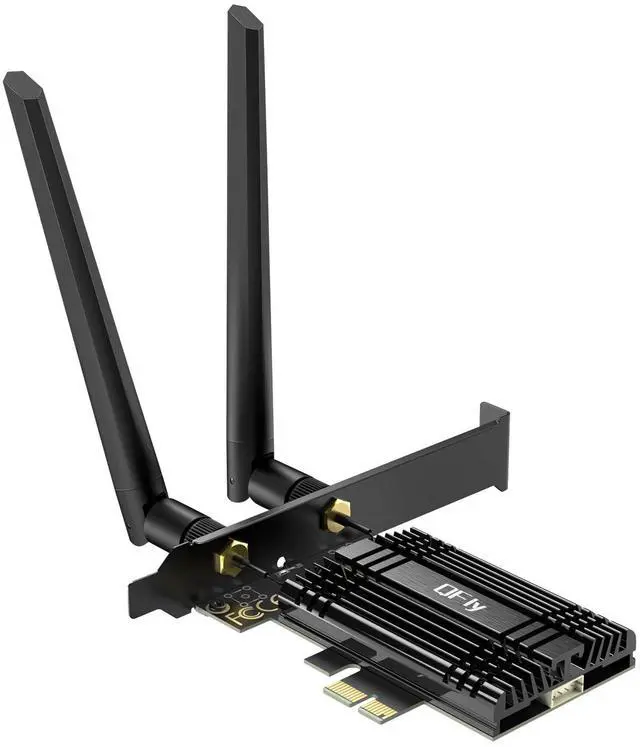
1 * QFly-BE200 PCIe Wifi Card
2 * Detachable Antenna
1 * Low profile bracket (8cm | 3.15in)
1 * Bluetooth USB Cable(30cm | 11.8in)
1 * Screwdriver & 2 * Screw
1 * User Manual
Knowing the following will give you a better product experience:
1. Bring the wireless network card closer to the wireless router or hotspot to reduce distance and the impact of obstacles.
2. Ensure that the antenna of the wireless network card is correctly connected.
3. Install the wireless network card and bluetooth driver to ensure the use of the latest version and compatibility with the operating system.
4. Correctly connect the Bluetooth cable of the network card (9-PIN)
5. Only Intel motherboards or CPUs are supported, and it is best to use newer models of computers, as the BE200 chip requires higher computer configuration, some older models may not be able to start after install.
Supported PCIE solts and intel CPUs
- Compatible with PCIE slot (PCIe x1/ x4/ x8/ x16), not for PCI slot.
- Only Compatible with Intel 10th generation and above CPUs,not support AMD CPU!!!
System Compatible: Windows11(64 bit) only
Driver Download & Installation: you can get the lastest driver download link from the Intel official website by searching "BE200". It is recommended to download the driver first and then install the network card.
Please Note:
1. Compatible with Intel 10th generation and above CPUs, NOT support AMD CPU!!!
2. The network environment, router, bandwidth and PC 's internal memory…the interference of many factors can affect the wifi speed.
What's in the box
1 * QFly-BE200 PCIe Wifi Card
2 * Detachable Antenna
1 * Low profile bracket (8cm | 3.15in)
1 * Bluetooth USB Cable(30cm | 11.8in)
1 * Screwdriver & 2 * Screw
1 * User Manual
Knowing the following will give you a better product experience:
1. Bring the wireless network card closer to the wireless router or hotspot to reduce distance and the impact of obstacles.
2. Ensure that the antenna of the wireless network card is correctly connected.
3. Install the wireless network card and bluetooth driver to ensure the use of the latest version and compatibility with the operating system.
4. Correctly connect the Bluetooth cable of the network card (9-PIN)
5. Only Intel motherboards or CPUs are supported, and it is best to use newer models of computers, as the BE200 chip requires higher computer configuration, some older models may not be able to start after install.