


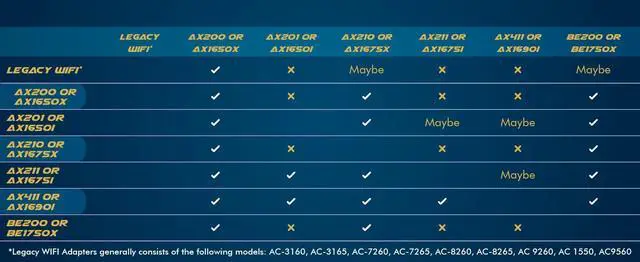
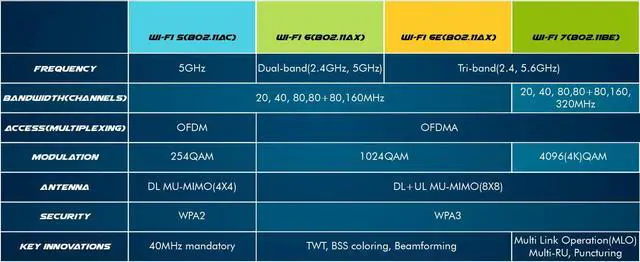


Compare Other WiFi Models
 BE200 WiFi 7 Card |  AX210 WiFi 6E Card |  AX211 WiFi 6E Card |  AX411 WiFi 6E Card |  AX1650x Killer Series | |
|---|---|---|---|---|---|
Customer Reviews | — | — | — | — | — |
Price | — | — | — | — | — |
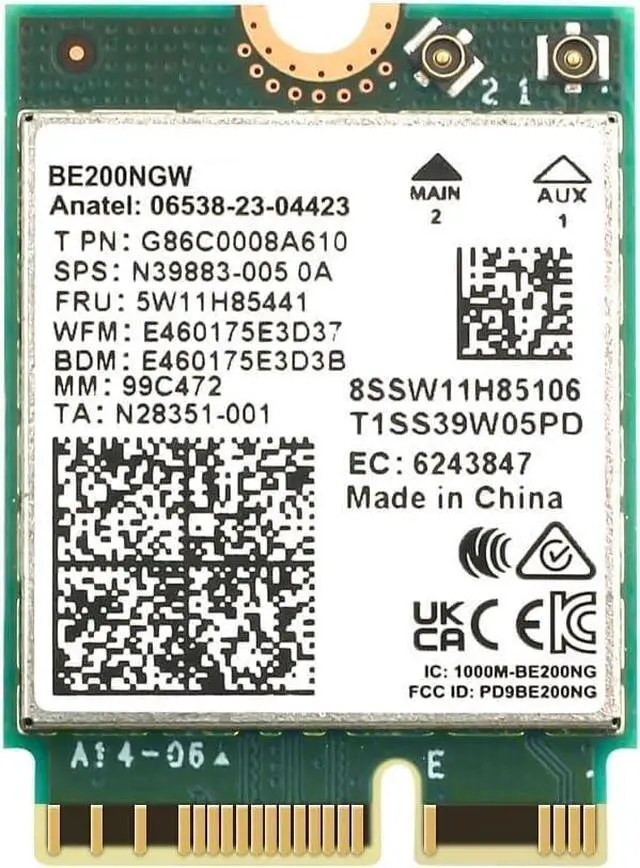
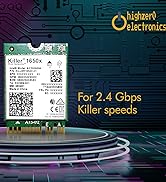
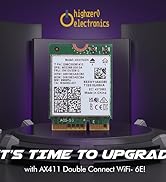
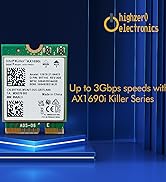
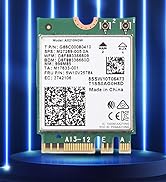
Model Name | BE200 | AX210 | AX211 | AX411 | AX1650x |
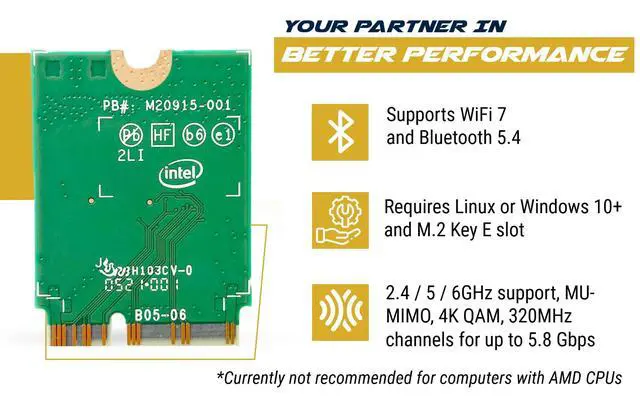
WiFi Generation | WiFi 7 | WiFi 6E | WiFi 6E | WiFi 6E | WiFi 6 |
Compatibility Rating | Medium (Select Systems Only) | HIGH (Most Systems) | LOW (Select Systems Only) | LOW (Select Systems Only) | HIGH (Most Systems) |
Wifi Card Version | Tri-Band 2.4/5/6 GHz M.2 | Tri-Band 2.4/5/6 GHz M.2 | Tri-Band 2.4/5/6 GHz M.2 | Tri-Band 2.4/5/6 GHz M.2 | Dual-Band 802.11ax M.2 |
Data Transfer Rate | 5.8 Gbps | 2.4 Gbps | 2.4 Gbps | 3 Gbps | 2.4 Gbps |
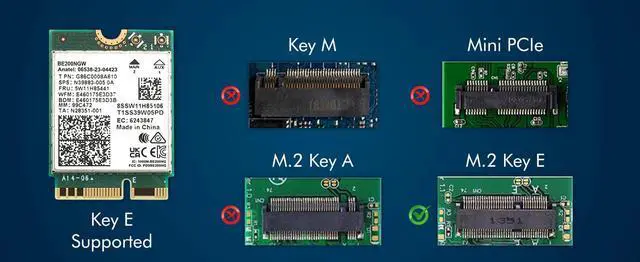
Hardware Interface | NGFF M.2 Key E | NGFF M.2 Key A+E | CNVio2 Key E | CNVio2 Key E | NGFF M.2 Key A+E |
Operating System | Windows 10/11 64-bit or Linux | Windows 10/11 64-bit or Linux | Windows 10/11 64-bit or Linux | Windows 10/11 64-bit or Linux | Windows 10/11 64-bit or Linux |
Bluetooth Version | 5.4 | 5.3 | 5.3 | 5.3 | 5.2 |
Compatible Devices | Desktop, Laptop | Laptop, Desktop | Select Laptops | Select Laptops | Laptop, Desktop |


At HighZer0 Electronics, we are more than just an electronics retailer - we are a beacon of innovation & common sense in the world of technology. Driven by our veteran-owned ethos, we specialize in cutting-edge wireless products, software licenses, and a wide array of computer components. Our partnership with industry leaders like Microsoft, Intel, Lenovo, Cisco, HP, Xerox, and IBM amplifies our commitment to quality and excellence.
How did we get our start?
HighZer0 Electronics was born from the dream of making the complex world of electronics simple and accessible. Our founder, a seasoned veteran with an unquenchable passion for technology, envisioned a platform where quality products, outstanding service, and expert advice converged--delivering a seamless experience that makes IT understandable and easy.
Why do we love what we do?
Step into the future with us at HighZer0 Electronics, where we're making technology understandable and inspirational, one product at a time.

Best Sellers from HighZer0
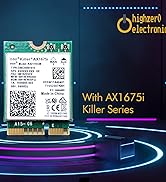
Unleash Your Wi-Fi Performance


How to Install your New WiFi Card
Step 1: Preparation
Step 2: Removal
Step 3: Installation
Step 4: Connection
Step 5: Testing


Compare Other WiFi Models
BE200 WiFi 7 Card | AX210 WiFi 6E Card | AX211 WiFi 6E Card | AX411 WiFi 6E Card | AX1650x Killer Series |
|---|---|---|---|---|
| Customer Reviews | ||||
| — | — | — | — | — |
| Price | ||||
| — | — | — | — | — |
| Model Name | ||||
| BE200 | AX210 | AX211 | AX411 | AX1650x |
| WiFi Generation | ||||
| WiFi 7 | WiFi 6E | WiFi 6E | WiFi 6E | WiFi 6 |
| Compatibility Rating | ||||
| Medium (Select Systems Only) | HIGH (Most Systems) | LOW (Select Systems Only) | LOW (Select Systems Only) | HIGH (Most Systems) |
| Wifi Card Version | ||||
| Tri-Band 2.4/5/6 GHz M.2 | Tri-Band 2.4/5/6 GHz M.2 | Tri-Band 2.4/5/6 GHz M.2 | Tri-Band 2.4/5/6 GHz M.2 | Dual-Band 802.11ax M.2 |
| Data Transfer Rate | ||||
| 5.8 Gbps | 2.4 Gbps | 2.4 Gbps | 3 Gbps | 2.4 Gbps |
| Hardware Interface | ||||
| NGFF M.2 Key E | NGFF M.2 Key A+E | CNVio2 Key E | CNVio2 Key E | NGFF M.2 Key A+E |
| Operating System | ||||
| Windows 10/11 64-bit or Linux | Windows 10/11 64-bit or Linux | Windows 10/11 64-bit or Linux | Windows 10/11 64-bit or Linux | Windows 10/11 64-bit or Linux |
| Bluetooth Version | ||||
| 5.4 | 5.3 | 5.3 | 5.3 | 5.2 |
| Compatible Devices | ||||
| Desktop, Laptop | Laptop, Desktop | Select Laptops | Select Laptops | Laptop, Desktop |

At HighZer0 Electronics, we are more than just an electronics retailer - we are a beacon of innovation & common sense in the world of technology. Driven by our veteran-owned ethos, we specialize in cutting-edge wireless products, software licenses, and a wide array of computer components. Our partnership with industry leaders like Microsoft, Intel, Lenovo, Cisco, HP, Xerox, and IBM amplifies our commitment to quality and excellence.
How did we get our start?
HighZer0 Electronics was born from the dream of making the complex world of electronics simple and accessible. Our founder, a seasoned veteran with an unquenchable passion for technology, envisioned a platform where quality products, outstanding service, and expert advice converged--delivering a seamless experience that makes IT understandable and easy.
Why do we love what we do?
Step into the future with us at HighZer0 Electronics, where we're making technology understandable and inspirational, one product at a time.
Best Sellers from HighZer0
Unleash Your Wi-Fi Performance
