


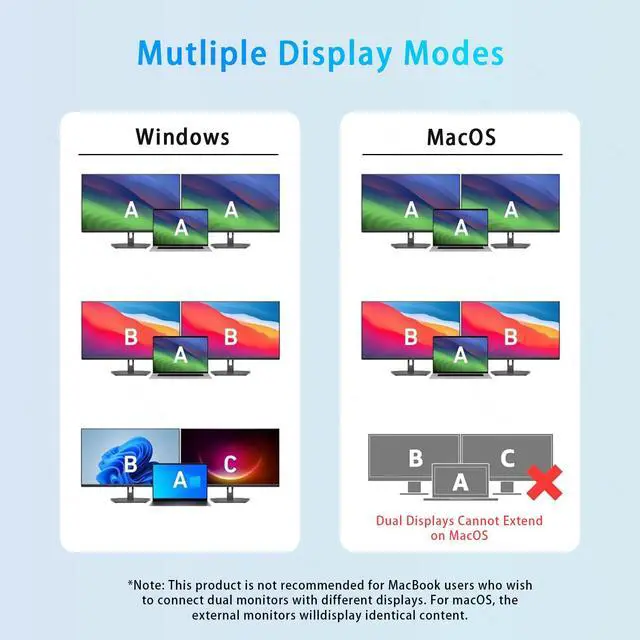
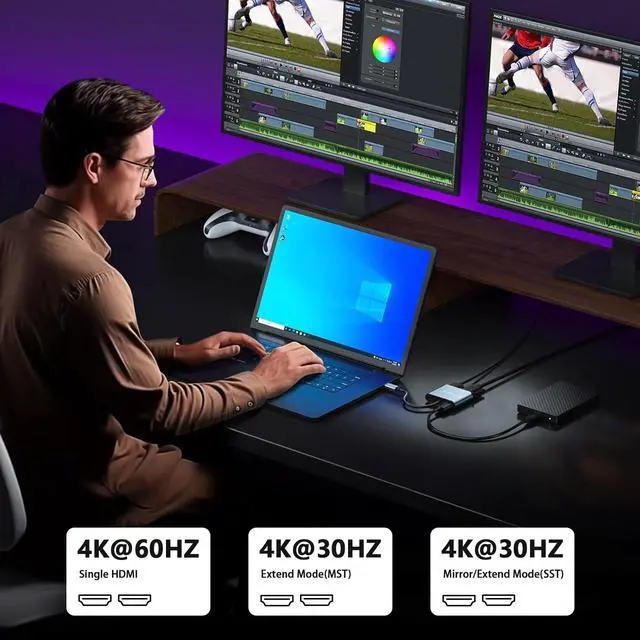


Notes:Windows supports Mirror Mode and Extend Mode(MST) and Extend Mode(SST)

Notes:MacOS only support Mirror Mode and Extend Mode(MST)


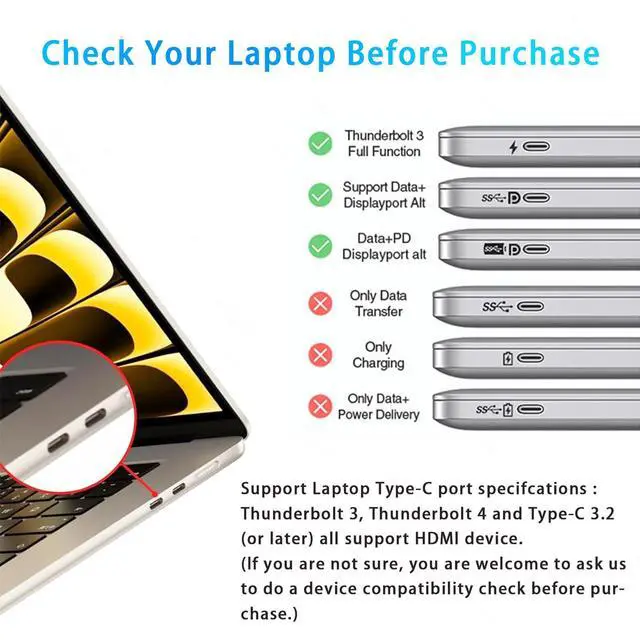
Only devices with this feature are compatible with USB-C to HDMI adapters.

 4 in 1 USB C Hub |  4 in 1 USB C Hub |  3 in 1 USB C Hub |  2 in 1 USB C Hub |  2 in 1 USB C Hub | |
|---|---|---|---|---|---|
Price | — | — | — | — | — |
OS Compatibility | Only for Windows | Only for Windows | MacOS/Windows/ChromeOS | Only for Windows | Only for Windows |
Color | Silver Gray | Black | Silver Gray | Silver Gray | Black |
Number of ports | 4 | 4 | 3 | 2 | 2 |
Input Port | USB-C Port | USB-C Port | USB-C Port | USB-C Port | USB-C Port |
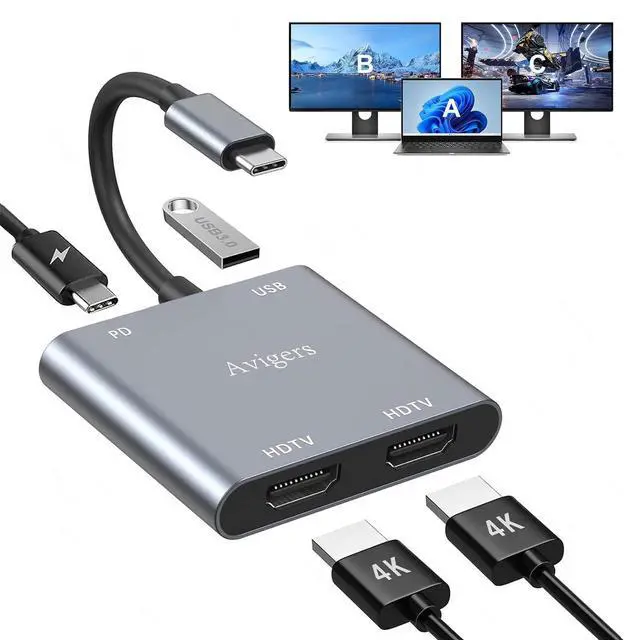
Video Output Port | 2*HDMI Port+1*PD+1*USB 3.0 | 2*HDMI Port+1*PD+1*USB 3.0 | 1*HDMI Port+1*PD+1*USB 3.0 | 2*HDMI Port | 2*HDMI Port |
Can't extend two different screens on macOS?
Due to macOS limitations, both external monitors will be the same.
This hub only supports SST mode under macOS and can only extend 1 monitor.
Why doesn’t the product support extended display on dual monitors?
Only Windows supports extended mode and mirror mode, Other systems only support mirror mode.
How to switch Mac device to Extend Mode?
"Setting"? "Display"? click the "mirror display" box to Extend mode ? then you can drag a window of website/movie to the far right of your desktop screen until it disappear on your desktop screen and displays on the external monitor screen.
How to connect Extend Mode for Windows OS?
Right-click desktop? select Intel display Settings ? pop-up Settings screen select display? select multi-screen display? expand the desktop
(If the display 3 is not display, please to manually select the display?click apply confirm can set OK).
This adapter does not allow the connection of external monitors?
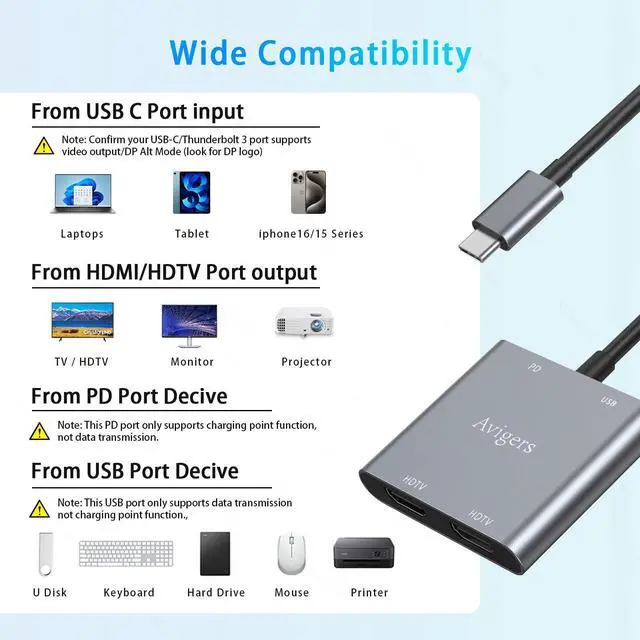
The USB-C male of the product is connected to your laptop, which requires USB-C port of the laptop to support Displayport Alt mode

USB C Multiport Hub for Laptop

At Avigers, we believe technology should empower, not complicate. Driven by a relentless "user-first" mentality, we craft premium USB-C hubs and docking stations that seamlessly bridge your devices and your potential.
innovation with sophisticated aesthetics. Imagine the strength and elegance of a metallic aluminum shell with minimalist styling, designed to perfectly complement your laptop – a statement of professional style.
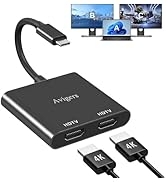
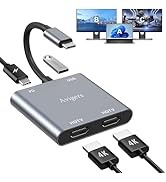
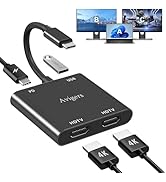
USB C to Daul Hdmi Apater
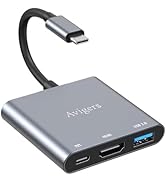

USB C to Hdmi Apater
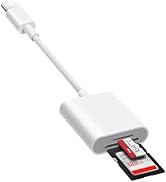
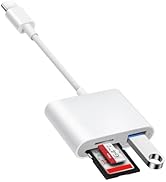
USB C SD Card Reader

Notes:Windows supports Mirror Mode and Extend Mode(MST) and Extend Mode(SST)
Notes:MacOS only support Mirror Mode and Extend Mode(MST)
Only devices with this feature are compatible with USB-C to HDMI adapters.
4 in 1 USB C Hub | 4 in 1 USB C Hub | 3 in 1 USB C Hub | 2 in 1 USB C Hub | 2 in 1 USB C Hub |
|---|---|---|---|---|
| Price | ||||
| — | — | — | — | — |
| OS Compatibility | ||||
| Only for Windows | Only for Windows | MacOS/Windows/ChromeOS | Only for Windows | Only for Windows |
| Color | ||||
| Silver Gray | Black | Silver Gray | Silver Gray | Black |
| Number of ports | ||||
| 4 | 4 | 3 | 2 | 2 |
| Input Port | ||||
| USB-C Port | USB-C Port | USB-C Port | USB-C Port | USB-C Port |
| Video Output Port | ||||
| 2*HDMI Port+1*PD+1*USB 3.0 | 2*HDMI Port+1*PD+1*USB 3.0 | 1*HDMI Port+1*PD+1*USB 3.0 | 2*HDMI Port | 2*HDMI Port |
Can't extend two different screens on macOS?
Due to macOS limitations, both external monitors will be the same.
This hub only supports SST mode under macOS and can only extend 1 monitor.
Why doesn’t the product support extended display on dual monitors?
Only Windows supports extended mode and mirror mode, Other systems only support mirror mode.
How to switch Mac device to Extend Mode?
"Setting"? "Display"? click the "mirror display" box to Extend mode ? then you can drag a window of website/movie to the far right of your desktop screen until it disappear on your desktop screen and displays on the external monitor screen.
How to connect Extend Mode for Windows OS?
Right-click desktop? select Intel display Settings ? pop-up Settings screen select display? select multi-screen display? expand the desktop
(If the display 3 is not display, please to manually select the display?click apply confirm can set OK).
This adapter does not allow the connection of external monitors?
The USB-C male of the product is connected to your laptop, which requires USB-C port of the laptop to support Displayport Alt mode
USB C Multiport Hub for Laptop
At Avigers, we believe technology should empower, not complicate. Driven by a relentless "user-first" mentality, we craft premium USB-C hubs and docking stations that seamlessly bridge your devices and your potential.
innovation with sophisticated aesthetics. Imagine the strength and elegance of a metallic aluminum shell with minimalist styling, designed to perfectly complement your laptop – a statement of professional style.
USB C to Daul Hdmi Apater
USB C to Hdmi Apater
USB C SD Card Reader