



![Main image of 80Gbps USB C to DisplayPort 2.1 Cable [16K@60Hz, 8K@240Hz, 4K@540Hz], Unidirectional Thunderbolt 5/4 to DisplayPort, USBC to DP for MacBook, Mac mini, Odyssey G8/G9, iPhone 17, 6.6FT](https://c1.neweggimages.com/productimage/nb640/C6EHD2604270LJQ1NBA.jpg)
![Alt view image 2 of 14 - 80Gbps USB C to DisplayPort 2.1 Cable [16K@60Hz, 8K@240Hz, 4K@540Hz], Unidirectional Thunderbolt 5/4 to DisplayPort, USBC to DP for MacBook, Mac mini, Odyssey G8/G9, iPhone 17, 6.6FT](https://c1.neweggimages.com/productimage/nb640/C6EHD2604270LJQ2U0C.jpg)
![Alt view image 3 of 14 - 80Gbps USB C to DisplayPort 2.1 Cable [16K@60Hz, 8K@240Hz, 4K@540Hz], Unidirectional Thunderbolt 5/4 to DisplayPort, USBC to DP for MacBook, Mac mini, Odyssey G8/G9, iPhone 17, 6.6FT](https://c1.neweggimages.com/productimage/nb640/C6EHD2604270LJQ4H91.jpg)
![Alt view image 4 of 14 - 80Gbps USB C to DisplayPort 2.1 Cable [16K@60Hz, 8K@240Hz, 4K@540Hz], Unidirectional Thunderbolt 5/4 to DisplayPort, USBC to DP for MacBook, Mac mini, Odyssey G8/G9, iPhone 17, 6.6FT](https://c1.neweggimages.com/productimage/nb640/C6EHD2604270LJQ7N00.jpg)
![Alt view image 5 of 14 - 80Gbps USB C to DisplayPort 2.1 Cable [16K@60Hz, 8K@240Hz, 4K@540Hz], Unidirectional Thunderbolt 5/4 to DisplayPort, USBC to DP for MacBook, Mac mini, Odyssey G8/G9, iPhone 17, 6.6FT](https://c1.neweggimages.com/productimage/nb640/C6EHD2604270LJQAN48.jpg)
![Alt view image 6 of 14 - 80Gbps USB C to DisplayPort 2.1 Cable [16K@60Hz, 8K@240Hz, 4K@540Hz], Unidirectional Thunderbolt 5/4 to DisplayPort, USBC to DP for MacBook, Mac mini, Odyssey G8/G9, iPhone 17, 6.6FT](https://c1.neweggimages.com/productimage/nb640/C6EHD2604270LJQ8V57.jpg)
![Alt view image 7 of 14 - 80Gbps USB C to DisplayPort 2.1 Cable [16K@60Hz, 8K@240Hz, 4K@540Hz], Unidirectional Thunderbolt 5/4 to DisplayPort, USBC to DP for MacBook, Mac mini, Odyssey G8/G9, iPhone 17, 6.6FT](https://c1.neweggimages.com/productimage/nb640/C6EHD2604270LJWXI6A.jpg)
![Alt view image 8 of 14 - 80Gbps USB C to DisplayPort 2.1 Cable [16K@60Hz, 8K@240Hz, 4K@540Hz], Unidirectional Thunderbolt 5/4 to DisplayPort, USBC to DP for MacBook, Mac mini, Odyssey G8/G9, iPhone 17, 6.6FT](https://c1.neweggimages.com/productimage/nb640/VT6GD26051912K4SZDD.jpg)
![Alt view image 9 of 14 - 80Gbps USB C to DisplayPort 2.1 Cable [16K@60Hz, 8K@240Hz, 4K@540Hz], Unidirectional Thunderbolt 5/4 to DisplayPort, USBC to DP for MacBook, Mac mini, Odyssey G8/G9, iPhone 17, 6.6FT](https://c1.neweggimages.com/productimage/nb640/VT6GD26051912I0590A.jpg)
![Alt view image 10 of 14 - 80Gbps USB C to DisplayPort 2.1 Cable [16K@60Hz, 8K@240Hz, 4K@540Hz], Unidirectional Thunderbolt 5/4 to DisplayPort, USBC to DP for MacBook, Mac mini, Odyssey G8/G9, iPhone 17, 6.6FT](https://c1.neweggimages.com/productimage/nb640/VT6GD2605150KFA86C3.jpg)
![Alt view image 11 of 14 - 80Gbps USB C to DisplayPort 2.1 Cable [16K@60Hz, 8K@240Hz, 4K@540Hz], Unidirectional Thunderbolt 5/4 to DisplayPort, USBC to DP for MacBook, Mac mini, Odyssey G8/G9, iPhone 17, 6.6FT](https://c1.neweggimages.com/productimage/nb640/VT6GD26051912I0019E.jpg)
![Alt view image 12 of 14 - 80Gbps USB C to DisplayPort 2.1 Cable [16K@60Hz, 8K@240Hz, 4K@540Hz], Unidirectional Thunderbolt 5/4 to DisplayPort, USBC to DP for MacBook, Mac mini, Odyssey G8/G9, iPhone 17, 6.6FT](https://c1.neweggimages.com/productimage/nb640/VT6GD26051912K4UDB7.jpg)
![Alt view image 13 of 14 - 80Gbps USB C to DisplayPort 2.1 Cable [16K@60Hz, 8K@240Hz, 4K@540Hz], Unidirectional Thunderbolt 5/4 to DisplayPort, USBC to DP for MacBook, Mac mini, Odyssey G8/G9, iPhone 17, 6.6FT](https://c1.neweggimages.com/productimage/nb640/VT6GD2605150KF9H1A4.jpg)
![Alt view image 14 of 14 - 80Gbps USB C to DisplayPort 2.1 Cable [16K@60Hz, 8K@240Hz, 4K@540Hz], Unidirectional Thunderbolt 5/4 to DisplayPort, USBC to DP for MacBook, Mac mini, Odyssey G8/G9, iPhone 17, 6.6FT](https://c1.neweggimages.com/productimage/nb640/VT6GD26051912I0C405.jpg)



- Focusing on high-end cable development, we offer a complete range of first-class certified cables for home and office.
- We have obtained official certification for various products, including the latest DP80 Cable, DP54 Cable, USB4 80Gbps Cable, Thunderbolt 5 Cable, HDMI 2.1 Cable, etc.


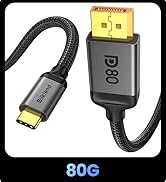
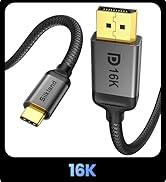
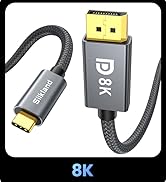
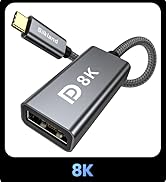
USB C to Displayport


Does it support bidirectional transmission?
No. The cable is unidirectional. It only transfers video from USB-C devices to DP monitors.
Is it compatible with Apple Studio Display or portable USB-C monitor?
No. These devices need a video signal sent directly to their USB-C port, not a DisplayPort. This cable only transfers video from USB-C devices to DP monitors.
Is it necessary to install the driver?
Plug and play, no driver required. However, it is recommended that you update your device system and graphics card drivers to the latest versions to ensure optimal compatibility.
Why can't I achieve uncompressed 4K@240Hz with this cable?
1. Confirm PC/GPU supports DisplayPort 2.1;
2. Ensure monitor has DP 2.1 input enabled in settings;
3. Update graphics drivers and monitor firmware.


Does it support bidirectional transmission?
No. The cable is unidirectional. It only transfers video from USB-C devices to DP monitors.
Is it compatible with Apple Studio Display or portable USB-C monitor?
No. These devices need a video signal sent directly to their USB-C port, not a DisplayPort. This cable only transfers video from USB-C devices to DP monitors.
Is it necessary to install the driver?
Plug and play, no driver required. However, it is recommended that you update your device system and graphics card drivers to the latest versions to ensure optimal compatibility.
Why can't I achieve uncompressed 4K@240Hz with this cable?
1. Confirm PC/GPU supports DisplayPort 2.1;
2. Ensure monitor has DP 2.1 input enabled in settings;
3. Update graphics drivers and monitor firmware.
- Focusing on high-end cable development, we offer a complete range of first-class certified cables for home and office.
- We have obtained official certification for various products, including the latest DP80 Cable, DP54 Cable, USB4 80Gbps Cable, Thunderbolt 5 Cable, HDMI 2.1 Cable, etc.
USB C to Displayport