here!
I’m your shopping assistant for PC builds, upgrades, and everything tech.
Got questions? Ask away!
Start a conversation
here!
I’m your shopping assistant for PC builds, upgrades, and everything tech.
Got questions? Ask away!
Start a conversation



Any questions? Ask CelesteSM will help you find out quickly.


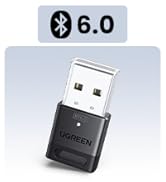
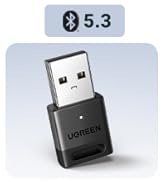
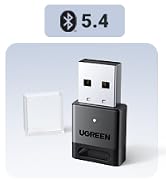
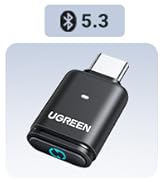
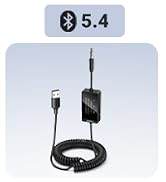
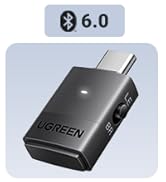
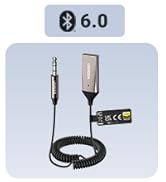
 USB Bluetooth Adapter 6.0 |  UGREEN USB Bluetooth 5.3 |  USB Bluetooth Adapter 5.4 |  Bluetooth Adapter for PS5 |  Bluetooth Adapter for PS5 |  Bluetooth Adapter for PS4 | |
|---|---|---|---|---|---|---|
Customer Reviews | — | — | — | — | — | — |
Price | — | — | — | — | — | — |
Bluetooth Version | 6.0 | 5.3 | 5.4 | 6.0 | 5.3 | 5.3 |
Supported Devices | PC/Laptop | PC/Laptop | PC/Laptop | PS5 | PS5 | PS4 |
System Compatibility | Windows 11/10/8.1 | Windows 11/10/8.1 | Windows 11/10/8.1 | / | / | / |
USB Port Type | USB A | USB A | USB A | USB C | USB C | USB A |
Plug & Play | ? | ? | ? | ? | ? | ? |
Compatibility:
About audio decoding and transmission
It supports SBC/AAC audio decoding and does not support LE Audio. The transmission range will be affected by physical obstructions, wireless interference and the wall.
The driver is installed correctly, but I still can't find any Bluetooth devices. What should I do?
1: Press Win + R, type services.msc, and hit Enter to open Services. 2: Find "Bluetooth Support Service" and double-click it. 3: Set "Startup type" to "Automatic", then click "Start" > "Apply". 4: Search for Bluetooth devices again.


USB Bluetooth Adapter 6.0 | UGREEN USB Bluetooth 5.3 | USB Bluetooth Adapter 5.4 | Bluetooth Adapter for PS5 | Bluetooth Adapter for PS5 | Bluetooth Adapter for PS4 |
|---|---|---|---|---|---|
| Customer Reviews | |||||
| — | — | — | — | — | — |
| Price | |||||
| — | — | — | — | — | — |
| Bluetooth Version | |||||
| 6.0 | 5.3 | 5.4 | 6.0 | 5.3 | 5.3 |
| Supported Devices | |||||
| PC/Laptop | PC/Laptop | PC/Laptop | PS5 | PS5 | PS4 |
| System Compatibility | |||||
| Windows 11/10/8.1 | Windows 11/10/8.1 | Windows 11/10/8.1 | / | / | / |
| USB Port Type | |||||
| USB A | USB A | USB A | USB C | USB C | USB A |
| Plug & Play | |||||
| ? | ? | ? | ? | ? | ? |
Compatibility:
About audio decoding and transmission
It supports SBC/AAC audio decoding and does not support LE Audio. The transmission range will be affected by physical obstructions, wireless interference and the wall.
The driver is installed correctly, but I still can't find any Bluetooth devices. What should I do?
1: Press Win + R, type services.msc, and hit Enter to open Services. 2: Find "Bluetooth Support Service" and double-click it. 3: Set "Startup type" to "Automatic", then click "Start" > "Apply". 4: Search for Bluetooth devices again.