

Your Browsing History
- Free 30-day Returns
$259.18
Best Sellers
 Top Rated
- $266.82
- + $9.99 Shipping

Meet Your Seller


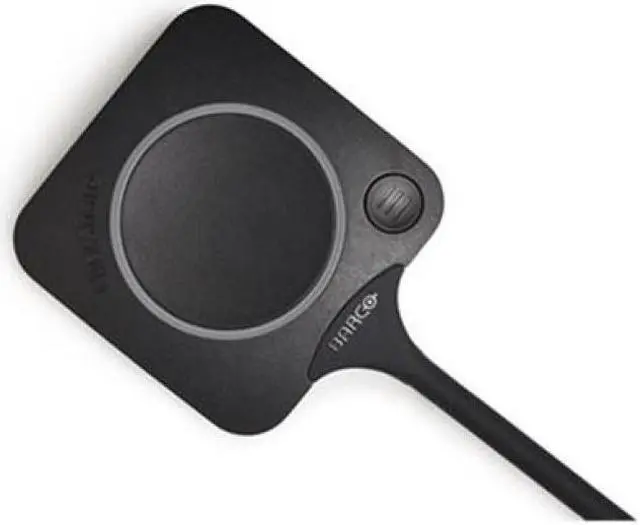

Barco ClickShare Conferencing Button R9861600D01CUS
- Manufacturer: WePresent
- Manufacturer Part Number: R9861600D01CUS
- UPC: 5415334026841
+
+
Overview
Specs
Reviews

Any questions? Our AI mode will help you find out quickly.
Try me now
The ClickShare Conferencing Button instantly gives you access to wireless conferencing, a more immersive, interactive and guest-friendly meeting experience. Set up your remote meeting with your preferred UC solution. Plug in the USB-C device in your laptop, click and in less than 7 seconds, you are automatically connected to meeting room cameras, microphones, soundbars and any other AV peripherals. You get richer audio, have wider views of the room and can add video to your mix.
Join your next Microsoft Teams call with just one click. With either the ClickShare Button or Desktop App, you decide which suits you best. Instantly you connect wirelessly to the camera and speakers in the room for better hybrid meetings. The same is true for your Zoom, Webex or other calls as well.
Wireless conferencing with the ClickShare Button is guest-friendly, anyone can start a videocall and instantly share content in any meeting room. No installation or training needed. Just plug in and go!
With the additional Quick Button you can access the ClickShare to benefit from advanced meeting controls like window selection, pauze, ideation, snapshots,...
Alternatively, you can wirelessly conference and share content with the ClickShare Desktop App with additional functionalities for workflow integration at your disposal. Smart, automated intent-based meeting flows like PresentSense, One-Click-Join, HostFlow and ConferenceView, make hybrid meetings intuitive and stress-free. ClickShare Conference matches your digital workplace strategy. Touch or touchless, Button or App. Its your way of working, your decision.
Warranty & Returns
Warranty, Returns, And Additional Information
Warranty
- Please contact the Seller directly for warranty information. Warranty information may also be found on the Manufacturer's website.
- CONTACT
Return Policies
- Return for refund within: 30 days
- Return for replacement within: 30 days
- This item is covered by Technology Galaxy Return Policy
Manufacturer Contact Info
- For a directory of all our manufacturers, please click below.
- Manufacturers Directory
LOADING...
LOADING...