

Your Browsing History
- Free 30-day Returns
$12.49
Ships from China.


Meet Your Seller



USB C & USB A (2 in 1) to USB C Link Cable 10FT/3M Compatible with Oculus/Meta Quest 2, High Speed PC Data Transfer Link Cable, Fast Charging USB 3.1 Gen2 to USB C Cable for VR Headset and Gaming PC
- [Compatible with Oculus Quest 2] The link cable works for Oculus Quest 1/2.Our oculus quest 2 link cable supports all Oculus Rift apps and Steam VR games, providing better PC-VR experience
- [High-speed transmission without stuttering] Made of the high quality materials allowing data transfer speeds up to 5GB/sec at 10000x Bend Capacity.Stable and fast data synchronization working with sustained and reliable current, USB to USB C link cable brings you a smooth gaming experience
- [Fast Charge] The maximum current of Link Cable is up to 3A,which can make your quest 2 can be quickly charged.Our link cable is sufficient for playing and charging simultaneously. Even at a 0% Charge,Just connect the USB type C link cable and start playing!
+
+
Overview
Specs
Reviews

Any questions? Our AI mode will help you find out quickly.
Try me now
with Our USB C and USB A to USB C Link Cable, Make you have a better VR game experience without stutters and delay.
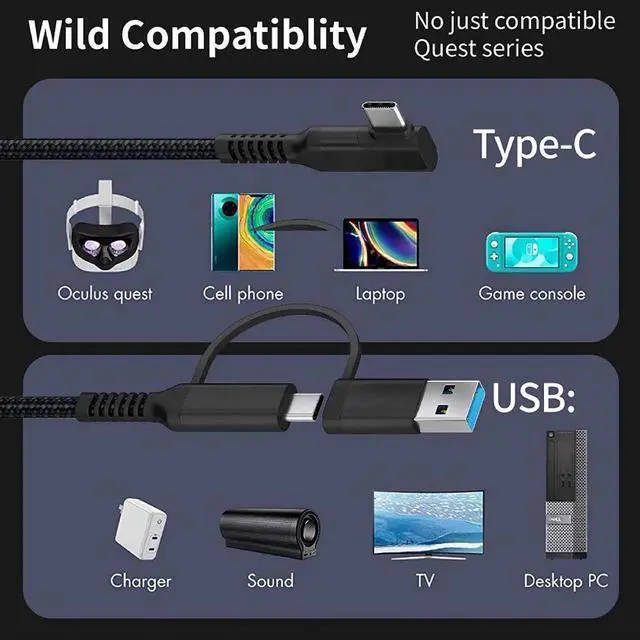
The 2-in-1 link cable can not only adapt to various devices with type-c interface but also devices with type-a interface, makes your link cable has more possibilities.
When you connect your PC to the Quest, let your Quest have the same capabilities as Rift. With it, you can access Oculus home, steam VR to experience more PC VR games and programs. Under the premise that Air Link is not yet perfect, use oculus link cable to enjoy a better gaming experience. Make your Oculus quest more than just an Oculus quest.
USB Compatibility
USB C Link Cable is compatible with USB 2.0 / 3.0 / USB 3.1 GEN1 / USB 3.2 GEN1
Package included:
1 x VR Link Cable
Installation steps:
1. Make sure that the Oculus PC software version and your Quest are running the latest version.
2. Open the Oculus app on your PC and turn on your Quest.
3. Plug the link cable into your PC and headset.
4. A message displayed in VR prompting you the allow access to data, select Deny. (If you Allow, please unplug the link from it and restart. )
5. When prompted to enable Oculus link, select Enable to begin it.
The 2-in-1 link cable can not only adapt to various devices with type-c interface but also devices with type-a interface, makes your link cable has more possibilities.
When you connect your PC to the Quest, let your Quest have the same capabilities as Rift. With it, you can access Oculus home, steam VR to experience more PC VR games and programs. Under the premise that Air Link is not yet perfect, use oculus link cable to enjoy a better gaming experience. Make your Oculus quest more than just an Oculus quest.
USB Compatibility
USB C Link Cable is compatible with USB 2.0 / 3.0 / USB 3.1 GEN1 / USB 3.2 GEN1
Package included:
1 x VR Link Cable
Installation steps:
1. Make sure that the Oculus PC software version and your Quest are running the latest version.
2. Open the Oculus app on your PC and turn on your Quest.
3. Plug the link cable into your PC and headset.
4. A message displayed in VR prompting you the allow access to data, select Deny. (If you Allow, please unplug the link from it and restart. )
5. When prompted to enable Oculus link, select Enable to begin it.
Warranty & Returns
Warranty, Returns, And Additional Information
Warranty
- Please contact the Seller directly for warranty information. Warranty information may also be found on the Manufacturer's website.
- CONTACT
Return Policies
- Return for refund within: 30 days
- Return for replacement within: 30 days
- This item is covered by HUADO Return Policy
Manufacturer Contact Info
- For a directory of all our manufacturers, please click below.
- Manufacturers Directory
LOADING...