Your Browsing History
- Free 30-day Returns
$14.26
Ships from China.
Meet Your Seller
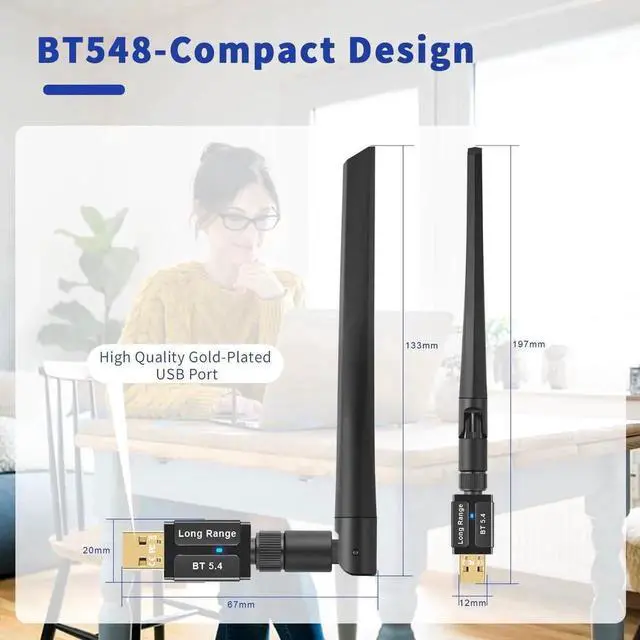
AUTYUE Bluetooth 5.4 USB Adapter for PC Laptop, 150M Long Range Bluetooth Wireless Transmitter Dongle Pair w/Headset Headphones Speaker Mice Keyboard Printer for Windows 11 10 8.1 7 Computer Desktop
- Plug n Play: Plug and Play to work with Windows 11/10/8.1; Supports Win7 (Driver required for Win7). NOTES: It's not compatible with Mac OS, Linux, Car Stereo systems, XBOX or TV. 2. It cant be used directly on PS3, PS4, PS5, Switch, or Xbox Console; but it works with Game Controllers.
- Bluetooth 5.4: Bluetooth 5.4 improves the stability of the connection and reduces signal interruption. Optimizing the transmission delay and connection defect problems of the old Bluetooth version.
- Faster Speed, Lower Power: Features Bluetooth 5.4 Technology, Gets faster data speeds up to 3 Mbps, which is double of old Bluetooth 4.2/4.0 and supports Dual mode (BR/EDR+ Bluetooth Low Energy/BLE) to achieve low energy consumption and wider compatibility.
- Further Coverage: with Class 1 RF technology is equipped with extra-long antenna, and the transmission range in the open area can reach 492ft/150m.
- Up to 5 Devices: Supports up to 5 devices to be connected and can work together at the same time.
+
+
Overview
Specs
Reviews
Any questions? Our AI beta will help you find out quickly.
Try me now
Q: Can the BT548 support more than one device at the same?
A: Yes and the Bluetooth adapter can support up to 5 devices to work together at a time.
Q: How do I install the driver for Windows 7?
A:
1. Visit Driver Website from the User Manual and download the driver with Free charging.
2. Open the Zip file and unzipped the package, then double-click "Setup. exe" and follow up the wizard to complete the installation.
Q: Why don't the Bluetooth USB adapter pair and connect with my keyboard and mouse?
A: Please be sure that your keyboard/mouse can support the 2.4G Bluetooth function, not ordinary 2.4 wireless technology. So your device must be Bluetooth devices.
Q: Why don't the BT548 Bluetooth USB dongle pair with my Headset or eaburds?
A: Please turn off Bluetooth function of your other devices, such as your cellphone to avoid your Bluetooth headset or earbuds wrong reconnection with your cellphone and don't enter into pairing status. This is very important.

A: Yes and the Bluetooth adapter can support up to 5 devices to work together at a time.
Q: How do I install the driver for Windows 7?
A:
1. Visit Driver Website from the User Manual and download the driver with Free charging.
2. Open the Zip file and unzipped the package, then double-click "Setup. exe" and follow up the wizard to complete the installation.
Q: Why don't the Bluetooth USB adapter pair and connect with my keyboard and mouse?
A: Please be sure that your keyboard/mouse can support the 2.4G Bluetooth function, not ordinary 2.4 wireless technology. So your device must be Bluetooth devices.
Q: Why don't the BT548 Bluetooth USB dongle pair with my Headset or eaburds?
A: Please turn off Bluetooth function of your other devices, such as your cellphone to avoid your Bluetooth headset or earbuds wrong reconnection with your cellphone and don't enter into pairing status. This is very important.
Warranty & Returns
Warranty, Returns, And Additional Information
Warranty
- Please contact the Seller directly for warranty information. Warranty information may also be found on the Manufacturer's website.
- CONTACT
Return Policies
- Return for refund within: 30 days
- Return for replacement within: 30 days
- This item is covered by HUADO Return Policy
Manufacturer Contact Info
- For a directory of all our manufacturers, please click below.
- Manufacturers Directory
LOADING...