• $69.50
  • Free 30-day Returns
  • Ships from China.
    Sold by HUADO
    Top Rated
    3.7 (16 seller ratings)

    Shipped by HUADO

    Price alert
    Shop it at NeweggBusiness.

    Meet Your Seller

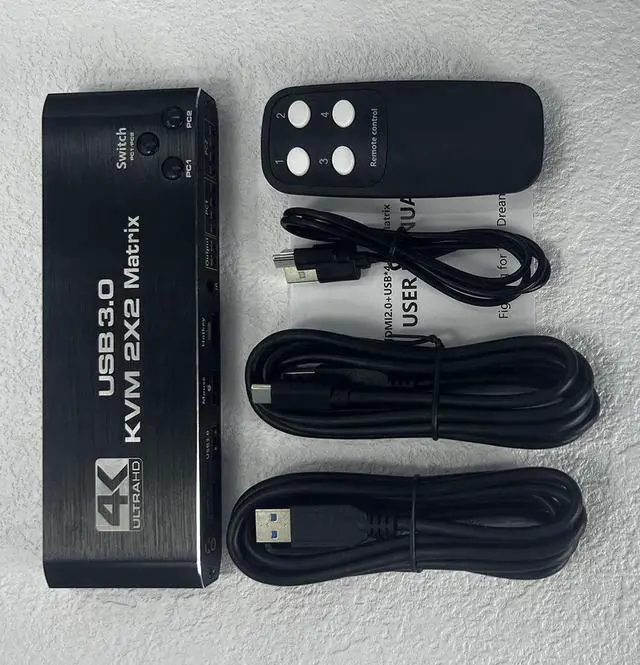
    2x2 HDMI KVM Switch Matrix, 4K Dual Monitor HDMI KVM Switch Extended Display USB KVM Switch 2 in 2 Out for 2 Computers 2 Monitors with 3.5mm Audio, Support 4 USB 3.0 Share Keyboard Mouse with Hotkey

    Limited time offer, ends 04/29 By HUADO

    • [KVM Matrix Switch 2x2] The HDMI KVM Matrix console controls a computer or laptop that shares a set of USB keyboard, mouse and dual-monitor, and expands or copies the display. NOTE: The computer needs to support 2 screens or more Function.
    • [USB3.0 KVM Switch with Audio Output] The integrated 2 USB 3.0 hub ports allow you to share 2 USB peripherals between 2 computers, such as printers, scanners, with a data transfer rate of up to 5Gbp/s.Our KVM Switch comes with 3.5mm Audio Jack ports, which can be inserted into a 3.5mm device.
    • [UHD 4K@60Hz HDMI KVM Dual Monitor] Supports resolution 4K @ 60Hz, RGB 4:4:4 and backwards compatibility. Support 3D,HDR,HDCP, make the image display more delicate and real.
    • [Multiple switching modes] The USB Switch provides a variety of switching methods: manual switching through buttons, infrared remote control, keyboard hotkeys for quick channel selection.
    • [Wide Compatibility] Supports multiple operation systems. Windows XP/7/8/ 10/ MACos /Linux /Unix etc.,
    +
    +
    Overview
    Specs
    Reviews
    avatar

    Any questions? Our AI beta will help you find out quickly.

    Support HDMI 2.0 b HDCP 2.3


    --compliant with DVI to HDMI, DP to HDMI

    - Resolution: Support 1080P/1080@144Hz, 3840x2160p, 4K/60Hz resolution, adaptive screen resolution

    - Support system: Windows XP/7/8/10, MAC, Linux, Unix and other operating systems

    - Supports high current hard disk devices


    Extended / Mirror mode Switching Method:


    1. Press the Switch(PC 1 / PC 2) button on the KVM switch panel to switch between the two source devices;


    2. use hotkey switch(Ctrl+Shift+ 1 / 2 to PC1 / PC2 or Ctrl + Ctrl), Ctrl+Shift+ K to turn ON/OFF hotkey;


    Crisscross/Matrix Mode Switching Method:


    1. Press the PC 1 Button, OUTPUT 1 is selected by PC 1, Each time press PC 1 button, it will switch to HDMI IN 1 / 2 / 3 / 4;


    Press the PC 2 Button, OUTPUT 2 is selected by PC 2, Each time press PC 2 button, it will switch to HDMI IN 1 / 2 / 3 / 4.


    2. Press the PC 1 Button, OUTPUT 1 is selected by PC 1, Use IR remote control to press [1] [2] [3] [4] button, it will switch to HDMI IN 1 / 2 / 3 / 4;


    Press the PC 2 Button, OUTPUT 2 is selected by PC 2, Use IR remote control to press [1] [2] [3] [4] button, it will switch to HDMI IN 1 / 2 / 3 / 4.

    Warranty & Returns

    Warranty, Returns, And Additional Information

    Warranty

    • Please contact the Seller directly for warranty information. Warranty information may also be found on the Manufacturer's website.
    • CONTACT

    Return Policies

    • Return for refund within: 30 days
    • Return for replacement within: 30 days
    • This item is covered by HUADO Return Policy

    Manufacturer Contact Info

    LOADING...