
Your Browsing History

 Holiday Shipping Details & Extended Holiday Returns


Any questions? Our AI beta will help you find out quickly.
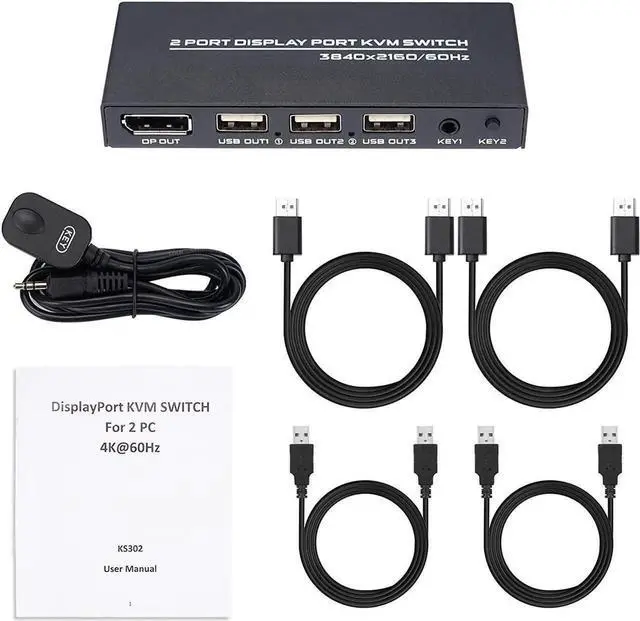
The KVM Switch Connects Two Computers to a Single Keyboard, Mouse and Monitor, it is ideal for working at home.
You can share a single USB keyboard, USB mouse and DP monitor with both systems, saving space on your desk and using your prefered display, keyboard and mouse with both computers.
Features:
Two Ways to Toggle Between Systems
By Switch Button and Desktop Controller on this kvm with displayport, easily toggle between two computers.
2 Display Ports
The DP USB KVM Switch Selector for dual Computers Share same set of Keyboard, Mouse, Printer, thumb drive, game machines and HD 4k@60Hz Monitor.
Components Included
Plug and play, 2 DP cable and 2 USB cable are in the package, what you need to do is just connect it between the dp kvm switch and your computers/laptops and enjoy your work and life getting easier and simpler.
LED Indicator
The LED Indicator light shows whether the kvm switch cables is connected correctly and which PC is working.
Compact Size
This displayport kvm switch is compact and delicate.
--Q&A --
1)The USB device cannot be used.
The product is high-definition DP KVM device with USB HUB extension function. The computer will automatically load USB driver when it is used for the first time.
During this process, please do not switch computers to prevent the USB driver from falling to load. The device is ready for use after the driver is loaded.
If the installation fails, shut down the computer, disconnect the KVM connection, and reinstall.
2)The mouse and keyboard cannot be used.
1. Plug and unplug the mouse and keyboard again.
2. Remove all the connection wires at both ends of the switcher and reconnect after complete power failure.