

Your Browsing History




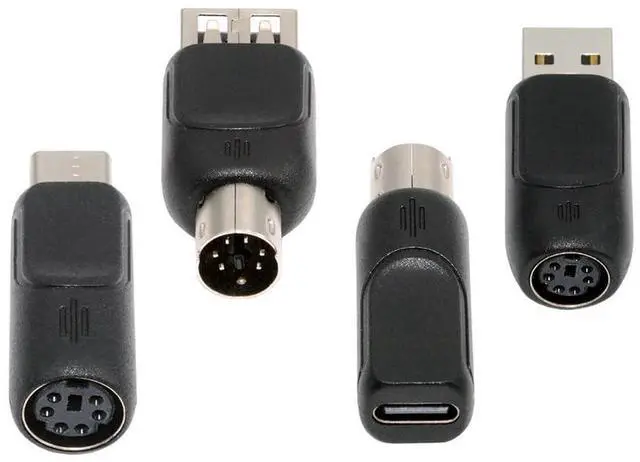
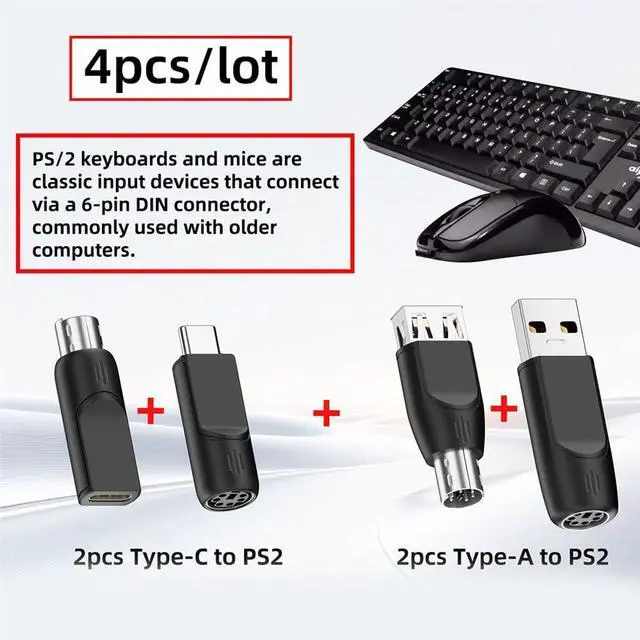


4pcs/lot USB 2.0 Type-A Type-C USB-C to PS2 Keyboard PS/2 Mouse Male to Female Adapter Mini-Din 6Pin
Limited time offer, ends 10/15 By Zhiyi Technology
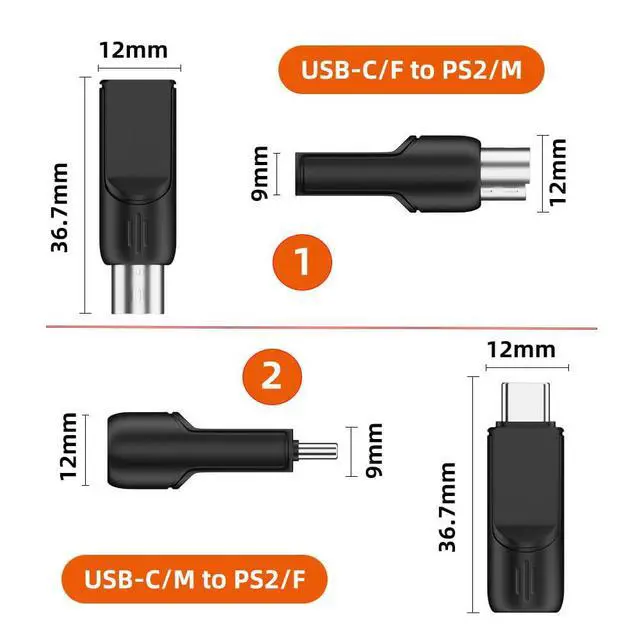
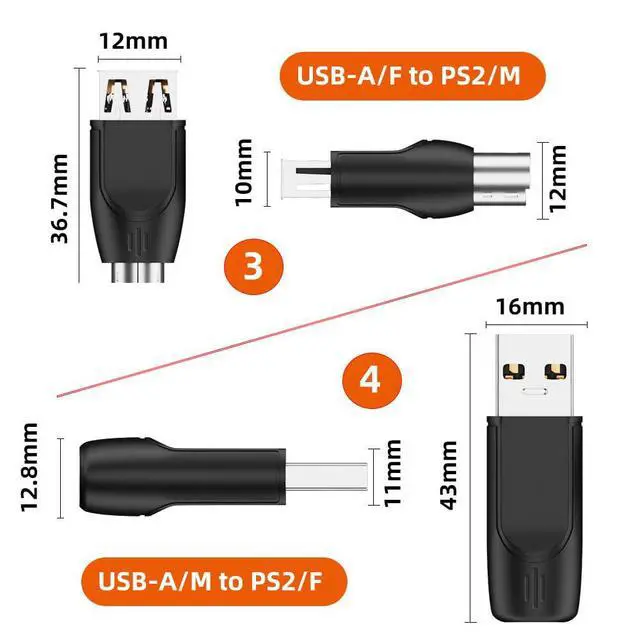
- Package included 4pcs adapter (USB-C male to PS2 female
- USB-A male to PS2 female
- USB-C female to PS2 male
- USB-A female to PS2 male)
- We don't sell it sepeartely.
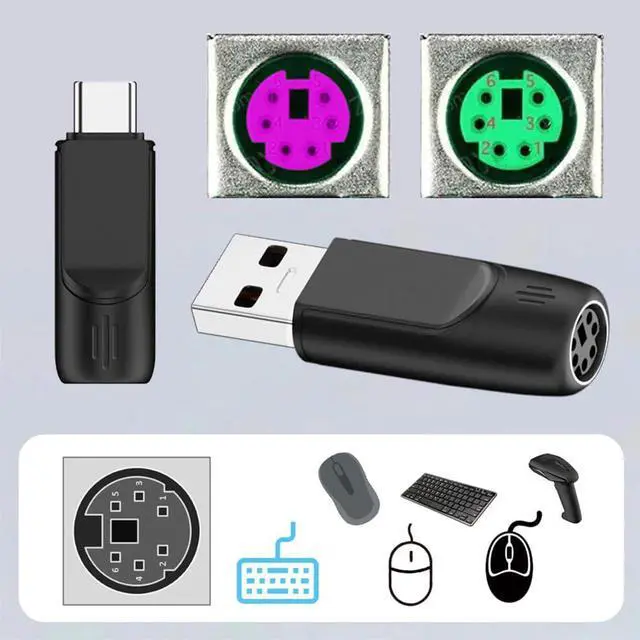
- These adapters are compatible with most generic PS/2-enabled mice and keyboards, but not devices without a chip, so please ensure compatibility before purchasing.
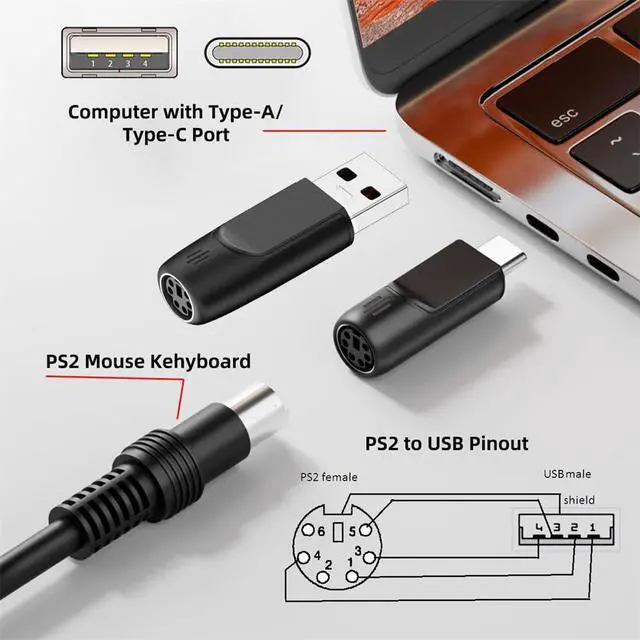
- 2pcs PS/2 female to USB-C/USB-A male adapters allow you to easily connect a PS2 mouse or keyboard to a computer with limited USB ports.
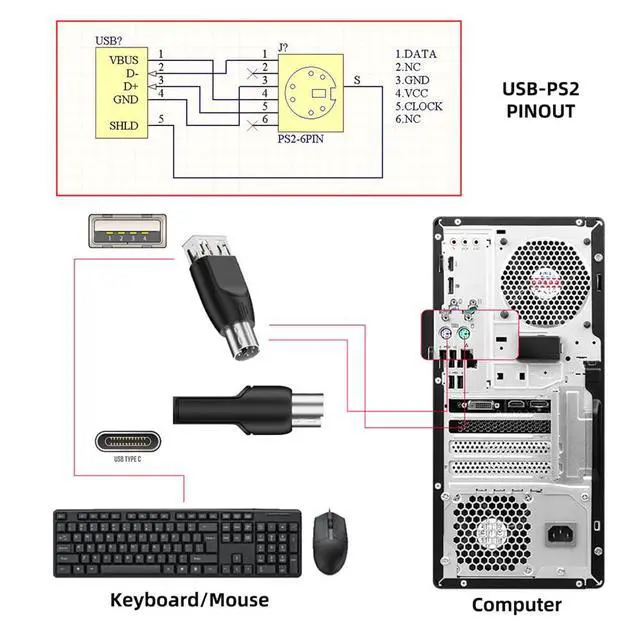
- 2pcs PS/2 male to USB-C/USB-A female adapters allow you to easily connect a USB mouse or keyboard to a computer with PS/2 ports. It's a practical solution when you need to free up a USB port or switch to a PS/2 connection for improved stability.
- The PS/2 to USB adapter is not hot-swappable, so be sure to turn off your computer before connecting the adapter. After connecting, please restart your computer. If the middle mouse button becomes unresponsive, simply restart your computer for optimal performance.
+
+
Overview
Specs
Reviews

Any questions? Our AI mode will help you find out quickly.
Try me now
Package included 4pcs adapter (USB-C male to PS2 female. USB-A male to PS2 female. USB-C female to PS2 male. USB-A female to PS2 male). We don't sell it sepeartely.. These adapters are compatible with most generic PS/2-enabled mice and keyboards, but not devices without a chip, so please ensure compatibility before purchasing.. 2pcs PS/2 female to USB-C/USB-A male adapters allow you to easily connect a PS2 mouse or keyboard to a computer with limited USB ports.. 2pcs PS/2 male to USB-C/USB-A female adapters allow you to easily connect a USB mouse or keyboard to a computer with PS/2 ports.
It's a practical solution when you need to free up a USB port or switch to a PS/2 connection for improved stability.. The PS/2 to USB adapter is not hot-swappable, so be sure to turn off your computer before connecting the adapter. After connecting, please restart your computer. If the middle mouse button becomes unresponsive, simply restart your computer for optimal performance.
It's a practical solution when you need to free up a USB port or switch to a PS/2 connection for improved stability.. The PS/2 to USB adapter is not hot-swappable, so be sure to turn off your computer before connecting the adapter. After connecting, please restart your computer. If the middle mouse button becomes unresponsive, simply restart your computer for optimal performance.
Warranty & Returns
Warranty, Returns, And Additional Information
Warranty
- Please contact the Seller directly for warranty information. Warranty information may also be found on the Manufacturer's website.
- CONTACT
Return Policies
- Return for refund within: 30 days
- Return for replacement within: 30 days
- This item is covered by Zhiyi Technology Return Policy
Manufacturer Contact Info
- For a directory of all our manufacturers, please click below.
- Manufacturers Directory
LOADING...
LOADING...