

Your Browsing History

Meet Your Seller




Visit EmpressTech Store
FOLLOW
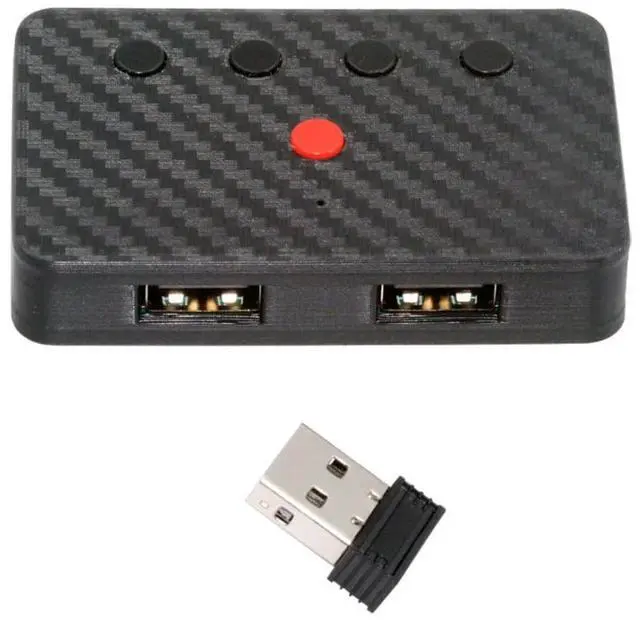
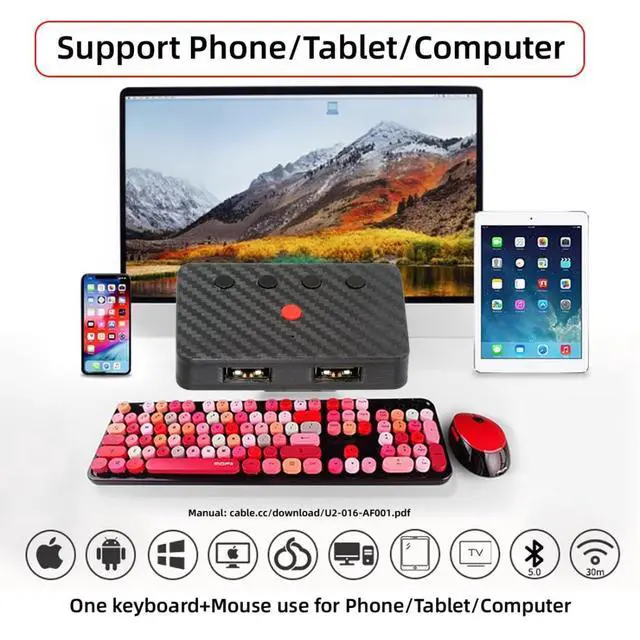
Dual Port USB to Bluetooth 5.3 Adapter with 2.4G Receiver for Conversion Wired Keyboard and Mouse to Wireless for Phone/Tablet/Computer
Limited time offer, ends 10/15 By EmpressTech
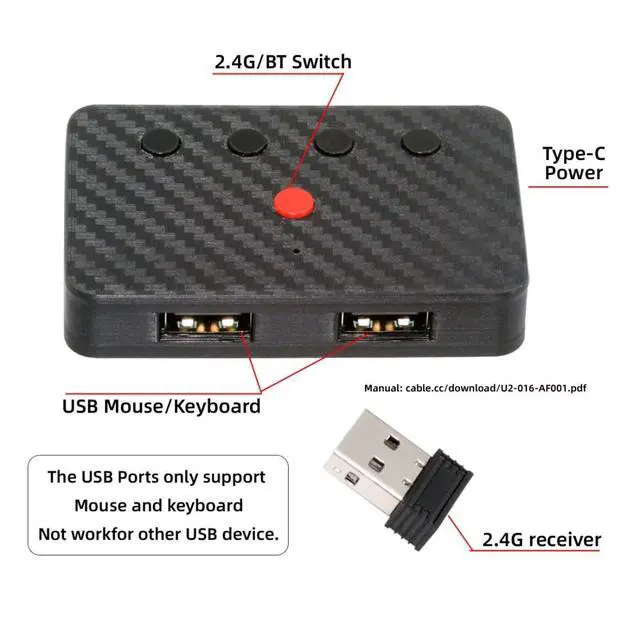
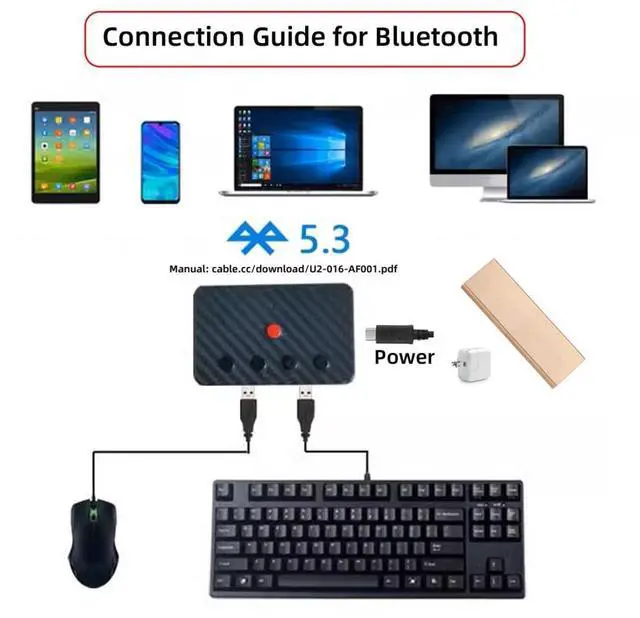
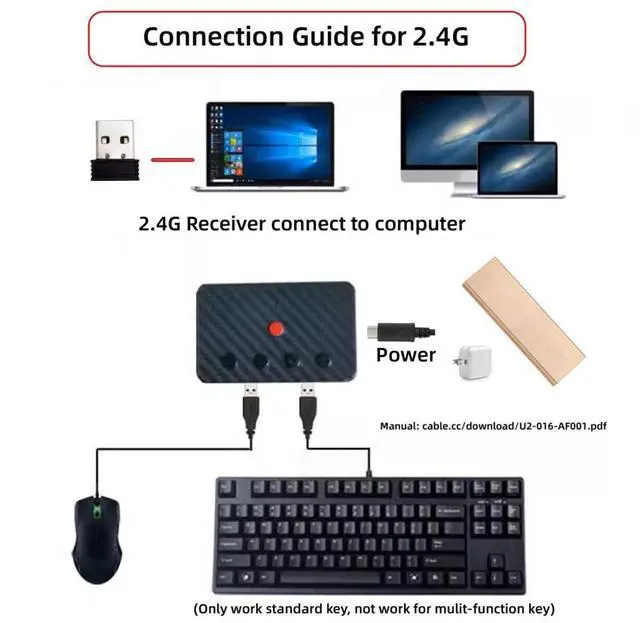
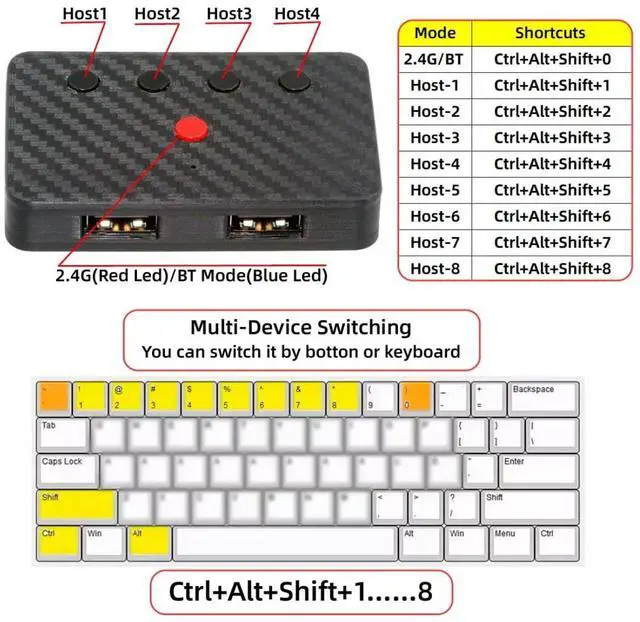
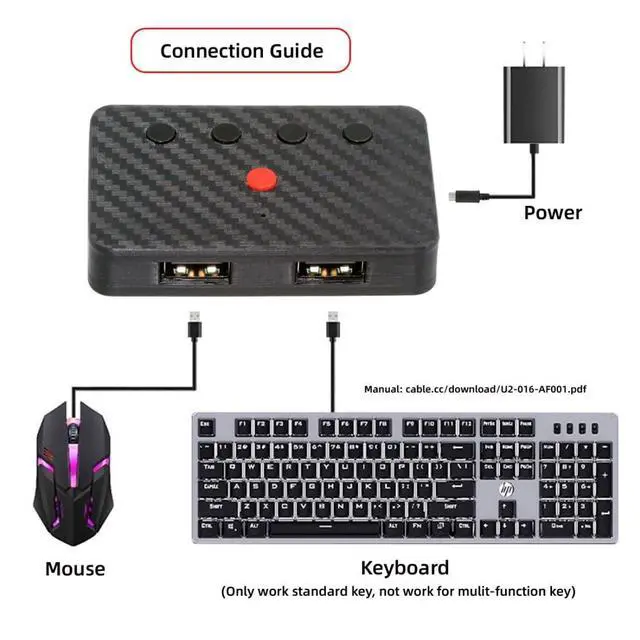
- 1) Note: Only supports mice and standard keyboards; special keyboards, multi-function keyboards, or other USB devices are not supported.; 2) This product does not include a built-in battery and requires a 5V power supply. Please provide your own power cord (a standard TVPE-C power cord is sufficient).; 3) You can convert wired keyboards and mice to Bluetooth or 2.4G wireless connections. Bluetooth mode supports switching between 8 devices; simply connect our adapter via Bluetooth. 2.4G wireless mode also supports switching between 8 devices, but a 2.4G receiver needs to be purchased separately (only one receiver is included in the package).; 4) You can use keyboard shortcuts to switch between 8 computers. The shortcuts are Ctrl+Alt+Shift+1...8 (and so on). After pressing the shortcut, the switching will be completed immediately, taking approximately 1-3 seconds.; 5) You can push the botton to switch between BT and 2.4G, Also can use keyboard shortcuts "Ctrl+Alt+Shift+0". The blue LED is BT mode and the Red LED is 2.4G Mode.
+
+
Overview
Specs
Reviews

Any questions? Our AI mode will help you find out quickly.
Try me now
1)
Note: Only supports mice and standard keyboards; special keyboards, multi-function keyboards, or other USB devices are not supported. 2) This product does not include a built-in battery and requires a 5V power supply. Please provide your own power cord (a standard TVPE-C power cord is sufficient). 3) You can convert wired keyboards and mice to Bluetooth or 2.4G wireless connections. Bluetooth mode supports switching between 8 devices; simply connect our adapter via Bluetooth. 2.4G wireless mode also supports switching between 8 devices, but a 2.4G receiver needs to be purchased separately (only one receiver is included in the package). 4) You can use keyboard shortcuts to switch between 8 computers. The shortcuts are Ctrl+Alt+Shift+1... 8 (and so on). After pressing the shortcut, the switching will be completed immediately, taking approximately 1-3 seconds. 5) You can push the botton to switch between BT and 2.4G, Also can use keyboard shortcuts "Ctrl+Alt+Shift+0". The blue LED is BT mode and the Red LED is 2.4G Mode.
Note: Only supports mice and standard keyboards; special keyboards, multi-function keyboards, or other USB devices are not supported. 2) This product does not include a built-in battery and requires a 5V power supply. Please provide your own power cord (a standard TVPE-C power cord is sufficient). 3) You can convert wired keyboards and mice to Bluetooth or 2.4G wireless connections. Bluetooth mode supports switching between 8 devices; simply connect our adapter via Bluetooth. 2.4G wireless mode also supports switching between 8 devices, but a 2.4G receiver needs to be purchased separately (only one receiver is included in the package). 4) You can use keyboard shortcuts to switch between 8 computers. The shortcuts are Ctrl+Alt+Shift+1... 8 (and so on). After pressing the shortcut, the switching will be completed immediately, taking approximately 1-3 seconds. 5) You can push the botton to switch between BT and 2.4G, Also can use keyboard shortcuts "Ctrl+Alt+Shift+0". The blue LED is BT mode and the Red LED is 2.4G Mode.
Warranty & Returns
Warranty, Returns, And Additional Information
Warranty
- Please contact the Seller directly for warranty information. Warranty information may also be found on the Manufacturer's website.
- CONTACT
Return Policies
- Return for refund within: 30 days
- Return for replacement within: 30 days
- This item is covered by EmpressTech Return Policy
Manufacturer Contact Info
- For a directory of all our manufacturers, please click below.
- Manufacturers Directory
LOADING...