

Your Browsing History

Meet Your Seller



Visit EmpressTech Store
FOLLOW
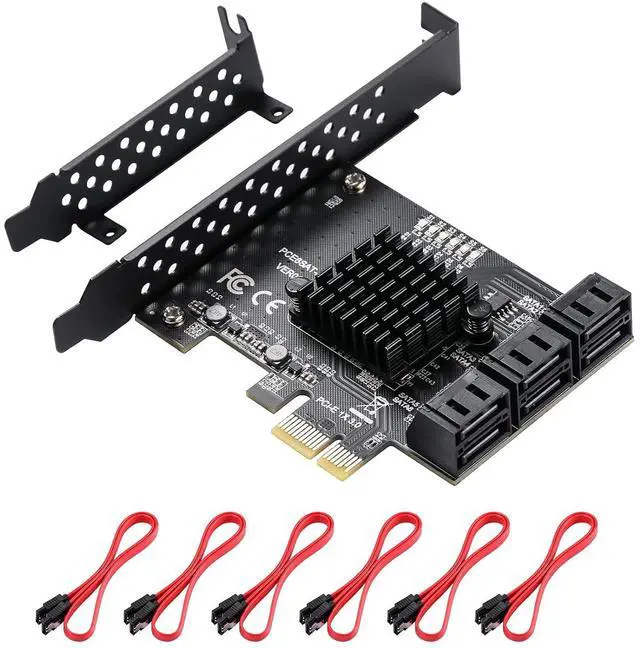
PCIe SATA Card 6 Ports With 6 Cables and Low Profile Bracket, 6 Gbps PCIe Card, Support 6 SATA 3.0 Devices (ASM1166 Chip)
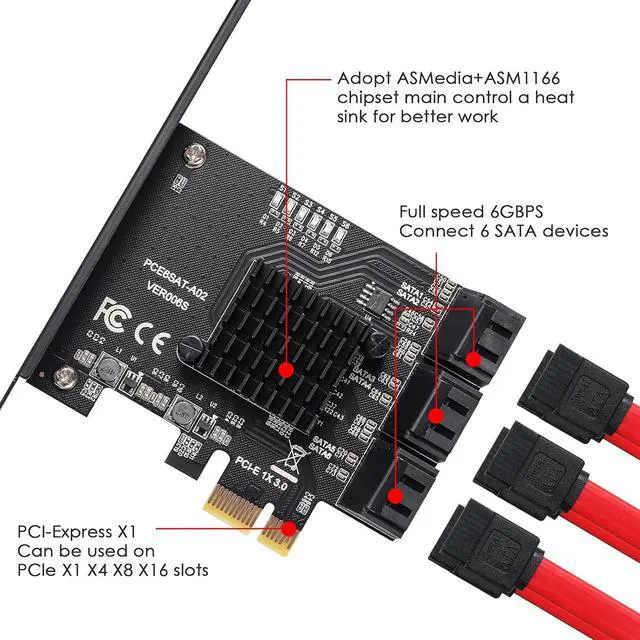
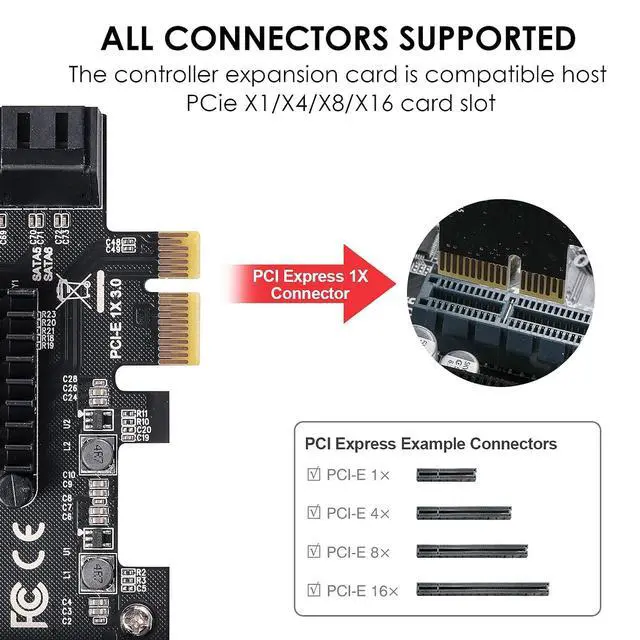
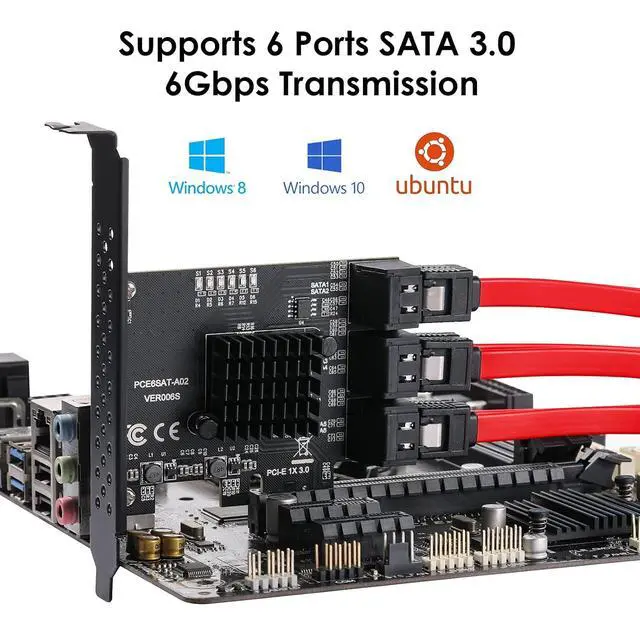
- The PCIe SATA card allows you to add six 6 Gbps SATA 3.0 devices to your computer (no drivers required).Support hot swap.; The transmission speed can reach up to 6.0 Gbps/sThis PCIe SATA card contains six SATA cables to simplify the connection!; Connect 6 mass storage devices simultaneously. Use ASM1166 chip to improve the stability and compatibility of the card.; Support system: Windows XP / 7/8/10 / Linux. Support interface: PCI-E 1X 4X 8X 16X.; MZHOU is committed to providing high-quality product quality and sales services, please feel free to contact us if you have any questions, we will reply to you within 12 hours.
+
+
Overview
Specs
Reviews

Any questions? Our AI mode will help you find out quickly.
Try me now
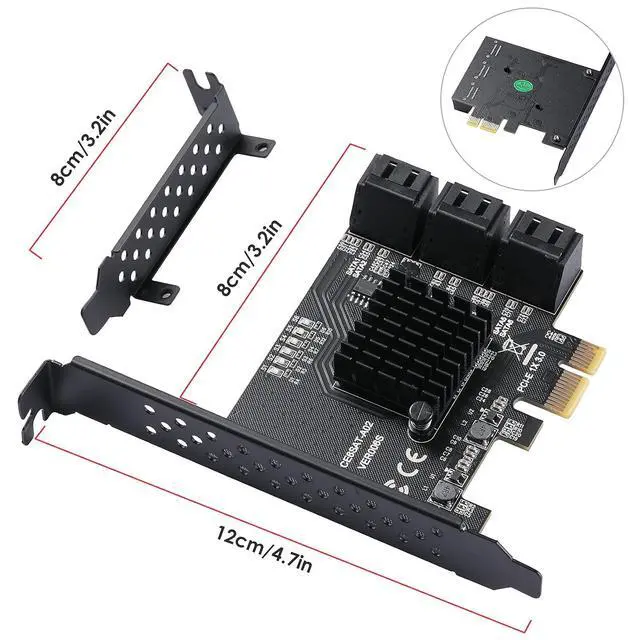
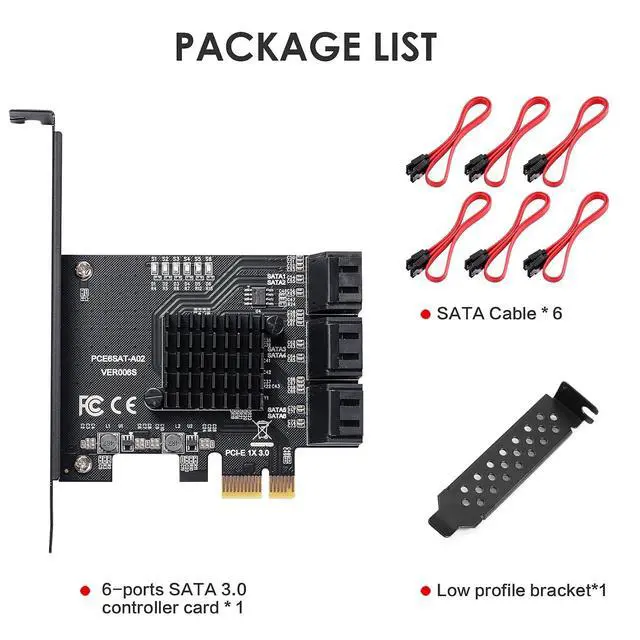
Product description PCE6SAT-A02 Function Solve the problem of insufficient SATA ports on the computer by adding storage drives. Both SSDs and HDDs can be used. Characteristics No driver installation required, Independent work indicator light, Fully compatible with PCIE X1 slot, Supports 18TB hard drives Operating System Supports WIN7 WIN8 WIN10 Ubuntu Linux NAS Packing List 1* PCIE-SATA-Karte; 6* SATA-Kabel; 1* Flachgehäuse-Halter Direct connection to the motherboard, fast and stable The reinforced standard PCI-E 3.0 1x interface is directly connected to the case's motherboard, improving the stability of component connections. There is no transmission loss through the cable, allowing for faster direct interaction.
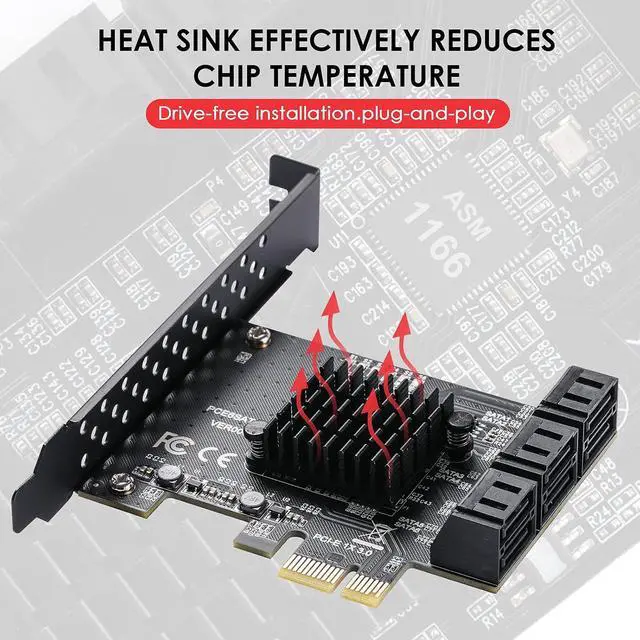
ASMedia ASM1166 Controller Use the ASMedia ASM1166 controller to make transmission more stable, speed up data processing, and ensure stable and efficient data transfer. LED indicator light Real-time monitoring of working status. Excellent Heat Dissipation With a heatsink, the temperature can be quickly lowered and the stability of network transmission can be maintained.
About speed instructions: 1. Use with a SATA 3.0 data cable to achieve the best performance. 2. The PCI-E slot must be version 2.0 or above. If it's version 1.0, the speed will not exceed 250MB/s. It doesnt matter if the PCI-E slot is X1 or X16; as long as its version 2.0, it will work. If there is a free X16 slot, you can plug it directly into the X16 slot. 3.
Motherboard BIOS settings: SATA mode should be set to AHCI. Some motherboards have PCI-E 2.0 slots, but the BIOS does not enable high-speed transfer mode (gen2 high speed mode) by default, so it needs to be manually turned on. Speeds under PCI-E 1.0 are only 200-250MB/s; under 2.0, they are 350-400MB/s. 4. Using multiple SATA ports at the same time will reduce speed. It is not suitable for users seeking high performance and is only for expanding hard drive connections.
ASMedia ASM1166 Controller Use the ASMedia ASM1166 controller to make transmission more stable, speed up data processing, and ensure stable and efficient data transfer. LED indicator light Real-time monitoring of working status. Excellent Heat Dissipation With a heatsink, the temperature can be quickly lowered and the stability of network transmission can be maintained.
About speed instructions: 1. Use with a SATA 3.0 data cable to achieve the best performance. 2. The PCI-E slot must be version 2.0 or above. If it's version 1.0, the speed will not exceed 250MB/s. It doesnt matter if the PCI-E slot is X1 or X16; as long as its version 2.0, it will work. If there is a free X16 slot, you can plug it directly into the X16 slot. 3.
Motherboard BIOS settings: SATA mode should be set to AHCI. Some motherboards have PCI-E 2.0 slots, but the BIOS does not enable high-speed transfer mode (gen2 high speed mode) by default, so it needs to be manually turned on. Speeds under PCI-E 1.0 are only 200-250MB/s; under 2.0, they are 350-400MB/s. 4. Using multiple SATA ports at the same time will reduce speed. It is not suitable for users seeking high performance and is only for expanding hard drive connections.
Warranty & Returns
Warranty, Returns, And Additional Information
Warranty
- Please contact the Seller directly for warranty information. Warranty information may also be found on the Manufacturer's website.
- CONTACT
Return Policies
- Return for refund within: 30 days
- Return for replacement within: 30 days
- This item is covered by EmpressTech Return Policy
Manufacturer Contact Info
- For a directory of all our manufacturers, please click below.
- Manufacturers Directory
LOADING...