Your Browsing History
Meet Your Seller
4inch HDMI LCD Square Capacitive Touch Screen Compatible with Raspberry Pi 5/4B/3B+/3B/2B/Zero/Zero W//Zero 2W/Jetson Nano/Windows 11/10/8.1/8/7, 720x720 Resolution, IPS Display, USB-C Port
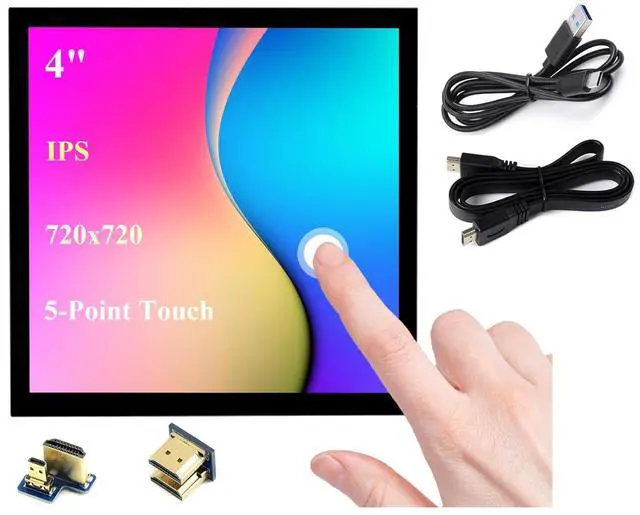
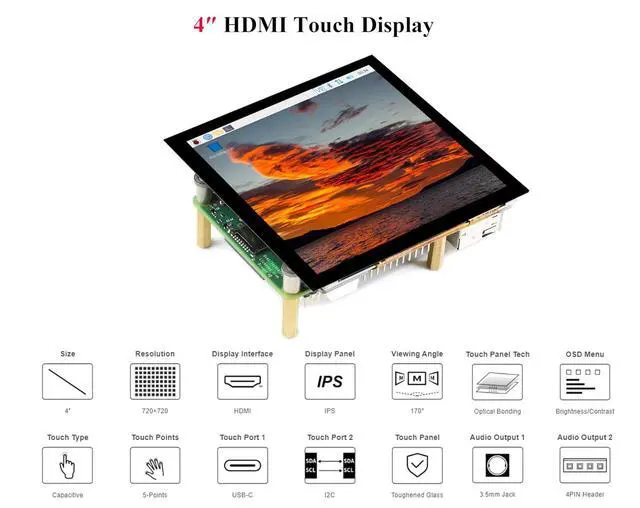
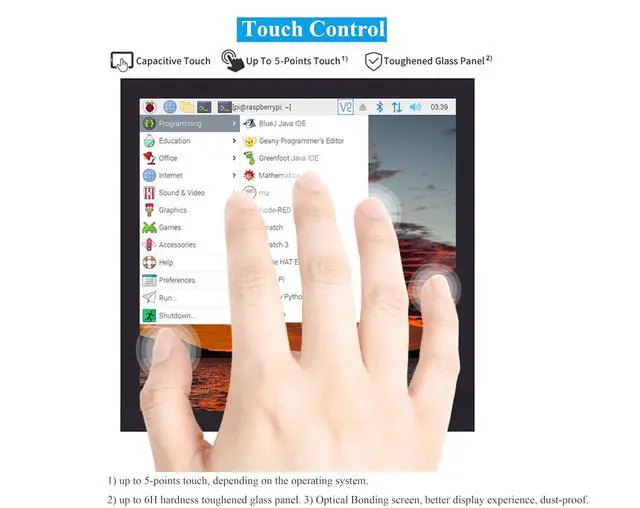
- 4inch HDMI LCD IPS screen, hardware resolution is 720 x 720. 5-point capacitive touch, toughened glass panel, hardness up to 6H.
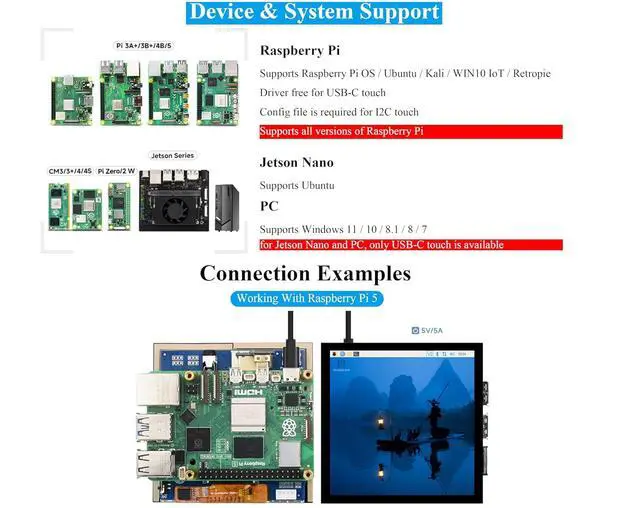
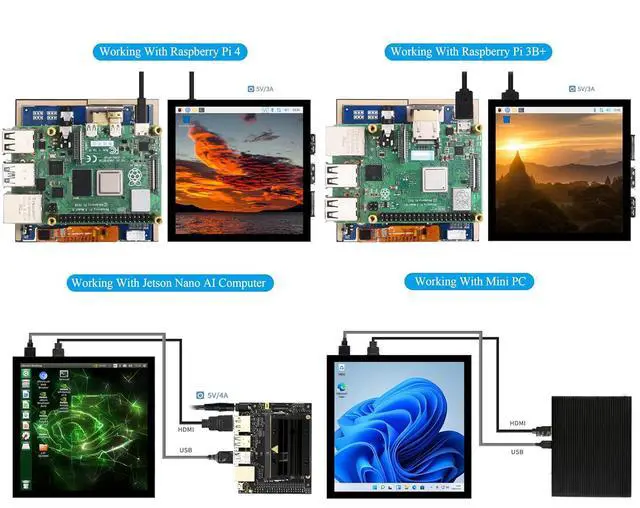
- Compatible with Raspberry Pi 5/4B/3B+/3B/2B/Zero/Zero W//Zero 2W/Jetson Nano/ Windows 11/10/8.1/8/7, etc.
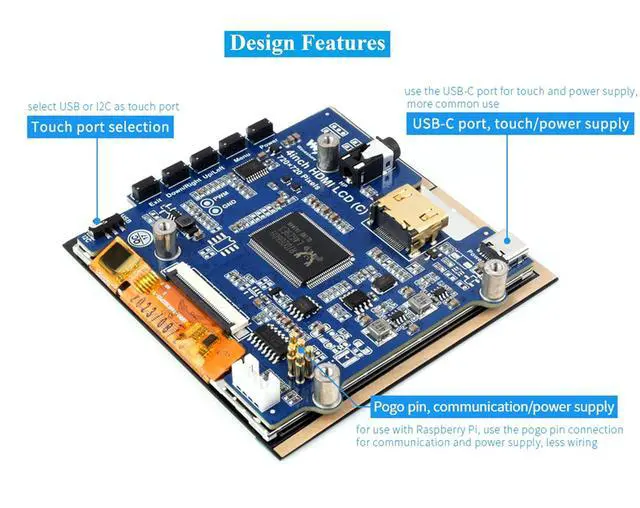
- When working with RPi, it supports RPi OS / Ubuntu / Kali and Retropie. No Driver required for USB-C touch. Config file is required for I2C touch.
- When working with Jetson Nano, it supports Ubuntu. 1) Switch the touch interface selector switch to "USB". 2) Connect the Power&Touch interface of the LCD to the USB interface of the Jetson Nano. 3) Connect the Display port of the LCD to the HDMI port of the Jetson Nano.
- When working with PC, it supports Windows 11 / 10 / 8.1 / 8 / 7. for Jetson Nano and PC, only USB-C touch is available.

+
+
Overview
Specs
Reviews
Any questions? Our AI mode will help you find out quickly.
Try me now
4inch HDMI LCD IPS screen, hardware resolution is 720 x 720. 5-point capacitive touch, toughened glass panel, hardness up to 6H.
Compatible with Raspberry Pi 5/4B/3B+/3B/2B/Zero/Zero W//Zero 2W/Jetson Nano/ Windows 11/10/ 8.1 /8/7, etc.
When working with RPi, it supports RPi OS / Ubuntu / Kali and Retropie. No Driver required for USB-C touch. Config file is required for I2C touch.
When working with Jetson Nano, it supports Ubuntu. 1) Switch the touch interface selector switch to "USB". 2) Connect the Power&Touch interface of the LCD to the USB interface of the Jetson Nano. 3) Connect the Display port of the LCD to the HDMI port of the Jetson Nano.
When working with PC, it supports Windows 11 / 10 / 8.1 / 8 / 7. for Jetson Nano and PC, only USB-C touch is available.
Compatible with Raspberry Pi 5/4B/3B+/3B/2B/Zero/Zero W//Zero 2W/Jetson Nano/ Windows 11/10/ 8.1 /8/7, etc.
When working with RPi, it supports RPi OS / Ubuntu / Kali and Retropie. No Driver required for USB-C touch. Config file is required for I2C touch.
When working with Jetson Nano, it supports Ubuntu. 1) Switch the touch interface selector switch to "USB". 2) Connect the Power&Touch interface of the LCD to the USB interface of the Jetson Nano. 3) Connect the Display port of the LCD to the HDMI port of the Jetson Nano.
When working with PC, it supports Windows 11 / 10 / 8.1 / 8 / 7. for Jetson Nano and PC, only USB-C touch is available.
Warranty & Returns
Warranty, Returns, And Additional Information
Warranty
- Please contact the Seller directly for warranty information. Warranty information may also be found on the Manufacturer's website.
- CONTACT
Return Policies
- Return for refund within: 45 days
- Return for replacement within: 30 days
- This item is covered by TechDen Return Policy
Manufacturer Contact Info
- For a directory of all our manufacturers, please click below.
- Manufacturers Directory
LOADING...