



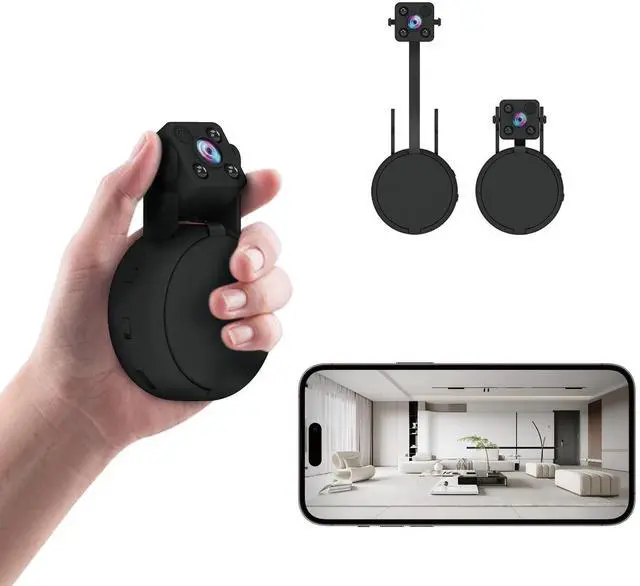




WAY 1: Simply insert a Micro SD card into your mini security camera and power it on. The nanny camera will automatically record to the SD card. To view the recorded videos, remove the SD card and play them on a computer.
WAY 2: Turn on the WiFi security camera, connect your phone to the camera's Wi-Fi hotspot ("AYS-XXX"), open the app, and you can watch live video and playback recorded videos directly from the app.
WAY 3: Connect your wireless camera to a 2.4G WiFi network, and access the live video from anywhere using the app. Keep an eye on your home or office remotely.

WAY 1: Simply insert a Micro SD card into your mini security camera and power it on. The nanny camera will automatically record to the SD card. To view the recorded videos, remove the SD card and play them on a computer.
WAY 2: Turn on the WiFi security camera, connect your phone to the camera's Wi-Fi hotspot ("AYS-XXX"), open the app, and you can watch live video and playback recorded videos directly from the app.
WAY 3: Connect your wireless camera to a 2.4G WiFi network, and access the live video from anywhere using the app. Keep an eye on your home or office remotely.
| Video Resolution | FHD 1080P |
| Video Format | MP4 |
| View Angle | 140 Degree |
| Battery Capacity | 1200mAh |
| Powered Supply | Battery Powered; Portable Powered; USB Charger Powered; Supply Work while Charging |
| Record Mode | Full-Day Record; Alarm Record; Timing Record; Loop Record; Privacy Mode |
| Media Palyer Types | If you don't play the video, please download "VLC Media Player" or "KM Player" |
| Operation System | Android Phones & iPhone; Don't support NVR, RTSP or Other live streaming Player; |
| Local Storage | Up to 256GB Micro SD Card (Not Included), Recommend using Sandisk Brand |
| Night Vision | Yes |
| Cloud Storage | Yes |