• $270.99
  • Free 30-day Returns
  • Ships from China.

    Shipped by Cloudless Clear

    Price alert
    Shop it at NeweggBusiness.

    Meet Your Seller

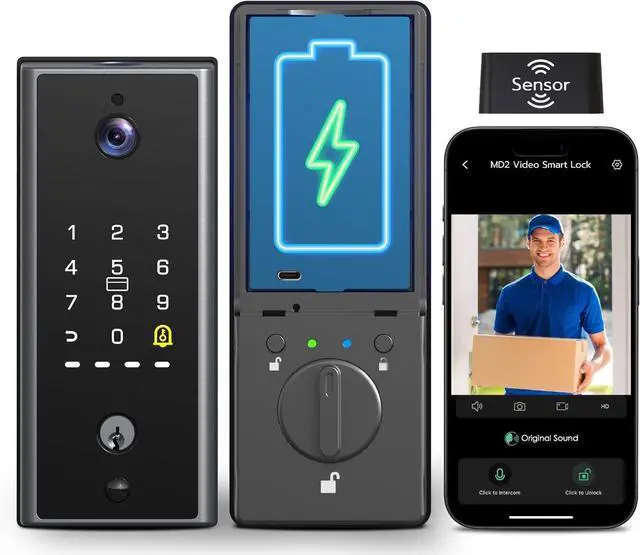
    Keyless Entry Door Lock with Camera, Fingerprint Video Deadbolt

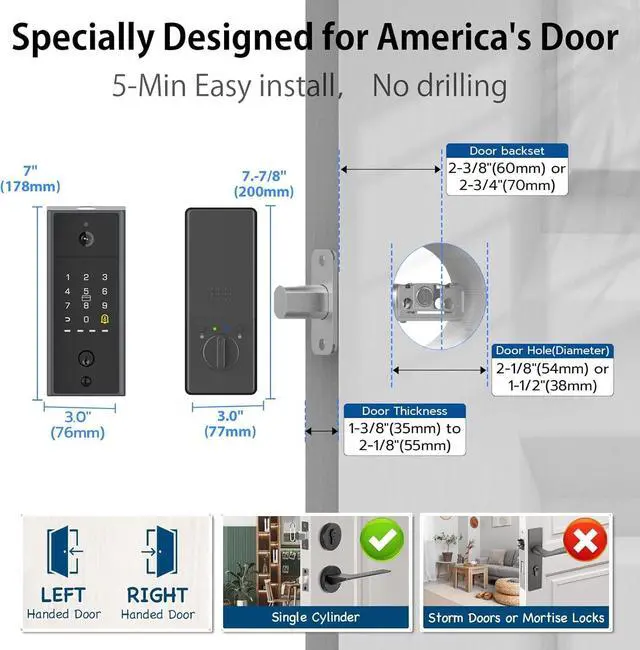
    • See Who Is at the Door and Let Them In from Your Phone, 2K Doorbell, Two-Way Talk, Temp Codes, WiFi, No Drill
    • KNOW YOUR KID GOT HOME: A push alert the moment the door is unlocked, plus a 2K live view, so you can see them walk in from wherever you are. Each family member gets their own fingerprint or code, so the app log tells you who came in and when, instead of you guessing.
    • NO MORE KEYS ON A LANYARD: Up to 100 fingerprints and 20 codes means your kids never carry, lose, or hide a key again. If they forget everything, you can still open the door from your phone, or talk them through it over the built-in two-way audio.
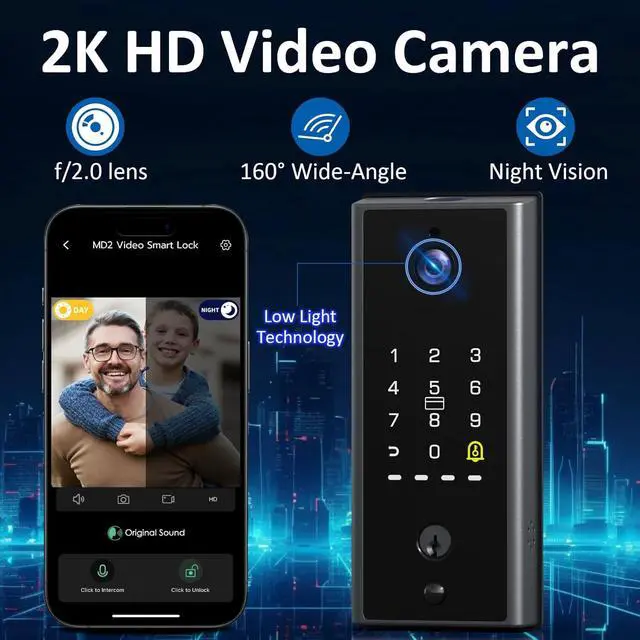
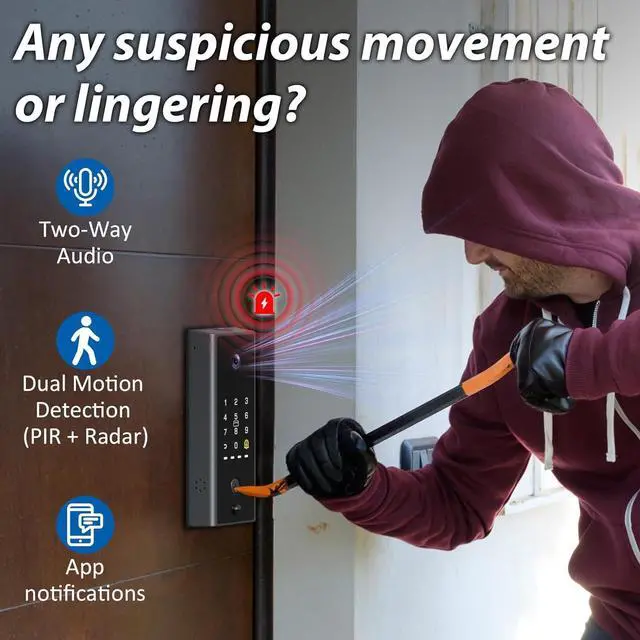
    • SEE AND SPEAK BEFORE YOU OPEN: The 2K camera with f/2.0 wide-angle lens and night vision shows exactly who is at the door, and dual PIR and radar detection means alerts for real people, not passing cars. Teach your kids to look and talk first, and open the door for a babysitter or grandparent from your phone.
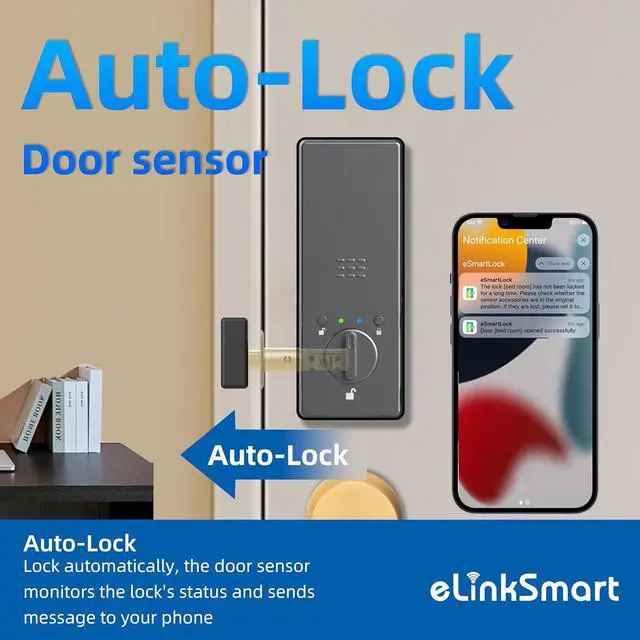
    • AUTO-LOCK THAT ONLY FIRES WHEN THE DOOR IS CLOSED: A magn
    +
    +
    Overview
    Reviews

    Any questions? Ask CelesteSM will help you find out quickly.

    1App Remote Control2Voice Control3Doorbell When the video smart lock MD2 runs out of power, how do you unlock it?
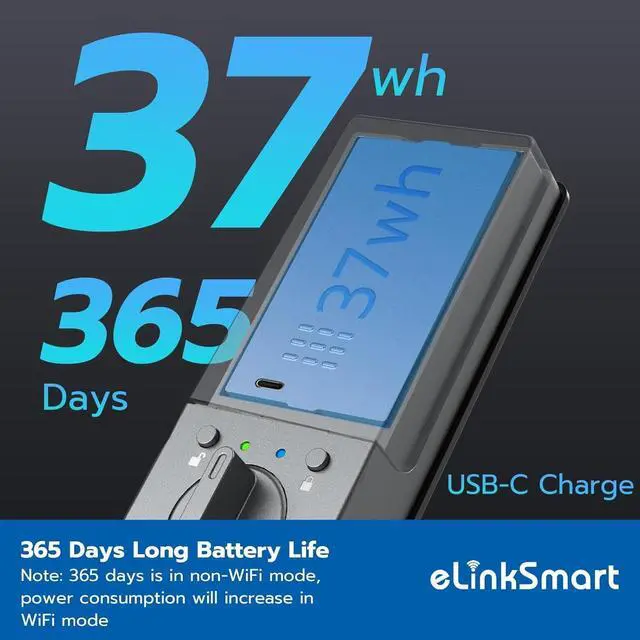
    When the battery level drops below 10%, you will receive a low-battery notification. If the battery is completely drained, you can power it up via the port on the exterior lock. You can also unlock the device with the physical key in case of no power
    How can I verify if my video smart lock MD2 is installed correctly?
    The smart lock is properly installed if the following conditions are met:
    The latch works smoothly and the lock feels secure.
    Biometric functions (fingerprint, password) operate normally.
    The Wi-Fi for remote control and camera viewing is stable.
    Why can't my app connect to the smart lock MD2?
    Check the following:
    App name: eSmartLock.
    Wi-Fi: Connect to a 2.4GHz network.
    Bluetooth: Enable Bluetooth and grant app permissions.
    Try a factory reset (follow the instructions in the manual).
    When the video smart lock MD2 runs out of power, how do you unlock it?
    How can I verify if my video smart lock MD2 is installed correctly?
    Why can't my app connect to the smart lock MD2?

    Warranty & Returns

    Warranty, Returns, And Additional Information

    Warranty

    • Please contact the Seller directly for warranty information. Warranty information may also be found on the Manufacturer's website.
    • CONTACT

    Return Policies

    Manufacturer Contact Info

    LOADING...