eufy Security Floodlight Camera E340 Wired, 360° Pan and Tilt, 24/7 Recording, Dual-Band Wi-Fi, 2,000 Lumens, Motion-Activated, Dual Camera, HomeBase 3 Compatible, Local Storage, No Monthly Fee
  •  
  • $219.99 
  • $360.99
  • Price alert
    Shop it at NeweggBusiness.

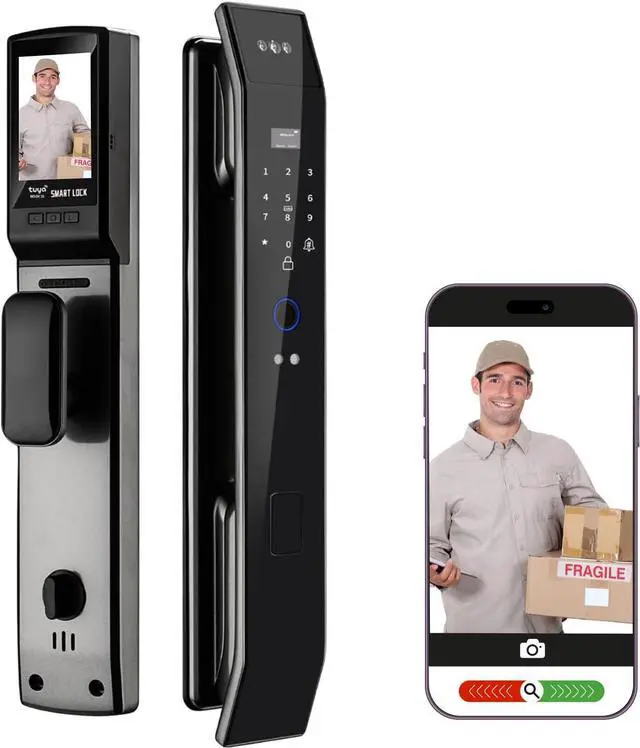
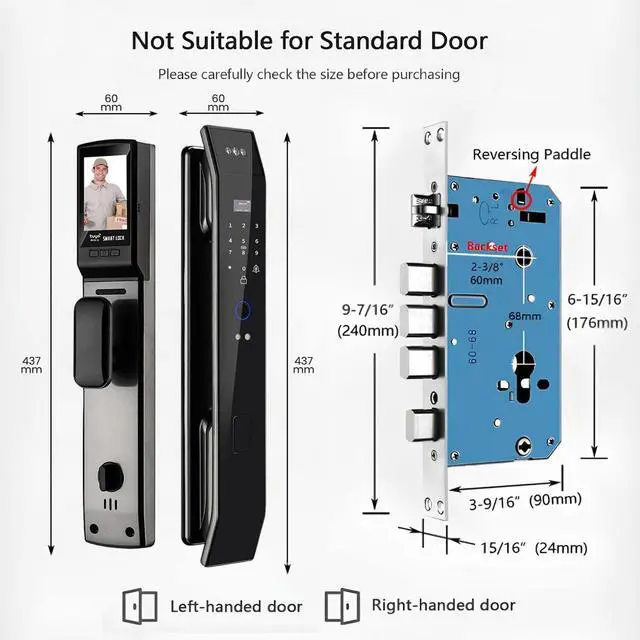
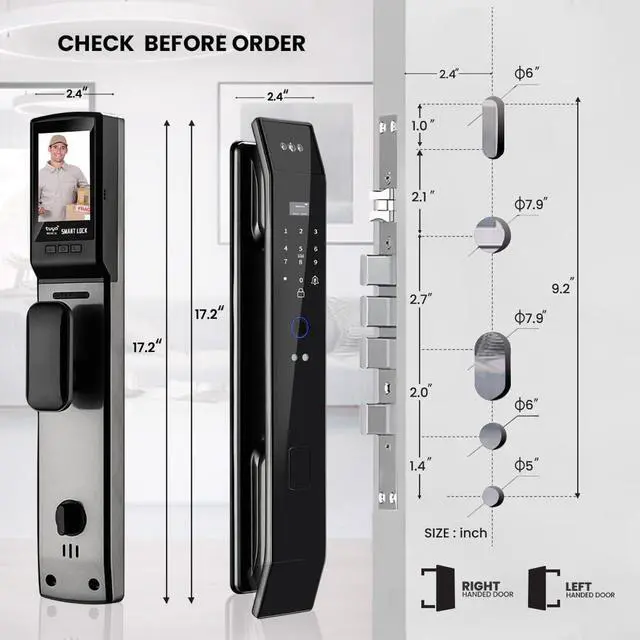
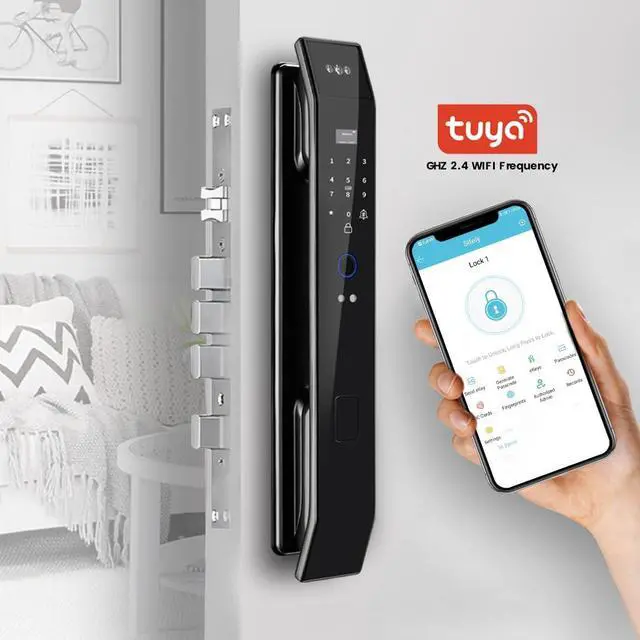
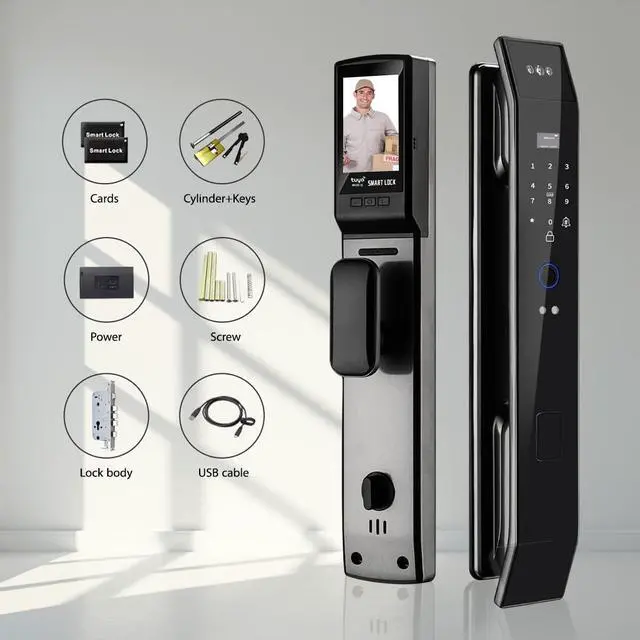
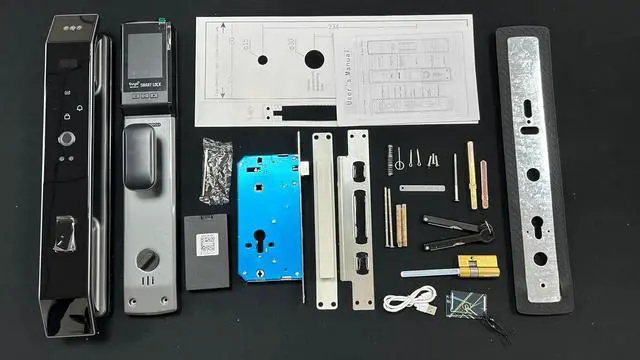
    Smart Door Lock with 3D Face Recognition & Camera, Video Doorbell with Intercom, Fingerprint Keyless Entry, Password, IC Card, Key, Alexa Compatible, Tuya App Control, Smart Home Front Door Security

    • Advanced 3D Face Recognition Technology Unlock your door in an instant with ultra-secure 3D facial recognition fast, touchless, and built for modern smart living.
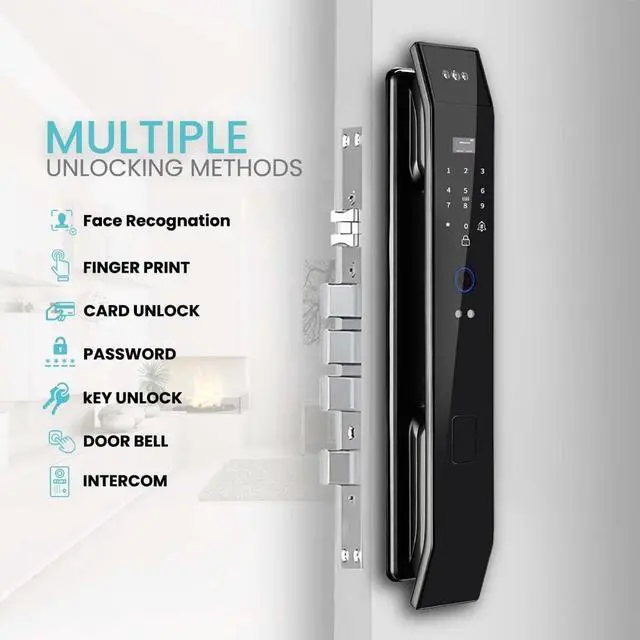
    • All-in-One Smart Access 7 Unlocking Methods Face ID, Fingerprint, Password, IC Card, Mechanical Key, Tuya App (Remote), and Temporary Codes total access control for the whole family or guests.
    • Video Intercom & Real-Time Two-Way Audio Speak with visitors directly via the built-in video intercom. Answer your door anytime, anywhere from your phone with real-time two-way communication
    • HD Camera & Smart Doorbell Functionality See whos at your door with the built-in HD camera and smart doorbell feature get notified and view live footage instantly on your smartphone.
    • Tuya App Control Remotely unlock, monitor logs, create passcodes, and receive alerts from anywhere in the world smart home integration made easy.
    • Auto-Locking System for Maximum Safety The auto-lock function secures your home seconds
    +
    +
    Overview
    Specs
    Reviews
    avatar

    Any questions? Our AI beta will help you find out quickly.

    Secure home entry with modern technology
    1Face Unlock2Intercom3Alexa Voice Control How to change the device language (User Interface) ?
    To change the language, Enter Intial Admin Password "*","#" 123456 then "#" , press "1" Local Setting, "3" option then press "3" Language Setting then Select "2" for English
    How to change the Motor Direction?
    press 888#.in factory reset or
    Enter Intial Admin Password "*","#" 123456 then "#" , press "3" Install
    then Press "1" Motor Dir then Select (foreward or reverse) to change the direction of the Lock acc to actual opening direction.
    How to Check the Status of your Network Connection to link the Lock to App (If you have a problem with the connection)?

    - Turn on mobile Wi-Fi and Bluetooth
    -WIFI 2.4G, not 5G or others
    - Take the Smart lock near to the router
    If above does not work, reset the router, or use another mobile to connect
    Advanced Smart Lock with various Unlocking Methods Password Access Key Biometric Access Lock Smart lock with keycard access Seamless Security with physical Key Control From Anywhere Face Recognition Smart Door Lock Video Intercom Secure Your Home with a Word Access Made Easy Secure Remote Access Authorized User List Passcode Management Upgrade your Home Security with Smart Door Lock Seamless Security for modern technology Next-Gen Smart Lock with Advanced Security Feature How do you get the User Guide for Configuration and Installation or Template Diagram?
    How to change the device language (User Interface) ?
    How to change the Motor Direction?
    How to Check the Status of your Network Connection to link the Lock to App (If you have a problem with the connection)?

    Warranty & Returns

    Warranty, Returns, And Additional Information

    Warranty

    • Please contact the Seller directly for warranty information. Warranty information may also be found on the Manufacturer's website.
    • CONTACT

    Return Policies

    Manufacturer Contact Info

    LOADING...