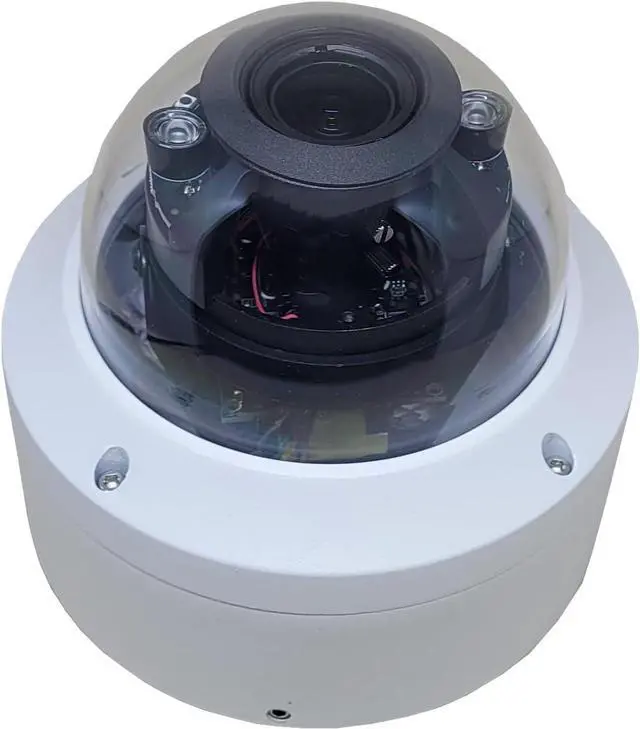
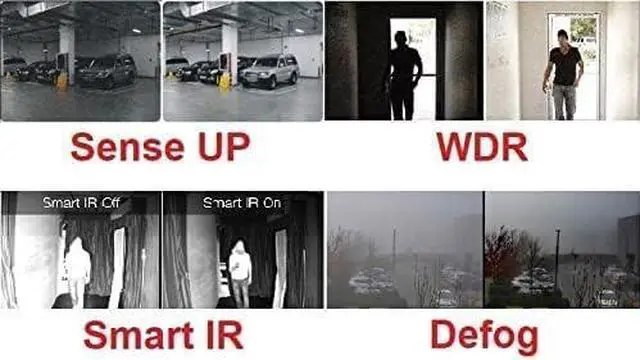
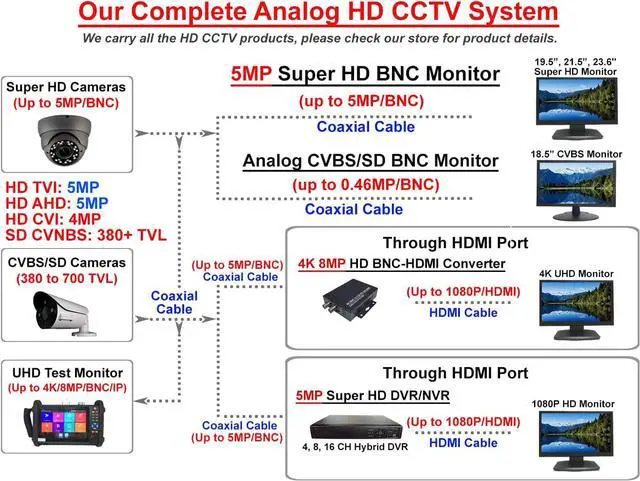
This 4in1 professional IR dome security camera employs 1/2.8 CMOS Image Sensor with 5 Megapixel Resolution and an advanced circuit design.
It adopts advanced image processing technology. The resolution is as high as 5MP (2592x1944), which ensures clear and bright pictures. It is dual voltage DC12V/ AC24V security camera; you dont need to worry about compatible issue. .
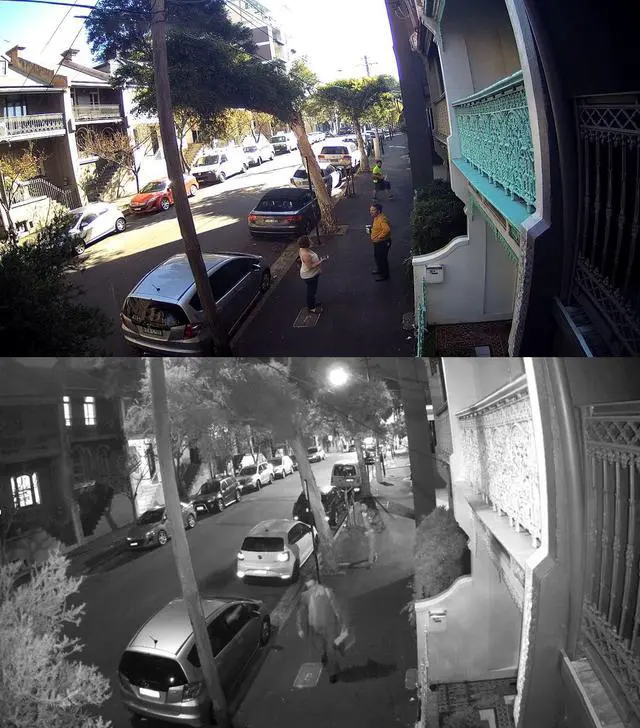
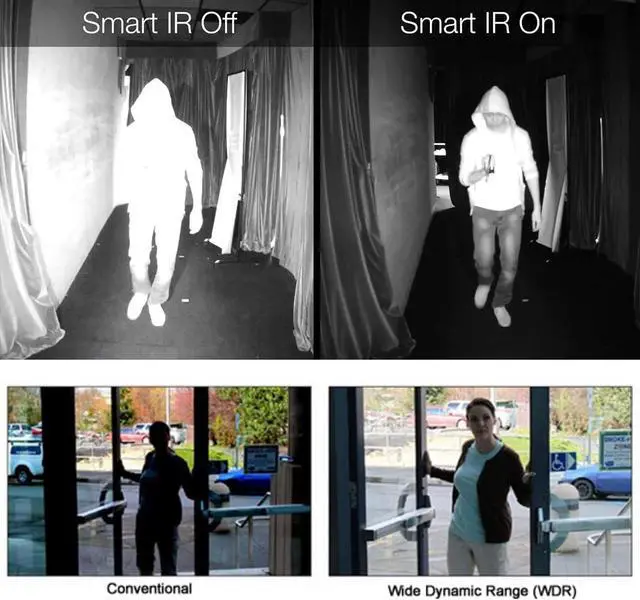
It has OSD Menu that can change the 4 different video output (HD-TVI, HD-AHD, HD-CVI, CVBS(960H) and adjust the video setting. It also has D-WDR function. Built-in 2.8-12mm varifocal lens, effectively extend your observation range. With 4 pcs IR infrared LEDs, it has 100ft IR range, can change from color to black automatically and take clear picture during both day and night time.
The Smart IR function also enables it to catch clear face picture during nigh time. The camera has IP66 fully weatherproof rate and vandal proof metal housing. Its easy to install. It can protect your office or home effectively.
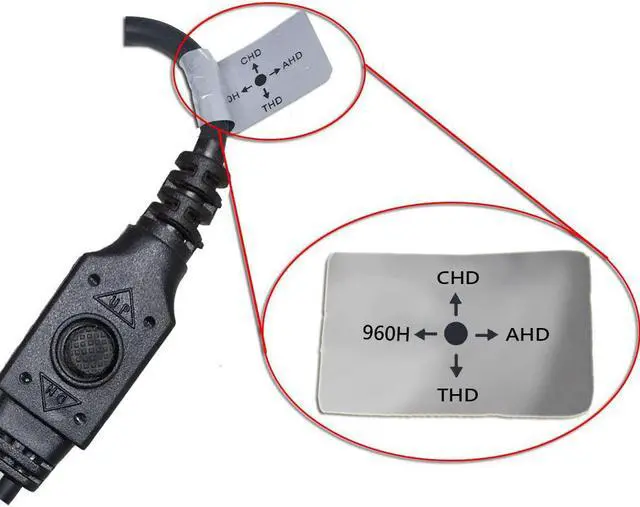
Push down on the joystick button to access the OSD menu to setup/fine tune the video performance and powerful function of the camera.
Switch the output signal format by the joystick button (within 10 sec of power on) SD CVBS: Push the joystick button towards the left for 5 seconds then release HD-AHD: Push the joystick button towards the right for 5 seconds then release HD-CVI: Push the joystick button up for 5 seconds then release HD-TVI: Push the joystick button down for 5 seconds then release
Model Number: 5VDT-2812DR
Image Sensor: 1/2.8" 5 Megapixel CMOS Sensor
Signal System: NTSC
Lens: 2.8 12mm Varifocal Lens
HD-TVI Output: 5MP (2592x1944)@20/15fps
HD-AHD Output: 5MP (2592x1944)@20/15fps
HD-CVI Output: 4MP (2560x1440)@30/20fps
CVBS Output: 960(H)
Mini Illumination: 0 Lux (IR On); D-WDR: On/Off/Auto, Defog: OFF/AUTO; White Balance: ATW/MWB
NR(noise reduction): 2D/3D Noise Reduction
IR LED: 4 pcs Infrared LED; IR distance: 100 feet
Weatherproof: IP66
Operation Temp: -20°C~55°C
Power: DC12V / AC24V / 500mA
Dimensions(mm): 123x117.5; Weight: 800g
Use the hex key wrench to loosen the fix screw on the side of camera base
Turn the black installation plate counterclockwise to detach it from the camera base
Post the installation sticker on the wall and drill 4 screw holes according to the screw location marked on the sticker.
Align the black installation plate to the drilled screw holes on the wall, insert the rubber plug into the screw holes and screw the plate on the wall.
Align camera body to the plate, counter-clockwise the camera body to fix it on the plate, and tighten the fix screw to fix the camera body on the wall.
Product Description: Camera Default Setting is HD-TVI. User Friendly Joystick configuration button for video format switching and OSD (On Screen Display) menu access. Specification: Camera Installation (Please detach the black installation plate from the camera body before installing the camera to the wall) How to detach the black installation plate from the camera: (Step 1) How to detach the black installation plate from the camera: (Step 2) How to install the camera to the wall:





 here!
here!