Your Browsing History
Meet Your Seller
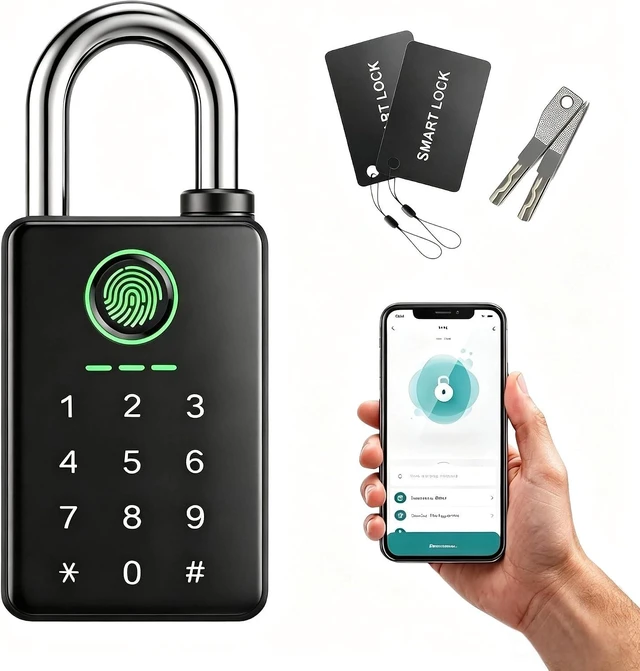
6-in-1 Fingerprint Smart Padlock with Tuya App
- Keyless Entry Lock, RFID, Keypad Code, Digital Combination Lock for Outdoor Gate, Fence, Shed, Pool
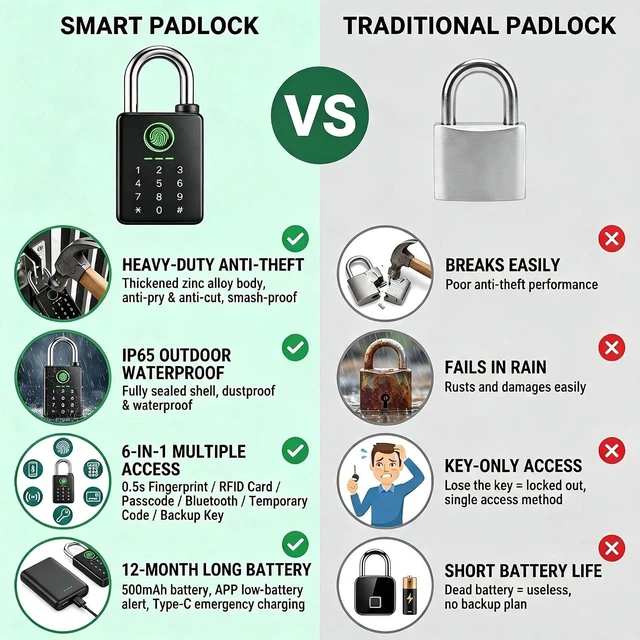
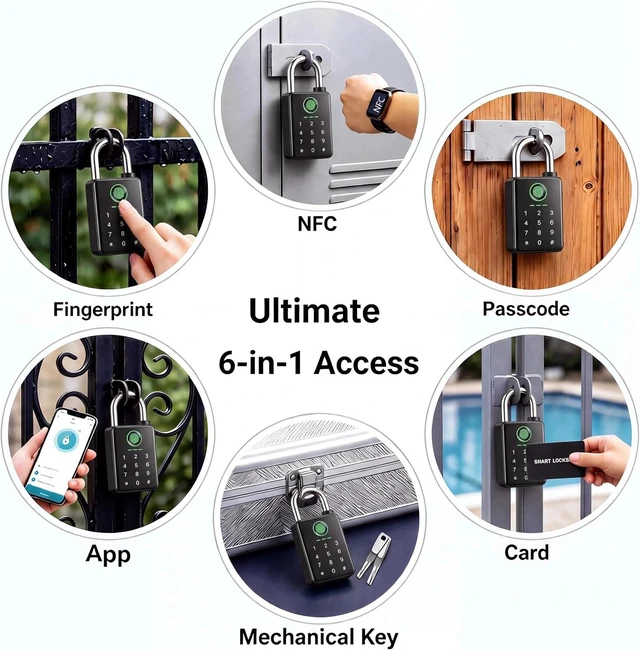
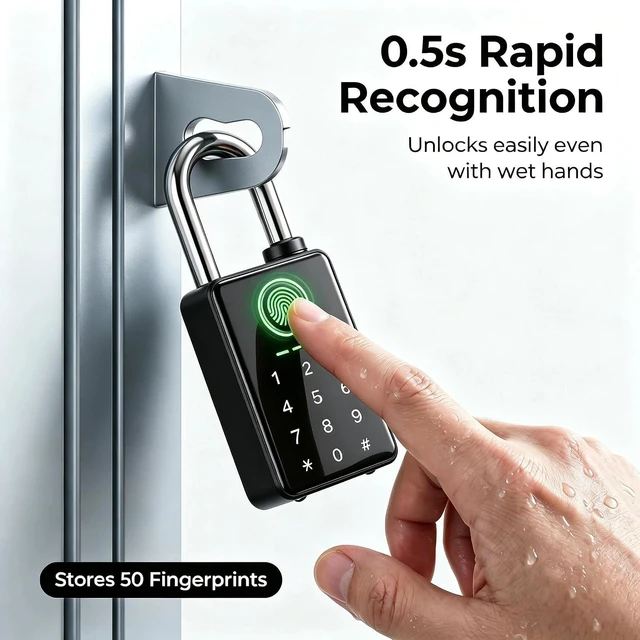
- 6-in-1 Multi Access System: Fast 0.5s fingerprint, RFID lock tap unlock, keypad code, Bluetooth padlock connection, temporary guest passcode & mechanical backup keys. Register at least one fingerprint before locking normally.
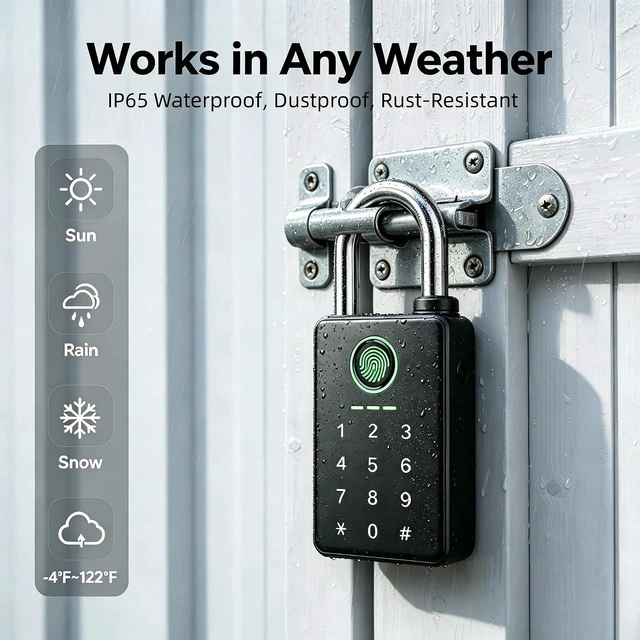
- IP65 Waterproof Smart Padlock Outdoor: Fully sealed housing blocks dust & water immersion; stable from -4°F to 122°F, ideal for outdoor gate, fence, shed and pool gate under rain, snow or sun.
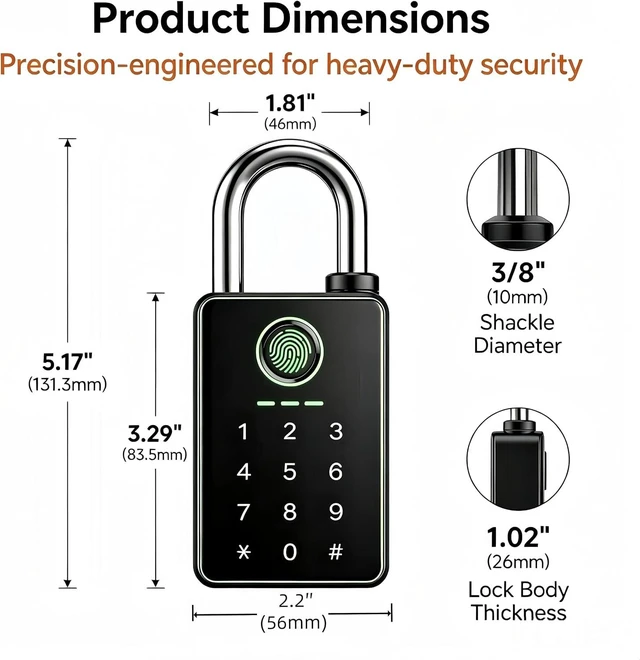
- Heavy Duty Anti-Theft Security: 10mm/7mm hardened steel shackle withstands 15kN shear force; thick zinc alloy body prevents prying & cutting, solving flaws of ordinary digital padlock for long indoor & outdoor use.
- 12-Month Standby Digital Padlock: Built-in 500mAh batteryTuya App sends low-battery alerts for bluetooth padlock; USB-C emergency charging avoids accidental lockout.
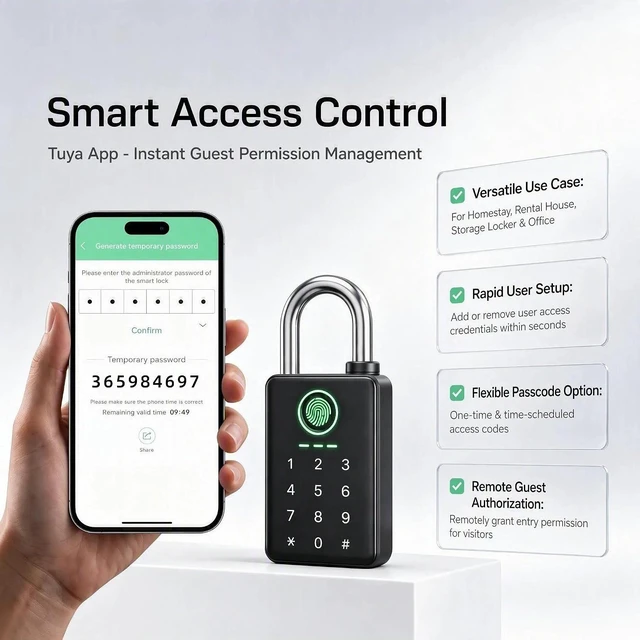
- Smart Tuya App Access Management & Wide Application: Store 50 fingerprints, view re
+
+
Overview
Specs
Reviews
Any questions? Ask CelesteSM will help you find out quickly.
Try me now
1Robust Shield2Long-Lasting Battery3Break-Resistant1Versatile Lock2Dual Unlock Why can any fingerprint unlock the lock when its brand new?
The lock is in factory initialization mode out of the box. It accepts all fingerprints until you register an admin fingerprint. Pair it with the Tuya App and add at least one admin fingerprint before use to enable full security.
I set a passcode, but my padlock wont stay locked. Why does it keep opening?
You must register at least one fingerprint for secure locking. It will function normally once initial fingerprint setup is complete.
Do I need to press the # key to wake up the lock for every unlock?
No. Fingerprint, passcode and emergency key unlock directly. For Tuya App Bluetooth unlock, press # or touch the sensor to activate Bluetooth. Sleep mode cuts power drain for longer battery life.
Will a dead battery or lost WiFi lock me out?
No. Its 500mAh battery lasts up to 12 months with lowpower alerts. Use the TypeC emergency port or included backup key to unlock when power runs out.
Can I give remote access without a WiFi gateway?
Yes. Create temporary or onetime passcodes inapp for onsite keypad unlock. Realtime WiFi remote unlock needs a separatelysold compatible gateway.
Why can any fingerprint unlock the lock when its brand new?
I set a passcode, but my padlock wont stay locked. Why does it keep opening?
Do I need to press the # key to wake up the lock for every unlock?
Will a dead battery or lost WiFi lock me out?
Can I give remote access without a WiFi gateway?
Warranty & Returns
Warranty, Returns, And Additional Information
Warranty
- Please contact the Seller directly for warranty information. Warranty information may also be found on the Manufacturer's website.
- CONTACT
Return Policies
- Return for refund within: 30 days
- Return for replacement within: 30 days
- This item is covered by Cloudless Clear Return Policy
Manufacturer Contact Info
- For a directory of all our manufacturers, please click below.
- Manufacturers Directory
LOADING...