


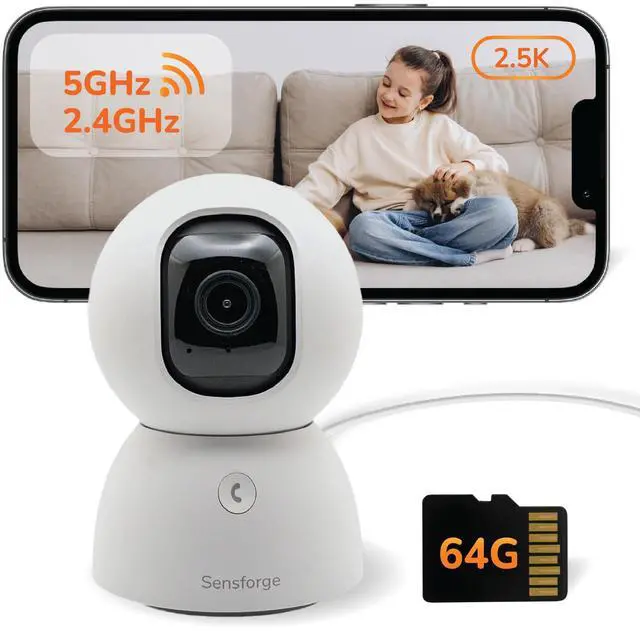



Introducing the Sensforge 2.5K Indoor Security Camera – designed for peace of mind, effortless control, and crystal-clear protection. Whether you’re monitoring your home, pets, or loved ones, Sensforge delivers reliable and intelligent surveillance in a sleek, modern design.


Find the Right Security Camera
 White Indoor Camera |  Indoor Camera 2 Pack |  Black Indoor Camera |  Battery Camera |  Solar PoweredCamera | |
|---|---|---|---|---|---|
Customer Reviews | — | — | — | — | — |
Price | — | — | — | — | — |
Power Option | Plug-in | Plug-in | Plug-in | Battery | Solar Powered |
Smart Detection | Motion, Human, Pet | Motion, Human, Pet | Motion, Human, Pet | Motion, Human, Vehicle, Animal | Motion, Human, Vehicle, Animal |
Video/Picture Resolution | 2.5K | 2.5K | 2.5K | 2.5K | 2.5K |
Connectivity Technology | 2.4G/5G Wi-Fi | 2.4G/5G Wi-Fi | 2.4G/5G Wi-Fi | 2.4G/5G Wi-Fi | 2.4G/5G Wi-Fi |
Pan and Tilt | ? | ? | ? | ? | ? |
Recording Type | 24/7 Continous Record | 24/7 Continous Record | 24/7 Continous Record | Event Recording | Event Recording |
Two-Way Audio | ? | ? | ? | ? | ? |
Storage | 64GB microSD Card | 64GB microSD Card | 64GB microSD Card | 32GB microSD Card | 32GB microSD Card |
Privacy Shutter | ? | ? | ? | ? | ? |
Night Vision | Infrared Night Vision | Infrared Night Vision | Infrared Night Vision | Spotlight Color Night Vision | Spotlight Color Night Vision |
You mentioned a microSD card is included, but I couldn’t find it in the package.
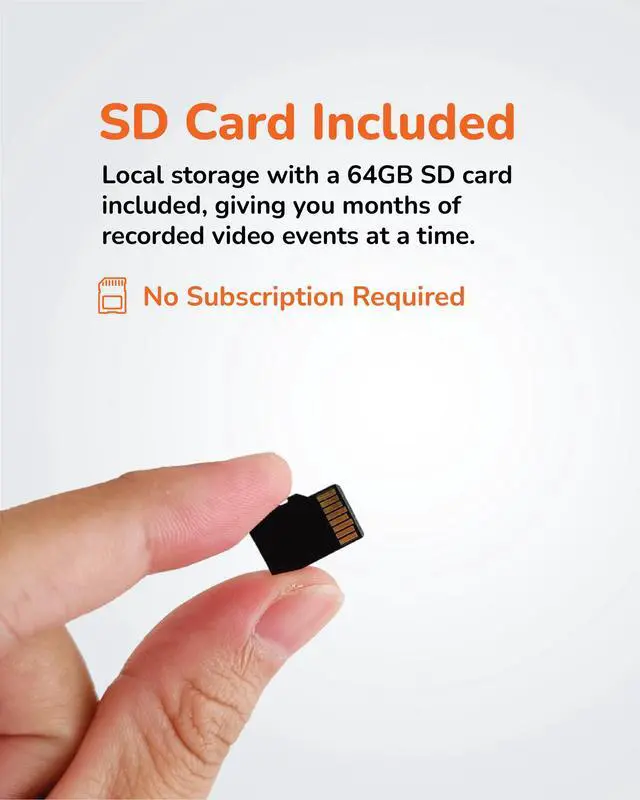
The microSD card comes pre-installed inside the camera, so it’s ready to use right out of the box. You don’t need to insert it manually.
How can I contact Sensforge if I need help?
We’re here to help whenever you need support.
In the app: Open the app ? Go to Profile ? Tap Help
or check our website to find multiple ways to connect.
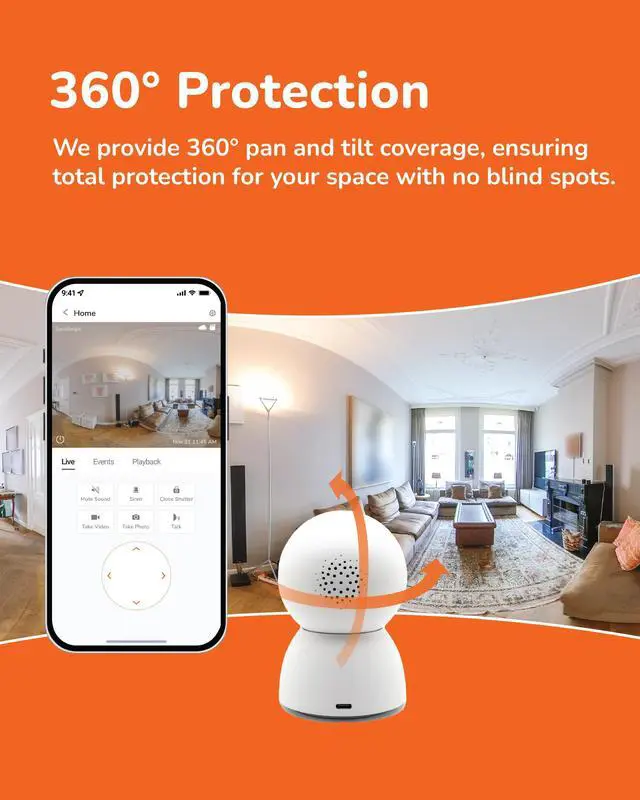
The camera doesn’t pan or tilt smoothly. What shall I do?
The camera includes an auto-calibration feature to improve pan and tilt movement.
To use it, open the app and go to: Settings ? Image Settings ? PTZ Calibration
This will help recalibrate the pan-tilt motor for smoother movement.
I am moving the camera to another place. How shall I do?
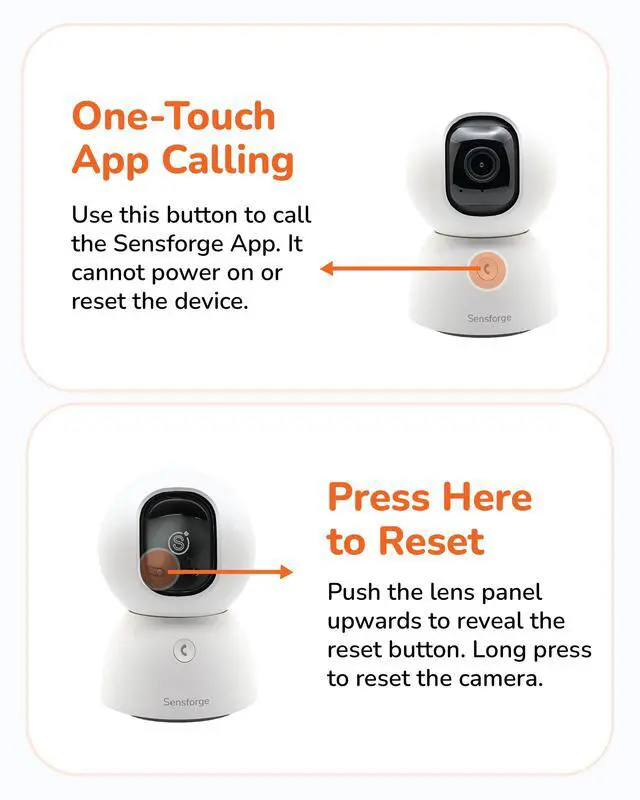
Please reset the camera and re-pair it after relocation. To reset, gently tilt the lens upward to locate the reset button.
Why can’t my camera connect to public Wi-Fi (like in hotels, dorms, or cafes)?
Many public Wi-Fi networks block smart devices due to security settings like firewalls or login portals. For best performance and privacy, connect your camera to a private 2.4GHz or 5GHz home Wi-Fi network.


Our cameras do more than provide security - they preserve life's most precious moments.
From everyday memories to major milestones, we're redefining home videos for the future.
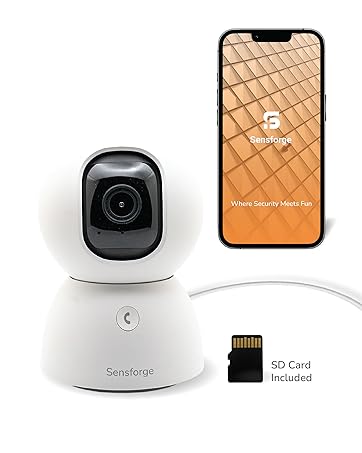
Sensforge Pan-Tilt Indoor Camera
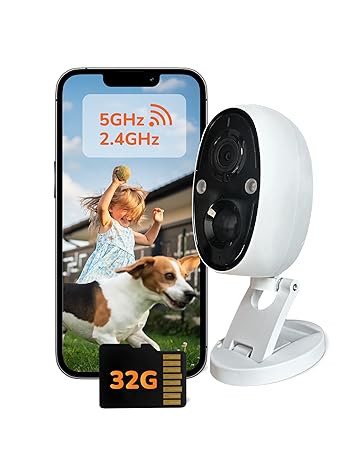
Sensforge Indoor/Outdoor Battery Camera
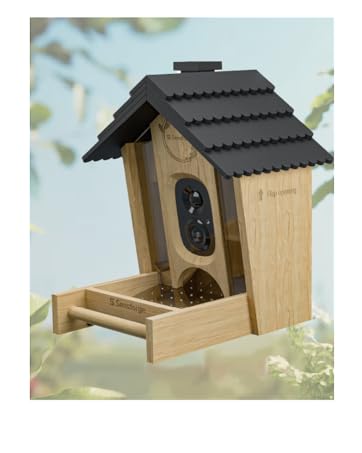
Sensforge Smart Bird Feeder
How did we get our start?
It all started with a deer.
Our founder was frustrated when a deer kept sneaking into his backyard and munching on his wife’s beloved vegetable garden.
After setting up a camera to catch the culprit, he found that it didn’t provide enough information to solve the mystery.
This lightbulb moment led to the creation of Sensforge, where our mission became clear: When Security Meets Fun.
We wanted to develop smart, AI-powered cameras that not only keep you safe but also capture wonderful everyday moments.
Why do we love what we do?
At Sensforge, we envision a future where technology seamlessly connects you to every moment.
Our cameras are your eyes, capturing everything around you, while our software acts as your mind, processing and alerting you to what matters most.
Looking ahead, we aim to create a world where you feel present for every important moment—whether you're securing your home, capturing memories, or staying informed in real time.
As we continue to innovate, we’re committed to making everyday moments extraordinary, ensuring you’re always just a step away from what matters.

Introducing the Sensforge 2.5K Indoor Security Camera – designed for peace of mind, effortless control, and crystal-clear protection. Whether you’re monitoring your home, pets, or loved ones, Sensforge delivers reliable and intelligent surveillance in a sleek, modern design.


Find the Right Security Camera
White Indoor Camera | Indoor Camera 2 Pack | Black Indoor Camera | Battery Camera | Solar PoweredCamera |
|---|---|---|---|---|
| Customer Reviews | ||||
| — | — | — | — | — |
| Price | ||||
| — | — | — | — | — |
| Power Option | ||||
| Plug-in | Plug-in | Plug-in | Battery | Solar Powered |
| Smart Detection | ||||
| Motion, Human, Pet | Motion, Human, Pet | Motion, Human, Pet | Motion, Human, Vehicle, Animal | Motion, Human, Vehicle, Animal |
| Video/Picture Resolution | ||||
| 2.5K | 2.5K | 2.5K | 2.5K | 2.5K |
| Connectivity Technology | ||||
| 2.4G/5G Wi-Fi | 2.4G/5G Wi-Fi | 2.4G/5G Wi-Fi | 2.4G/5G Wi-Fi | 2.4G/5G Wi-Fi |
| Pan and Tilt | ||||
| ? | ? | ? | ? | ? |
| Recording Type | ||||
| 24/7 Continous Record | 24/7 Continous Record | 24/7 Continous Record | Event Recording | Event Recording |
| Two-Way Audio | ||||
| ? | ? | ? | ? | ? |
| Storage | ||||
| 64GB microSD Card | 64GB microSD Card | 64GB microSD Card | 32GB microSD Card | 32GB microSD Card |
| Privacy Shutter | ||||
| ? | ? | ? | ? | ? |
| Night Vision | ||||
| Infrared Night Vision | Infrared Night Vision | Infrared Night Vision | Spotlight Color Night Vision | Spotlight Color Night Vision |
You mentioned a microSD card is included, but I couldn’t find it in the package.
The microSD card comes pre-installed inside the camera, so it’s ready to use right out of the box. You don’t need to insert it manually.
How can I contact Sensforge if I need help?
We’re here to help whenever you need support.
In the app: Open the app ? Go to Profile ? Tap Help
or check our website to find multiple ways to connect.
The camera doesn’t pan or tilt smoothly. What shall I do?
The camera includes an auto-calibration feature to improve pan and tilt movement.
To use it, open the app and go to: Settings ? Image Settings ? PTZ Calibration
This will help recalibrate the pan-tilt motor for smoother movement.
I am moving the camera to another place. How shall I do?
Please reset the camera and re-pair it after relocation. To reset, gently tilt the lens upward to locate the reset button.
Why can’t my camera connect to public Wi-Fi (like in hotels, dorms, or cafes)?
Many public Wi-Fi networks block smart devices due to security settings like firewalls or login portals. For best performance and privacy, connect your camera to a private 2.4GHz or 5GHz home Wi-Fi network.
Our cameras do more than provide security - they preserve life's most precious moments.
From everyday memories to major milestones, we're redefining home videos for the future.
Sensforge Pan-Tilt Indoor Camera
Sensforge Indoor/Outdoor Battery Camera
Sensforge Smart Bird Feeder
How did we get our start?
It all started with a deer.
Our founder was frustrated when a deer kept sneaking into his backyard and munching on his wife’s beloved vegetable garden.
After setting up a camera to catch the culprit, he found that it didn’t provide enough information to solve the mystery.
This lightbulb moment led to the creation of Sensforge, where our mission became clear: When Security Meets Fun.
We wanted to develop smart, AI-powered cameras that not only keep you safe but also capture wonderful everyday moments.
Why do we love what we do?
At Sensforge, we envision a future where technology seamlessly connects you to every moment.
Our cameras are your eyes, capturing everything around you, while our software acts as your mind, processing and alerting you to what matters most.
Looking ahead, we aim to create a world where you feel present for every important moment—whether you're securing your home, capturing memories, or staying informed in real time.
As we continue to innovate, we’re committed to making everyday moments extraordinary, ensuring you’re always just a step away from what matters.